







While working on our PDF Viewer update for Big Sur and switching to the new Catalyst Mac Interface Idiom, I was greeted with a new exception coming directly from UIKit:
[General] UIStepper is not supported when running Catalyst apps in the Mac idiom.
[General] (
	0   CoreFoundation                      0x00007fff2067fbdf __exceptionPreprocess + 242
	1   libobjc.A.dylib                     0x00007fff2029f469 objc_exception_throw + 48
	2   UIKitCore                           0x00007fff464af1e5 -[UIView(UICatalystMacIdiomUnsupported_Internal) _throwForUnsupportedNonMacIdiomBehaviorWithReason:] + 0
	3   UIKitCore                           0x00007fff45c7b5b6 -[UIStepper _didMoveFromWindow:toWindow:] + 218
Catalyst Mac Idiom
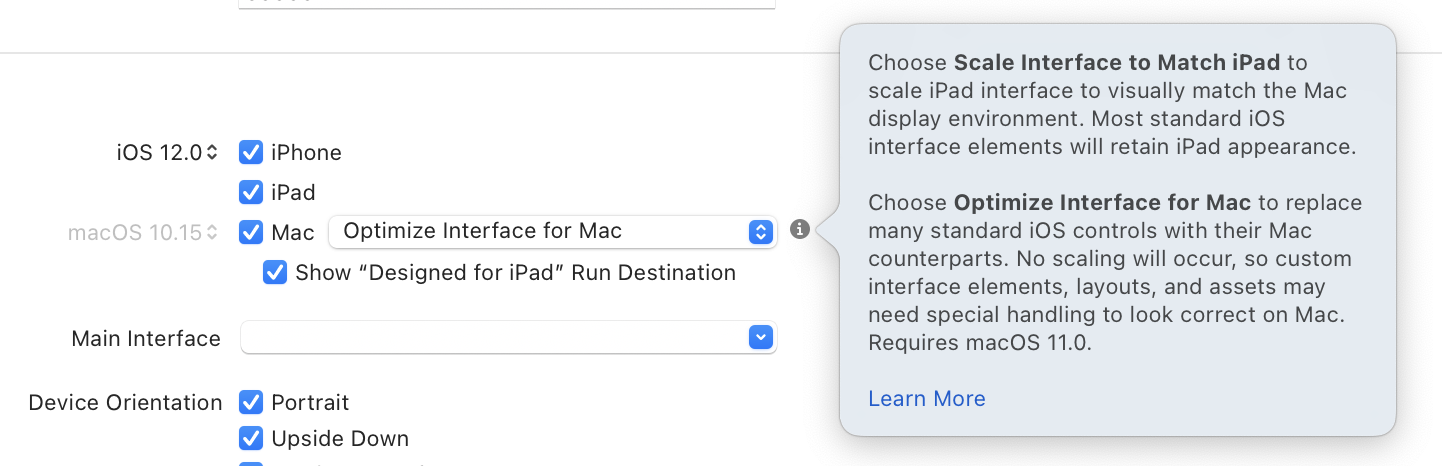
Let’s take a step back — what’s the Catalyst Mac Idiom? With macOS 11 Big Sur, Catalyst learned a new presentation mode. Next to the classic mode where Catalyst apps are scaled to 77 percent and retain their iPad look, there’s a new Optimize Interface for Mac mode that doesn’t use scaling and replaces various UIKit controls with AppKit counterparts.
The new mode is available with Big Sur, and apps can be built so that they use scaling on Catalina and the new Mac mode on Big Sur. We’ll be releasing a new version of PDF Viewer for Mac using the new optimized mode as soon as Apple finalizes Big Sur.
If we write code that works on both Catalina and Big Sur, a category like this will be useful:
extension UIDevice {
    /// Checks if we run in Mac Catalyst Optimized For Mac Idiom
    var isCatalystMacIdiom: Bool {
        if #available(iOS 14, *) {
            return UIDevice.current.userInterfaceIdiom == .mac
        } else {
            return false
        }
    }
}
This can later be used, for example, in SwiftUI (SwiftUI’s Stepper maps to UIStepper, which is disallowed):
// UIStepper is not allowed for Catalyst Mac Idiom.
if !UIDevice.current.isCatalystMacIdiom {
    Stepper("Current Page: \(pageIndex + 1)", value: $pageIndex, in: 0...document.pageCount - 1)
    .padding()
}
AppKit In UIKit
Internally, Apple uses a private _UINSView class to host an actual NSView. It’s too bad Apple didn’t consider making this class public API, which would’ve allowed us to freely mix AppKit with UIKit, but it’s a start.
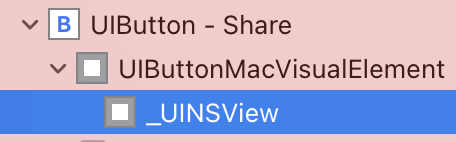
If we look into the runtime, the class does pretty much what we’d expect (I omitted some less useful methods for the sake of brevity):
lldb) po [NSClassFromString(@"_UINSView") _shortMethodDescription]
<_UINSView: 0x7fff86fac238>:
in _UINSView:
	Properties:
		@property (readonly) struct CGSize _intrinsicFrameSize;
		@property (readonly) NSView* contentNSView;  (@synthesize contentNSView = _contentNSView;)
Forbidden Controls
Back to our crash — things make a bit more sense now. There’s no great equivalent for UIStepper in AppKit, so the folks at Apple decided it’s better to throw an exception if this control is used (FB8727188).
The problem: It isn’t documented which controls are disallowed, and what’s even more problematic is some controls are allowed, but customizations are disallowed. What does UISlider map toward? We can get the pointer from the visual debugger and then use our knowledge of the class structure to call directly into the AppKit view:
(lldb) po [0x7f9503c488f0 contentNSView]
<NSSlider: 0x7f9503c37a40>
NSSlider is the obvious choice, however, the Mac version lacks the appearance customization options UIKit has. Calling any of these customization methods will simply throw (crash) at runtime:
setMinimumTrackImage:forState: is not supported on PSPDFBrightnessSlider when running Catalyst apps in the Mac idiom.
 (
	0   CoreFoundation                      0x00007fff2067fbdf __exceptionPreprocess + 242
	1   libobjc.A.dylib                     0x00007fff2029f469 objc_exception_throw + 48
	2   UIKitCore                           0x00007fff464af1e5 -[UIView(UICatalystMacIdiomUnsupported_Internal) _throwForUnsupportedNonMacIdiomBehaviorWithReason:] + 0
	3   UIKitCore                           0x00007fff4582af70 -[UISlider setMinimumTrackImage:forState:] + 197
This is problematic, as it’s yet another restriction that isn’t documented. A better choice would’ve been to keep the UIKit variant in case customization exceeds what AppKit can do. It’s a surprising late change, and folks working on Catalyst apps are frustrated:
{% twitter https://twitter.com/_imaginethis/status/1308412481375801344?s=21 %}
Finding What’s Forbidden
Since there’s no documentation and there are no release notes about any of these behaviors, that just leaves Hopper and decompiling UIKitCore.
We find references to following controls:
UIStepper(styling properties such assetMinimumTrackImage:forState:)UIPickerViewUIRefreshControlUISwitch(insidesetTitle:)UIButton
This includes any subclasses like AVScrubber (part of AVPlayerView), so this can become a real problem.
The main method throwing is _throwForUnsupportedNonMacIdiomBehaviorWithReason, so it makes sense to search for it. It checks if the bundle identifier starts with “com.apple”, and if it does, it just logs an error, while all other apps get an exception. There’s yet another check for _allowsUnsupportedMacIdiomBehavior, which is interesting. It seems the above controls at least have partial support in Big Sur. This can be enabled via calling _setAllowsUnsupportedMacIdiomBehavior:] on them. And indeed, calling [UIStepper _setAllowsUnsupportedMacIdiomBehavior:1]; (I’m using Objective-C here since it’s easier to just redeclare the method in the header) does result in a working app.
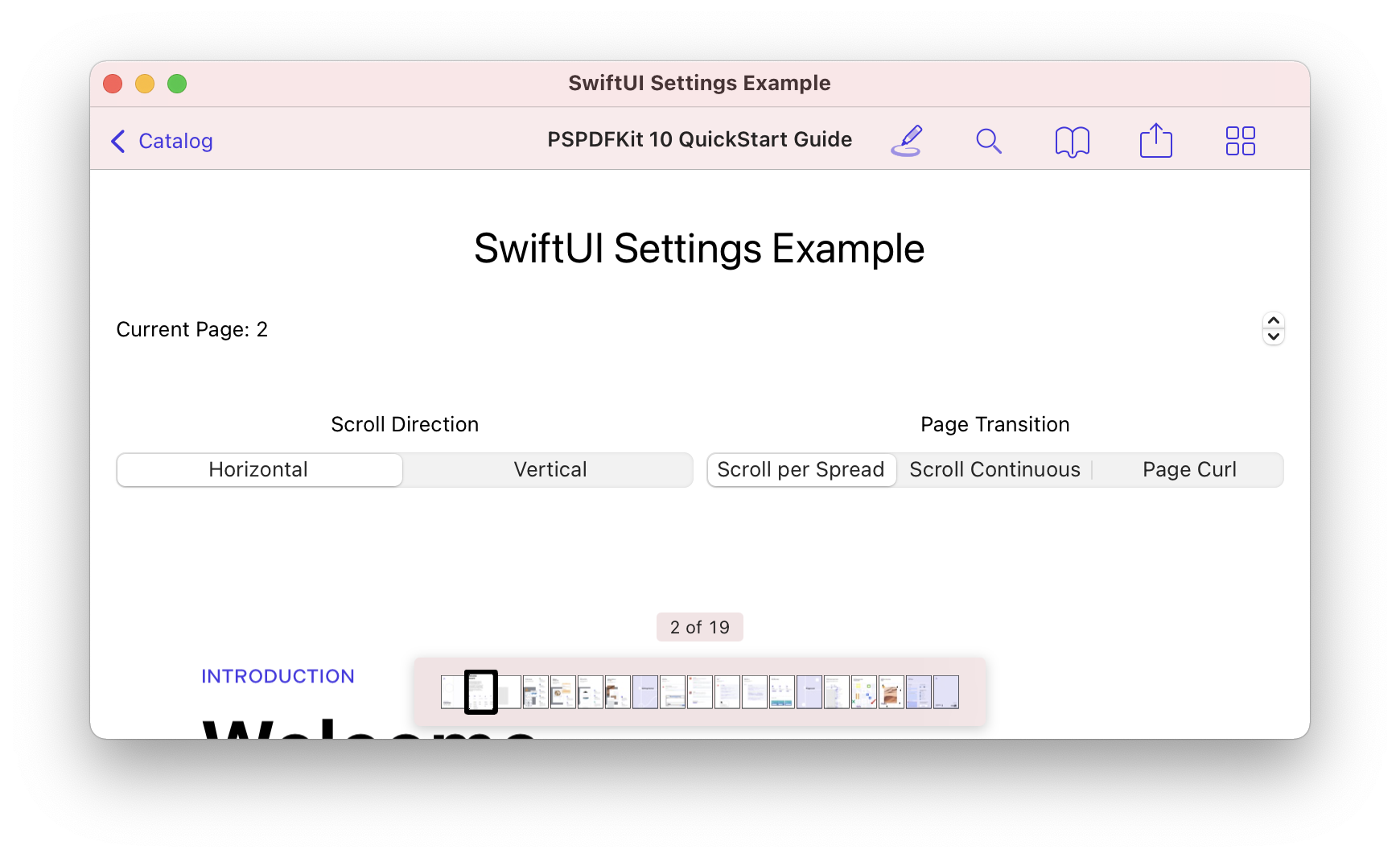
There’s a stepper (next to the “Current Page: 2” label), however, clicking it doesn’t work. This is obviously not something we should ever use for shipping, but it’s fun to play with the internals!
Digging Deeper
However most of the throw calls seem to be missing. I’ve been looking at the iOS version this whole time, when clearly this is conditional code and we need to look at the macOS version instead.
iOS Path: /Applications/Xcode.app/Contents/Developer/Platforms/iPhoneOS.platform/Library/Developer/CoreSimulator/Profiles/Runtimes/iOS.simruntime/Contents/Resources/RuntimeRoot/System/Library/PrivateFrameworks/UIKitCore.framework1
macOS Path: /System/iOSSupport/System/Library/PrivateFrameworks/UIKitCore.framework
However, when we open the framework on macOS, there’s no binary. WTH? I remembered reading that Big Sur ships with a built-in dynamic linker cache of all system-provided libraries. Luckily, Hopper has already been updated to be informed of that shared cache, so we can load it via /System/Library/dyld/ and then select UIKitCore as the target.
Wait until everything is loaded and then select File > Produce Pseudo-Code File for All Procedures. This might take a few hours. Once the file is generated, pick a fast text editor (my weapon of choice for something like this is Sublime Text) and load the file. There, search for _throwForUnsupportedNonMacIdiomBehaviorWithReason: again.
The problem: The file is heavily obfuscated; Hopper can’t read the selector names. We can search for the string “Unsupported iOS or Mac Catalyst iPad Idiom” to find the selector matching _throwForUnsupportedNonMacIdiomBehaviorWithReason:. In my case, that’s sub_7fff465801e5.
Conclusion
However, that’s the end of the story for now. The data is there, but the tools can’t yet (!) get a useful format out. We know there are at least five controls that throw an exception on some usage at runtime, however, which one it is exactly is currently hard to know. Shipping a Catalyst app in the new Mac idiom is definitely an adventure.
Decompile via LLDB
Jeff Johnson points out that one can abuse LLDB to decompile methods individually. That approach would take far too long to find all the calls that throw here, but it’s a start.
The dyld-shared-cache-big-sur project uses modifications to Apple’s dyld project to fix Objective-C information when extracting the dyld_shared_cache from macOS Big Sur to help Hopper generate readable pseudocode. (Thanks @lclhrst for the hint!)
Using this project, we can extract the dyld cache into a folder:
./dyld_shared_cache_util -extract ~/Developer/macOS\ Big\ Sur /System/Library/dyld/dyld_shared_cache_x86_64And then we can decompile UIKitCore with selector names. This doesn’t resolve the individual selector calls, but it’s a step forward.
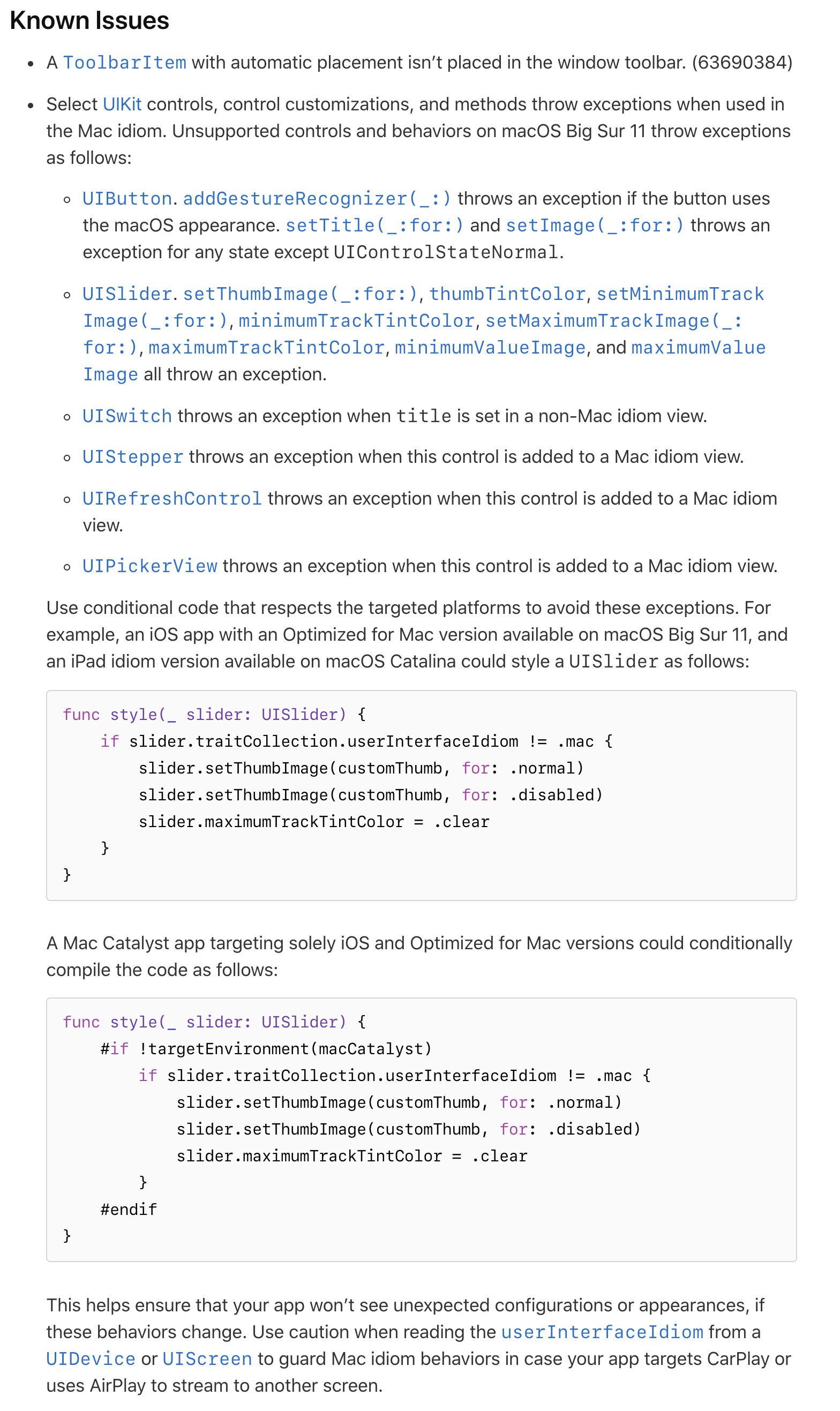
Update: Apple added the list of disallowed controls in the macOS Big Sur 11.0.1 Release Notes
This answers which controls are affected. Curiously this currently is the only place, and there’s no mention in the headers or compile-time support to warn when these methods are used - but it’s better than no docs.
-
In the early days, it was just UIKit. A few years ago, Apple created an internal framework called UIKitCore, which exports more APIs and can be used for internal apps. UIKit is the smaller API for external developers (us). ↩