


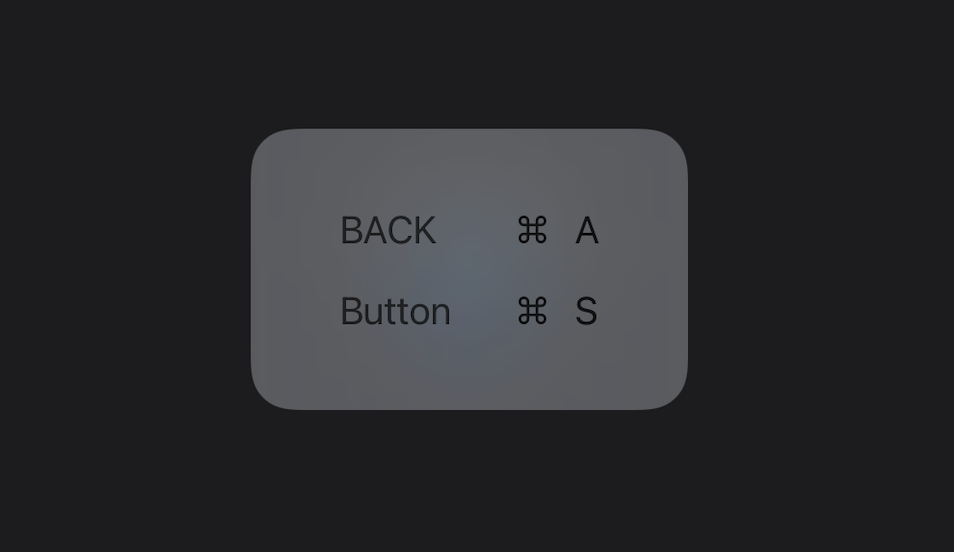
iOS 14 introduced keyboardShortcut, a convenient native way to add keyboard shortcuts to SwiftUI. However, if you end up using it, it likely won’t work. I was curious why that is, so follow along with me for a round of SwiftUI debugging! Spoiler: The workaround is at the end of this article.
Behavior Inventory
Let’s first check out how this feature works:
struct ContentView: View {
    var body: some View {
        Button("Keyboard Enabled Button") {
            print("P pressed")
        }.keyboardShortcut("p", modifiers: [.command])
    }
}
Simple enough. However, when I tried, it didn’t work in production. After simplifying my setup and eventually writing my own example project, I eventually realized my code is correct and this just doesn’t work.
But surely Apple tested this? Let’s try a few combinations:
- UIKit app lifecycle, iOS 14: ❌
- UIKit app lifecycle, Catalyst Big Sur: ✅1
- SwiftUI app lifecycle, iOS 14: ✅
- SwiftUI app lifecycle, Catalyst Big Sur: ✅
Right. So things work pretty much everywhere, but not in the use case that will likely be the most common one: when mixing SwiftUI and UIKit.
The Solution
I’ve been discussing this on Twitter and was quickly given a workaround (thanks Mateus!) to try:
let host = UIHostingController(rootView: SwiftUIView())

// Workaround for `keyboardShortcut` not working:
let window = UIWindow()
window.rootViewController = host
window.makeKeyAndVisible()

present(host, animated: true, completion: nil)
And sure enough — this indeed does the trick! But it got me even more curious. Mateus talks about a keyboardShortcutBridge in UIHostingController that takes care of keyboard management. Let’s see if we can verify that in LLDB:
Printing description of host:
<_TtGC7SwiftUI19UIHostingControllerV15SwiftUIKeyboard11SwiftUIView_: 0x7fc4f4408360>
(lldb) expression -l objc -O -- [0x7fc4f4408360 _ivarDescription]
<_TtGC7SwiftUI19UIHostingControllerV15SwiftUIKeyboard11SwiftUIView_: 0x7fc4f4408360>:
in _TtGC7SwiftUI19UIHostingControllerV15SwiftUIKeyboard11SwiftUIView_:
	allowedBehaviors (): Value not representable,
	host (): Value not representable,
	customTabItem (): Value not representable,
	toolbarCoordinator (): Value not representable,
	swiftUIToolbar (): Value not representable,
	toolbarBridge (): Value not representable,
	keyboardShortcutBridge (): Value not representable,
Good old _ivarDescription is still useful and shows Swift ivars as well; it can’t show the real type, but it’s good enough to confirm that there’s indeed a keyboardShortcutBridge.
What Sets keyboardShortcutBridge?
Now let’s look at what sets keyboardShortcutBridge. It seems there’s a code path where this object isn’t set, so let’s find out if that’s the case. When we load SwiftUI’s binary in Hopper and search for this name, we find quite a few matches:
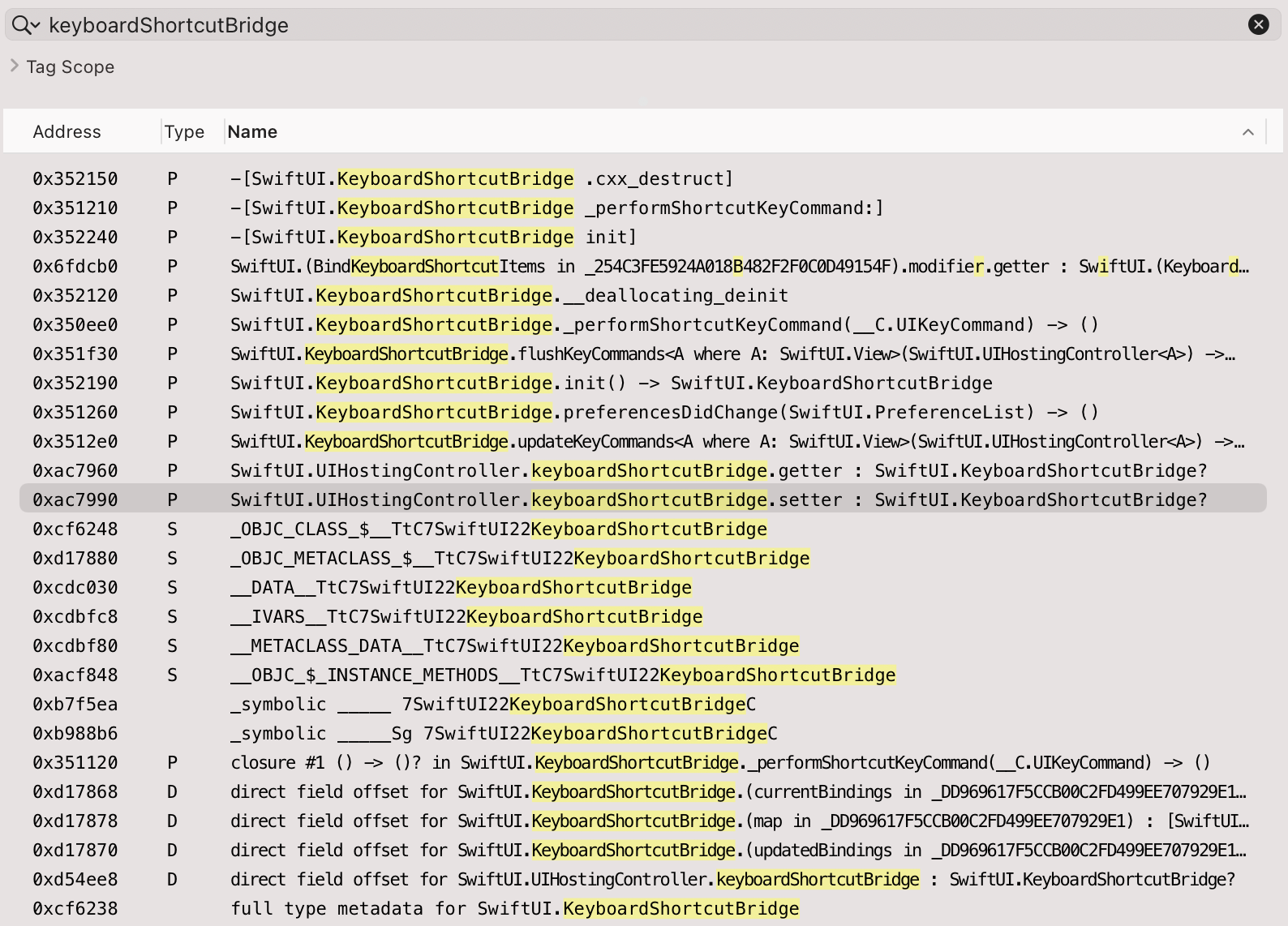
Now let’s analyze what we see here:
- There’s a class named
KeyboardShortcutBridgein SwiftUI. - It has one method marked
@objc:_performShortcutKeyCommand:, therefore Objective-C metadata is emitted (init, cxx_destruct). - It uses
UIKeyCommandunder the hood, which is an API you’ll be familiar with if you’ve ever added keyboard support on iOS. - There’s a setter for the Swift property that sets this object:
SwiftUI.UIHostingController.keyboardShortcutBridge.setter.
Using Xcode’s breakpoint list isn’t working too well for SwiftUI. Adding the setter there isn’t working (fully qualified). Instead, let’s try using LLDB directly and fuzzy-searching for the breakpoint. You’ll want to stop your program early (before UIHostingController is created) and add the breakpoint manually:
(lldb) breakpoint set --func-regex keyboardShortcutBridge
Breakpoint 2: 3 locations.
Great! Now let’s look at the three matches:
(lldb) breakpoint list
Current breakpoints:
1: file = '/Users/steipete/Projects/TempProjects/SwiftUIKeyboard/SwiftUIKeyboard/ViewController.swift', line = 22, exact_match = 0, locations = 1, resolved = 1, hit count = 1

  1.1: where = SwiftUIKeyboard`SwiftUIKeyboard.ViewController.viewDidAppear(Swift.Bool) -> () + 164 at ViewController.swift:22:20, address = 0x000000010115b444, resolved, hit count = 1

2: regex = 'keyboardShortcutBridge', locations = 3, resolved = 3, hit count = 0
  2.1: where = SwiftUI`generic specialization <SwiftUI.ModifiedContent<SwiftUI.AnyView, SwiftUI.RootModifier>> of SwiftUI.UIHostingController.keyboardShortcutBridge.setter : Swift.Optional<SwiftUI.KeyboardShortcutBridge>, address = 0x00007fff57a376b0, resolved, hit count = 0
  2.2: where = SwiftUI`SwiftUI.UIHostingController.keyboardShortcutBridge.getter : Swift.Optional<SwiftUI.KeyboardShortcutBridge>, address = 0x00007fff57a59960, resolved, hit count = 0
  2.3: where = SwiftUI`SwiftUI.UIHostingController.keyboardShortcutBridge.setter : Swift.Optional<SwiftUI.KeyboardShortcutBridge>, address = 0x00007fff57a59990, resolved, hit count = 0
That’s good enough. And sure enough — in the non-working case, the setter is never hit. Once we apply the workaround, the method is hit:
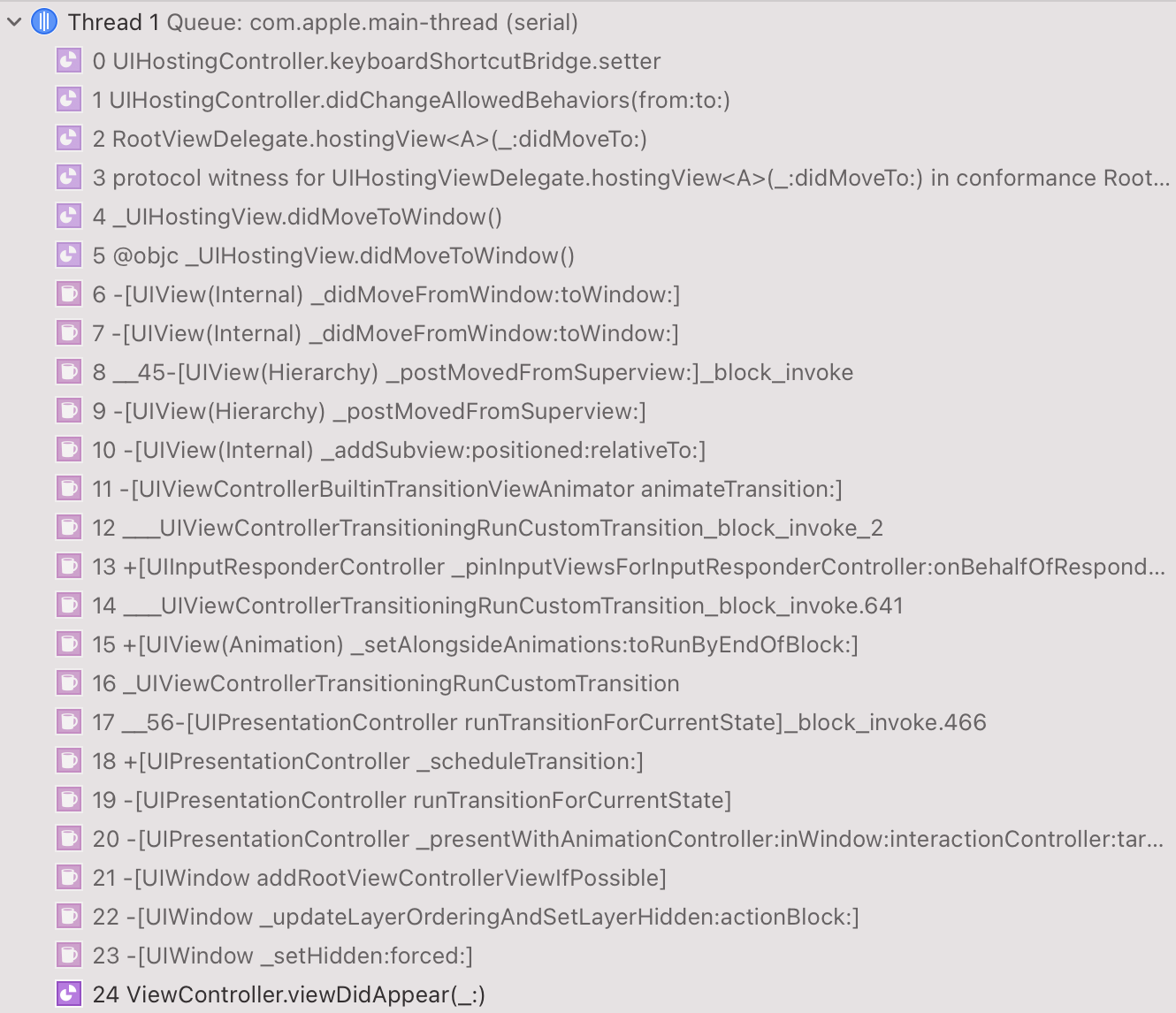
We see that the code responsible for calling the setter is in didChangeAllowedBehaviors.
Next, let’s see if there are any other places that would call this setter. I like to use a full pseudo-code export of SwiftUI. You can create this via Hopper > File > Produce Pseudo-Code File For All Procedures…. This will take many hours and produce a file named SwiftUI.m that’s more than 100 MB in size. Once this is done, use a text editor that can open large files,2 and search for SwiftUI.UIHostingController.keyboardShortcutBridge.setter. The only two code paths are these:
int _$s7SwiftUI19UIHostingControllerC25didChangeAllowedBehaviors4from2toyAC0gH0Vyx_G_AItF(int arg0)void _$s7SwiftUI19UIHostingControllerC25didChangeAllowedBehaviors4from2toyAC0gH0Vyx_G_AItFAA15ModifiedContentVyAA7AnyViewVAA12RootModifierVG_Tg5(int arg0)
This is mangled Swift, but it’s not hard to see what the unmangled function name is called — it’s our didChangeAllowedBehaviors(from:to") with a lambda inside it, and not anywhere else.
What Triggers didChangeAllowedBehaviors?
What triggers an allowed behavior change? We can search for SwiftUI.UIHostingController.allowedBehaviors.setter, since didChangeAllowedBehaviors is triggered when the setter is invoked:
_$s7SwiftUI16AppSceneDelegateC9sceneItemAA0D4ListV0G0VyF()_$s7SwiftUI16RootViewDelegateC07hostingD0_9didMoveToyAA010_UIHostingD0CyxG_So8UIWindowCSgtAA0D0RzlF(int arg0, int arg1)
So there are two mechanisms that trigger this:
- The SwiftUI-based app lifecycle
- A root view delegate
This lines up with our previous tests. SwiftUI app lifecycle works, and if we add UIHostingController as a root view controller, the RootViewDelegate also triggers the change. We can check via a fuzzy breakpoint if a RootViewDelegate is created in the non-working variant via breakpoint set --func-regex RootViewDelegate, and sure enough, there are 13 matches, but not one fires.
When searching for RootViewDelegate( in the full-text SwiftUI.m file, there’s only one match, in s7SwiftUI14_UIHostingViewC15didMoveToWindowyyF. This further confirms our theory. It seems Apple simply forgot a code path to create the keyboard shortcut bridge for the most likely use case of using SwiftUI in existing UIKit apps, which is where it makes most sense.
Tweaking the Workaround
We can make the workaround slightly better and pack it into an extension. If we avoid making the temporary window key, we can skip a whole class of issues that appear when the key window is unexpectedly changed:
extension UIHostingController {

    /// Applies workaround so `keyboardShortcut` can be used via SwiftUI.
    ///
    /// When `UIHostingController` is used as a non-root controller with the UIKit app lifecycle,
    /// keyboard shortcuts created in SwiftUI don't work (as of iOS 14.4).
    /// This workaround is harmless and triggers an internal state change that enables keyboard shortcut bridging.
    /// See https://steipete.com/posts/fixing-keyboardshortcut-in-swiftui/
    func applyKeyboardShortcutFix() {
        #if !targetEnvironment(macCatalyst)
        let window = UIWindow()
        window.rootViewController = self
        window.isHidden = false;
        #endif
    }
}
Because the window itself is shown and deallocated within the same run loop, it’ll never be visible. This workaround is safe and only uses public APIs. I reported this issue to Apple via FB8984997. You can read the full bug report and sample project here.
Bonus: Build keyboardShortcut for iOS 13
After fixing the iOS 14 version of keyboard shortcut, I realized that the principle is quite simple, and it can be rewritten in around 100 lines of Swift so that this feature is available on iOS 13 as well. The syntax is practically the same:
Button(action: {
      print("Button Tapped!!")
  }) {
      Text("Button")
  }
.keyCommand("e", modifiers: [.control])
You can read the full gist here.
Conclusion
I hope this post helps folks when they google “keyboardShortcut SwiftUI not working,” provides a safe workaround, and inspires a few people to dig deeper. Swift is harder to reverse engineer than Objective-C is, but it’s still possible. This was the first time I had to set breakpoints for binary Swift symbols, so it’s good to see that this still works when using LLDB manually.
-
I’ve seen issues with keyboard handling in Catalyst, so I recommend testing everything before you rely on this functionality there. ↩
-
In the early years, Sublime Text was my editor of choice, but nowadays, the Electron-based Visual Studio Code is way faster in both opening and searching this file and those of a similar size. ↩