






With macOS Mojave, Apple is adding support to run UIKit apps on macOS without the requirement of rewriting the UI in AppKit. While this isn’t yet something that’s officially supported for third-party developers, let’s explore what to expect in 2019 and how to try it out today.
This article is based on a talk (below) I presented at try! Swift New York called “Hacking Marzipan.” You can find the slides on SpeakerDeck.
{% youtube https://www.youtube.com/watch?v=2OuQarA0a7I %}
Be sure to also check out other great videos on their YouTube channel.
⚠️ Warning: Exploring the iOSMac platform requires hacks that weaken the security of your Mac, so you should use a separate machine to explore this new technology. Do not distribute iOSMac apps just yet — the underlying frameworks are still private and are likely subject to change.
What Is Marzipan?
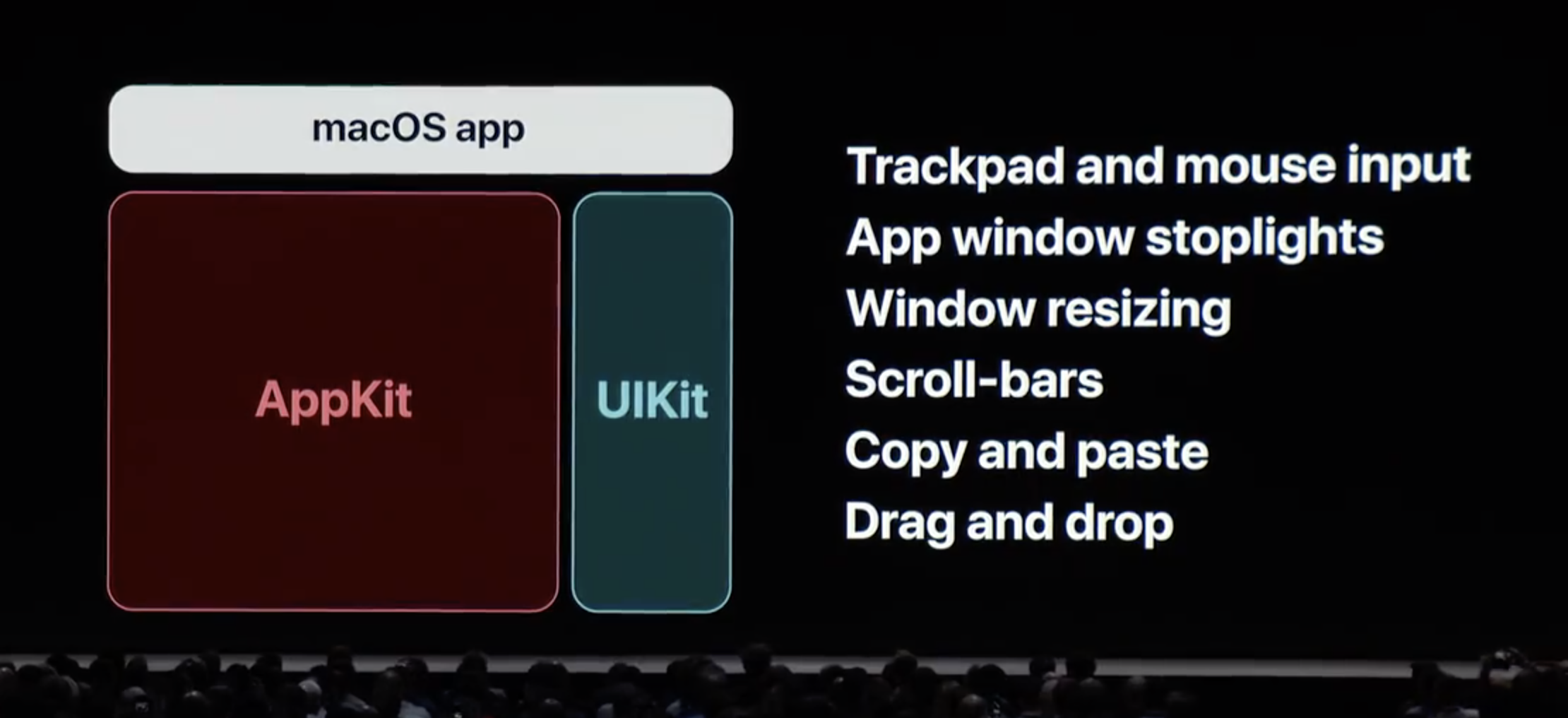
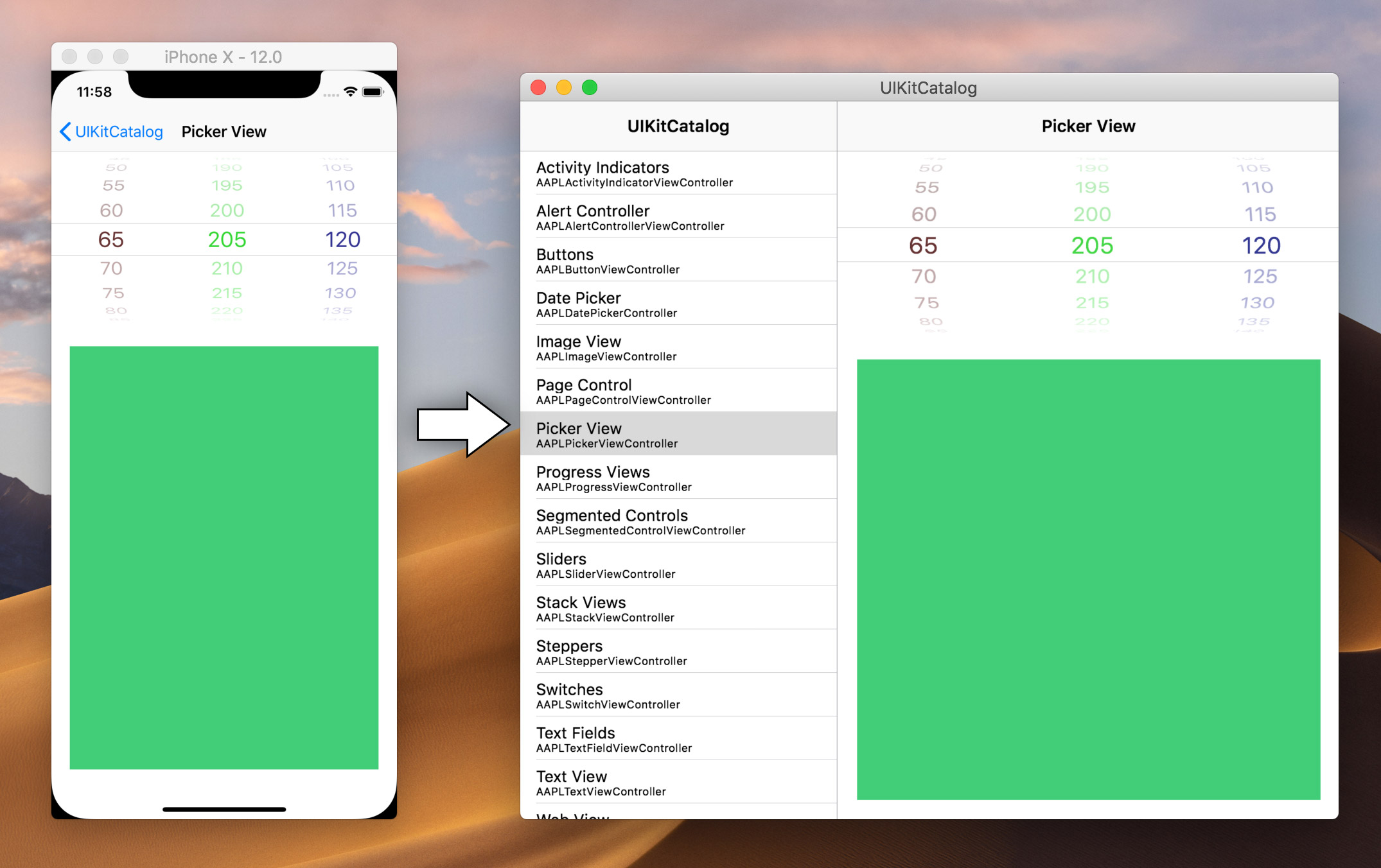
Marzipan is Apple’s new iOS application layer for the Mac. It runs apps written in UIKit and most related iOS frameworks in a way that makes sense on a Mac. You can already run your iOS apps on the Mac, and you did so for years, through the Simulator.
Marzipan is in some ways an evolution of the Simulator. However, it doesn’t use the Simulator architecture; it is much more deeply integrated, and it includes support for adding buttons to the window chrome, menu bar, focus rings, and much more. Even Drag and Drop works.
Interesting fact: Marzipan has size classes and a scale factor of 0.77 — everything’s rendered a little smaller to fit better on the Mac.
History and Timeline
Now, this isn’t the first time UIKit is running on a platform it wasn’t originally designed for. Facebook has an internal (closed source) project called OSMeta, which is basically a complete rewrite of not only UIKit, but the entire iOS platform. Microsoft has Project Islandwood, aka Windows Bridge for iOS. And on GitHub, you’ll find other attempts like the Chameleon Project. However, UIKit is a large beast, so realistically, only Apple can port it with all its awesomeness and flaws.
When Mark Gurman leaked the news about Marzipan in late 2017 on Bloomberg, hardly anyone believed Apple would really go down this path. Even their own engineers were surprised when Craig Federighi chose to present a sneak peek at WWDC 2018, as it won’t be until macOS 10.15 in late 2019 that there’s an official SDK for third-party developers.
iOSMac Architecture
Running an iOSMac app will spawn a whole list of processes. There’s an AppKit shell that displays the UIKit app, and then there’s UIKitSystem.app, which is Mac’s version of FrontBoard:
- /Applications/VoiceMemos.app
- /System/iOSSupport/System/Library/PrivateFrameworks/ VoiceMemos.framework/Support/voicememod
- /System/Library/CoreServices/UIKitSystem.app
- /System/Library/PrivateFrameworks/UIKitHostAppServices.framework/ Versions/A/XPCServices/UIKitHostApp.xpc (disguised)
If you’d like to learn more, Adam Demasi wrote a great post about the architecture internals of iOSMac.
Overview of Current Hacks
Apple is testing this new platform in stages. macOS Mojave delivers Phase 1 with new Apple-provided apps running on iOSMac. With Phase 2, developers will get access to the platform. However, there are various ways to work around Apple’s current restrictions on Marzipan.
marzipan_hook
Michał Kałużny’s hack was one of the first and deserves a special mention. It piggybacks on Apple’s iOSMac apps and injects your code into an app to convert it into your own app, much like a virus entering your cells and causing it to do things the cell wasn’t made for. This is not an approach that scales, but Kałużny gets points for creativity!
MarzipanPlatter
Early on, MarzipanPlatter was the best choice for converting iOS apps to macOS, and I successfully ported PDF Viewer on Mojave Beta 1 to the Mac. However, my approach mixed UIKit and AppKit, which was flawed (but got great coverage).
— Peter Steinberger (@steipete) June 11, 2018Got @pdfviewerapp running on Marzipan 🤯
Featuring inline video, page curl, popovers, scrolling, text selection, inline forms, adding text, color inspector, search, editing documents - almost everything works. Took me half a day. Project is 1MLOC ObjC/C++.
Major props to Apple! pic.twitter.com/1ofpe5AqyM
marzipanify
Steven Troughton-Smith offers the most complete conversion tool with marzipanify. This is currently the best way to port your app. It basically performs the following actions:
- Adds “Marzipan Glue”
- Patches
Info.plist - Modifies the Mach header
- Adds private iOSMac entitlements
We’ll use marzipanify in this article. Shoutout to Steven for this amazing tool. If you find it useful, consider supporting him on Patreon.
Disable Security 🙀
Apple has locked things down quite a bit, so you can’t just make iOSMac apps out of the box — at least not without hacks. For all the hacks discussed here, we need to disable Apple System Integrity Protection. This is not something you should generally do, so, as I mentioned before, it’s a good idea to use a separate machine for your experiments.
sudo csrutil disable
sudo nvram boot-args=“amfi_get_out_of_my_way=0x1”
For the hack used here, you also need to disable sandboxing. Apple controls which apps can get the private iOSMac entitlement, and without this magic amfi_get_out_of_my_way boot argument, your experiment will be terminated before it gets a chance to run (amfi is short for AppleMobileFileIntegrity).
Virtual Machines Do Not Always Work
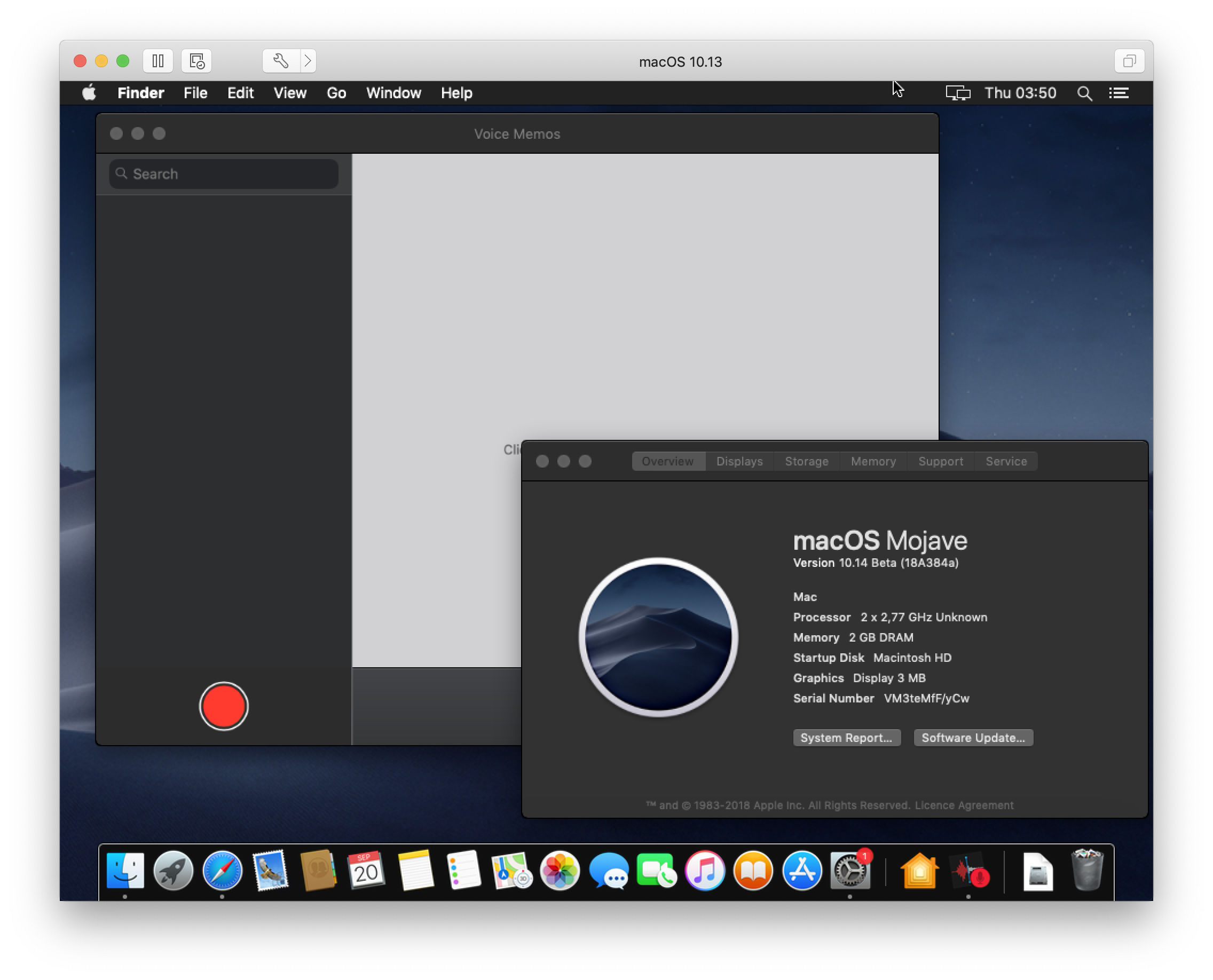
The iOSMac platform requires GPU acceleration and simply exits when this is not available.
Update: It seems that Apple is actively working on this deficiency. As of Mojave Beta 11, some apps, including Home and PDF Viewer for Mac, now run inside a VM, while News still fails to load. Shoutout to Michael Thomas for pinging me about this change!
Porting PDF Viewer to the Mac
PDF Viewer is a fairly complex iOS application written in C, C++, Objective-C, and Swift. It’s based on PSPDFKit, which itself is more than a million lines of code and has been in development since 2010. This makes for a pretty compelling test case.
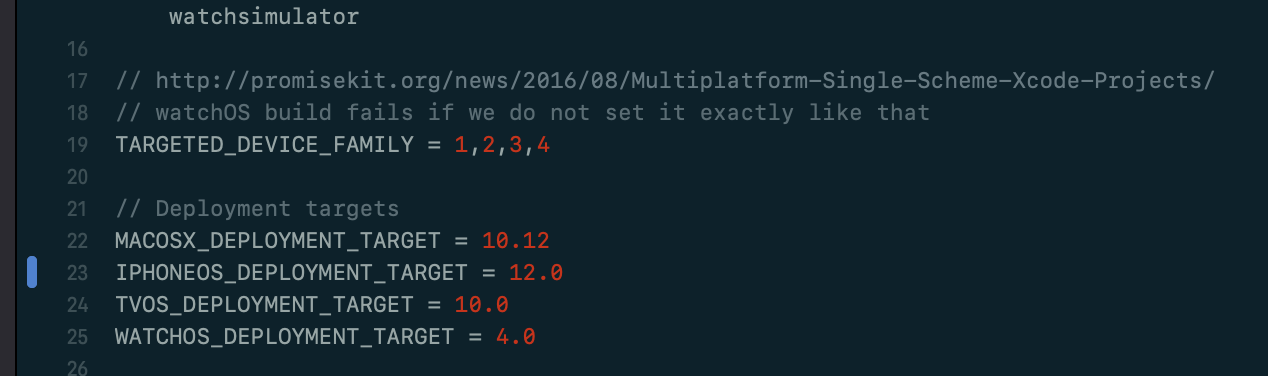
Step 1: Minimum Deployment Target = iOS 12
You need to ensure the minimum deployment target of your project and all dependent frameworks is set to iOS 12. The linker emits an LC_BUILD_VERSION flag vs. the earlier LC_BUILD_VERSION_MIN_MACOS only if iOS 12 is set, and this is required for iOSMac to load the correct dependencies. marzipanify will try to work around this, but it’ll cause a lot of trouble and you might end up with a binary that doesn’t start. This is one of the moments when using one central xcconfig file really pays off:
Step 2: Remove Frameworks
Remove code that uses deprecated features. iOSMac is a new platform and doesn’t include classes that were already deprecated. The most likely issue will be UIWebView, which is still ubiquitous, despite the faster WKWebView being available for many years now. Most frameworks are available, except when it makes no sense to port them to the Mac, like the ones below:
SafariServices.framework(SFSafariViewControllerdoes not make sense on the Mac; use openURL)CoreTelephony.framework(CTTelephonyNetworkInfoespecially)Social.framework(SLComposeViewController)MessageUI.framework(MFMailComposeViewController)OpenGLES.framework(rewritten to Metal)AddressBook.framework(too new?)
If a framework exists, it’s not guaranteed that all symbols are available. For example, we were using UIMarkupTextPrintFormatter, which has been part of UIKit since iOS 4.2 but is not in iOSMac. On startup, you’ll quickly see which symbols are missing:
./PDFViewerMac

dyld: Symbol not found: _OBJC_CLASS_$_UIMarkupTextPrintFormatter
  Referenced from: /marzipanify/PDFViewer.app/
                   Contents/MacOS/./PDFViewer (which was built for Mac OS X 12.0)

  Expected in: /System/iOSSupport/System/Library/Frameworks/UIKit.framework/UIKit
 in /marzipanify/PDFViewer.app/Contents/MacOS/./PDFViewer
Following is an incomplete list of symbols that are not available:
UIImpactFeedbackGenerator(your Mac has no way to generate haptic feedback, but this should be a NOP instead)UIPrintInfo(probably related toUIWebViewmissing)[UIViewController setNeedsUpdateOfHomeIndicatorAutoHidden:](Mojave’s UIKit branch might have been cut before the iPhone X branch was merged?)UIDocumentBrowser(the document browser concept makes no sense on the Mac)PHCachingImageManager(Photos.frameworkis a problem in and of itself)
We chose a hybrid approach to resolve these issues via patch-adding some of the missing symbols in a small glue file called UIKit+iOSMacFixes.m:
@interface UIViewController (MarzipanSupport)
- (void)setNeedsUpdateOfHomeIndicatorAutoHidden;
@end

@implementation UIViewController (MarzipanSupport)
- (void)setNeedsUpdateOfHomeIndicatorAutoHidden {}
@end
Step 3: Convert and Automate
Since using marzipanify requires additional steps, my recommendation is to automate the conversion process. I didn’t try adding the automation script as an Xcode build setting, as running it as a small script seemed good enough. Once LLDB is ready, type run:
#!/bin/bash
rm -rf PDFViewer.app
cp -r /Users/steipete/Builds/PDFViewer-.../Build/Products/Debug-iphonesimulator/PDFViewer.app .
./marzipanify PDFViewer.app
rm Entitlements*
lldb PDFViewer.app
Step 4: Whitelist Swift
This one took me a very long time to understand. The system complains that the Swift support libraries are there but not built for iOSMac. So I just manually copied them over from /System/Library/PrivateFrameworks/Swift. However, once I did that, almost nothing worked anymore, and things constantly crashed with weird over-release issues. I am using Swift 4.2 here, but the Swift support libraries in /System/Library/PrivateFrameworks/Swift are an older version, and at some point recently, calling conventions were changed. So while basic calling to Objective-C bridged classes still worked, things broke as soon as I did a more complex call, like calling Bundle.main.bundleURL:
(lldb) run
Process 78797 launched: '/marzipanify/PDFViewerMac.app/Contents/MacOS/PDFViewerMac' (x86_64)

dyld: Library not loaded: @rpath/libswiftAVFoundation.dylib
  Referenced from: /marzipanify/PDFViewerMac.app/Contents/MacOS/PDFViewerMac

  Reason: no suitable image found.  Did find:
  /marzipanify/PDFViewerMac.app/Contents/MacOS/../Frameworks/libswiftAVFoundation.dylib: mach-o, but not built for iOSMac

Process 78797 stopped
* thread #1, stop reason = signal SIGABRT
    frame #0: 0x000000010523a162 dyld`__abort_with_payload + 10
dyld`__abort_with_payload:
->  0x10523a162 <+10>: jae    0x10523a16c               ; <+20>
Target 0: (PDFViewerMac) stopped.
Edit /System/iOSSupport/dyld/macOS-whitelist.txt and append /Applications/PDFViewerMac.app/Contents/MacOS (replace the path with the path to your binary).
If any dependency loads AppKit into your process, iOSMac will refuse to load unless you run it via LLDB. However, there’s a good reason AppKit is blacklisted: It modifies/clashes with many UIKit internals, and your app will likely crash on startup or just not render any fonts. (If you ever get a crash on [UILabel ns_widgetType], you’ll know why.)
*** Terminating app due to uncaught exception 'NSInternalInconsistencyException',
    reason: 'AppKit is getting loaded into a disallowed context'

*** First throw call stack:
(
  0   CoreFoundation                      0x00007fff4b49343d __exceptionPreprocess + 256
  1   libobjc.A.dylib                     0x00007fff772e1720 objc_exception_throw + 48
  2   CoreFoundation                      0x00007fff4b4ae08e +[NSException raise:format:arguments:] + 98
  3   Foundation                          0x00007fff4d82955d -[NSAssertionHandler
                                          handleFailureInMethod:object:file:lineNumber:description:] + 194
  4   AppKit                              0x00007fff489175cb +[NSApplication load] + 672
In our case, Photos.framework caused AppKit to be loaded, and the only fix I found was to remove Photos and any of the references to it in the application. (We use it to select images for image annotations. However, this is a minor feature and the app will work great without it.)
otool -L /System/Library/Frameworks/Photos.framework/Photos

/System/Library/Frameworks/Photos.framework/Photos:
  /System/Library/Frameworks/Photos.framework/Versions/A/Photos
  /System/Library/Frameworks/AVFoundation.framework/Versions/A/AVFoundation
  /System/Library/Frameworks/Foundation.framework/Versions/C/Foundation
  /System/Library/Frameworks/AppKit.framework/Versions/C/AppKit
  (output shortened)
Here’s how PDF Viewer looks on the Mac. The file picker concept isn’t something we would ship on macOS, but it’s OK for a hack, and it does work great, including the directory watcher when new files are added:
Become a Better Mac Citizen
Looking at the toolbar, we’re not quite done here. Being a good Mac citizen means we use the native toolbar, just like Apple’s Home app. To see how this is done, I usually do my spelunking with IDA or Hopper — both are great for disassembling and peeking inside Apple’s apps. By opening the Home app in Hopper and searching for “toolbar,” the responsible class was easy to find:
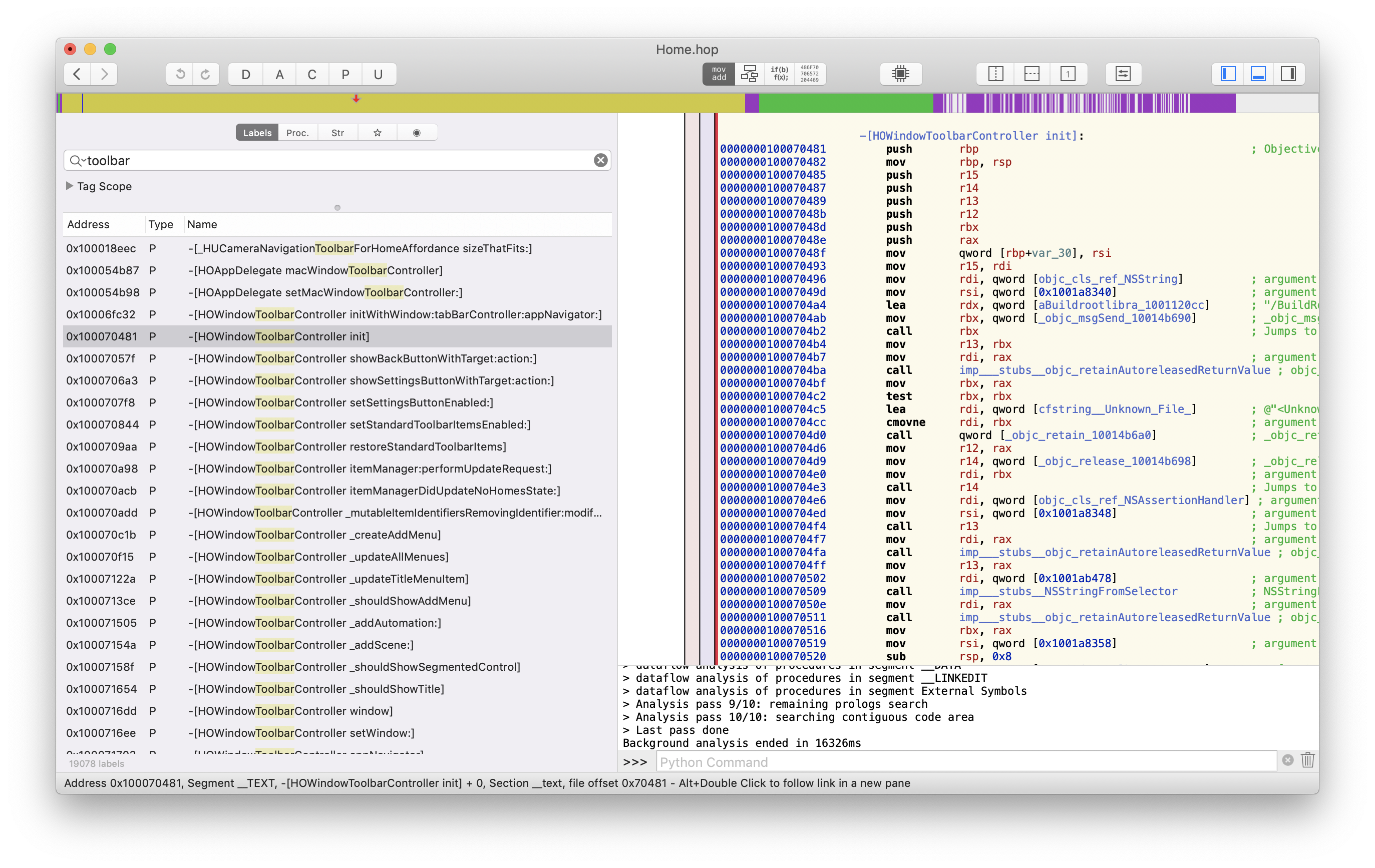
Apple’s apps use a window toolbar controller class to manage the window controller. No surprise here. This UIWindowToolbarController class looks interesting. Now where would we get the header…? This one was a bit trickier, but I found it in UIKitCore eventually. (A complete gist with headers is here.)
class iOSMacToolbarController {
    init() {
        print("iOSMac Marzipan extensions initializing.")

        guard (NSClassFromString("_UIWindowToolbarButtonItem") != nil) else {
            return }

        let titleButton = _UIWindowToolbarButtonItem(identifier: "com.pspdfkit.viewer.test")
        titleButton?.title = "A button"

        guard let toolbarController = UIApplication.shared.keyWindow!.
              value(forKey: "_windowToolbarController") as? _UIWindowToolbarController else {
            return
        }

        toolbarController.itemIdentifiers = ["com.pspdfkit.viewer.test"]
        toolbarController.templateItems = [titleButton]

        print("iOSMac extension initialized.")
    }
}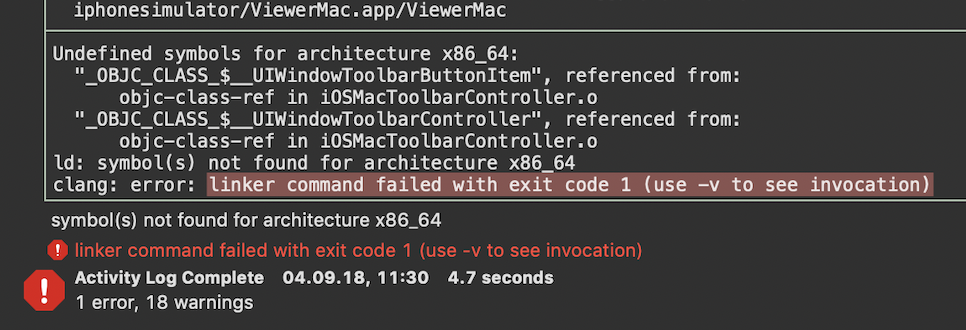
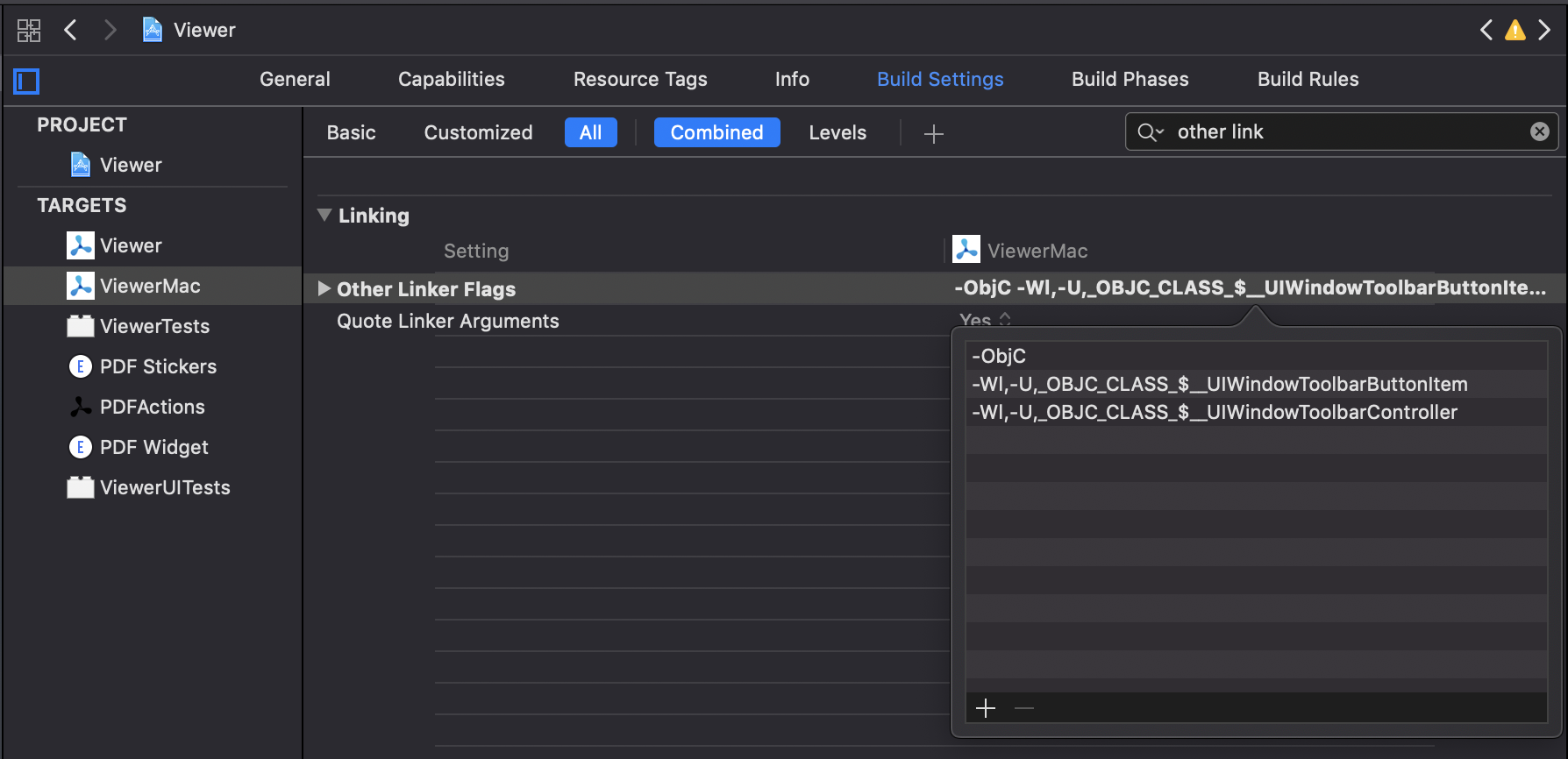
OK, so this is not really surprising. The linker doesn’t like that we declare classes here but don’t provide an implementation, and this is obviously not part of iOS UIKit. This one took me a while, but of course every problem has a solution. Many years back, Apple added weak linking for classes, and entire frameworks can be weak linked. Now, I could just extract this into a framework and do exactly that, but we want to get something going quickly here, so we simply weak link per class.
This instructs the compiler to weak link the specified classes. Now it links, so let’s run it!
It’s Never That Easy
The runtime doesn’t seem happy that the symbol’s not there. We told the linker things might not be available, but we haven’t yet told the runtime. Let’s fix this!
dyld: Symbol not found: _OBJC_CLASS_$__UIWindowToolbarButtonItem

  Referenced from: /Users/steipete/Library/Developer/CoreSimulator/Devices/43869E4F-C148-4D80-9E85-82466FAA8FED/data/Containers/Bundle/Application/6AFDFACD-0CD8-46FA-9F91-75B67B7A78F9/ViewerMac.app/ViewerMac

  Expected in: flat namespace
With the weak-import attribute, we can tell the runtime that the methods might not be available, in which case they’re resolved to nil:
__attribute__((weak_import)) @interface _UIWindowToolbarItem : NSObjectHere’s how this looks in action:
Bonus: Inspecting the View Hierarchy
While I did not manage to trigger Xcode’s view debugger, this talk by Vlas Voloshin mentioned that Reveal works. While changes to Mojave in some of the later betas prevented loading the Reveal server, the awesome team at Itty Bitty Apps went the extra mile and made their v18 release compatible with the iOSMac platform. A simple reveal load -a in the debugger console will do the trick.
Conclusion
Porting your iOS apps to the Mac is exciting, and it’s easier than ever with Apple’s new iOSMac platform. With just a few tricks, it’s possible to port an entire large, complex application in less than a day. How about choosing this for your next Experimental Friday or Hackathon project? Ping @steipete on Twitter and show us your results — let the Marzipandemic commence!