






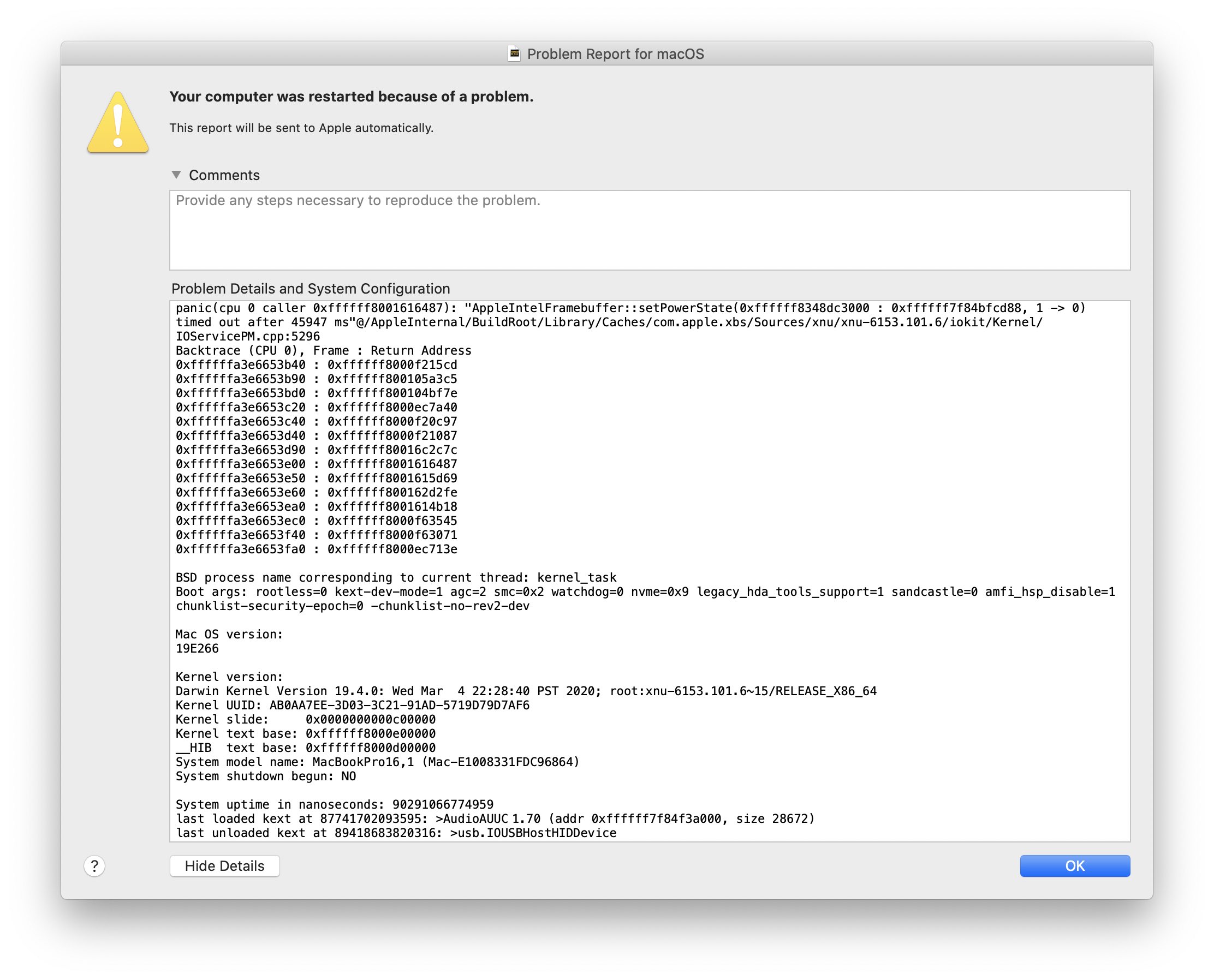
On March 24, 2020, my 16-inch MacBook Pro greeted me with a kernel panic. I ignored it the first time, but it started to become an everyday thing. There I was, having enjoyed a short moment of a bug-free setup, and it was interrupted yet again.
If you just came here, read the backstory: The LG UltraFine 5K, kernel_task, and Me.
{% twitter https://twitter.com/steipete/status/1243854244115091456 %}
Was it just me? No, it seems this issue is fairly widespread. (Even on the MacBook Air 2018.) Great. (Honestly, just search for AppleIntelFramebuffer on Twitter; this crash is everywhere!) Forced reboots are annoying, and I wanted to help, so I wrote a r̶a̶d̶a̶r̶ Feedback Assistant entry: FB7642937.
Regression: MacBook Pro 16-inch panics almost every night in AppleIntelFramebuffer::setPowerState. This started with macOS 10.15.4
Some reports indicate that this happened earlier, with 10.15.3, but for me it started with 10.15.4. The panic backtrace is surprisingly readable and indicates a timeout in Intel’s graphic driver (AppleIntelFramebuffer):
panic(cpu 2 caller 0xffffff8014016487): "AppleIntelFramebuffer::setPowerState(0xffffff835c3b6000 : 0xffffff7f975f5d88, 1 -> 0) timed out after 45938 ms"@/AppleInternal/BuildRoot/Library/Caches/com.apple.xbs/Sources/xnu/xnu-6153.101.6/iokit/Kernel/IOServicePM.cpp:5296
Backtrace (CPU 2), Frame : Return Address
0xffffff83be6abb40 : 0xffffff80139215cd
0xffffff83be6abb90 : 0xffffff8013a5a3c5
(...)

BSD process name corresponding to current thread: kernel_task
Boot args: rootless=0 kext-dev-mode=1 agc=2 smc=0x2 watchdog=0 nvme=0x9 legacy_hda_tools_support=1 sandcastle=0 amfi_hsp_disable=1 chunklist-security-epoch=0 -chunklist-no-rev2-dev
Fun boot-args
I posted about this on Twitter to learn more, but while nobody could tell me what was up, a friend noticed that I have “fun boot-args.” WTH?
I didn’t set any of these, but previously, I’d had to send my 16-inch MacBook in for repairs, as it had corrupted memory, resulting in extremely weird bugs and frequent kernel panics. Apple replaced most of the machine, so it came with a fresh install of macOS… and some interesting boot-args that they forgot to clear. (If you’re curious what these args do, some are documented here, and there are some more if you look toward the Hackintosh scene.)
Are These Dangerous?
Having my main computer run with unknown boot-args did worry me. What did they do? I went on a googling spree to find out what all of these do.
rootless=0 — “Rootless (a security mechanism making its debut in El Capitan 10.11) restricts access to certain files, even as an administrative user, such as is provided by ‘sudo’. ”
kext-dev-mode=1 — This “is intended for development scenarios where you want to test unsigned kernel extensions. Thus allowing these to be loaded without testing if they are indeed signed.” This has been replaced by SIP after 10.10.
agc=2 — This seems related to automatic graphic switching between Intel and AMD Radeon GPU drivers. The setting 2 seems to prevent the AMD chip from powering down. Information around this is shaky.
smc=0x2 — SMC is short for system management controller, which is what’s responsible for the battery, fans, sensors, and thermal management. While I found some reports with this flag, I couldn’t figure out what it does.
watchdog=0 — This “disables macOS watchdog from firing when returning from the kernel debugger.”
nvme=0x9 — This controls the Non-Volatile Memory Express controller, and it might disable the ‘Apple SSD’ check. I couldn’t find info on 0x9.
legacy_hda_tools_support=1 — This unlocks “custom audio engines by disabling Apple private entitlement verification.”
sandcastle=0 — This is definitely not Project Sandcastle, which enables Android to run on iPhones. “Sandcastle” is a codename for something Sandbox-related; some birdies told me it could be related to DataVaults - secured folders to which only Apple’s software has even read access, via specific entitlements. It could also be related to SIP.
chunklist-security-epoch=0 -chunklist-no-rev2-dev — I link these together because they sound related, and they often show up in combination in random kernel panic reports. Apparently they have to do with EFI signatures.
Having a long list of- undocumented boot-args that seem to weaken security running on my machine for weeks is definitely worrying, and it’s not what you’d expect from a repair at an Apple Store.
Clearing bootargs only works in Recovery Mode (⌘-R at boot time), unless SIP is disabled:
sudo nvram boot-args=""Conclusion
Clearing the boot-args didn’t resolve the AppleIntelFramebuffer panics. So to fix this, I was left wondering, will Apple reply to my report? Read more in How to macOS Core Dump.