When developing software, there's no shortage of work: building new features, fixing bugs, maintaining infrastructure, launching new systems, phasing deprecated solutions out, ensuring security, keeping track of dependencies… Whew. And that's before we get to product, people, or ops considerations.
Some of the above work requires a human brain constantly – software is all 1s and 0s, but in the end it serves human purposes. Without a massive breakthrough in artificial intelligence, figuring out features that compile AND suit human needs programmatically remains a pipe dream.
What about all the tedious tasks though? Running tests, publishing releases, deploying services, keeping the repository clean. Plain chores – boring and following the same pattern every time, but which are still are important.
We don't need intelligence (artificial or otherwise) for those tasks every single time. We just need it once to define the jobs to be done, and have those jobs run based on some triggers. Actually, let's take this further: any programming language you want, any supporting services you need, ready-made solutions up for grabs, and deep integration with the version control platform.
This article was originally published in August, 2021. It has been updated to reflect recent product changes
This is where GitHub Actions come in. With Actions, you can define per-repository workflows which run on robust runner virtual machines. They run every time a specific type of event happens – say, a push to main, push to a pull request, addition of an issue label, or manual workflow dispatch.
A workflow consists of any number of jobs, each job being a series of steps that run a shell script or a standalone action.
Standalone actions can be run directly if written in TypeScript, or with the overhead of a Docker container for ultimate flexibility, and a multitude of them is freely available on the GitHub Marketplace.
This sounds pretty powerful already. But let's see where all this can take us in practice, with some concrete examples right out of PostHog GitHub.
Mind you, similar things can be achieved with competing solutions such as GitLab CI/CD or even Jenkins. GitHub Actions do have a seriously robust ecosystem though, despite being a relative newcomer, and at PostHog we've been avid users of GitHub since its early ARPANET days.
Unit tests are crucial for ensuring reliability of software - don't skip writing them, but also don't skip running them. The best way to do that is to run them on each PR that is being worked on. That used to be called "extreme programming" back in the day, but today it's standard practice as a component of continuous integration.
Below is a basic Django-oriented workflow that checks whether a database schema migration is missing and then runs tests.
Note how by defining a matrix we make this happen for three specified Python versions in parallel! This way we guarantee support for a range of versions with a single line.
It's good to have each building block of your software covered with unit tests, but your users need the whole assembled machine to work – that is what end-to-end tests are about.
We use Cypress to run these on our web app, and while not perfect, it's been a boon for us. Here's the essence of our Cypress CI workflow:
I've skipped app-specific setup steps and services, but there are a couple of interesting things in this:
The workflow is made so simple by Cypress's ready-made suite runner action – cypress-io/github-action. It smartly takes care of the task including test parallelization and integration with the Cypress Dashboard - much better than shell scripts.
GitHub Actions have a feature called "artifacts". It's storage provided by GitHub that temporarily stores files resulting from job runs and allows downloading these files. In this case it's screenshots from failed tests that actions/upload-artifact uploads for us to view.
Functionality tests verify that things work as expected. It's great to have code that works, but having code that's written well is even greater, otherwise development gets harder and harder over time.
To ensure that we don't add overly messy spaghetti with every new feature, we use:
linters, for making sure that best practices are used in the code and nothing funky is slipping through
formatters, for standardizing the look of our code and making it readable.
As with tests, it's great to run this on every PR to keep the quality of code landing in master high.
One thing we've not covered yet is what running jobs on every PR gives us in practice. It's two things:
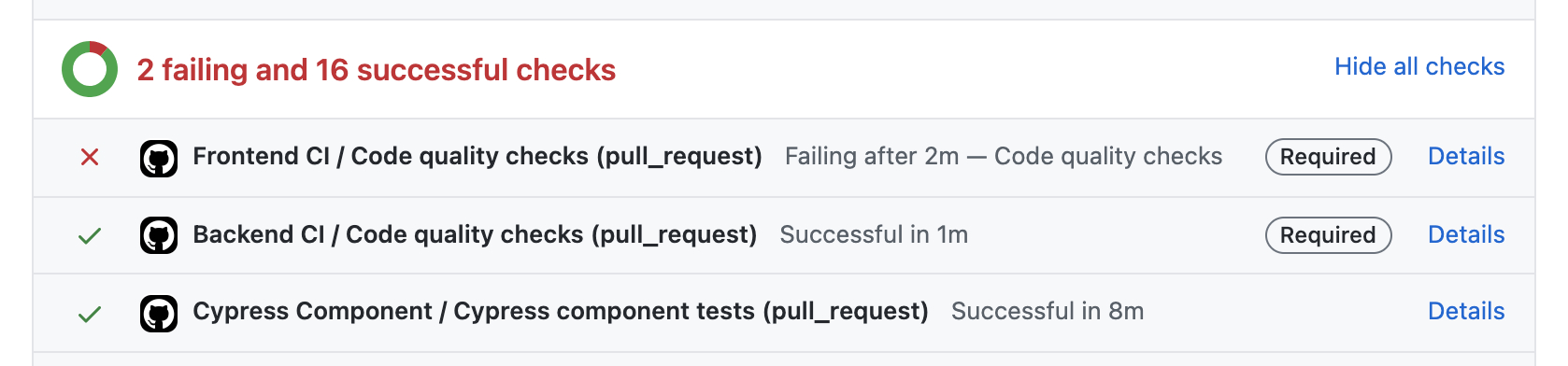
- Such jobs become PR checks, and they are shown on the PR's page, along with their statuses.
- Select PR checks can be made required, in which case merging is prevented until all required checks turn green.
As our team has grown, so has the number of PRs open across repositories. Especially with our pull requests over issues approach, some PRs are left lingering for a bit – maybe because the work is blocked by something else, awaiting review, deprioritized, or only a proof-of-concept.
In any case, the longer a PR sits unattended, the harder it is to come back to, and it just causes more confusion later on.
To minimize that, we've added a very simple workflow to scan PRs for inactivity:
It looks trivial – it's just one step – but that's because all the heavy lifting is done by the official
actions/stale action.
Curiously, while the action can handle stale issues in an analogous way, we've found it to be awfully more noisy than valuable, so we recommend against that. If an old issue is not on our radar at the moment, a bot alert won't make it relevant.
Wondering what all those
@v1,@v2,@v4mean?This is simply pinning against Git tags. Because ready-made actions are just GitHub repositories, they are specified the same way as repositories in all other contexts – you can specify a revision (commit hash, branch name, Git tag…) - otherwise the latest revision of the default branch is used.
Tags are particularly nice, because they are created when publishing a release using GitHub's UI.
We use continuous deployment for PostHog Cloud and we've been very happy with the results – our Amazon ECS-based stack is deployed automatically on each push to master (in most cases: a PR being merged) and it's made our developer lives so much easier.
The human element is removed from deployment. You can simply be sure that within 20 minutes of merging, your code be live, every time.
Every containerized app is structured in its way, so this workflow won't do without your own adjustments, but it should give you the right idea.
Docker is now a standard way of building deployment-ready software images. We use it too, quite happily. But we've broken the build a few times - make a mistake somewhere and the image may fail to build. So we've taken to testing image building ahead of time – before master is broken – on every PR.
We also lint the Docker files using hadolint, which has given us really useful tips for maximum reliability of our Docker-based build process.
Hint: Since Docker Hub has removed free autobuilds, but GitHub Actions are still free for public repositories (and with limits for private ones), you can build Docker images and then push them to Docker Hub very similar to the above workflow. Just add the login action docker/login-action at the beginning, set push to true, et voila, now you are pushing.
Something particularly tedious we eliminated is incrementing package versions. Alright, not really – but the days of having to open package.json, edit, commit, push, build, publish, and tag are over.
What gives? Well, these days the only thing an engineer has to do is give their PR the right label:
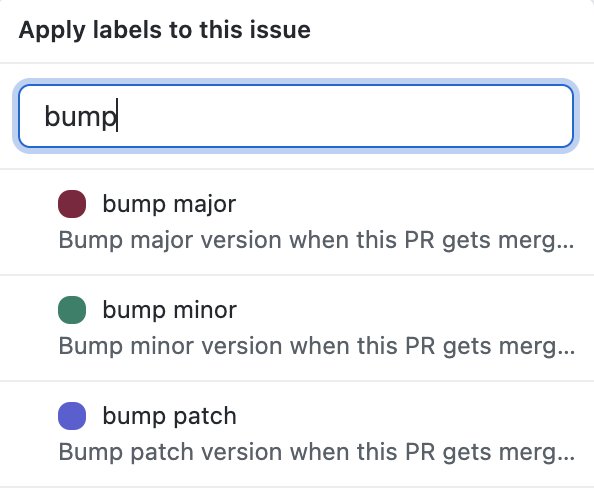
Right after that PR gets merged, the package version gets incremented in master:
Here's what this looks like in GitHub's workflow visualization feature:
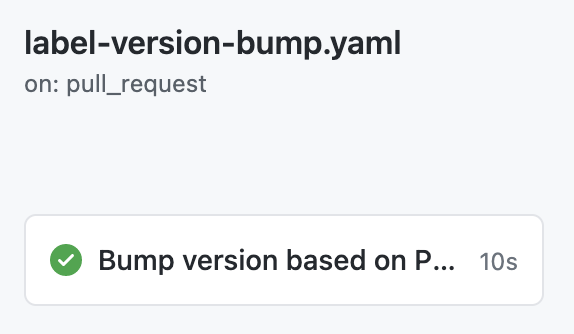
But this is just the starting point, because on every commit to master we check whether the version has been incremented - and if it has, all the aforementioned release tasks run automatically.
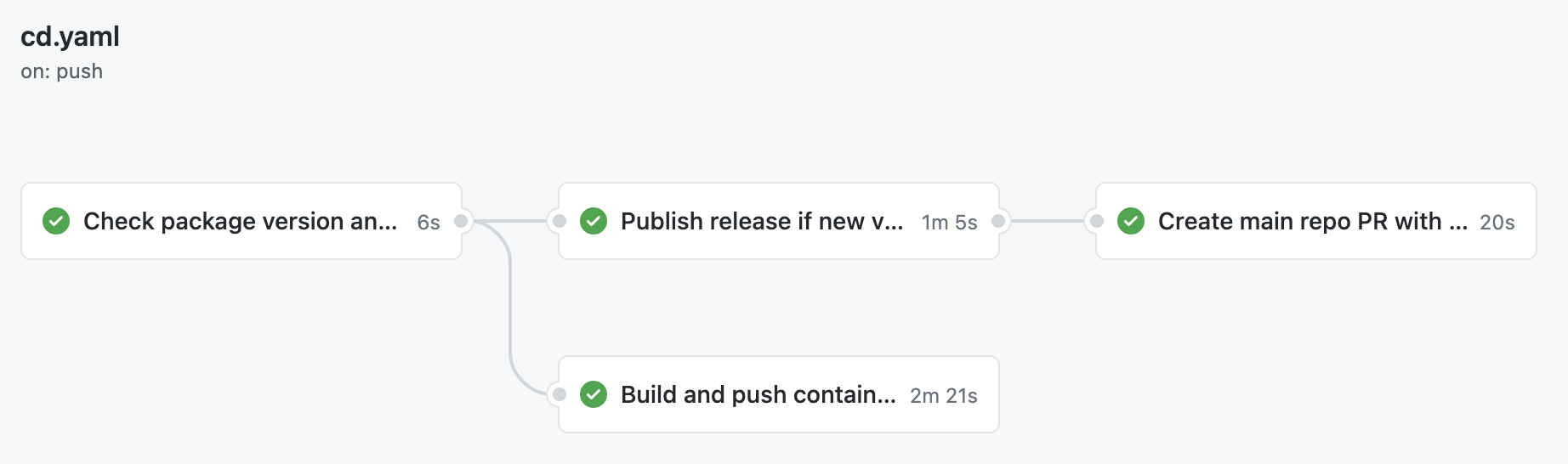
In fact, there are too many steps to show them all in this post – but I encourage you to take a look at real-world YAML that we use in our JS library's repo: cd.yaml. In it, we also use our own GitHub Action (free on the Actions Marketplace) which compares package version between the repository contents and npm: PostHog/check-package-version.
GitHub can also visualize workflows – extremely boring if there's only one job, but here the graph is quite informative. Do keep in mind that this CD process is really an extension of the previous autobump workflow.
This entire website, posthog.com, is stored in a GitHub repository: PostHog/posthog.com. In fact, this very post is nothing more than a Markdown file in the repository's /contents/blog/ directory.
All in all, we've got quite a bit of copy. All that text is written by humans… And that poses a problem, because humans make mistkes.
Letters get mixed up, which isn't always easy to spot. It's also a bit of a waste of time for a human to be spending time looking for that, instead of thinking about the actual style and substance of the text.
For these reasons on every PR we try to fix any typos noticed. For that we use codespell, in an action looking like this:
Admittedly, some typos still sneak in occasionally, but this is still very helpful.
At PostHog, we collectively create lots of PRs daily. One issue we've seen is contributors or team members forgetting to write PR descriptions. This usually results in clarifications that could easily be avoided, and in lost context.
That's why with a simple workflow we created a bot that points out newly-opened PRs that lack a description:
One last case we'll discuss is syncing one repository's contents from another. In our case, we have a main product repo: https://github.com/PostHog/posthog. However, parts of it – enterprise features code – are non-FOSS, which means their code is not under a free license. We are happy to offer a purely FOSS version of PostHog with https://github.com/PostHog/posthog-foss, which is just like the main repo but with non-free portions removed.
Keeping posthog-foss in sync with posthog manually would be awful work though. So we've automated it:
Hopefully these real-life examples inspire you to build the right workflow for your work, spending a bit of time once to reap the rewards of saved time indefinitely.
Subscribe to our newsletter
Read by 100,000+ founders and builders
We'll share your email with Substack
此内容由惯性聚合(RSS阅读器)自动聚合整理,仅供阅读参考。 原文来自 — 版权归原作者所有。