There are plenty of session replay tools out there, but not all of them support mobile, and those that do vary significantly in depth, platform support, and what they capture alongside replays.
This guide covers the seven best mobile session replay tools: what they do better, which frameworks they cover (iOS, Android, Flutter, React Native...), where they fall short, and who they're actually for.
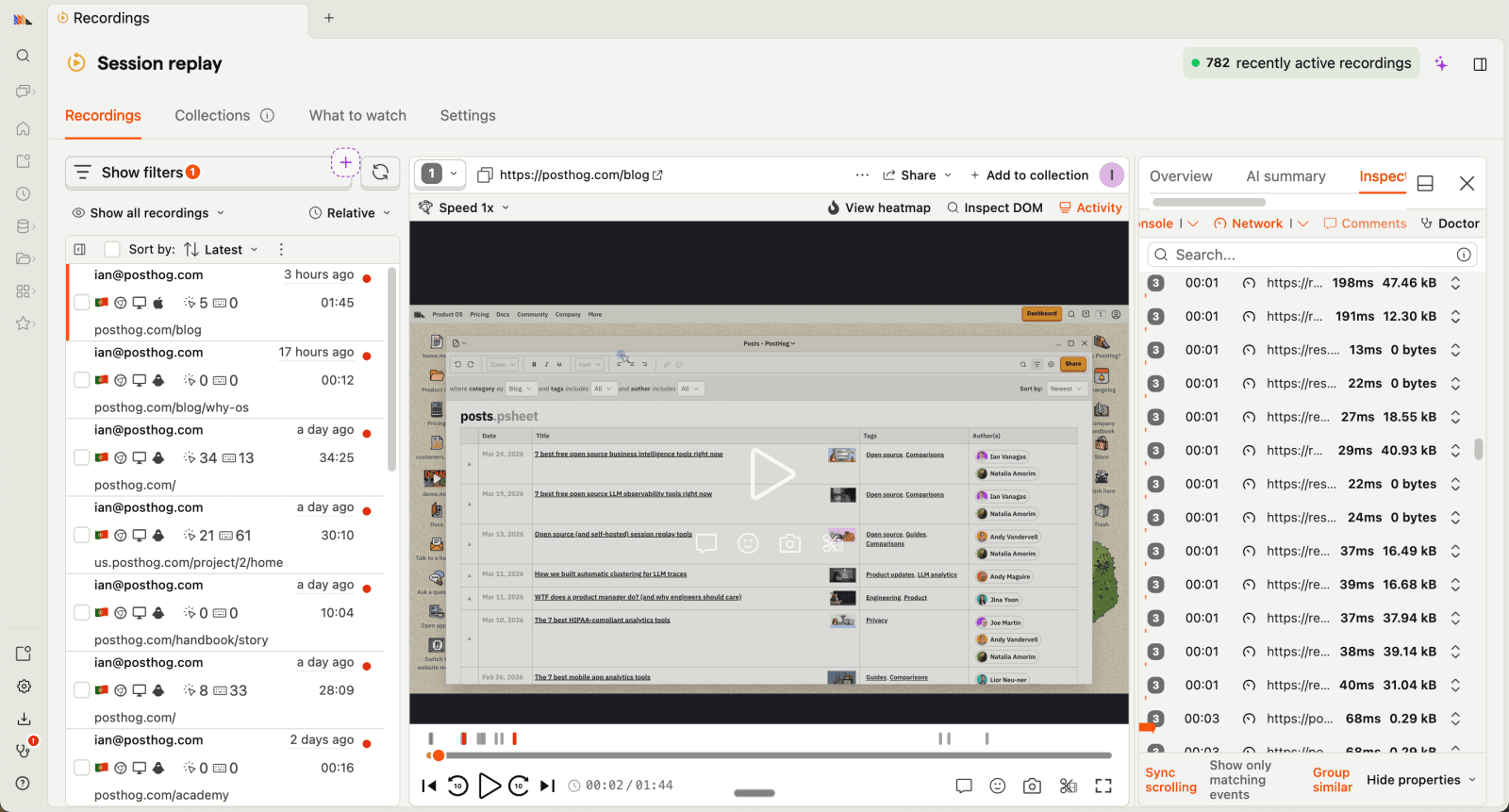
PostHog (that's us 👋) is an all-in-one developer platform built to enable engineers to create better products. It includes session replays and a whole bunch more, such as product analytics, LLM observability, error tracking, experiments, and feature flags.
It's designed for product-minded engineers, founders, growth teams, and product managers who need to move fast and iterate based on reliable, actionable insights.
PostHog has transparent pricing based on usage. It's free to get started and completely free for the first 2,500 mobile recordings and 5,000 web ones per month.
After this, pricing starts at $0.0100 per mobile recording, and recordings cost progressively less the more you use. This makes PostHog significantly cheaper than all the other companies on this list (apart from Microsoft Clarity).
According to G2 reviews, companies use PostHog because:
It's many tools in one: PostHog can replace tools like Mixpanel (analytics), UXCam (session replay), and Statsig (A/B testing and feature flags). This simplifies workflows and ensures all product data is in one place.
They need a complete picture of users: PostHog includes every tool necessary to understand users and build better products. This means creating funnels to track conversion, watching replays to see where users get stuck, and testing solutions with A/B tests.
Pricing is transparent and scalable: Reviewers appreciate how PostHog's pricing scales as they grow. There's a generous free tier. Companies eligible for PostHog for Startups also get $50k in additional free credits.
Bottom line
PostHog is the best choice for teams who want mobile session replay connected to a complete suite of developer products – LLM observability if you're building AI products, feature flags, error tracking, experiments, surveys, and more. It is especially worth it for startups and scaleups thanks to its generous free tier and powerful offerings.

LogRocket is a product experience platform that focuses on helping product managers, engineers, and support teams fix issues. In addition to session replay, it provides tools to identify the most impactful issues, such as crash reports, stack traces, performance monitoring, and product analytics.
LogRocket's free tier includes 1,000 sessions/month with 1 month data retention.
Its Team plan starts at $69/month for up to 10k sessions and includes most session replay features, but excludes other features such as product analytics, Galileo AI, and some error tracking features.
The Professional plan starts at $295/month and includes all their features, but requires an annual commitment.
Reviewers on G2 use LogRocket for:
Identifying problems: LogRocket's combination of error tracking, performance monitoring, and session replay makes it uniquely powerful at finding bugs and issues.
Improves user experience: LogRocket helps reviews fix issues with their apps. Reviewers find it provides all the tools to improve their user experience, mostly by solving what's wrong rather than feedback and planning.
High usability: LogRocket provides a lot of functionality out of the box. It captures the details users need, provides useful visualizations, and automatically triages some issues.
Bottom line
LogRocket is the best choice for teams building React Native apps who need Redux state capture alongside session replay. Galileo AI also sets it apart by proactively surfacing struggle patterns across sessions, so you're not waiting to discover problems.

UXCam is a platform built primarily for mobile apps (although they've recently added web support). It includes a full-suite of analytics features as well as session replays, heatmaps, crash analytics, and an integrated AI analyst.
It's designed to provide deep insights into user behavior, helping product managers understand how users interact with their apps.
UXCam's free plan includes 3,000 sessions/month with 6 months of replay retention. Paid plans require a sales conversation – no public pricing is available.
Looking at G2 reviews, companies choose UXCam to:
Insights on user behavior: Shows what they are doing, where their attention is going, and how they are spending their time. Users love the realizations they get with UXCam's tools.
It's easy to use: Reviewers note how easy UXCam is to set up and use. This means they can go from idea to actionable learnings quickly.
Heatmaps and scrollmaps: Seeing clicks and scroll depth works well and creates actionable insights for design and product teams. Helps improve UX and page designs.
Bottom line
UXCam is ideal for product managers who need in-depth insights into user behavior. Despite opaque pricing, its ease of use and actionable insights make it a valuable tool.

Microsoft Clarity is a 100% free session replay tool that supports most replay features and heatmaps. It integrates with Google Analytics 4, so you can view your GA data in Clarity.
It includes most of the session replay features you would expect, but doesn't support any additional features that some of the other choices on this list do, like crash reports or debug logs.
Clarity is completely free – no session limits, no paid tiers, ever.
The trade-off is worth understanding before you adopt it: Clarity is free because Microsoft uses the anonymized behavioral data it collects to improve its own machine learning models and products.
According to reviews on G2 and Capterra, it's because:
It's easy to set up and use: Setting up Clarity doesn't require much technical knowledge and users mostly like the simple user interface.
It helps uncover how users navigate: Clarity users are mostly using it to understand how people navigate their app and identify opportunities for improvement.
It's free: The short 30-day retention limit is easy to forgive when it's free.
Bottom line
If you only care about session replay and dont need other features, Clarity is the obvious choice - especially if you're already using Google Analytics. On the other hand, software engineers will find Clarity's lack of debug logs disappointing.

Smartlook combines session replays, product analytics, and crash reports to help teams understand user experience across both web and mobile.
It supports the broadest range of mobile SDKs on this list, making it one of the few tools that works for game developers as well as traditional app teams.
Wireframe mode is a standout feature for privacy-sensitive apps, replacing UI elements with abstract representations so you can analyze behavior without capturing sensitive content.
Smartlook's free plan records up to 3k sessions and includes most of their replay features. Its pro plan includes all replay features and starts at $55/month for 5k sessions, and pricing becomes progressively cheaper with more monthly sessions.
According to G2 reviewers, Smartlook users benefit from:
The integration between replays and events: Smartlook connects event-based analytics and sessions. This enables users to dive deeper into user behavior than a single tool provides.
Understanding visitor pain points: The analytics and visualizations make it easy to understand where users are running into trouble. Reviews use this to improve the user experience and conversion in these areas.
Real user monitoring: Smartlook shows how real users are using your app and monitors the quality of their experiences. Reviewers use it to figure out what areas are confusing or used improperly.
Bottom line
Smartlook's broad SDK support makes it the best choice for game developers and teams building on less common frameworks like Unity, Unreal Engine, or Xamarin. For standard iOS/Android teams, the retroactive event tracking and cross-platform journey tracking are the standout reasons to pick it over alternatives.
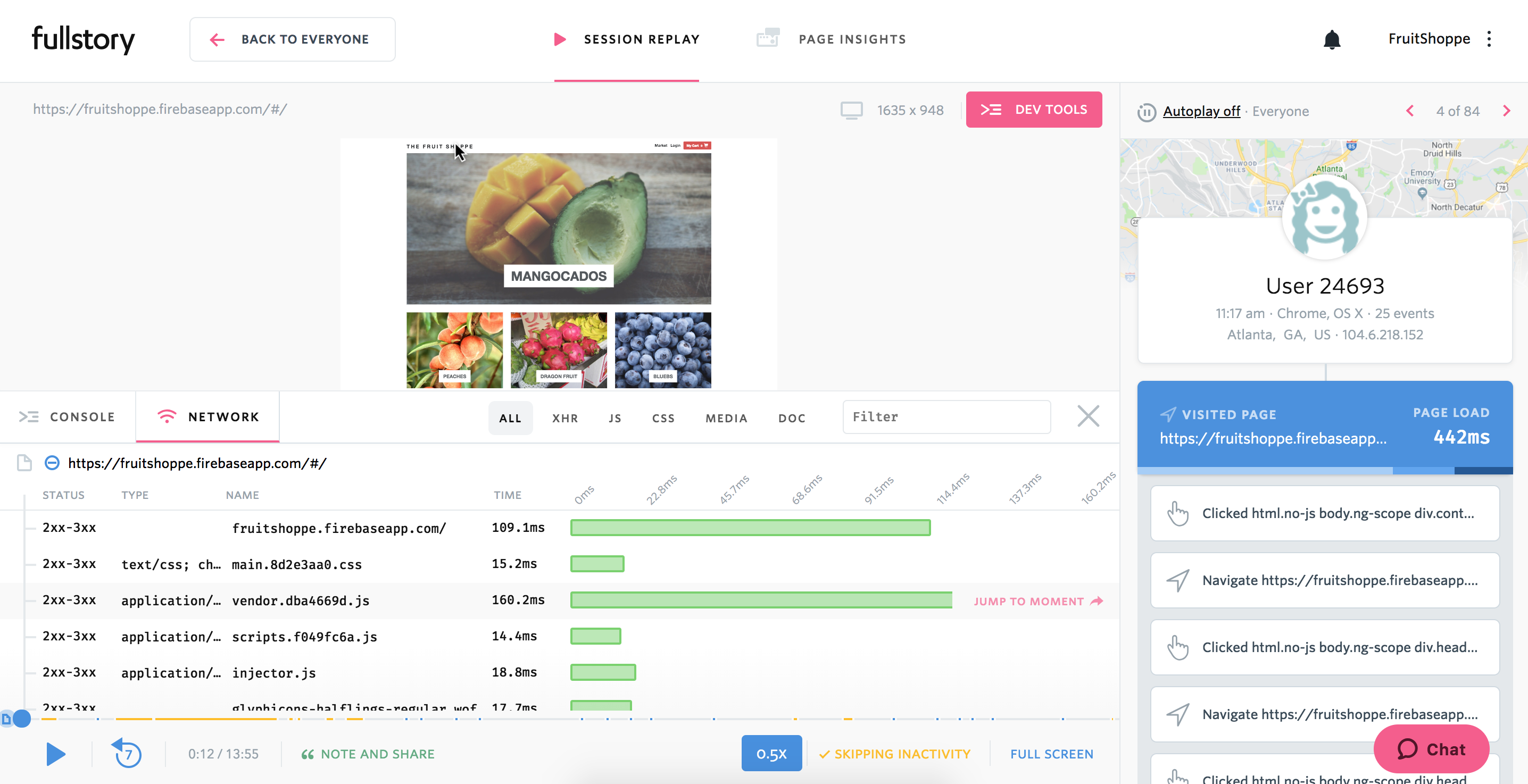
FullStory describes itself as behavioral data analytics platform, which is code for session replay and mobile app analytics, with a side of product analytics.
It uses autocapture to record everything retroactively, and StoryAI to generate session summaries and surface behavioral opportunities automatically.
FullStory's free plan (FullStoryFree) includes 30,000 sessions/month with 12 months of data retention (but limited features). Paid plans aren't published publicly and require contacting sales
According to reviews on G2, companies use FullStory for:
Easier collaboration: As an accessible tool for non-technical users, FullStory facilitates collaboration between product, UX, and engineering teams by allowing all teams to access useful, reliable data.
Viewing user issues: Support teams use FullStory to replay sessions to understand user hard-to-replicate problems, and identify bugs that need fixing.
Improving conversion: FullStory users like to combine funnel insights with replays of user sessions to understand pain points and improve conversion.
Bottom line
For a complete behavioral analytics suite, FullStory is a solid choice. Users wanting more features, like error tracking or A/B testing should switch to other choices.
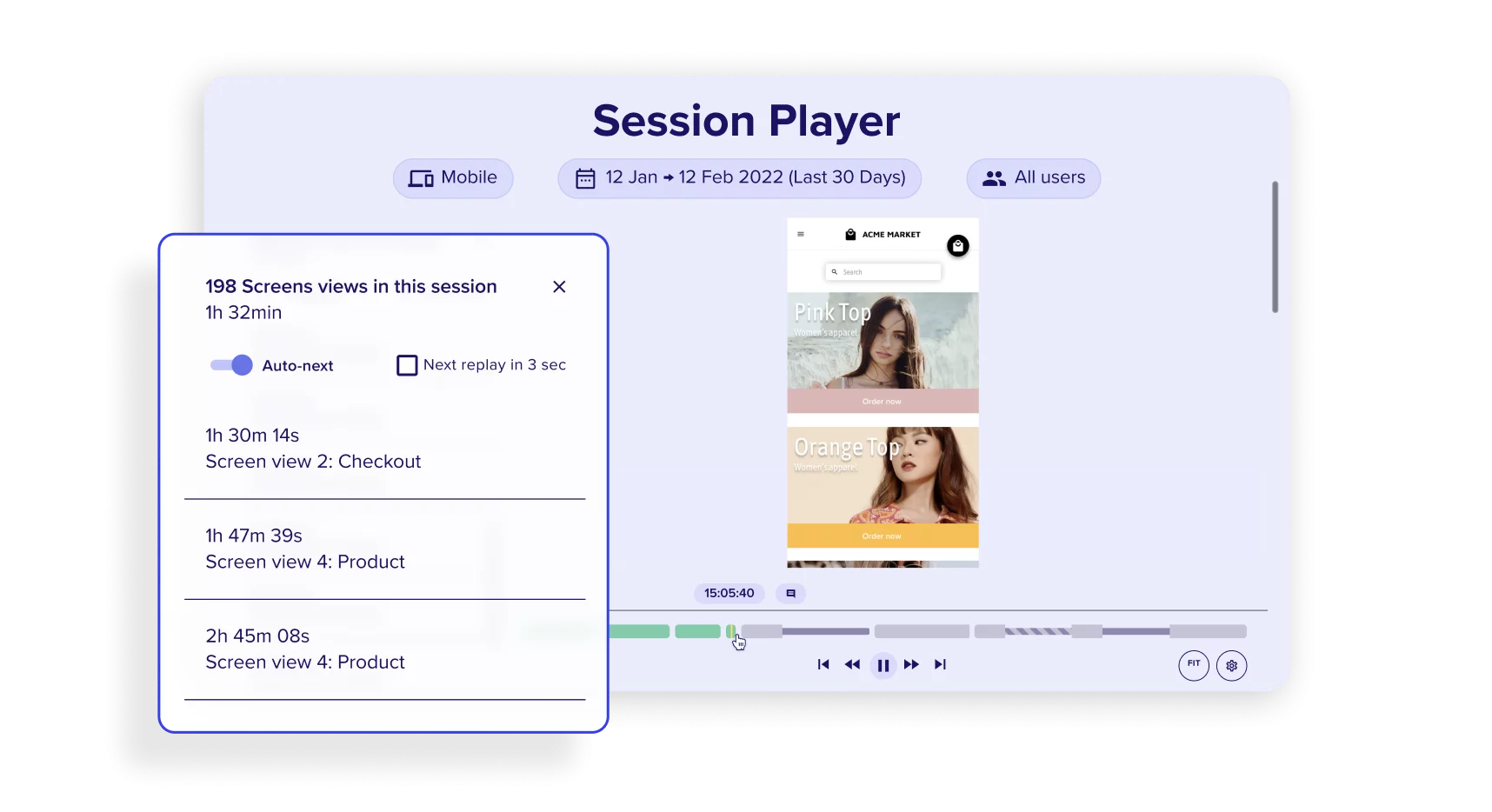
Contentsquare is a digital experience analytics platform that combines heatmaps, customer journey analysis, frustration scoring, session replay, and AI-powered insights to help find and fix issues and friction points.
It acquired Hotjar in 2021 and Heap in 2023, making it one of the largest DX platforms in the market. It's built for large organizations that need to understand and optimize user behavior at scale across web and mobile.
Contentsquare offers a free plan that includes 200,000 monthly sessions, replays, heatmaps, funnels, error monitoring, and surveys. Only 5% of sessions are recorded on their free plan though (a max of 10k per month) with 1 month retention and limited features (like filters).
The Growth plan starts from 7,000 monthly sessions with 13 months of data access and adds zone-based heatmaps, journey analysis, impact quantification, and Sense AI.
Higher tiers (Pro, Enterprise) are available with custom pricing via sales.
Worth noting: product analytics is a separate add-on, not included in the core plans.
According to G2 reviews, people like Contentsquare because:
Data visualization and analysis: Users like that Contentsquare makes it easy to visualize and analyze large data sets. Advanced features make it easier to identify and fix problems big and small.
Improve your UI and UX: Contentsquare makes it easy to understand the impact of various design elements on a screen. This helps developers understand the impact of elements on conversion rate, revenue, and user journeys.
Detailed session replays: Users appreciate being able to match quantitative data with qualitative data, giving them a better understanding of how best to solve problems.
Bottom line
Contentsquare is purpose-built for large enterprises with high traffic volumes and dedicated analytics teams. For most teams, the cost and complexity are hard to justify – PostHog, Smartlook, or LogRocket offer most of the same capabilities at a fraction of the price.
Here's the (short) sales pitch.
We're biased, obviously, but PostHog is the best choice for mobile session replay if:
It's completely free to get started – no credit card required. Our setup wizard handles configuration in minutes, or you can check out our docs to do it yourself.
The key things to evaluate when choosing a mobile session replay tool:
You need a dedicated mobile replay tool if:
If you only have a mobile website (not a native app), most web session replay tools will work fine.
See our guide to the best session replay tools for web-focused options.
Microsoft Clarity is completely free with no session limits.
PostHog's free tier includes 2,500 mobile recordings/month plus product analytics, feature flags, error tracking and more.
FullStory's free plan includes 30,000 sessions/month with 12-month retention (but limited features).
UXCam and Smartlook both offer free plans with 3,000 sessions/month.
Web session replay captures DOM changes in a browser – it reconstructs what happened by replaying HTML, CSS, and JavaScript events.
Mobile session replay hooks into the native rendering pipeline of iOS or Android to capture screen state, touch gestures, swipes, and taps.
The technical approach is fundamentally different, which is why most web replay tools can't simply add mobile support – they need dedicated mobile SDKs and a different capture architecture.
All tools on this list are designed to have minimal performance impact. Recording is typically done on a background thread, data is buffered and uploaded when the app goes into the background, and SDKs are lightweight (usually adding less than 1MB to app binary size).
That said, it's worth testing with your specific app – recording-heavy apps or those with complex animations may see more overhead than simple utility apps.
Subscribe to our newsletter
Read by 100,000+ founders and builders
We'll share your email with Substack
此内容由惯性聚合(RSS阅读器)自动聚合整理,仅供阅读参考。 原文来自 — 版权归原作者所有。