A/B tests are a great way to confirm that your product changes have the intended effects. When it comes to mobile apps, there are many different A/B testing tools to choose from, but each one is built with a specific target audience in mind.
In this guide, we compare the 9 best mobile app A/B testing tools – from all-in-one platforms to specialized solutions – so you can find the right fit for your team.
A good mobile A/B testing tool lets you experiment with changes to your app and measure their impact on real users. Most solid tools include:
More advanced tools go further with:
Here's how the most popular mobile app A/B testing tools compare:
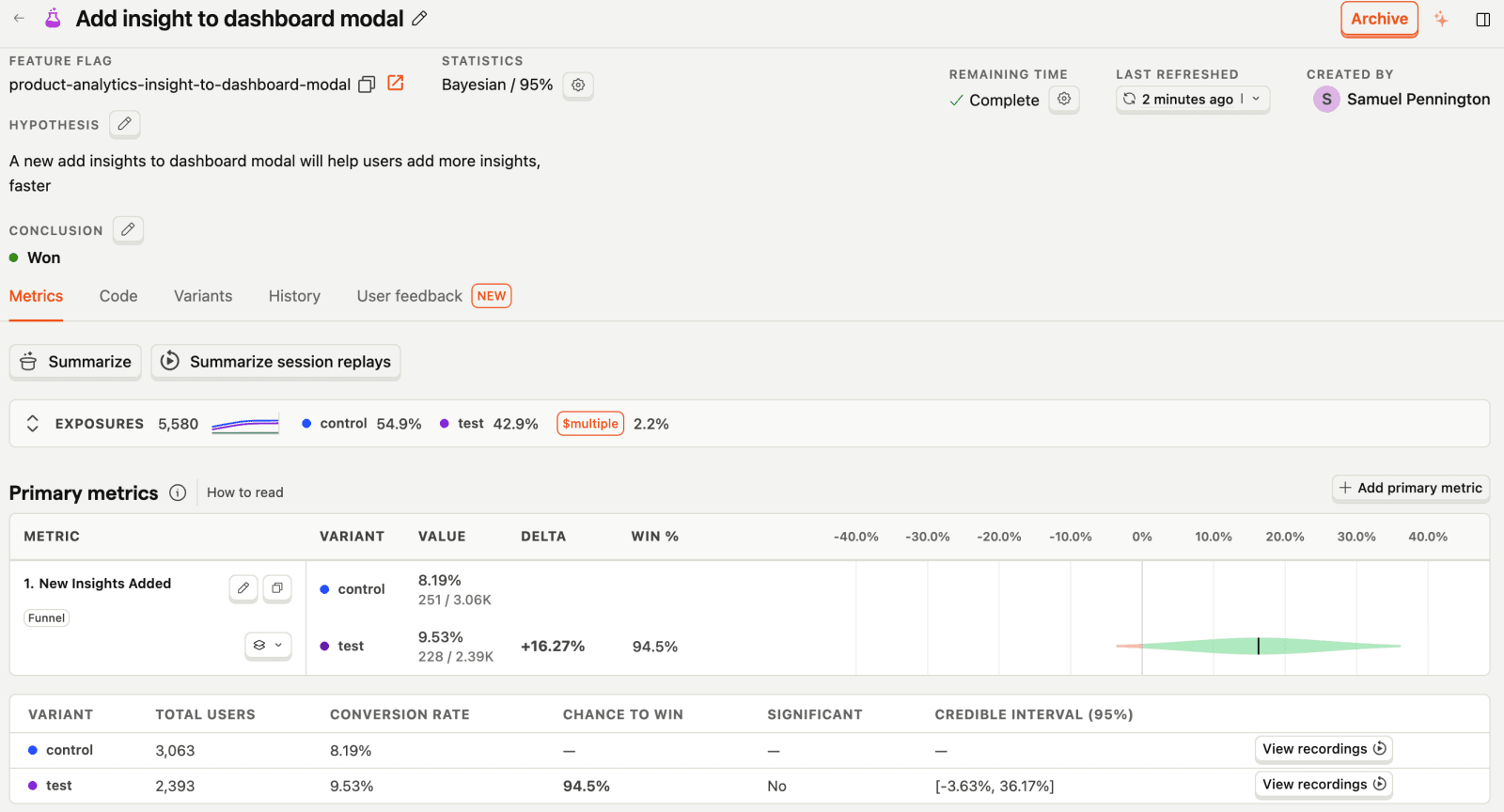
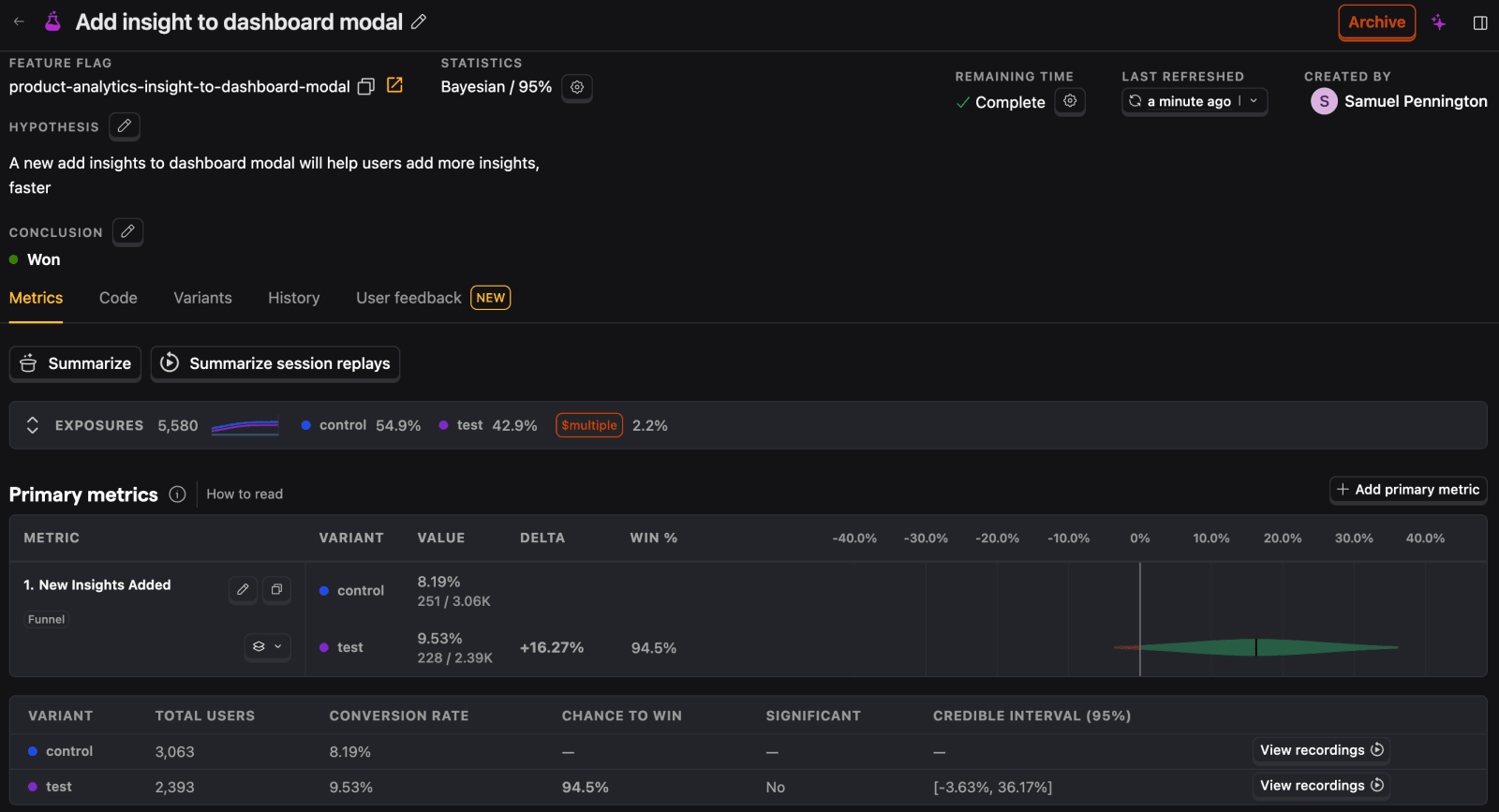
PostHog (that's us!) is an all-in-one developer platform built to help engineers create better products. It includes experimentation and a whole bunch more, such as product analytics, session replays, feature flags, surveys, error tracking, LLM observability, and an AI assistant.
Because everything lives in a single platform, you can launch an experiment, deploy it behind a feature flag, see how it impacts funnels or retention, and watch session replays of how users in each variant actually behave – without stitching together separate tools or juggling data exports.
It's designed for product-minded engineers, growth teams, and product managers who need to move fast and iterate based on reliable, actionable insights.
| Platform | Supported |
|---|---|
| iOS | ✔ |
| Android | ✔ |
| React Native | ✔ |
| Flutter | ✔ |
| Web | ✔ |
| Server | ✔ |
PostHog has transparent pricing based on the usage. It's free to get started and completely free for the first 1 million A/B testing requests. After this free monthly allowance, you'll pay $0.0001/request, and requests cost progressively less the more you use. You can also set billing limits to ensure you don't get surprise bills.
Further reading: New to A/B testing? Read a software engineer's guide to A/B testing and our guide to common A/B testing mistakes.
Bottom line
For teams looking for all the tools they need to experiment and improve their products, PostHog makes for a great choice. This is especially true for startups and scaleups thanks to its generous free tier.
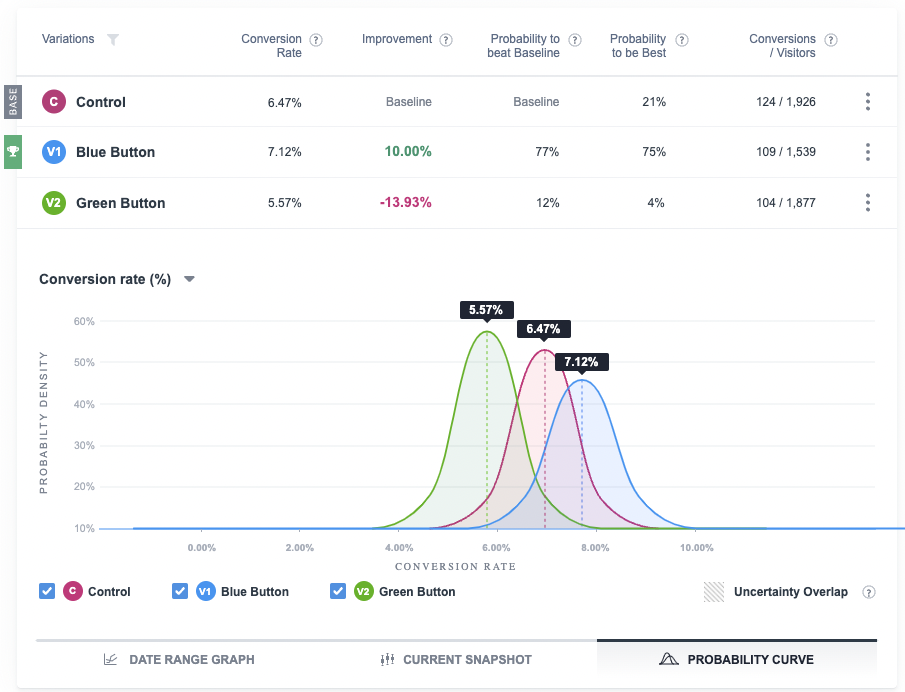
VWO is a testing platform that primarily targets large enterprises. Its experimentation platform includes support for A/B and multivariate tests and a visual editor. It's useful for non-technical users who need an easy-to-use interface to test in-app messaging and UI copy.
It also offers surveys and behavioral insights (heatmaps, session recordings), plus limited product analytics like funnels. However, its analytics capabilities are basic compared to dedicated tools – most teams will still want a separate product analytics platform for deeper analysis.
| Platform | Supported |
|---|---|
| iOS | ✔ |
| Android | ✔ |
| React Native | ✔ |
| Flutter | ✔ |
| Web | ✔ |
| Server | ✔ |
VWO uses custom, usage-based pricing based on Monthly Tracked Users (MTUs). Web testing, mobile app testing, server-side testing (feature experimentation), behavior analytics, and personalization are all separate products with their own pricing. VWO offers a 30-day free trial but no permanent free tier. You'll need to contact their sales team for a quote.
Bottom line
VWO is great for marketing and product teams who want an easy-to-use visual editor for running experiments without coding. However, its pricing is opaque, and its analytics features are limited compared to dedicated product analytics tools.
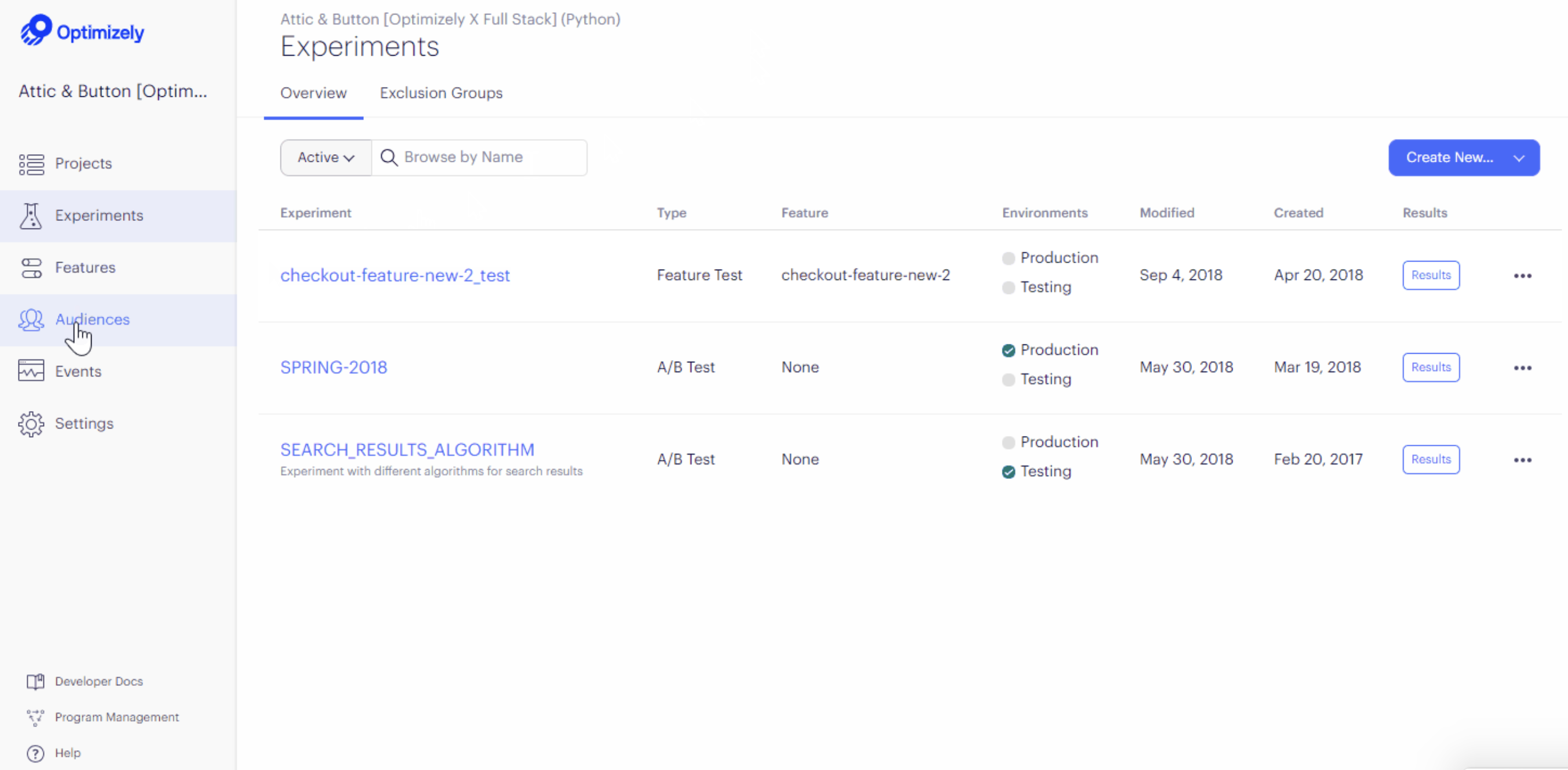
Optimizely is an all-in-one system for marketing that includes A/B testing and more – like content management, campaign planning, asset management, and checkout customizations.
It's built for marketers in large enterprises looking to optimize their content, apps, and e-commerce experiences.
| Platform | Supported |
|---|---|
| iOS | ✔ |
| Android | ✔ |
| React Native | ✔ |
| Flutter | ✔ |
| Web | ✔ |
| Server | ✔ |
Optimizely's pricing is sales-driven and not publicly listed. According to Splitbase, plans start at a minimum of $36,000 per year, with enterprise plans potentially exceeding $200,000+ depending on traffic and features. Only annual contracts are available.
Bottom line
Optimizely is a powerful enterprise experimentation platform, but it comes with enterprise pricing to match. It's best suited for large marketing teams with big budgets who need content management alongside A/B testing. If you're primarily looking for mobile app experimentation, there are more affordable and focused options on this list.
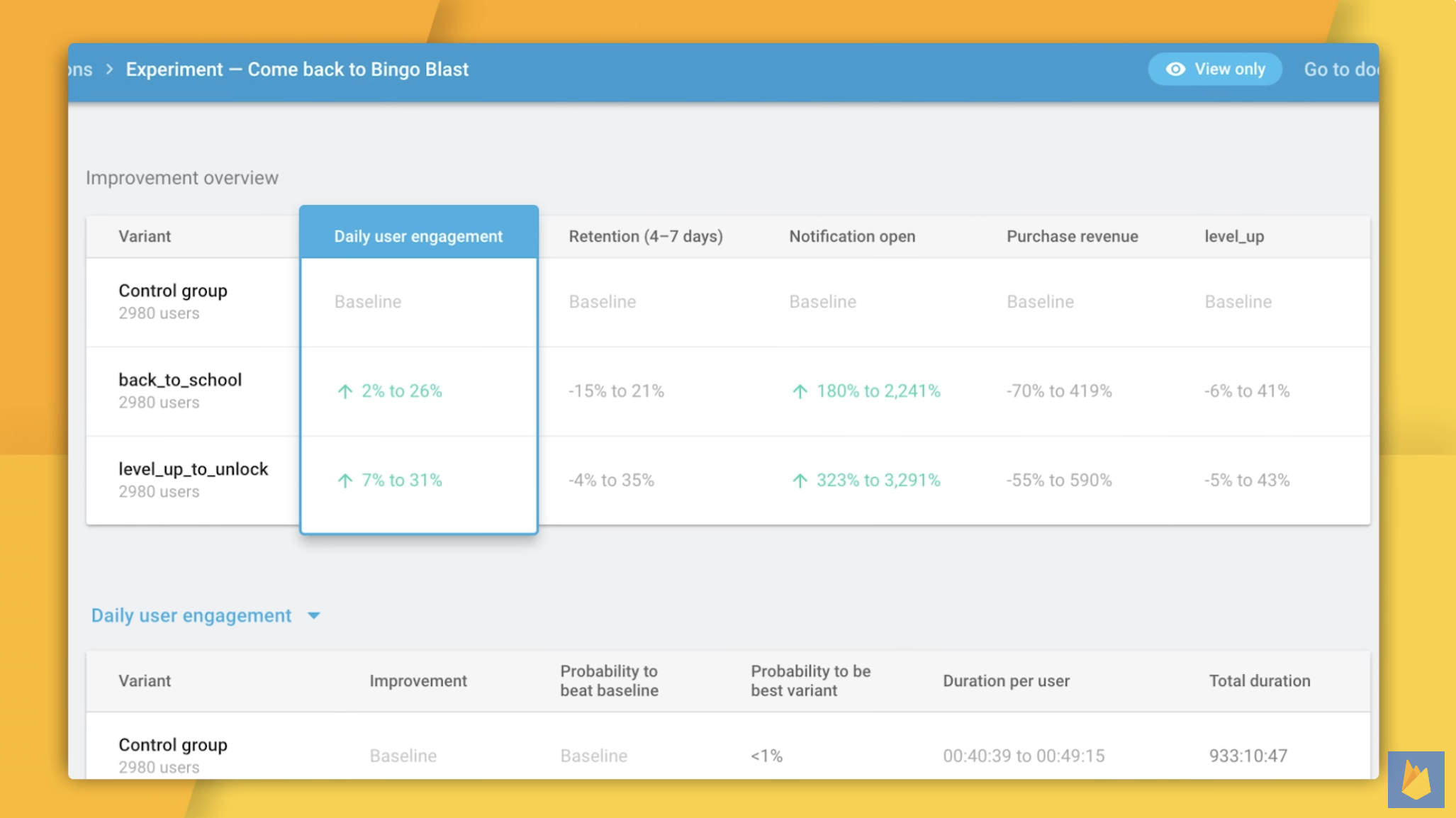
Firebase A/B testing is built specifically for mobile apps and is completely free. It includes an easy to use interface for running experiments on Firebase's other app features, such as cloud messaging and in-app messaging.
It's important to note that using A/B testing on Firebase requires installing Google Analytics in your app. It's also not possible to run A/B tests on your web app or server.
| Platform | Supported |
|---|---|
| iOS | ✔ |
| Android | ✔ |
| React Native | ✖ (not officially supported; community libraries exist) |
| Flutter | ✔ |
| Web | ✖ |
| Server | ✖ |
A/B testing with Firebase is completely free.
Bottom line
Firebase A/B testing is the best free option if you're already in the Firebase ecosystem. It's limited to mobile and tightly coupled to Firebase's other services, so it's not ideal if you need cross-platform experimentation.
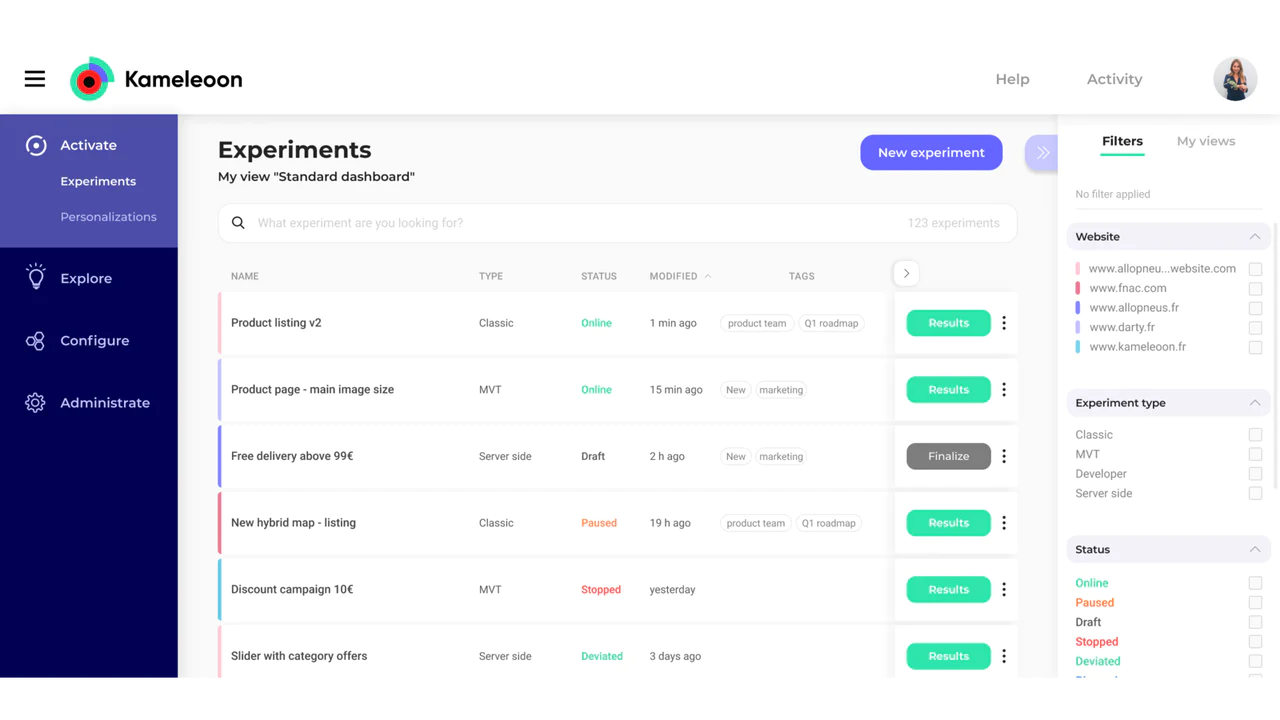
Kameleoon is an experimentation and personalization platform with support for both web and mobile apps. It includes an easy to use interface for running experiments on push notifications and in-app messaging.
In addition to testing, it offers a real-time personalization engine that's particularly useful for e-commerce apps. It's also HIPAA-compliant, which makes Kameleoon a viable option for healthcare apps.
| Platform | Supported |
|---|---|
| iOS | ✔ |
| Android | ✔ |
| React Native | ✔ |
| Flutter | ✔ |
| Web | ✔ |
| Server | ✔ |
Kameleoon's Starter plan begins at $495 per month, which includes web experimentation features. Enterprise plans with mobile app testing, feature management, and advanced capabilities like SSO and CUPED are custom-priced. Kameleoon offers a free trial.
Bottom line
Kameleoon is a solid pick for e-commerce and healthcare teams that need HIPAA compliance and real-time personalization alongside experimentation. However, mobile app testing is locked behind custom enterprise pricing, so it's not the most accessible option for smaller teams.
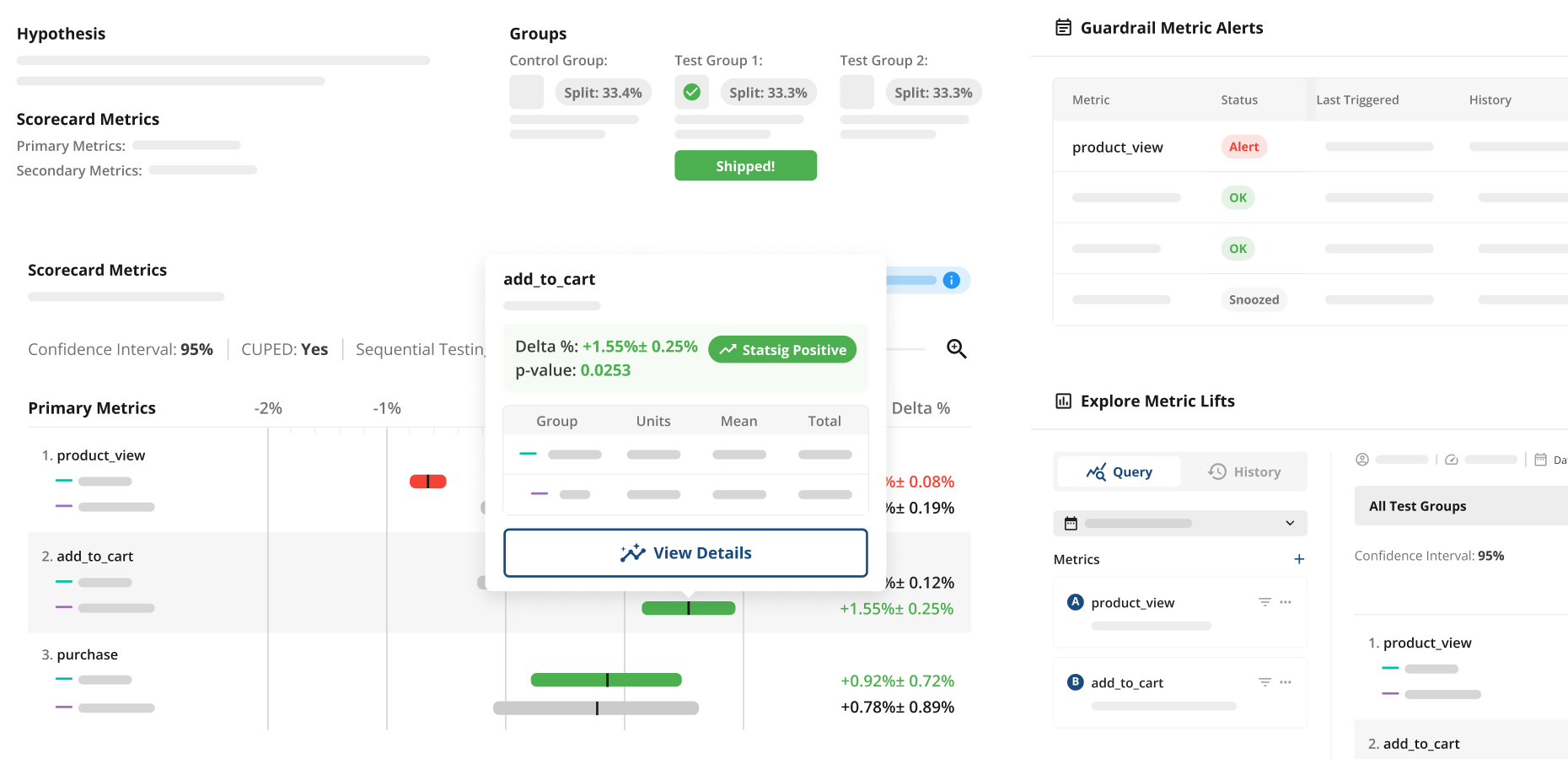
Statsig is a platform built for feature management and experimentation. It offers feature flags, A/B testing, and product analytics.
It offers advanced experimentation techniques, such as multi-armed bandit experiments and holdout testing, making it well suited for growth teams in startups.
| Platform | Supported |
|---|---|
| iOS | ✔ |
| Android | ✔ |
| React Native | ✔ |
| Flutter | ✔ |
| Web | ✔ |
| Server | ✔ |
Statsig's Developer tier is free with 2 million events per month. The Pro tier costs $150 per month with 5 million events included, and additional events cost $0.05 per 1,000. Enterprise plans offer volume discounts and custom pricing.
Bottom line
Statsig is a great choice for growth-focused engineering teams who want advanced experimentation with transparent, usage-based pricing. Its unlimited free feature flags are a standout.
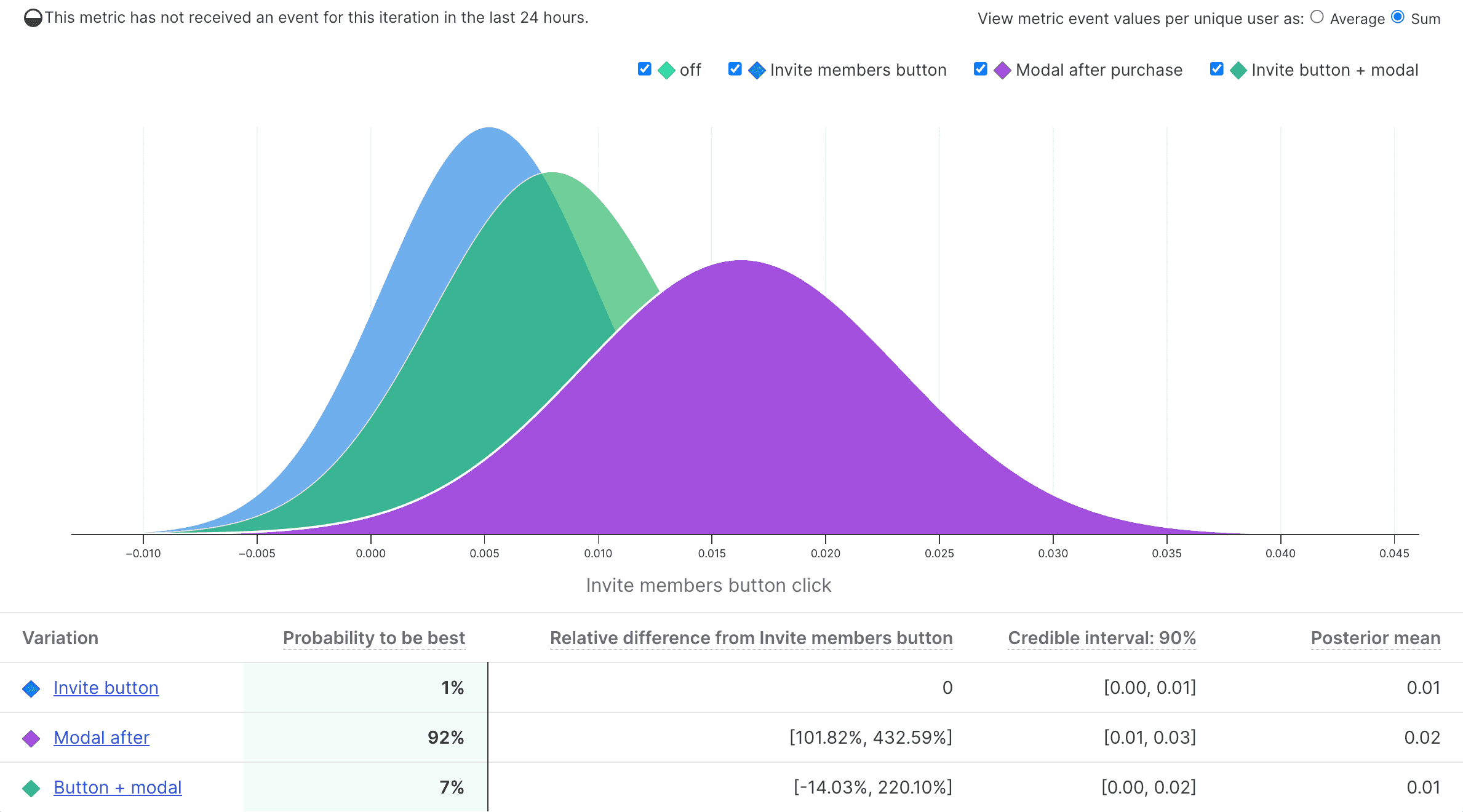
LaunchDarkly is built for enterprises wanting to follow software development best practices. This means A/B testing changes, managing features, de-risking releases, and coordinating deploys.
The people who find LaunchDarkly most useful are engineering managers, site reliability engineers, and product managers.
| Platform | Supported |
|---|---|
| iOS | ✔ |
| Android | ✔ |
| React Native | ✔ |
| Flutter | ✔ |
| Web | ✔ |
| Server | ✔ |
LaunchDarkly offers a free Developer tier for small projects, which includes A/B tests and experiments. The Foundation plan starts at $12 per service connection and $10 per 1k client-side MAU per month, which includes feature flags, experimentation, and limited client-side MAU. Enterprise and Guardian plans have custom pricing.
Bottom line
LaunchDarkly is the go-to for engineering teams who need enterprise-grade feature flag management and want to add experimentation on top. It's feature-flag-first, not experiment-first.
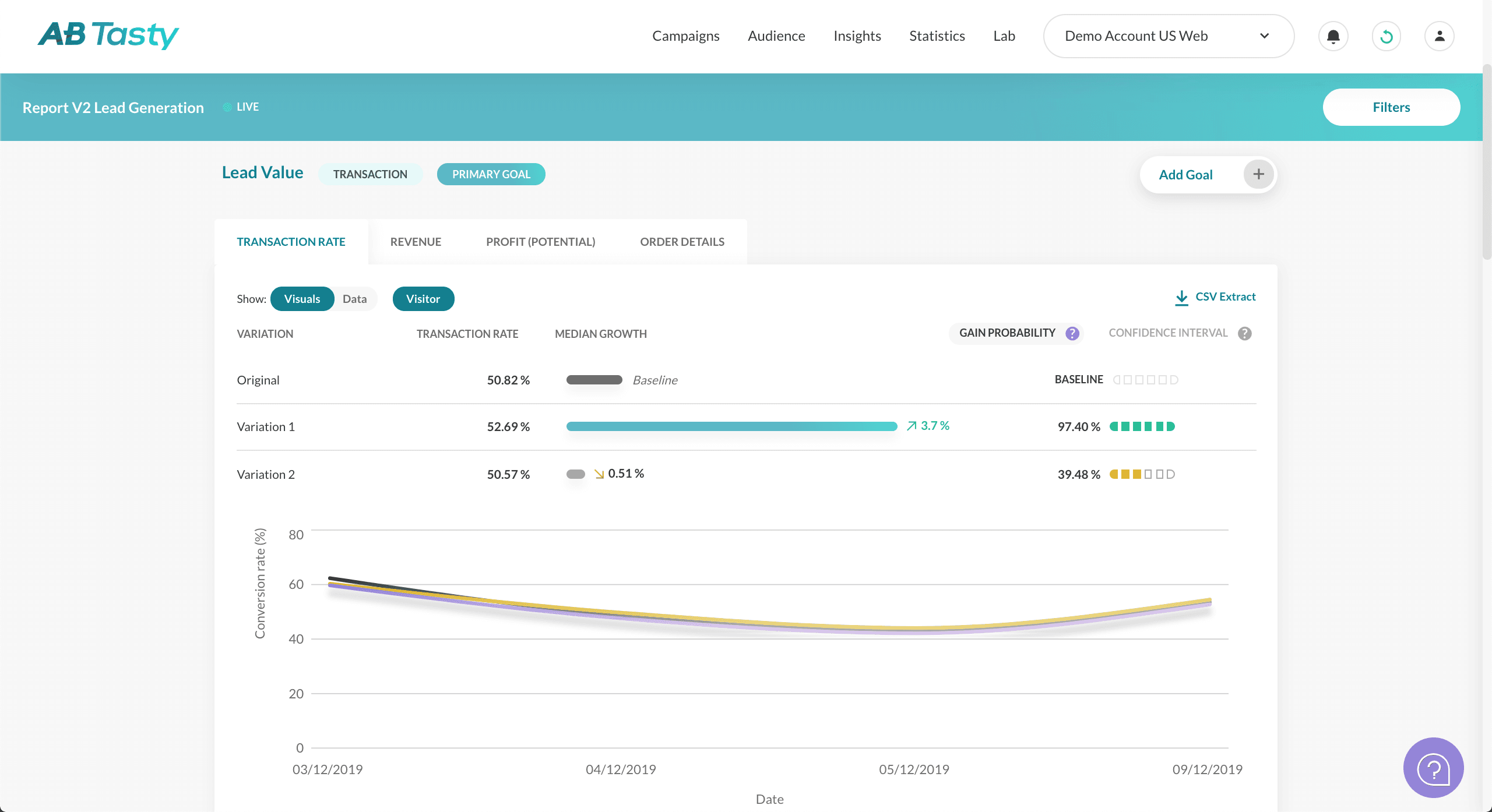
AB Tasty is a digital experience optimization platform used by thousands of brands. It combines A/B testing, multivariate testing, feature flagging, and personalization into a single platform. Its server-side experimentation product (Flagship) supports mobile app testing through dedicated SDKs, while its client-side tools cover web experimentation with a visual, no-code editor.
| Platform | Supported |
|---|---|
| iOS | ✔ |
| Android | ✔ |
| React Native | ✔ |
| Flutter | ✔ |
| Web | ✔ |
| Server | ✔ |
AB Tasty uses custom pricing, you'll need to contact their sales team for a quote. There's no free tier, but a free trial is available.
Bottom line
AB Tasty is a strong choice for teams that want experimentation and personalization in one platform, especially if you have marketers who need to run web experiments independently. Mobile app testing is handled through their Flagship SDKs, which support all major platforms.
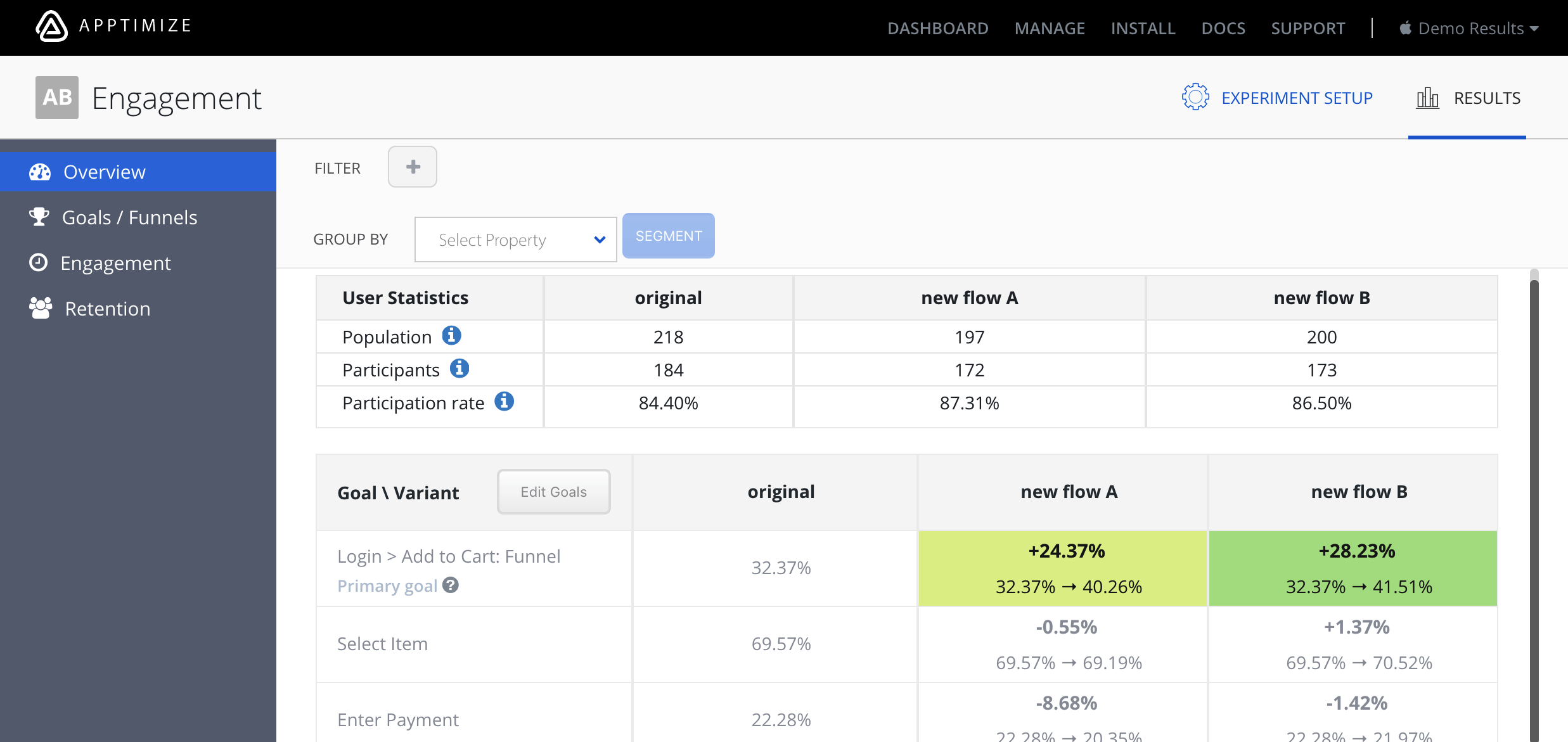
Apptimize focuses on A/B testing for mobile apps and is now part of Airship's customer experience platform. It supports cross-platform testing and feature management with SDKs for all major mobile platforms, plus server-side support.
| Platform | Supported |
|---|---|
| iOS | ✔ |
| Android | ✔ |
| React Native | ✔ |
| Flutter | ✔ |
| Web | ✔ (JavaScript) |
| Server | ✔ (Java, Node.js, Python) |
Apptimize don't share their pricing publicly. You need to ask sales for a custom quote.
Bottom line
Apptimize is an option for enterprise teams already using Airship for customer engagement. For most teams, other tools on this list offer more value and transparency.
Here's the (short) sales pitch.
We're biased, obviously, but we think you'll love PostHog if:
It's completely free to get started – no credit card required. Our setup wizard handles configuration in minutes, or you can check out our docs to do it yourself.
Mobile app A/B testing is the process of comparing two or more variations of an app experience or feature to determine which one performs better against a defined goal. You split your users into groups, show each group a different variation, and measure which one drives better (statistically significant) results – like more signups, higher retention, or increased revenue.
Unlike web A/B testing where you can deploy changes instantly, mobile experiments often need to work with app store release cycles. Tools like PostHog and Statsig handle this through feature flags, which let you change what users see without shipping a new app version.
Both approaches make requests to a server to determine which variation a user sees — the difference is where that request happens.
Client-side testing makes the request from the app or browser. It's easier to set up, but can cause "flicker" as the UI updates after the response comes back. Tools like VWO offer visual editors for this approach on web.
Server-side testing makes the request from your backend (e.g. a Django or Node service) before sending anything to the client, which eliminates flicker. It's better for testing algorithms, pricing logic, API responses, and anything involving backend changes. Tools like PostHog, Statsig, and LaunchDarkly support this approach.
Most mobile teams need server-side testing because mobile apps can't be updated instantly like websites — you need feature flags to control which variation users see without waiting for an app store review. You can also use techniques like bootstrapping and local evaluation to reduce latency and avoid flicker on the client side.
Feature flags and A/B tests are closely related. A feature flag controls whether a user sees a specific feature or variation. An A/B test uses feature flags to randomly assign users to different groups and then measures which group performs better.
In practice, most modern A/B testing tools (like PostHog, Statsig, and LaunchDarkly) build their experimentation features on top of feature flags. This means you can start with a simple feature flag rollout and then upgrade it to a full experiment when you want to measure impact.
Long enough to reach statistical significance – typically 1-4 weeks depending on your traffic volume and the size of the effect you're trying to detect. Running a test too short risks false positives (seeing a difference that doesn't exist). Running it too long wastes time and delays shipping improvements.
Most A/B testing tools (including PostHog and Statsig) can calculate the recommended sample size and duration before you start your experiment.
A multi-armed bandit is an experiment that automatically shifts traffic toward the winning variation as results come in, rather than splitting traffic equally for the full duration. This means you lose less revenue or engagement to the underperforming variation while still measuring statistical significance.
Statsig and Kameleoon offer multi-armed bandit experiments. They're particularly useful for time-sensitive tests (like promotional campaigns) where you don't want to wait weeks for results before acting.
Yes. Firebase has built-in support for testing push notification content, timing, and targeting through Cloud Messaging experiments.
For more custom approaches, you can use a general-purpose A/B testing tool like PostHog or Statsig to control which notification variant a user receives through feature flags, then measure the downstream impact on engagement and retention.
Apple's App Tracking Transparency (ATT) framework primarily impacts marketing attribution – tracking which ad drove an install. A/B testing within your own app is largely unaffected because it uses first-party data (you're testing variations within your own app, not tracking users across other apps).
However, if your A/B test relies on identifying users across devices or linking to external data, ATT restrictions may apply. Stick to first-party identifiers (like your own user IDs) and you'll be fine for in-app experiments.
Statsig offers 2 million free events per month and free feature flags. Firebase A/B testing is completely free with no usage limits, but it's limited to mobile (iOS, Android, Flutter) and requires Google Analytics. PostHog offers 1 million A/B testing requests free per month with full cross-platform support. LaunchDarkly has a free Developer tier for small projects.
The best choice depends on your needs: Firebase for free and simple, PostHog or Statsig for free with more advanced features and broader platform support.
You can also check out our roundup of the best free and open-source A/B testing tools.
If you're evaluating AB Tasty alternatives, the best option depends on what your team needs.
PostHog is more than a mobile A/B testing tool. It gives developers full context by combining all the tools needed to build a successful product in one platform – with a single SDK for mobile.
Also check out our guide to the best mobile app analytics tools if you're evaluating your full analytics stack.
Subscribe to our newsletter
Read by 100,000+ founders and builders
We'll share your email with Substack
此内容由惯性聚合(RSS阅读器)自动聚合整理,仅供阅读参考。 原文来自 — 版权归原作者所有。