惯性聚合 高效追踪和阅读你感兴趣的博客、新闻、科技资讯
阅读原文 在惯性聚合中打开

推荐订阅源

cs.CV updates on arXiv.org
云风的 BLOG
云风的 BLOG
aimingoo的专栏
aimingoo的专栏
Vercel News
Vercel News
T
The Blog of Author Tim Ferriss
F
Full Disclosure
A
About on SuperTechFans
C
Check Point Blog
让小产品的独立变现更简单 - ezindie.com
量子位
Know Your Adversary
Know Your Adversary
K
Kaspersky official blog
L
LINUX DO - 热门话题
Recorded Future
Recorded Future
C
Cisco Blogs
M
MIT News - Artificial intelligence
T
Tenable Blog
G
GRAHAM CLULEY
月光博客
月光博客
Recent Announcements
V
Visual Studio Blog
IT之家
IT之家
T
The Exploit Database - CXSecurity.com
The GitHub Blog
The GitHub Blog
T
Threat Research - Cisco Blogs
D
DataBreaches.Net
P
Privacy International News Feed
P
Proofpoint News Feed
I
Intezer
博客园 - 叶小钗
C
CXSECURITY Database RSS Feed - CXSecurity.com
The Hacker News
The Hacker News
Cyber Security Advisories - MS-ISAC
博客园 - Franky
SecWiki News
SecWiki News
宝玉的分享
宝玉的分享
P
Palo Alto Networks Blog
Last Week in AI
Last Week in AI
小众软件
小众软件
Hacker News - Newest:
Hacker News - Newest: "LLM"
O
OpenAI News
N
News and Events Feed by Topic
Microsoft Security Blog
Security Archives - TechRepublic
N
News and Events Feed by Topic
The Cloudflare Blog
Spread Privacy
Spread Privacy
酷 壳 – CoolShell
酷 壳 – CoolShell
Exploit-DB.com RSS Feed
B
Blog RSS Feed

PostHog's RSS Feed

Training our own AI models - PostHog From 270GB RAM to 5GB: Moving local flag evaluation from Django to Rust The best analytics stack for vibe-coded apps The do's and don'ts of minimum viable product marketing - PostHog The best MCP servers for startups, by workflow 4,063 errors closed without a human opening PostHog – here's what we learned - PostHog PostHog Code and the self-driving product - PostHog Why attacking your competitors online is dumb - PostHog The best real-time analytics platforms for developers, compared DuckDB vs ClickHouse: Why we use both at PostHog - PostHog PostHog's next chapter - PostHog Making Claude Cowork actually useful - PostHog PostHog vs Matomo in-depth tool comparison You're doing lifecycle emails wrong Untangling Tokio and Rayon in production: From 2s latency spikes to 94ms flat The best HIPAA-compliant A/B testing tools - PostHog A beginner's guide to testing AI agents - PostHog I hate the standup bot (so I built an agent to do it for me) - PostHog The best CDPs for developers, compared The best error tracking tools for developers, compared The best feature flag software for developers, compared 7 best session replay tools for mobile apps 7 best free open source business intelligence tools right now 7 best free and open source LLM observability tools PostHog vs LogRocket in-depth tool comparison The most popular PostHog alternatives, compared Open source (and self-hosted) session replay tools - PostHog The 9 best GA4 alternatives for apps and websites - PostHog PostHog vs Google Analytics 4 in-depth tool comparison How we built automatic clustering for LLM traces - PostHog The 7 best HIPAA-compliant analytics tools 8 best open source analytics tools you can self-host - PostHog The best product analytics tools for startups, compared PostHog vs FullStory in-depth tool comparison The 7 best mobile app analytics tools PostHog vs Hotjar in-depth tool comparison The 8 best free and open-source feature flag services - PostHog The 5 best free and open-source A/B testing tools - PostHog The best mobile app A/B testing tools, compared What is a feature flag? Feature Flags vs Remote Config vs A/B Testing PostHog is now available in Vercel’s v0 The best Heap alternatives & competitors, compared PostHog vs Heap in-depth tool comparison PostHog vs Pendo in-depth tool comparison PostHog × Vercel: feature flags, minus the plumbing Your logs' final destination is in GA. You always end up here anyway Behind the scenes of a PostHog hackathon - PostHog The most popular Mixpanel alternatives & competitors, compared PostHog vs Mixpanel in-depth tool comparison The 9 best GDPR-compliant analytics tools How we use Logs at PostHog The best web analytics tools for developers, compared Stop AI slop: Run evals with LLM-as-a-Judge - PostHog You product data just got a job: Workflows is now out App onboarding: How to fix drop-off points Meet Logs (beta) – logs with all the tools you’re already using Why small teams crush tiger teams How we built user behavior analysis with multi-modal LLMs (in 5 not-so-easy steps) - PostHog The best Contentsquare alternatives & competitors, compared 8 learnings from 1 year of agents – PostHog AI - PostHog Why we killed our AI product assistant Workflows graduate to beta! Product data, meet automation The best Rollbar alternatives & competitors, compared Workflows are now in Alpha and I already broke mine - PostHog I've consistently underestimated how important communication is as a CEO - PostHog How we made feature flags even faster and more reliable The best session replay tools for developers, compared What I learned attending my first ever hackathon - PostHog Did you know AI is answering our community questions? - PostHog How not to be boring - PostHog We built an internal tool to generate changelog images for social media - PostHog What we built at our windswept Mykonos hackathon - PostHog How we built our onboarding email flow (with actual performance data) - PostHog We're building a better PostHog community by closing our public Slack - PostHog Introducing Notebooks for PostHog - PostHog Why we've launched PostHog user surveys - PostHog How we made feature flags faster and more reliable - PostHog In-depth: ClickHouse vs Redshift - PostHog Introducing HouseWatch: An open-source toolkit for ClickHouse - PostHog Introducing HogQL: Direct SQL access for PostHog - PostHog What we built at our sun-kissed Aruba hackathon - PostHog In-depth: ClickHouse vs BigQuery - PostHog In-depth: ClickHouse vs Elasticsearch - PostHog HogMail #22: Why do companies over-hire?" - PostHog Our simpler goal: Help engineers to be better at product - PostHog In-depth: ClickHouse vs Snowflake - PostHog HogMail #21: Avoiding the "Product Death Cycle" - PostHog Sunsetting Kubernetes support for PostHog - PostHog Why 'Product Engineer' is the most fun role I've had in tech - PostHog HogMail #20: Why do startups fail? - PostHog The best Google Optimize alternatives for apps and websites - PostHog Array 1.43.0: Massive performance improvements! - PostHog In-depth: ClickHouse vs Druid - PostHog HogMail #19: Which meetings should you kill? - PostHog CEO diary: The things I learned in 2022 - PostHog The essential tools used by product engineers - PostHog HogMail #18: What can SaaS learn from the New York Times? - PostHog What is a product engineer? - Product Engineer Handbook - PostHog Array 1.42.0: Get beta features via our roadmap! - PostHog HogMail #17: The personal traits that can't be taught - PostHog
The best in-app survey tools for product teams, compared
Jina Yoon · 2026-02-26 · via PostHog's RSS Feed

Most in-app survey tools look roughly the same on paper: a basic NPS widget here, a few question types there, some targeting options.

They're the same picture meme

But when you need to get into the nitty gritty like triggering a survey after a user kicks off a certain event, or connecting their response to the session replay so you can investigate why someone gave you a 3 out of 10... That's when different tools start to diverge real fast.

In this guide, we'll compare the best in-app survey tools for product teams including what each one does well, where they fall short, and how to pick the right fit.

A good in-app survey tool lets you ask the right users the right questions at the right moment, without making them leave your product.

Most solid tools include:

  • Survey widgets that embed directly in your web or mobile app
  • Pre-built templates for NPS, CSAT, and PMF surveys
  • Basic targeting by page URL or user property
  • Response dashboards with simple reporting

Teams who want more precise feedback will go further with:

  • Event-triggered surveys so you ask right after a meaningful user action, not just on page load
  • Mobile app support with native iOS and Android SDKs
  • Multi-step branching logic to show different questions based on previous answers
  • AI-powered analysis to surface themes across hundreds of open-text responses without manual tagging
  • Integration with session replay and analytics so you can connect what users say with what they actually did

Here's a quick overview how the most popular tools in the market compare:

1. PostHog

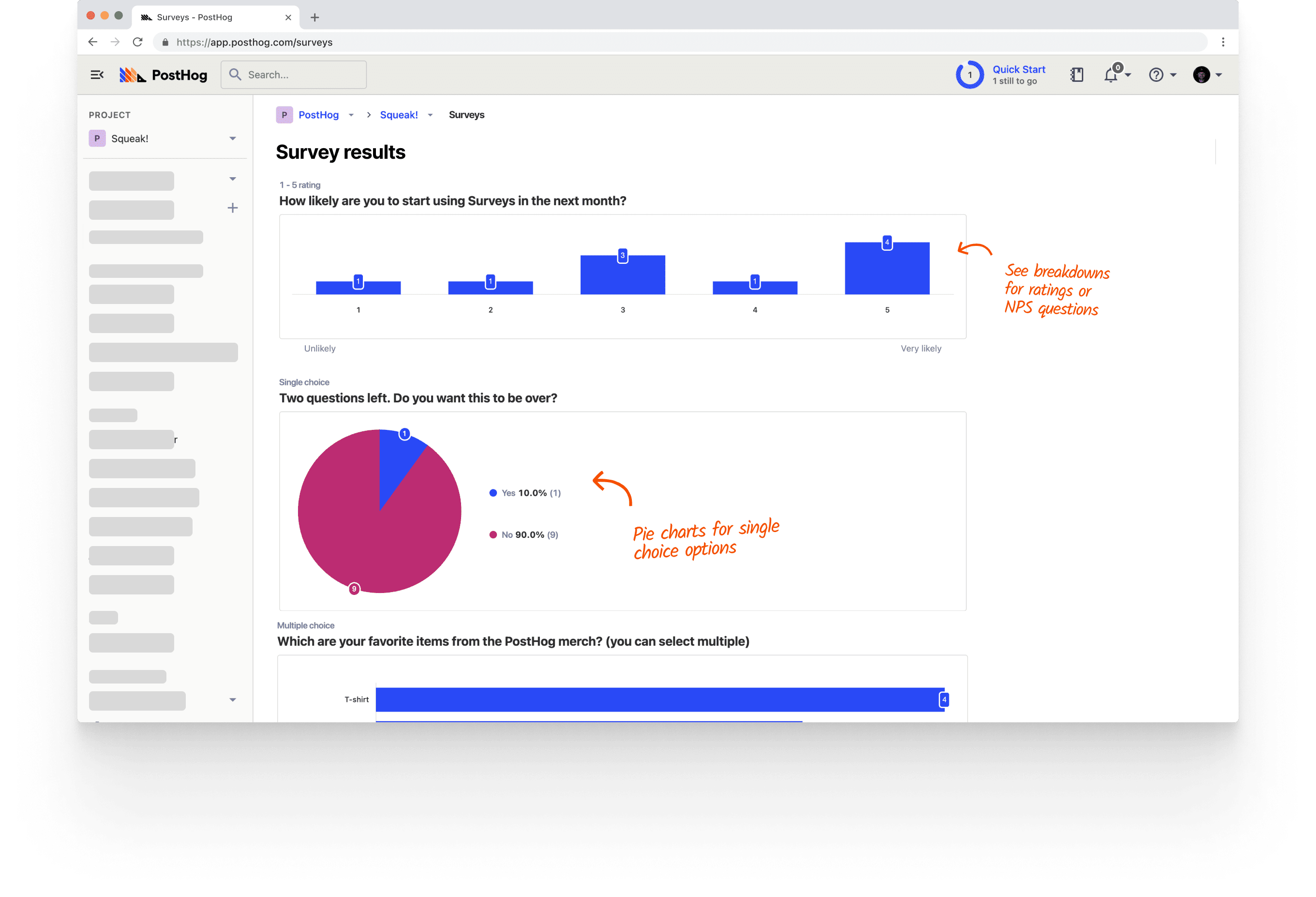
PostHog surveys

PostHog (that's us, hi 👋) is an all-in-one developer platform that includes surveys alongside product analytics, session replay, feature flags, experiments, error tracking, and much, much more.

This means you can do more than just collect feedback. When a user submits an NPS response, you can pull up their session replay to see exactly what experience preceded it, join the response to their event history, or use a feature flag to target them with a follow-up experiment. Everything lives in one place, and all the products are designed to work well together.

Surveys in PostHog support web and mobile apps, can be triggered by events or feature flags, and include templates for NPS, PMF, CSAT, and more. This lets teams get very granular with when and how to send surveys to users, and do complex analysis with other product tools.

PostHog is also investing heavily in AI features. Built-in AI summaries and the ability to get deeper survey analysis in the PostHog AI chat interface are both currently in Beta.

The free tier includes 1,500 responses per month with no credit card required.

Strengths:

  • Surveys part of a unified suite, linked to session replay, analytics, feature flags, and more
  • Highly customizable event-triggered and feature flag-targeted surveys
  • Web and mobile support (iOS, Android, React Native, Flutter)
  • AI analysis: summarize responses and dig deeper via chat (in Beta)
  • 1,500 free responses/month with usage-based pricing

Product and engineering teams who want to connect survey feedback directly to technical details related to user behavior, analytics, and experimentation without adding another tool to their stack.

2. Hotjar

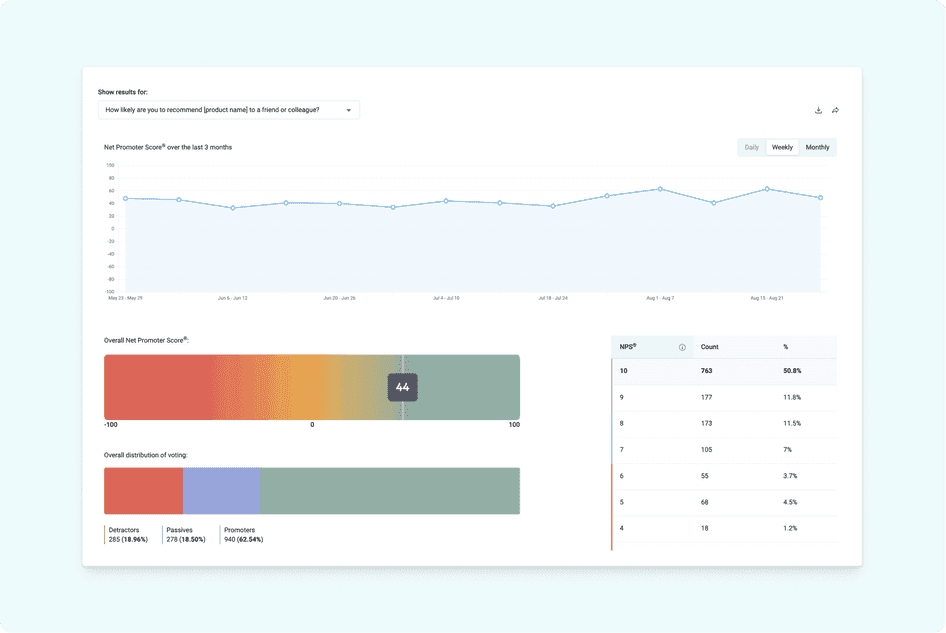
Hotjar surveys

Hotjar (now part of Contentsquare) is one of the most widely deployed tools for understanding user behavior on websites. Its surveys sit inside a broader toolkit that includes heatmaps, session recordings, and user interviews, making it easy to triangulate between what users say and what they do.

Surveys in Hotjar support NPS, CSAT, and open-ended questions, and can be triggered by exit intent, scroll depth, or specific events. AI-powered sentiment analysis is available on paid plans. You can also recruit and schedule user interviews directly through Hotjar Engage.

See our PostHog vs Hotjar comparison for a deeper breakdown.

Strengths:

  • Simple setup and intuitive interface
  • Surveys paired with heatmaps and session replay
  • Exit-intent and event-triggered surveys
  • AI-powered sentiment analysis on responses
  • Built-in user interview scheduling

Product, UX, and marketing teams focused who want qualitative feedback paired with visual behavior insights.

3. Sprig

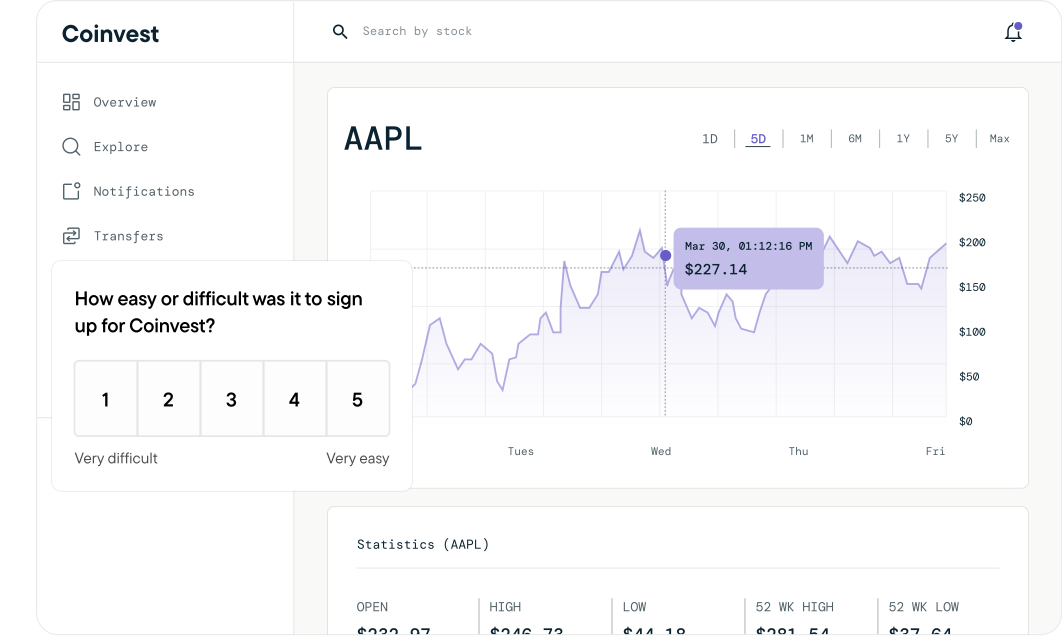
Sprig surveys

Sprig is a purpose-built user research platform that links in-product surveys and session replays together into what it calls "studies." The core idea is that you should see not just what users said, but what they were doing when they said it.

In Sprig, you trigger a study in response to a user action, users answer your survey, and the session recording captures the context. AI then analyzes responses across participants to surface common themes automatically so you don't have to manually tag hundreds of open-text answers.

Sprig supports web and most mobile platforms (iOS, Android, but not Flutter). Their free tier plan is limited to 25 survey responses per month, and pricing is usage-based without public information on rates.

Strengths:

  • Surveys and session replays linked in a single workflow
  • AI analysis that surfaces themes across responses automatically
  • Web and mobile support (iOS, Android – no Flutter)
  • Designed for continuous product discovery

UX researchers and product teams running continuous discovery who need survey responses and session context side-by-side, with AI to handle analysis at scale.

4. Survicate

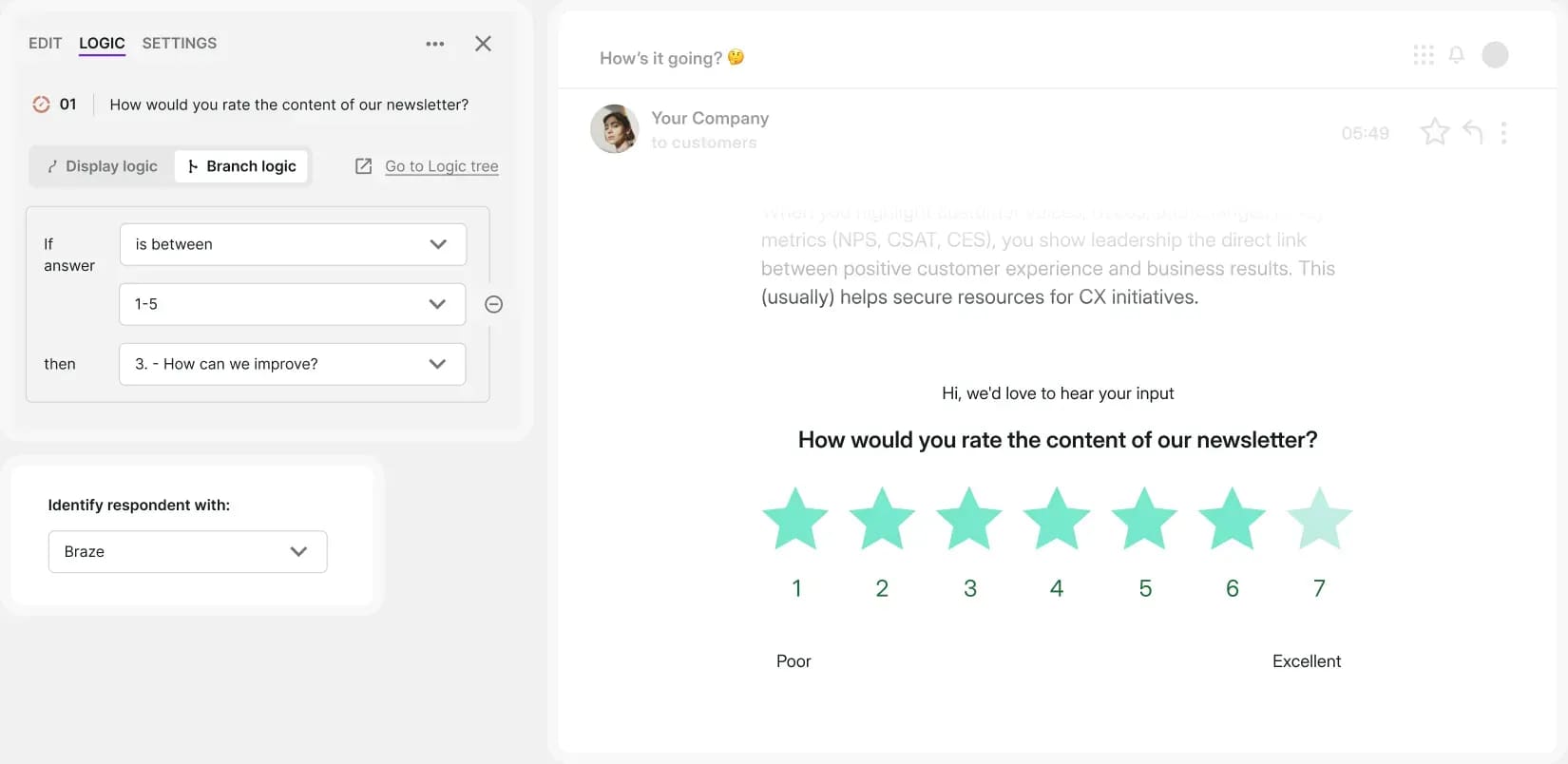
Survicate surveys

Survicate is a dedicated customer feedback platform built for multi-channel survey distribution. It specializes in reaching users everywhere: inside your web app, inside mobile apps via native SDKs, in email, and via shareable links. See our best Survicate alternatives if you're already evaluating other options.

The survey builder supports 13+ question types with branching logic and no code required. An AI-powered Insights Hub groups open-text responses by topic and sentiment, cutting down on manual analysis. Native integrations with HubSpot, Intercom, Salesforce, Zapier, and Slack make it easy to push responses into existing workflows.

The free tier allows 25 responses per month, with paid plans starting at $56/month (billed annually).

Strengths:

  • Multi-channel surveys (web, mobile, email, shareable links)
  • Native iOS and Android SDKs
  • 30+ integrations including HubSpot, Intercom, and Salesforce
  • AI-powered Insights Hub for grouping open-text responses

Customer success and product teams who need to collect feedback across multiple channels and route responses directly into their CRM or support tools.

5. Pendo

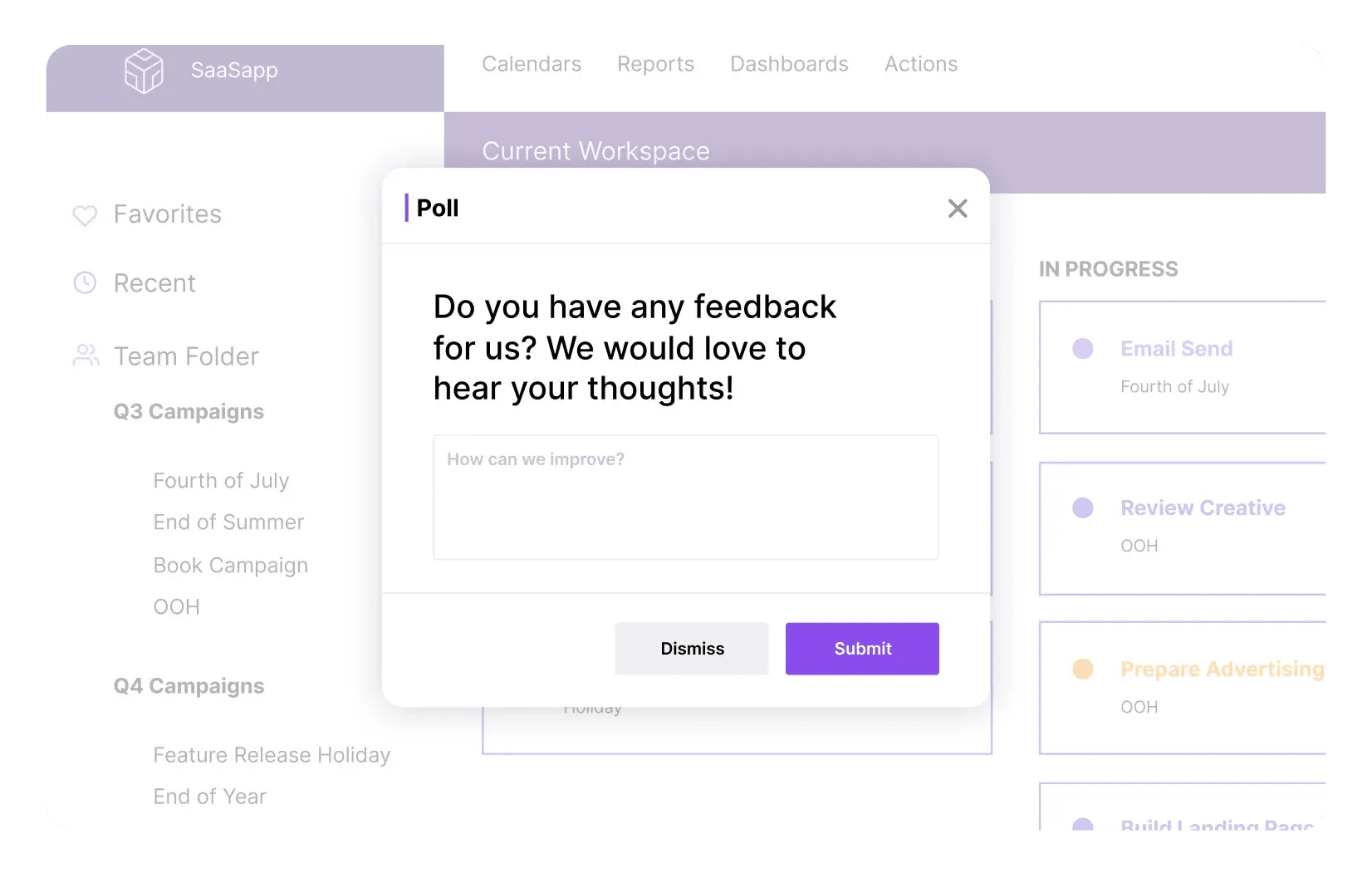
Pendo surveys

Pendo is a product experience platform that combines in-app surveys with analytics, session replay, in-app guides, and product roadmaps. It's primarily aimed at product managers and customer success teams at mid-to-large companies.

Surveys in Pendo are targeted by user segment or behavior, support web and mobile, and connect to its broader analytics model. The free plan includes Pendo-branded NPS surveys for up to 500 monthly active users, but full survey functionality requires a paid plan.

Pendo's pricing is very opaque and quite hefty, which puts it out of reach for most smaller teams and startups. See our PostHog vs Pendo comparison for more detail.

Strengths:

  • Surveys bundled with in-app guides, analytics, and session replay
  • Web and mobile support
  • Powerful user segmentation for survey targeting
  • Deep integrations with Salesforce, HubSpot, and data warehouses

Mid-to-large product teams that need surveys as part of a broader adoption and analytics platform, and have the budget for an enterprise tool.

6. SurveyMonkey

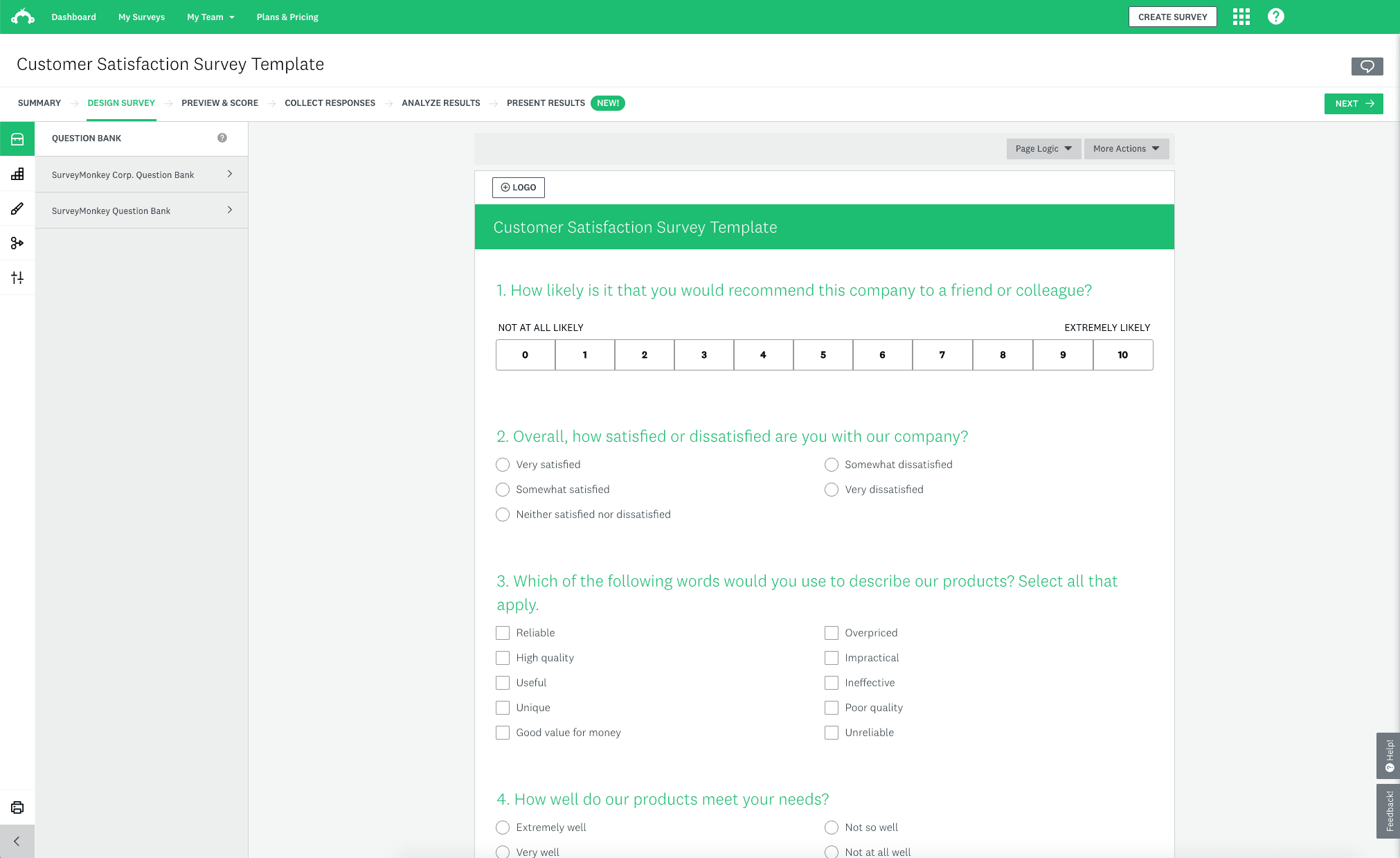
SurveyMonkey surveys

SurveyMonkey is one of the world's most popular survey platforms. It covers a wide range of survey types – NPS, CSAT, market research, employee feedback – and supports deployment via web embed, mobile SDK, email, and shareable links.

It's the most feature-rich pure survey tool on this list. You get 15+ question types, advanced branching logic, quota controls, and optional access to a respondent panel if you need external data. Reporting and benchmarking features are strong, especially for market research use cases.

The trade-off is depth of product integration. SurveyMonkey doesn't connect to session replay or analytics, so linking feedback to user behavior requires manual data exports and joins.

Strengths:

  • Comprehensive survey builder with 15+ question types
  • Multi-channel distribution (web, mobile, email, links)
  • Optional respondent panel for external market research
  • Strong reporting and industry benchmarking
  • 100+ integrations

Teams that need a standalone, full-featured survey platform, especially for market research use cases that require external respondent panels.


  • Want surveys integrated with other analytics tools that are easy to trigger from custom events? PostHog
  • Need surveys alongside heatmaps and session replay with AI summaries? Hotjar
  • Want in-depth research with AI, surveys, and session replays linked together? Sprig
  • Need multi-channel surveys with direct CRM integrations? Survicate
  • Want surveys bundled with in-app guides and product analytics? Pendo
  • Need a standalone platform with advanced question logic or respondent panels? SurveyMonkey

Recommendations by team type

For high-growth startups

  • PostHog for a generous free tier, transparent pricing, and an all-in-one platform that replaces multiple tools
  • Survicate if you specifically need multi-channel feedback distribution early on

For enterprise and large product teams

  • Pendo for surveys bundled with in-app guides, analytics, and roadmap tools
  • SurveyMonkey for complex research use cases with external panels and advanced reporting

For product and engineering teams

  • PostHog to connect survey responses to session replays, feature flags, and analytics in one workflow
  • Sprig if continuous product discovery with AI analysis is the primary use case

For UX and customer success teams

  • Hotjar for quick qualitative feedback alongside heatmaps and session recordings on web
  • Survicate for multi-channel feedback with tight CRM integrations
What's the difference between in-app surveys and standalone survey tools?

In-app surveys are embedded in your product and triggered by user behavior – you catch users in the moment, which leads to higher response rates and more relevant feedback. Standalone tools like SurveyMonkey are primarily distributed via shared links or email, which adds friction and loses the in-product context.

How do I trigger surveys at the right time?

The best time to trigger a survey is right after a meaningful user action – completing onboarding, using a key feature, hitting an error, or reaching a milestone. Tools like PostHog, Sprig, and Hotjar all support event-triggered surveys so you can configure this without hardcoding survey logic into your app.

Which in-app survey tools support mobile apps?

PostHog, Survicate, Pendo, Hotjar, and SurveyMonkey all offer native mobile SDKs. Sprig supports iOS and Android but not Flutter.

Can I link survey responses to user behavior and analytics?

Yes, if you use the right tool. PostHog links every survey response to the user's event history, session replay, and feature flag state automatically. Sprig ties surveys directly to session recordings. Pendo connects survey data to its broader analytics model. Standalone tools like Survicate and SurveyMonkey don't have built-in analytics, so you'd need to export and join data yourself.

Which in-app survey tools have a free plan?
  • PostHog: 1,500 responses/month free
  • Hotjar: 20 responses/month free (Ask Basic plan)
  • Sprig: 25 responses/month free
  • Survicate: 25 responses/month free
  • Pendo: NPS surveys only, up to 500 MAU

SurveyMonkey doesn't offer a meaningful free tier for in-app survey use.

What question types do in-app survey tools support?

Most tools support NPS, CSAT, multiple choice, and open text. More capable tools also include rating scales, emoji reactions, multi-select, and interview scheduling. PostHog and Survicate both support a broad range of question types with branching logic and no code required.

How is PostHog different from dedicated survey tools?

PostHog is more than a survey tool. It combines surveys with the full context needed to understand and act on feedback:


Want to just try it already?

(Sorry for the shameless CTA.)