"How many people are on my site right now? What are they up to?"
A real-time analytics platform lets you watch your product as it's being used – users currently online, pages they're on, the event that just fired three seconds ago, the referrer that's suddenly spiking...
Nothing beats a live dashboard when you're launching on Hacker News or running a flash sale.
This guide compares the best real-time analytics tools for developers, what each one does well, and how to pick the right one for you.
At a minimum, a real-time analytics platform should include:
The best real-time analytics tools go further with:
PostHog Web Analytics gives you a live dashboard showing who's on your site right now, what pages they're visiting, where they're coming from, and – because users are identified – which specific customers are currently active.
The real-time dashboard is currently in alpha.
What makes PostHog different from a standalone analytics tool is that it's a multi-tool developer platform. The same events powering your live view are also available across product analytics, session replay, feature flags, experiments, error tracking, LLM observability and more, all in one place.
Watch a launch spike land in real time, then jump into a session replay to see what users actually did when they arrived. If error tracking flags a problem mid-deploy, you can see who was affected, watch their sessions, and ship a fix behind a feature flag without leaving the tool. The anonymous visitor on your pricing page right now is already connected to the journey they'll have tomorrow when they sign up.
And when the spike dies down, the same live data is queryable natively with SQL.
In the next couple of weeks, PostHog will also add bot analytics – a real-time view of which AI crawlers (ChatGPT, Claude, Perplexity, etc.) are hitting your site, which pages they're indexing, and how that translates into LLM-referred traffic.
Useful when "who's on my site right now" increasingly includes agents, not just humans.
PostHog is free up to 1 million events, 5,000 session recordings, 1 million feature flag requests, and a lot more per month. After that, it's usage-based with configurable billing caps.
Strengths:
Developers and product teams who want a live dashboard as part of a complete data workflow (analytics, flags, experiments, replays, and more), and who care about seeing which users are on their site right now, not just how many.
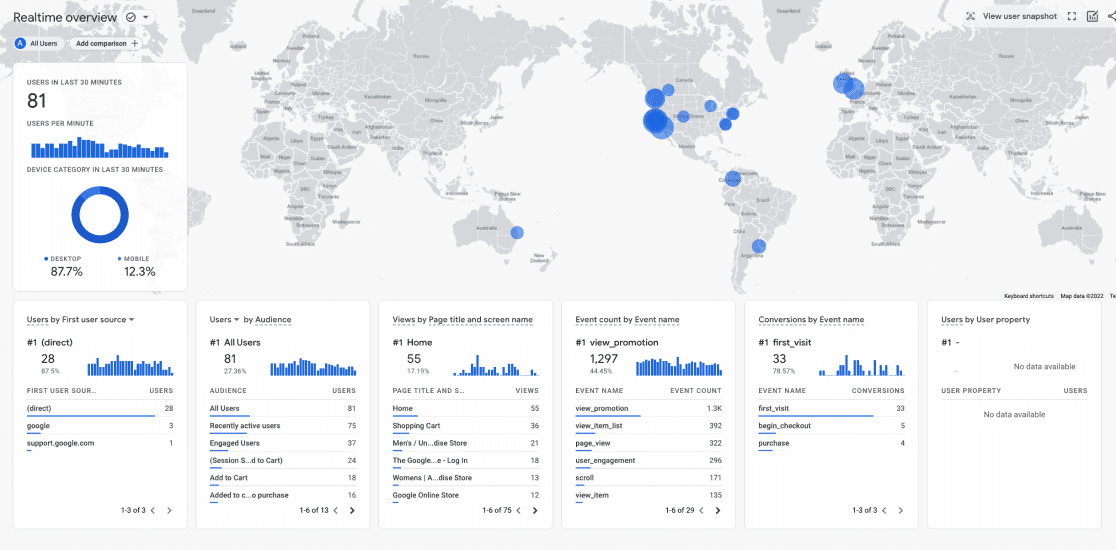
GA4 is, for many teams, still the default, and its Realtime report is probably the most widely-used live dashboard on the web.
It shows users in the last 30 minutes (and, since 2024, users in the last 5 minutes), top pages, traffic sources, events, and a map of where visitors are coming from. You can also click into a single random active user and see a timeline of what they've done in the session.
The good news: it has a large free tier, it's there, and most teams already have it installed.
The bad news: GA4 made everything more complicated than it used to be in Universal Analytics, the Realtime report is a single pre-built view you can't customize much, and you can't see specific users by email or any meaningful identifier.
GA4 also requires a cookie consent banner in most jurisdictions, and in several European countries its legality has been challenged. A meaningful chunk of traffic is simply not counted because users decline consent.
Strengths:
Teams that need a live dashboard and are already invested in the Google ecosystem, especially for marketing-driven use cases where the tight integration with Google Ads matters.
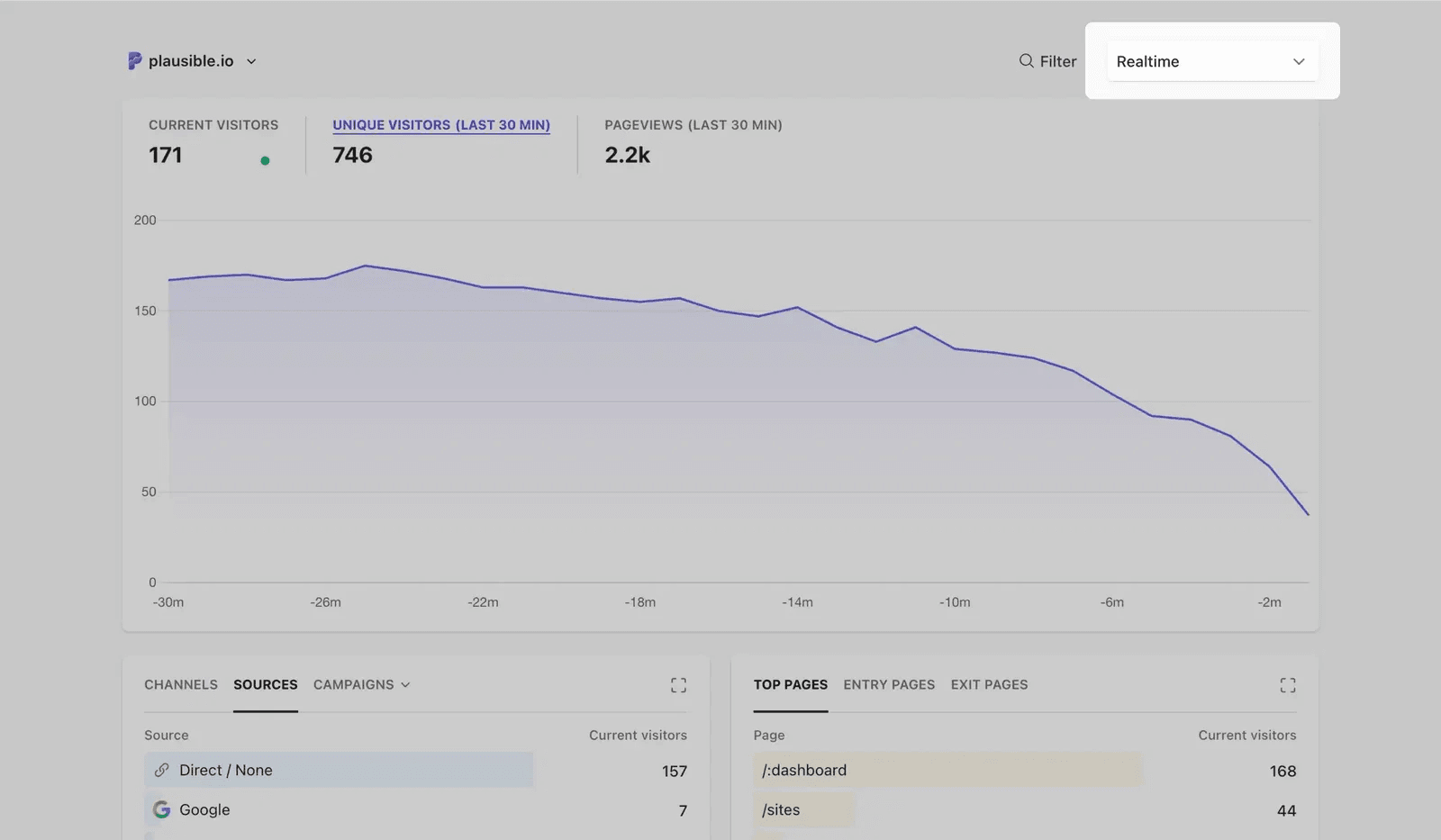
Plausible is a privacy-first, lightweight web analytics tool that puts everything (including live stats) on a single clean dashboard. The headline number at the top of the page is always "X current visitors," updated every few seconds. Below that, you see the same page you'd see a month from now, just with live-updating numbers: top pages, top sources, countries, devices.
[Plausible]'s(/blog/best-plausible-alternatives) appeal is simplicity. The tracking script is under 1 KB, there are no cookies by default (so no consent banner required in most cases), and the dashboard is designed to be readable in under a minute. It's open source and can be self-hosted.
The trade-off is depth. Plausible is a web analytics tool, not a product analytics one.
You can track custom events and set conversion goals, but you won't find deep funnels, cohort analysis, or identified-user tracking. If your use case is "what's happening on my marketing site right now," Plausible is a solid choice. If it's "which logged-in customers are currently active," look elsewhere.
Plausible starts at $9/month for 10K pageviews; there's a 30-day free trial.
Strengths:
Content sites, marketing sites, and small SaaS teams that want a clean live dashboard without cookies, consent banners, or complexity.
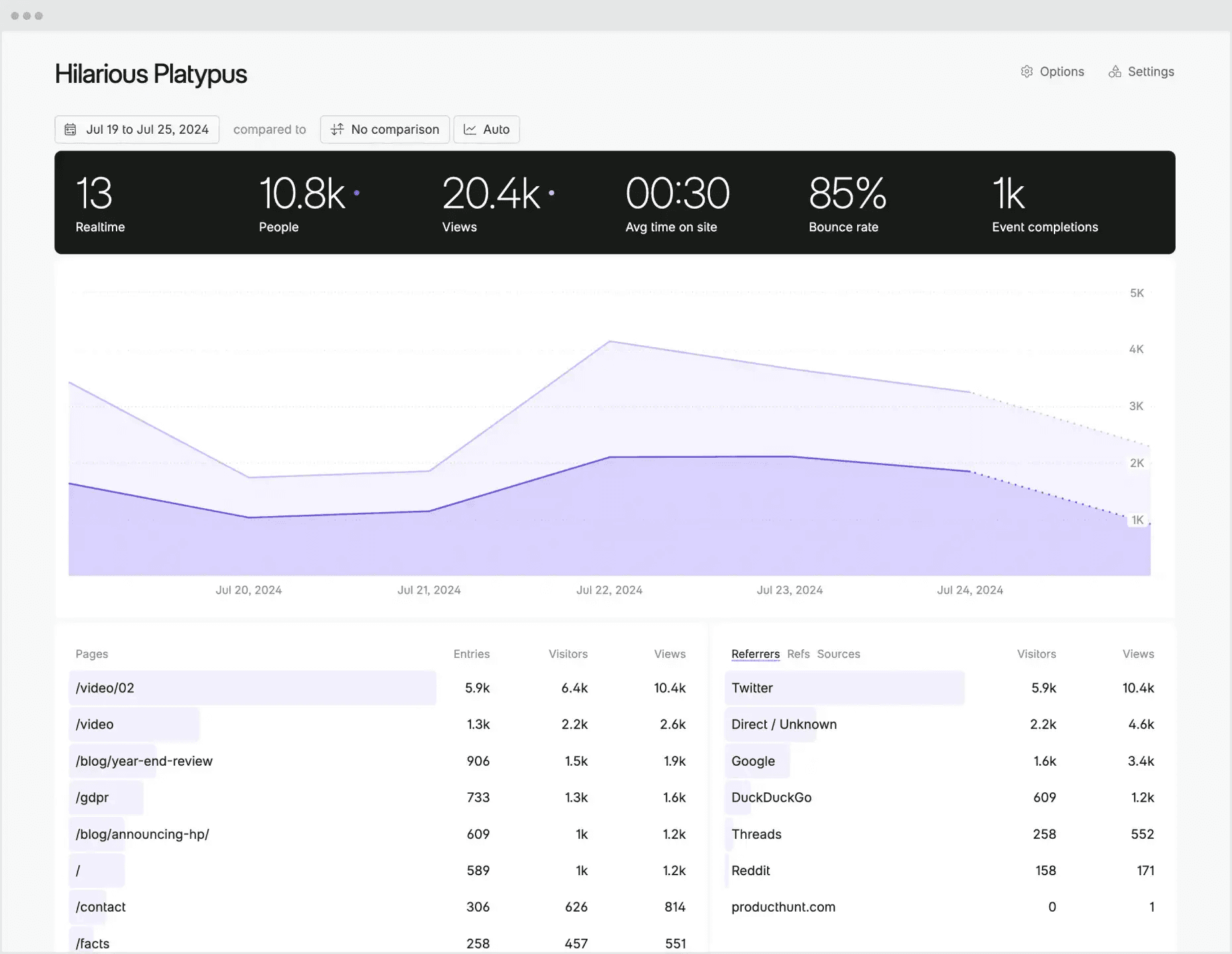
Fathom is Plausible's closest competitor – another privacy-first, simple web analytics tool with a single-page dashboard that prominently features current visitors. It's built around the same philosophy: minimal tracking, no cookies, GDPR/CCPA/PECR compliance by default, and a dashboard your CEO can read without training.
Fathom differentiates on a few specific details: it pioneered an early approach to bypassing ad blockers via custom domains (though some modern ad blockers like uBlock have since caught up), has slightly different pricing tiers ($15/month for 100K pageviews – modestly cheaper than Plausible's $19/month for the same volume), and is SaaS-only (no self-host option).
Like Plausible, Fathom is a web analytics tool, not a product analytics one. You can track events and conversions, but there's no funnel analysis, no cohort tracking, and no identified-user view.
Strengths:
Privacy-conscious teams that want a simple live dashboard and don't need self-hosting. Especially good for content creators, solo founders, and agencies managing multiple sites.
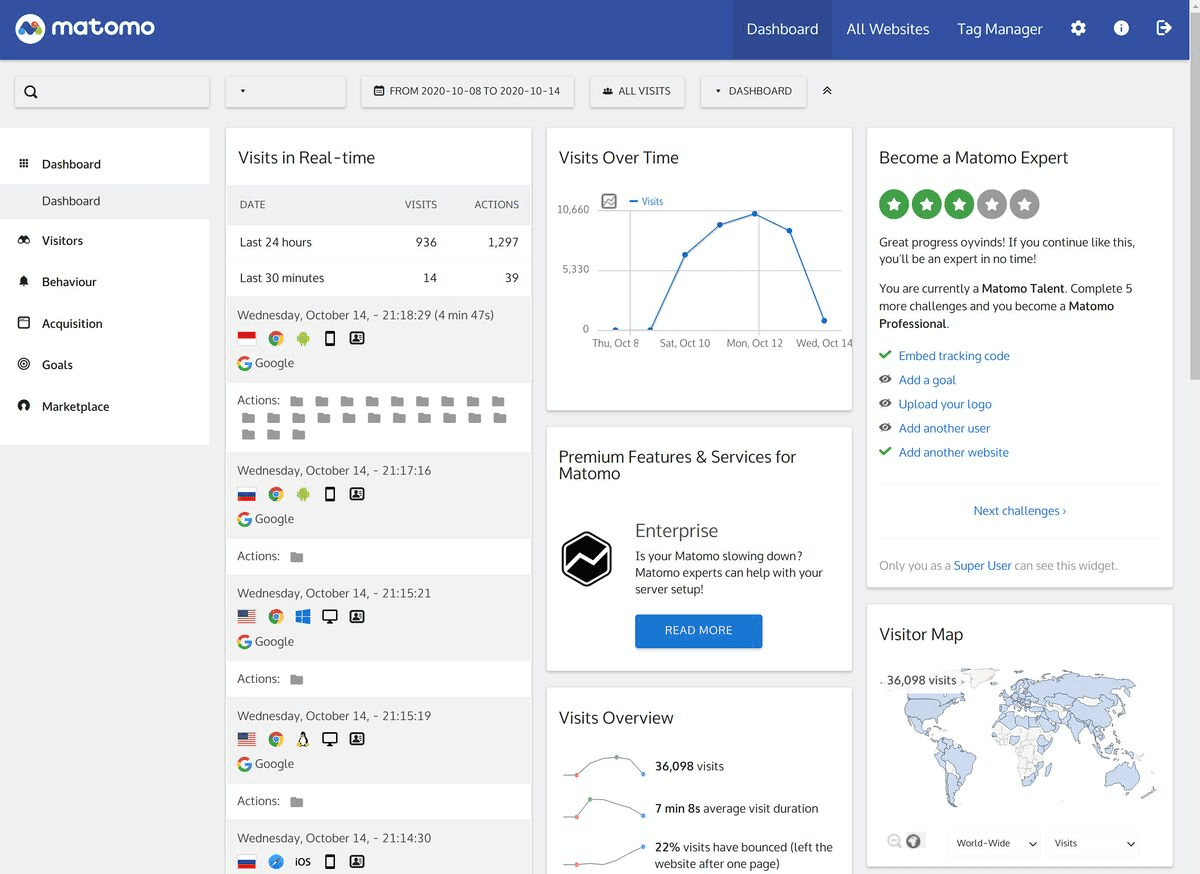
Matomo is the veteran open-source alternative to Google Analytics, and it has one of the most feature-complete real-time views in this list.
The Visitors → Real-time view shows a live-updating log of visitors with their location, pages viewed, referrer, browser, and time on site. You can click into any individual visitor and see their full session as it happens.
Matomo is the opposite of Plausible and Fathom in philosophy – instead of trimming to essentials, it gives you everything: heatmaps, session recordings, A/B testing, form analytics, funnels, custom dimensions, and goal tracking. It's often described as "self-hosted Google Analytics," and the interface reflects that (lots of menus, lots of options).
You can self-host Matomo for free, or use their cloud service. Self-hosting is genuinely free but requires server setup and maintenance. The tracking script is ~22 KB, and the default configuration uses cookies (though you can configure a cookieless mode).
Strengths:
Teams that need a feature-rich real-time view with full data ownership and compliance control, and prefer to self-host – especially ecommerce, enterprise, or privacy-sensitive organizations willing to invest in setup.
Here's the (short) sales pitch.
We're biased, obviously, but PostHog is the best choice for a real-time analytics platform if:
It's completely free to get started – no credit card required. Our setup wizard handles configuration in minutes, or you can check out our docs to do it yourself.
A real-time analytics tool lets you see what's happening on your site or product right now – how many users are active, what pages they're on, where they came from, and what they're doing.
Unlike batch-processed analytics (which might show data from hours or a day ago), real-time tools update their dashboards every few seconds.
"Real-time" in this context usually means data that's a few seconds to a few minutes old. True zero-latency analytics is rare and usually unnecessary – most teams just want to see their launch traffic live, monitor a campaign, or debug a spike as it happens.
Regular (or "batch") analytics processes events on a schedule – hourly, nightly, or daily – and shows you yesterday's or last week's data. It's good for trend analysis, reports, and retrospectives.
Real-time analytics shows you what's happening right now. Live active users, current top pages, the event that just fired. It's good for monitoring launches, running live experiments, catching issues as they happen, and generally seeing your product in use.
Most modern analytics tools – including all five in this guide – do both: a live view for "right now" and historical analysis for "what happened last month."
The difference is how prominent the live view is and how deep the tooling around it goes.
If you're running a marketing site where traffic is fairly predictable and you look at analytics weekly, batch is probably fine. A once-a-day refresh rhythm won't hurt you.
If you fall into any of these situations, a real-time view becomes actually useful:
For most product teams, a tool with a good real-time view pays for itself the first time you watch a launch go sideways and catch it in minutes instead of hours.
Only if your analytics tool supports identified users. PostHog and Matomo (with some configuration) can show you specific logged-in users by email or user ID.
GA4, Plausible, and Fathom are built around aggregate data and don't identify users by default – you'll see "23 active users" and a breakdown by page, but not who specifically.
For logged-in product experiences where knowing which customer is on the pricing page matters, you want a tool with identified-user support. For public marketing sites, aggregate live stats are usually enough (and better from a privacy standpoint).
PostHog has the most generous free tier of any tool with serious real-time features: 1 million events/month, 5,000 session recordings, 1 million feature flag requests. Most small teams can stay on the free plan indefinitely.
Google Analytics 4 is also free but has the trade-offs discussed above – limited customization, no identified users, and consent-banner requirements in many jurisdictions.
Matomo self-hosted is free (but you pay in server and engineering costs). Plausible and Fathom both have 30-day free trials but no permanent free tier.
Plausible and Fathom are both built around privacy-first analytics: no cookies by default, no personal data collected, no consent banner required in most jurisdictions. They're the default recommendation for teams that want analytics without the compliance overhead.
PostHog and Matomo can both be configured for privacy-friendly operation (cookieless tracking, self-hosting, EU data residency) but require some setup. They're better choices when you need deeper features and are willing to configure them carefully.
GA4 is cookie-based by default and typically require a consent banner.
Yes. PostHog, Matomo, and Plausible all support self-hosting. Self-hosting gives you full data ownership and can help with compliance, but you pay in server and maintenance costs.
Fathom and GA4 are all SaaS-only.
For most teams, a managed cloud plan ends up simpler and cheaper once you factor in engineering time. Self-hosting makes sense if you have strict data residency requirements, a dedicated infra team, or very high data volumes.
GA4 is a web and marketing analytics tool, optimized for traffic analysis, ad campaign tracking, and broad audience reporting. It's free and widely adopted, but limited in depth – especially around identified users, custom event analysis, and real-time visibility of specific customers.
PostHog is a developer-first product platform with web analytics included. The live dashboard shows you not just aggregate counts but specific users by email. The same data powers product analytics, session replay, feature flags, and error tracking – so you can go from "this user is on the pricing page right now" to "watch their session" to "ship a fix" in one tool.
For marketing sites, GA4 is fine. For product-led SaaS, PostHog's depth usually wins.
This guide focuses specifically on real-time analytics – tools that show you who's on your site right now. If you're looking for a broader comparison of web analytics tools (covering historical reporting, attribution, custom events, dashboards, and more, not just live views), we have a separate guide: the best web analytics tools, compared.
Subscribe to our newsletter
Read by 100,000+ founders and builders
We'll share your email with Substack
此内容由惯性聚合(RSS阅读器)自动聚合整理,仅供阅读参考。 原文来自 — 版权归原作者所有。