








Last month, our customers deployed AI agents to PostHog projects to try and solve 6,124 errors in their products. They resolved 4,063 issues. They suppressed 1,751 more. They routed 310 to the right team. Almost none of those agents opened the PostHog UI to do it.
The numbers track with our bet on self-driving products – the more agents understand your codebase and your data, the more of the routine work they take off your plate, and triage is one of the first places that shift becomes visible.
We were obviously interested to find out what types of problems users were addressing with the MCP.
Here's what we found.
We grouped 30 days of MCP-driven error triage actions, and they sorted cleanly into three buckets:
Resolve a.k.a. "We fixed it." This is the headline number. Over 4,000 issues were marked as done by an agent after either generating a fix, confirming a fix had shipped, or tracing the root cause and concluding the issue had already self-resolved.
Suppress a.k.a. "Stop showing me this." About 1,750 issues marked as known noise – third-party SDK warnings, expected exceptions, the canonical browser garbage you've seen a thousand times (Script error., ResizeObserver loop completed..., Object Not Found Matching Id). Agents are quietly maintaining the noise filter you keep meaning to maintain yourself.
Route a.k.a. "Wrong owner." Over 300 issues reassigned to a different person or team – sometimes alongside a freshly-created Linear ticket so the new owner has a place to track the work.
Three different outcomes, three different reasons users invoked the tool. Our initial perception of the agent doing only triage was too coarse. What actually happened is more like "the agent does whatever needs to be done and then marks the issue accordingly."
A few things stood out from watching agent-driven triage in the wild.
When we first shipped MCP support for error tracking, error-tracking-query-issue was one combined endpoint covering several jobs at once. Watching agents in practice, we kept seeing them want those jobs separately. In late April we split the tool into three – issues-list, issue, and issue-events. Bulk-triage flows got noticeably smoother right after.
We started thinking about MCP triage as a single workflow – "the agent updates the issue." In practice, three distinct things are happening: things get fixed and resolved, things get filtered as known noise, and things get rerouted to the right owner. These are three different jobs with three different prompts and three different definitions of success. The next round of skills we ship will treat them that way.
When agents engage with an error, they rarely stop at the issue. They drill into the surrounding events, pull the affected users, check which feature flags were on, and follow into session recordings. The MCP is most powerful when it carries an investigation across products without anyone having to context-switch.
About half of the searches we see look like what you'd expect – error strings, exception types, common JS patterns. The other half are organised by business surface: checkout, billing, auth, embed. People aren't just hunting "the latest TypeErrors." They're asking "what's broken in checkout this week." That's a clear signal that business-surface filtering needs to be as easy as exception-type filtering, and it's now on our short list.
Single-issue debugging was always doable in the UI. What MCP-driven triage does best is the kind of bulk operation that used to take an hour of clicking – "suppress every variant of this third-party noise across the last 90 days" or "route every iOS crash to the mobile team." One sentence, and it's done. That's where the time savings actually live.
Here are some fun facts too:
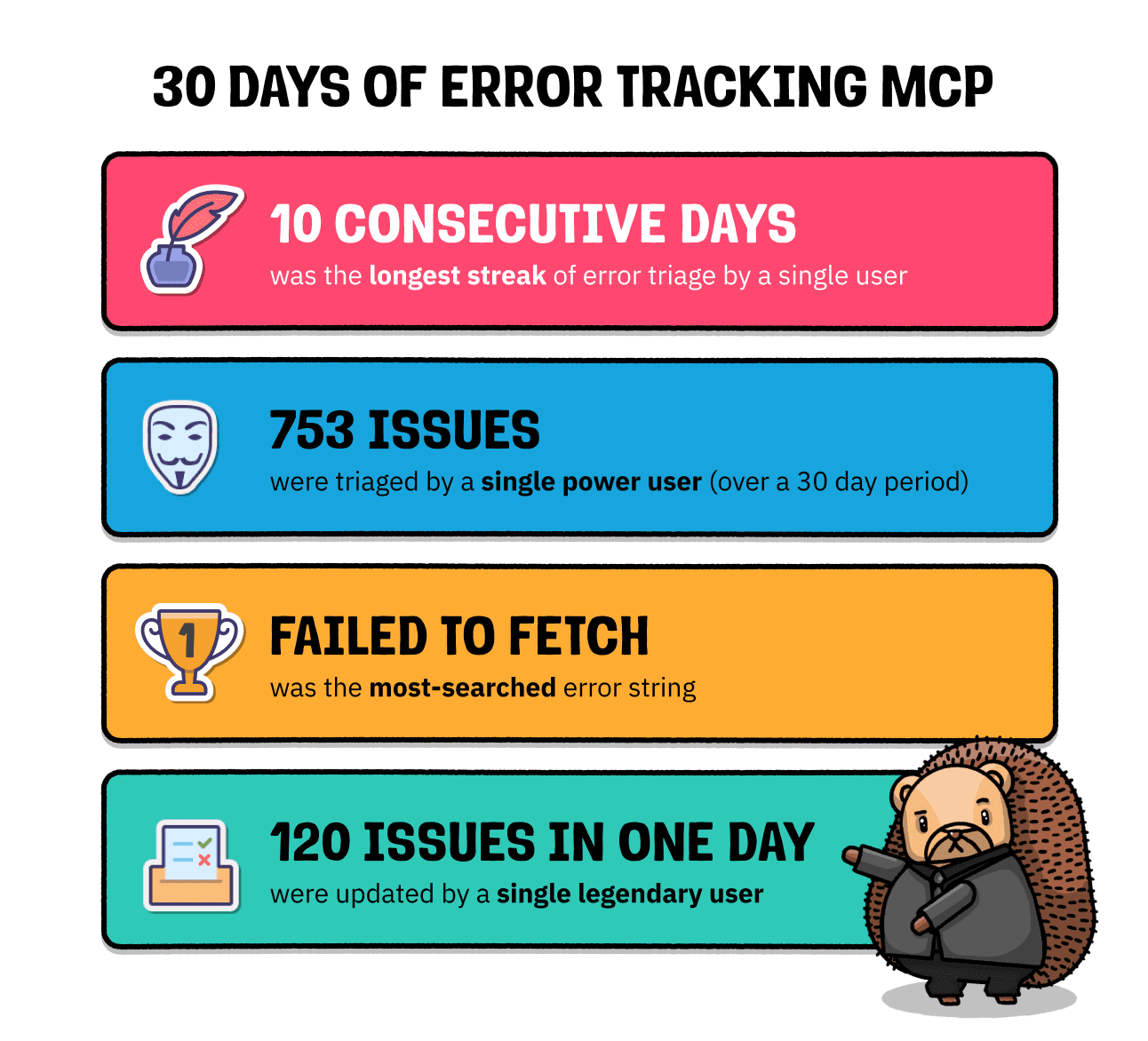
There are four categories where MCP-driven triage really earns its keep.
Browser quirks, deprecated SDK warnings, third-party tracker exceptions. The "we know about it, it doesn't matter" pile that grows until your dashboard becomes unreadable. Try:
Failed to fetch, AuthRetryableFetchError, timeout exceptions – usually transient, often best handled by suppression combined with alerting on real spikes. Try:
TypeError in your checkout flow, ChunkLoadError after a deploy, payment webhook failures. Group by route or service and reassign to the team that owns the surface. Try:
iOS, Android, server-side errors that only some teammates can investigate. Try:
Once your agent is connected to PostHog Error Tracking, these prompts map onto real work people are already doing.
TypeError exceptions to the frontend team."stripe should route to the payments team."mobile, create a Linear ticket and assign it to the mobile owner."Install the MCP server in your preferred client – the AI wizard handles setup for Claude, Cursor, Windsurf, VS Code, and others:
此内容由惯性聚合(RSS阅读器)自动聚合整理,仅供阅读参考。 原文来自 — 版权归原作者所有。