
惯性聚合 高效追踪和阅读你感兴趣的博客、新闻、科技资讯
阅读原文 在惯性聚合中打开

推荐订阅源

C
CERT Recently Published Vulnerability Notes
freeCodeCamp Programming Tutorials: Python, JavaScript, Git & More
WordPress大学
WordPress大学
CTFtime.org: upcoming CTF events
V
Visual Studio Blog
Stack Overflow Blog
Stack Overflow Blog
aimingoo的专栏
aimingoo的专栏
C
Check Point Blog
cs.AI updates on arXiv.org
T
Tor Project blog
P
Proofpoint News Feed
让小产品的独立变现更简单 - ezindie.com
Latest news
Latest news
L
LINUX DO - 热门话题
罗磊的独立博客
T
Tenable Blog
The Hacker News
The Hacker News
美团技术团队
N
Netflix TechBlog - Medium
V
Vulnerabilities – Threatpost
阮一峰的网络日志
阮一峰的网络日志
Last Week in AI
Last Week in AI
博客园 - 司徒正美
Jina AI
Jina AI
Cyberwarzone
Cyberwarzone
云风的 BLOG
云风的 BLOG
S
Secure Thoughts
Cloudbric
Cloudbric
S
Security @ Cisco Blogs
奇客Solidot–传递最新科技情报
奇客Solidot–传递最新科技情报
Microsoft Security Blog
Spread Privacy
Spread Privacy
U
Unit 42
雷峰网
雷峰网
C
CXSECURITY Database RSS Feed - CXSecurity.com
Webroot Blog
Webroot Blog
爱范儿
爱范儿
博客园 - 【当耐特】
Know Your Adversary
Know Your Adversary
P
Privacy International News Feed
P
Palo Alto Networks Blog
Google Online Security Blog
The Last Watchdog
The Last Watchdog
博客园 - 聂微东
Help Net Security
Help Net Security
Hacker News: Ask HN
Hacker News: Ask HN
F
Full Disclosure
cs.CL updates on arXiv.org
S
Security Affairs
Project Zero
Project Zero

Element Blog

We’re interoperable, so you can be sovereign Matrix-based ZaPuK confirmed as a core component within Germany’s Deutschland-Stack Element recognised as a Digital Public Good CompuGroup Medical (CGM) and Element partner to transform healthcare communications Sweden goes live with Matrix-based federation! Air-gapped communications for national security Seamless encrypted history sharing arrives in Element Digital sovereignty is built on an open standard that enables federation Introducing the ESS Community migration tool Spaces has landed on Element X! Meedio partners with Element to deliver sovereign communications across Europe Governments need to adopt Matrix responsibly The Cyber Resilience Act: Implications for open source and digital products Latest Signal and WhatsApp breaches show that consumer apps have no place in government Sustainable decentralised comms at Element Exploring MatrixRTC: Real time communication in rooms The Digital Omnibus: opportunities and risks for open source Element’s multi-tenancy TI-Messenger solution secures ‘Good’ rating in gematik commissioned pentest Open source is key to Europe’s digital sovereignty
Organise your chats your way with Sections
Danielle Kirkwood · 2026-07-16 · via Element Blog

If your All Chats list has grown to the point where finding anything feels like work, you're not alone. A long, flat list of rooms and DMs doesn't scale — the important conversations get buried, the noise is always visible, and keeping on top of it all requires more effort than it should. Introducing sections!

Drag and drop rooms into sections

What's new

Sections lets you create named groups for your rooms to organise them however makes sense for you. You might have a section for a specific project, a team, a client, or just a catch-all for low-traffic chats you want out of the way. The structure is yours to define.

Your existing Favourites, Low Priority, and Chats categories are not going anywhere: they’re now default sections. These replace the old filter buttons — rather than toggling between views, your rooms are grouped in one consistent place.

Sections only appear when they contain rooms in the space you’re browsing, so your list stays clean. You can still find them and add rooms to them via the room context menu.

How it works

To create a section, open the room list menu (+) and select "New section". Give it a name, and it appears in your All Chats list ready to populate.
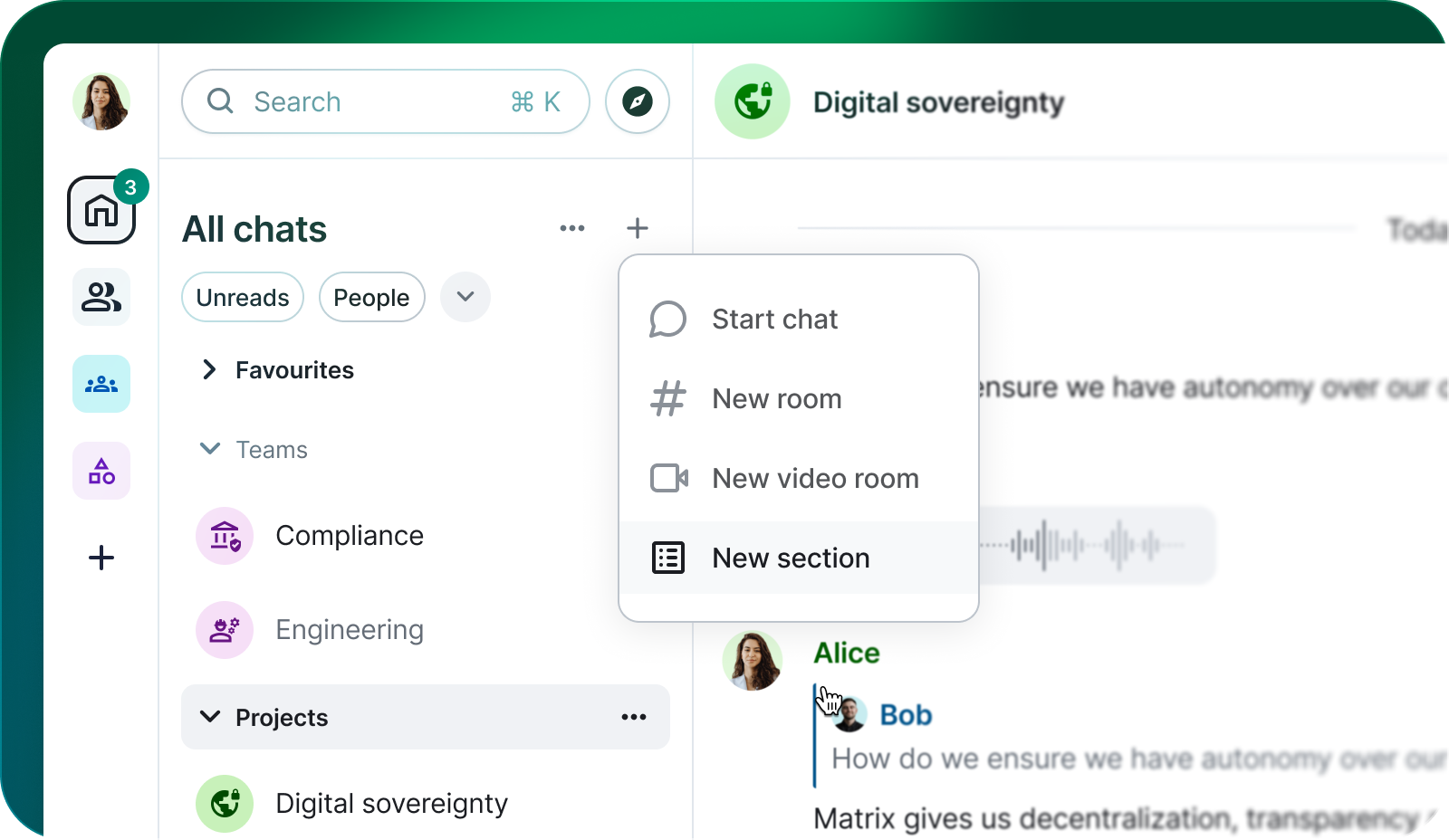
Creating a new section

Adding a room into a section is as simple as dragging a room and dropping it into a section. If the section doesn’t appear, you can right-click any room and select "Move to Section" — from there you can assign it to any of your sections, default or custom.
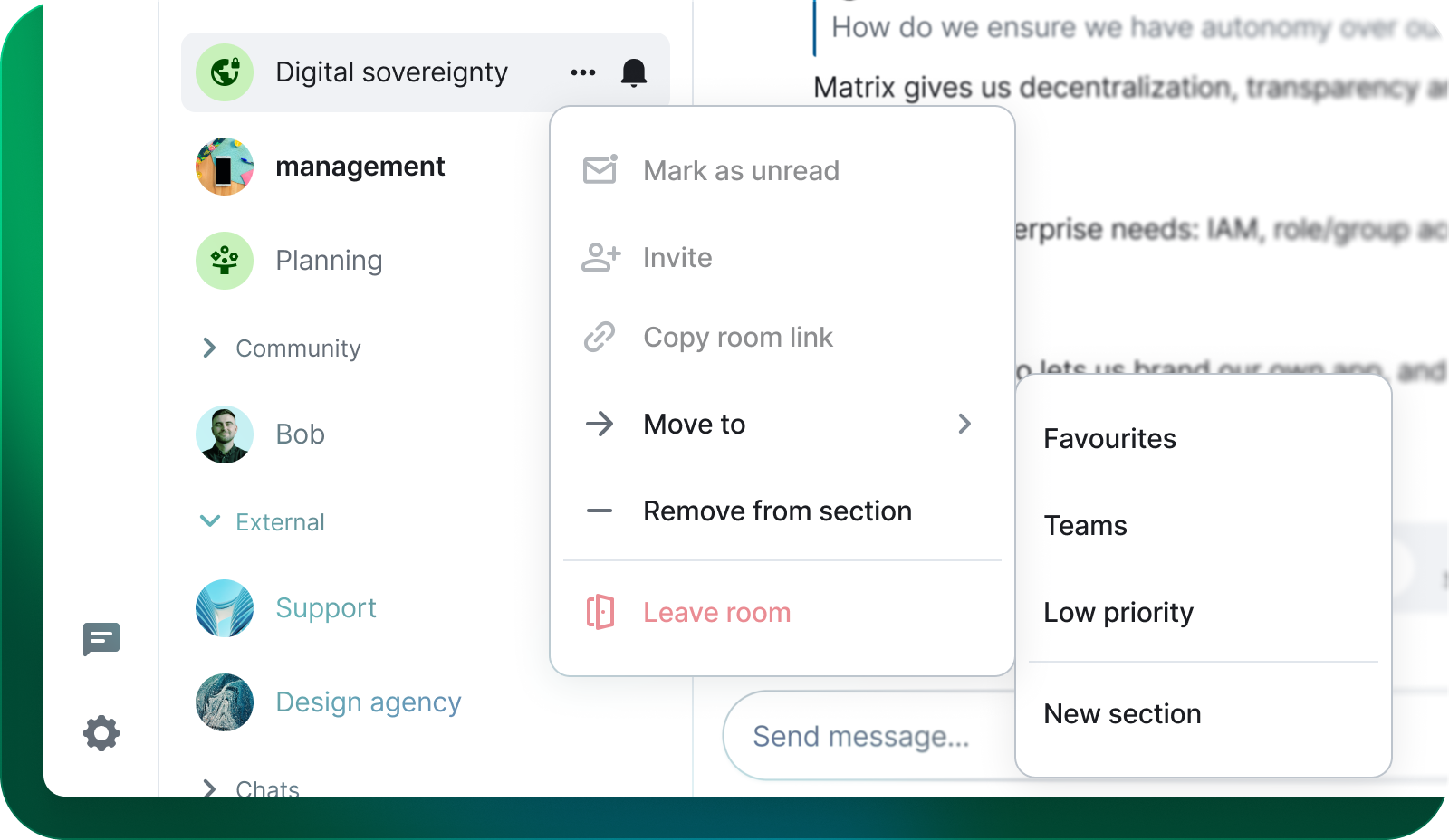
Move a room to a section

Sections can be collapsed to hide their contents, which is particularly useful for keeping low-priority groups out of view without losing them entirely. When a section contains unread messages, it tells you.
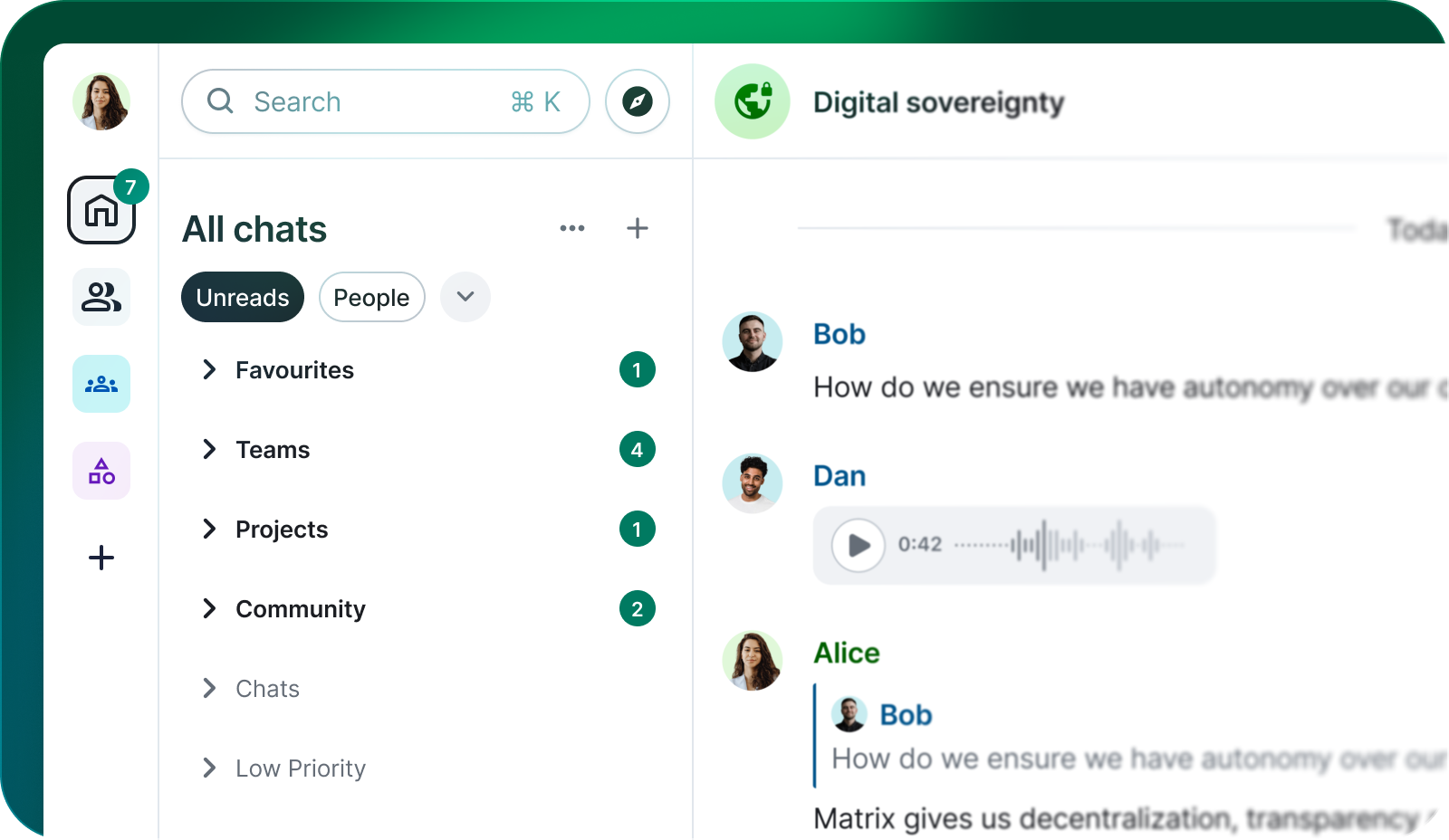
Sections with unreads

Sections are available now in Element. We'd love to hear how the feature fits into your workflow — and what you'd like to see improved or extended as we continue to develop it.

We don't just ship features and move on. If Sections don’t work for you, help us refine them. Raise a ticket or use the in-app feedback form. To disable it entirely use develop.element.io or Element Nightly, heading to Settings > Preferences and “Disable Sections”.