







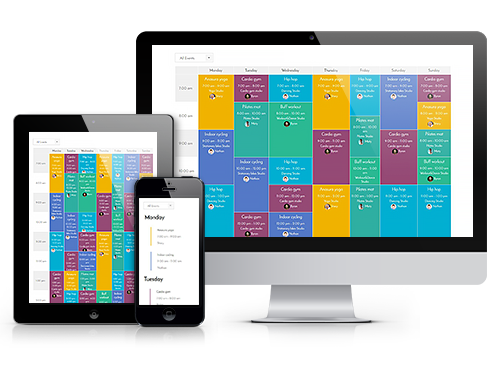
 Responsive Design
The WordPress Timetable plugin provides your audience with a proper tablet and mobile viewing of the timetable and upcoming events widgets.
It offers you more freedom of responsive design customization implemented by two alternatives: you can set it to either standard table view or responsive modern list view for mobiles. This setting can be applied in the timetable shortcode.
Check out our more advanced version of the timetable plugin: Events Calendar WordPress plugin. For more details, view comparison.
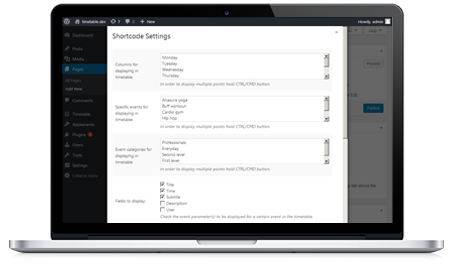 Toolkit of Shortcode Settings
You can use it as a gym class schedule WordPress plugin or even a TV schedule WordPress plugin – without any coding skills.
A timetable responsive schedule for WordPress added via TinyMCE is supplied with parameters to help you maximum adjust the timetable to your needs and website design. Each set is accompanied by sufficient clarifications to ensure you coordinate and edit your events fast without additional help.
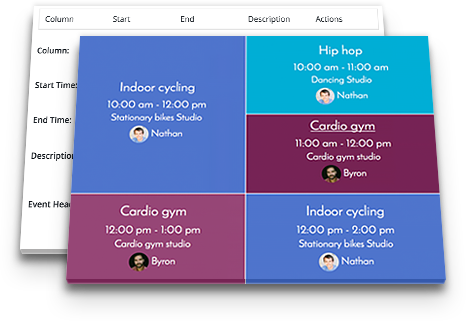 Full Control over Event Parameters
The MotoPress WordPress scheduling plugin works perfectly for various classes, training, workshops, conferences, formal parties, concerts, non-profits, and nearly any other type of event as a set of event details for the timetable is rather universal.
This WP schedule plugin allows you to edit the needed parameters your visitors expect to see while searching for the needed event: an event title, subtitle, time, event head, images, detailed event description, and time slots (if there are many for one event).

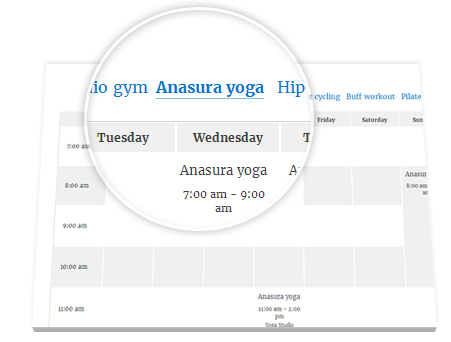 WordPress Schedule Plugin Easy Event Filtering
The search results can be easily refined using the filters by events. The functionality of the plugin allows you to apply two filter styles: tabs to show all events at a time or a drop-down list.
Site visitors can easily filter the timetable to display the only events they are interested in. It’s very reliable in terms of navigation and guarantees the website visitors good times.
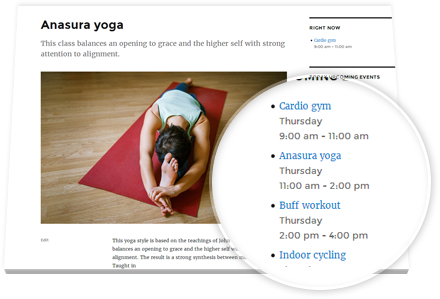 The Upcoming Events Widget
The Upcoming events widget helps to keep the sidebar of your site clutter-free and to present all the future events in a stylish and elegant list style – so you can easily use it as a program schedule WordPress plugin. It’ll duplicate design settings of the actual timetable, but will look more compact. The widget is entirely hidden when no upcoming events are scheduled. This feature increases the usability of the timetable and helps to guide the site visitors faster.
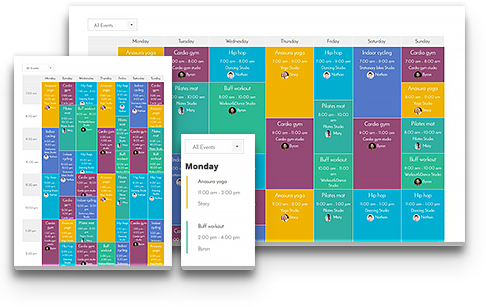 Powerful Schedule Functionality
the ease of navigation, fast-loading events, and clean design are key factors able to increase a happy user experience; a lot of shortcode options ensure that your timetable runs so and is customized the way you want.
For example, you can manually adjust the row height to size the timetable according to the number of events and information output into one event cell, link particular events to external websites, and even automatically export/import timetable data during backup or changing hosting.
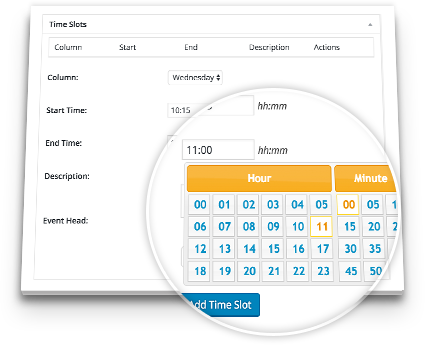 Flexible Timeframes of WordPress Schedule Plugin
The left ‘time’ column can show up to 15 minutes accurate time apart from standard hourly and half-hourly time frames. It lets you make the timetable more visually balanced and attractive depending on the number of events and row height set within the shortcode. If any unexpected delays or changes take place, your timetable can bend easily in one direction or other thanks to a couple of quick time edits in the shortcode settings.
If you need to display recurring or multi-day events, and get more options for your schedule, get our WordPress events calendar plugin.
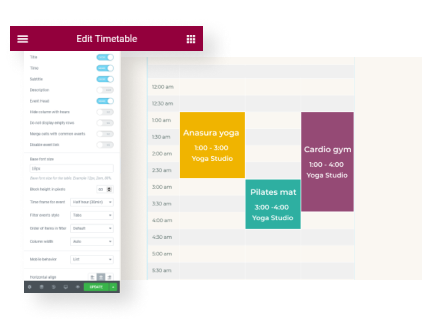 Optimized for Elementor
Got rid of the good old TinyMCE and don’t want to deal with shortcodes anymore? No problem! We created a dedicated timetable Elementor widget for our WordPress class schedule plugin.
So when you open a page in Elementor, just drag and drop the Timetable widget and start customizing its parameters in a visual mode – decide whether to show event details, the event head, choose the mobile behavior, and more in just a few clicks.
 Professional Support
If you believe the timetable plugin lacks any necessary feature, contact our support representatives and they won’t keep you waiting. There is also a detailed Timetable and event schedule by MotoPress tutorial.
The plugin is fully compatible with MotoPress WordPress Page Builder and also with WordPress Slider.
Download Demo Content (XML). You may also read users’ reviews of this popular WordPress Schedule Plugin on WordPress.org and download the product there.
此内容由惯性聚合(RSS阅读器)自动聚合整理,仅供阅读参考。 原文来自 — 版权归原作者所有。