




A wellness website aims to help customers choose the right specialist, find a suitable time, and complete a booking. They usually browse services, compare options, and build trust before committing. That’s where WordPress and its tools come in handy! Are you eager to integrate WordPress wellness appointment scheduling into your website? In this guide, we’ll look at how to set up a system that reflects real business needs!
Instead of relying on a third-party booking platform, you can build a website to handle services, staff members, their schedules, payments, and appointments under one roof. Let’s get down to business!
Wellness appointment scheduling is a system designed for time-based services. It combines options to manage services, employees, schedules, and clients.
Unlike product purchases or accommodation bookings, wellness services are more dynamic. A client might want a specific specialist, a particular duration, or even combine several services in one visit. And you need to account for working hours, breaks, and different locations.
Client behavior around booking has shifted significantly in recent years. Today, more than 70% of customers want to book services online, and this number is even higher among Gen Z and Millennial audiences. At the same time, research shows that around 40% of appointments are scheduled outside business hours.
This shift makes online scheduling the primary way clients discover availability and complete bookings at any time.
Today, WordPress powers approximately 43.5% of all websites, making it the most widely used website-building platform globally.
There are several practical reasons why service businesses choose it:
In a nutshell, WordPress allows you to keep everything in one place. Visitors can explore services, check pricing, learn about specialists, book an appointment, and pay online without leaving your site.
Now, let’s talk about how to choose the best scheduling solution for your WordPress website. We’ve gathered some key features.
Let’s get down to real-life examples!
The MotoPress lineup includes both an appointment plugin and wellness WordPress themes tailored to spas, massage studios, and barbershops. Let’s review these solutions in more detail.
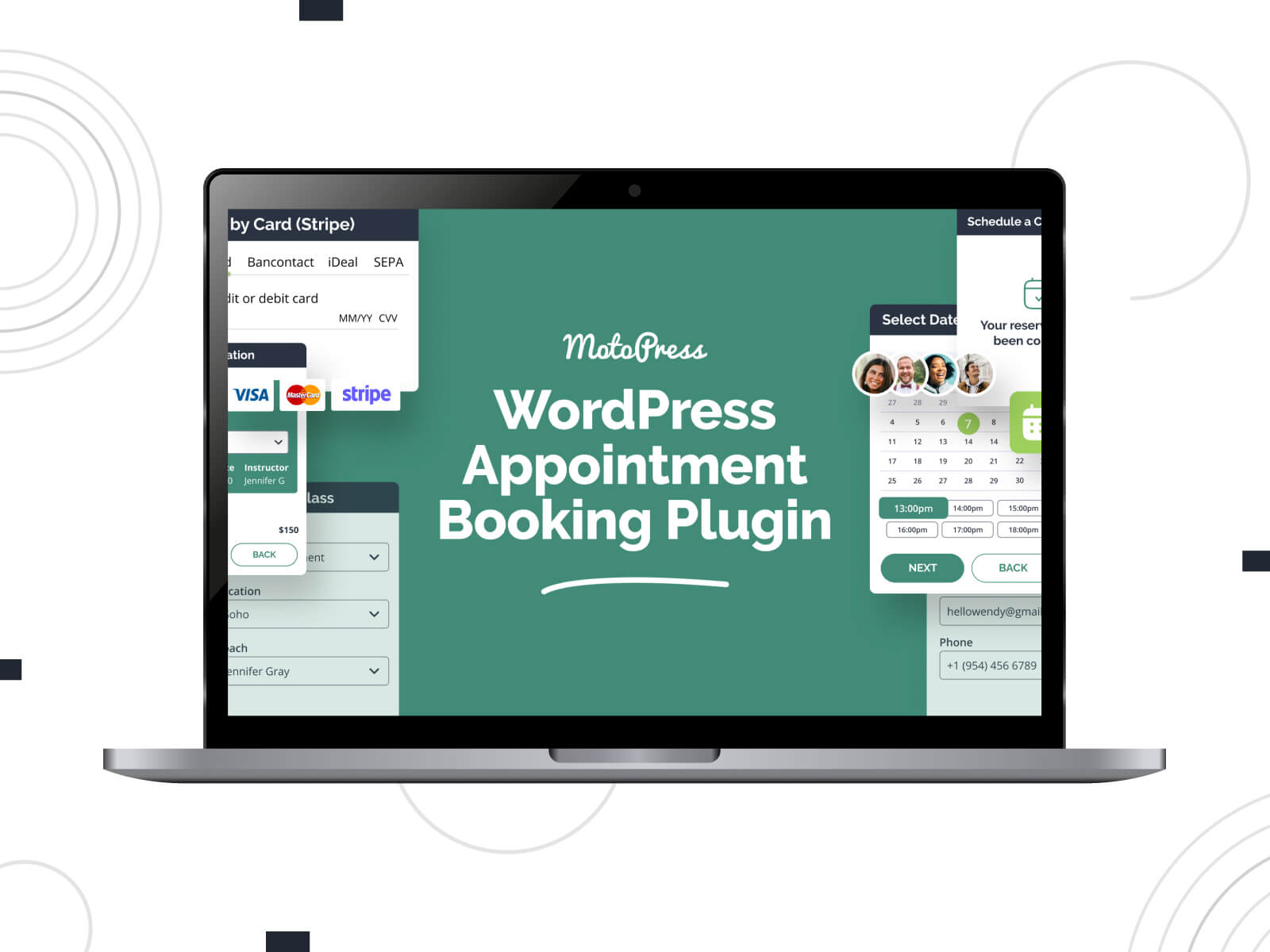
| Name | Price | Free Trial |
|---|---|---|
| MotoPress Appointment Booking | From $49/year | Yes, 7 days |
The MotoPress Appointment Booking plugin is designed for time- and service-based businesses. It covers a booking system for setting up services, staff schedules, payments, and notifications.
As a WordPress wellness appointment scheduling plugin, it allows you to define services with custom durations, assign them to employees, and manage availability through working hours, breaks, and location settings.
Beyond the basics, the plugin includes features that directly impact day-to-day scheduling:
More Details View Demo MotoPress Booking Plugins
While the WordPress wellness appointment scheduling plugin handles the functionality, the theme determines how it is presented. Let’s explore ready-to-go designs that come bundled with the MotoPress Appointment Booking plugin for free.
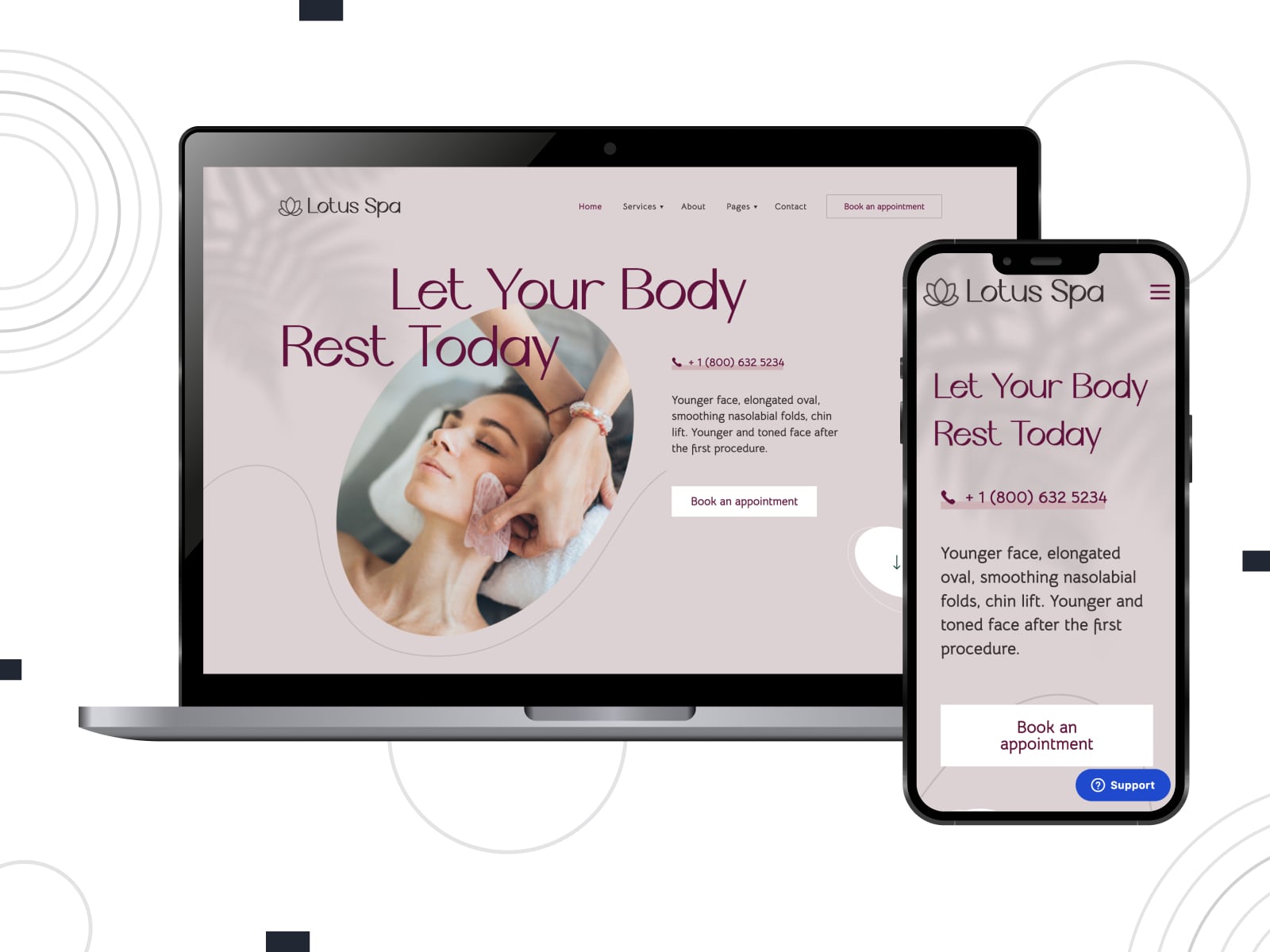
| Name | Builder | Price | Best for |
|---|---|---|---|
| Lotus Spa | Elementor + Stratum | From $49/year | Spa salons and beauty centers |
Lotus Spa is a beauty wellness WordPress theme tailored for hairdressing salons, wellness and spa centers, and nail & hair studios. It equips you with ready-made pages for services, treatments, pricing, and team members. You get access to a clean design, soft color scheme, and responsive booking widget.
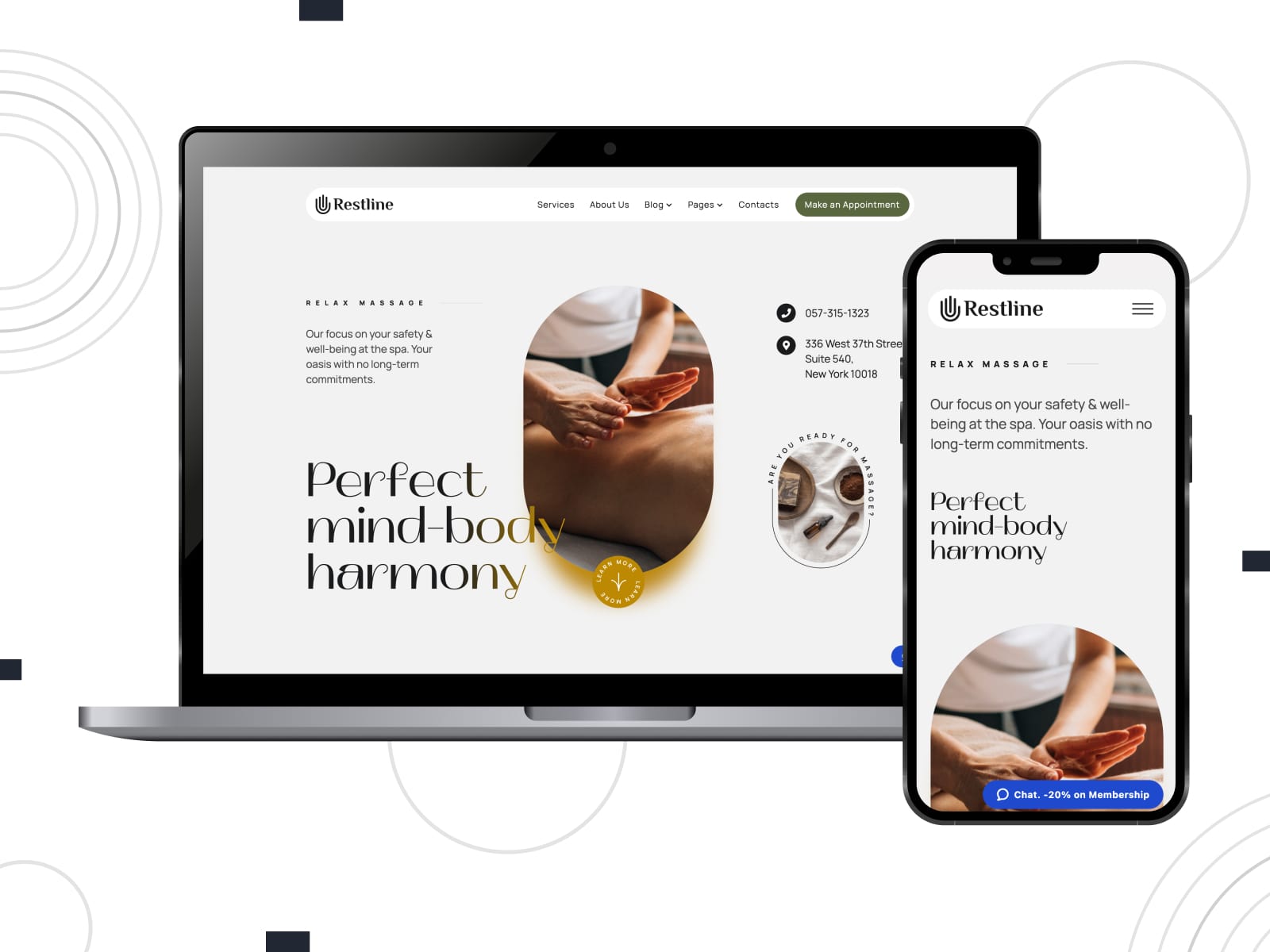
| Name | Builder | Price | Best for |
|---|---|---|---|
| Restline | WordPress block editor + Getwid | From $49/year | Massage and wellness studios |
Restline is an elegant WordPress wellness theme that suits practitioners who want clarity and structure without heavy visual styling. It ensures pre-designed pages and Gutenberg-based editing with extended blocks to build a website for massage salons, therapists, sports therapy treatment services, etc. The integrated booking functionality supports flexible schedules, online payments, automated notifications, and more features.
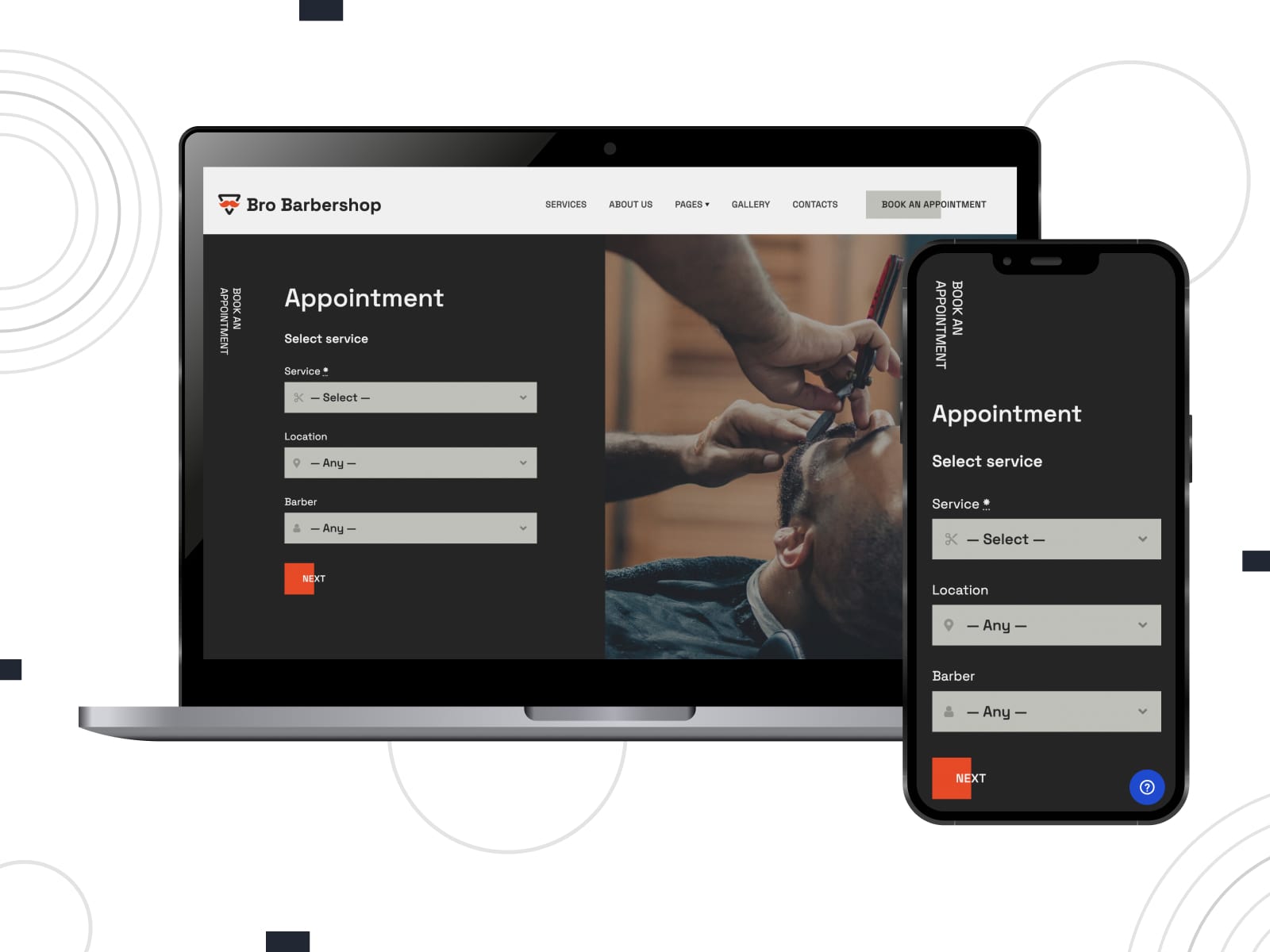
| Name | Builder | Price | Best for |
|---|---|---|---|
| Bro Barbershop | WordPress block editor + Getwid | Free | Barbershops and grooming services |
Bro Barbershop is a free WordPress theme with a stronger visual identity. You can customize its design for different beauty and wellness niches, including hairdressing salons, nail technicians, and tattoo artists. It provides essential layouts for services, team members, and booking sections. Clients can schedule appointments thanks to the integrated booking plugin (lite version).
| Name | Builder | Price | Best for |
|---|---|---|---|
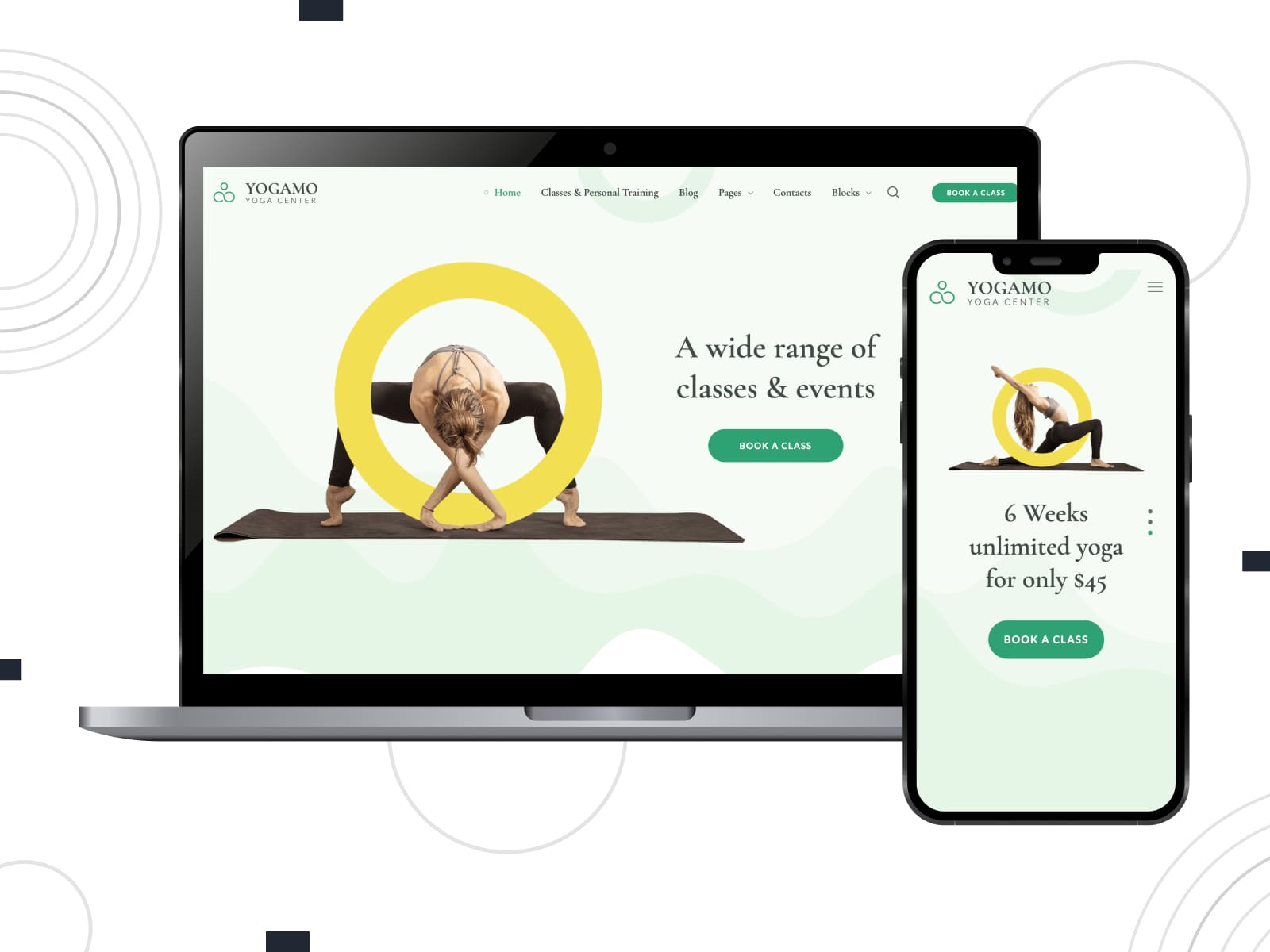
| Yogamo | WordPress block editor + Getwid | From $49/year | Yoga studios, fitness & wellness centers |
Yogamo is another example of WordPress health and wellness themes. Suitable for studios that offer classes, group sessions, and individual appointments, it combines a content-rich layout with a powerful booking system. You can set up flexible schedules with breaks, vacations, and custom availability.
Next, we’ve created a step-by-step guide to get started with a WordPress wellness appointment scheduling system using MotoPress solutions.
If you’re starting from scratch, install your wellness center WordPress theme first, then activate the booking plugin.
If you already have a theme, install the MotoPress Appointment Booking plugin via Plugins > Add New > Upload Plugin and activate it.
For this tutorial, I will use the Restline theme.
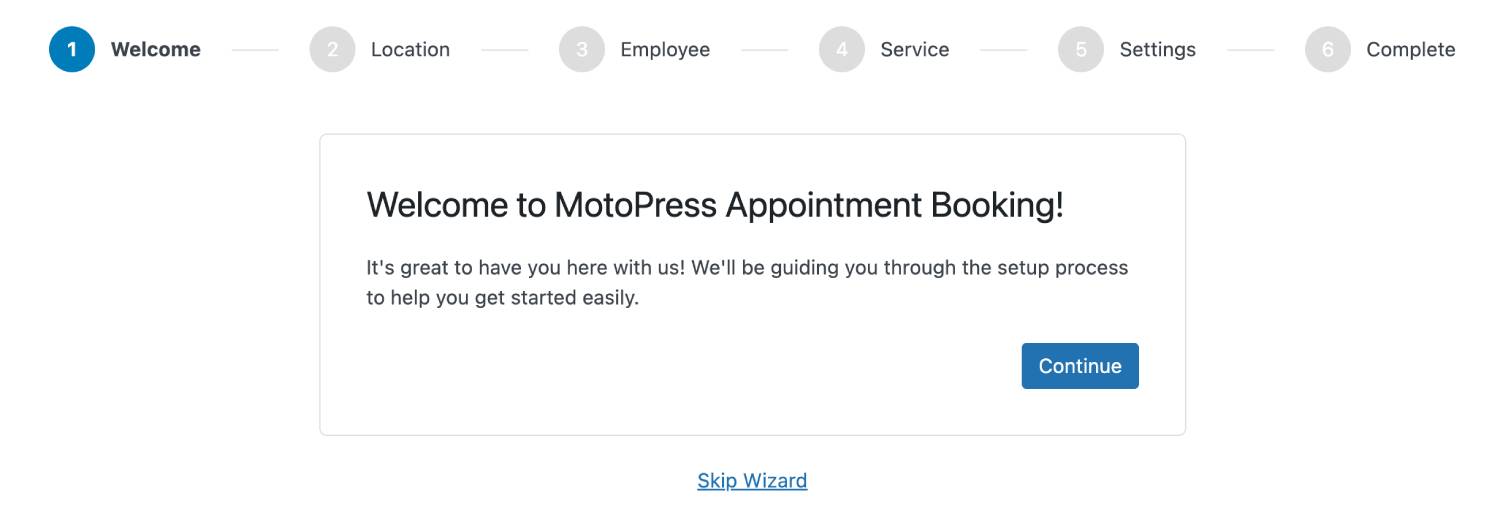
After activation, the plugin will prompt you to run the Setup Wizard, which helps you quickly create your first service, employee, and basic settings. You can use it or skip it and configure everything manually.
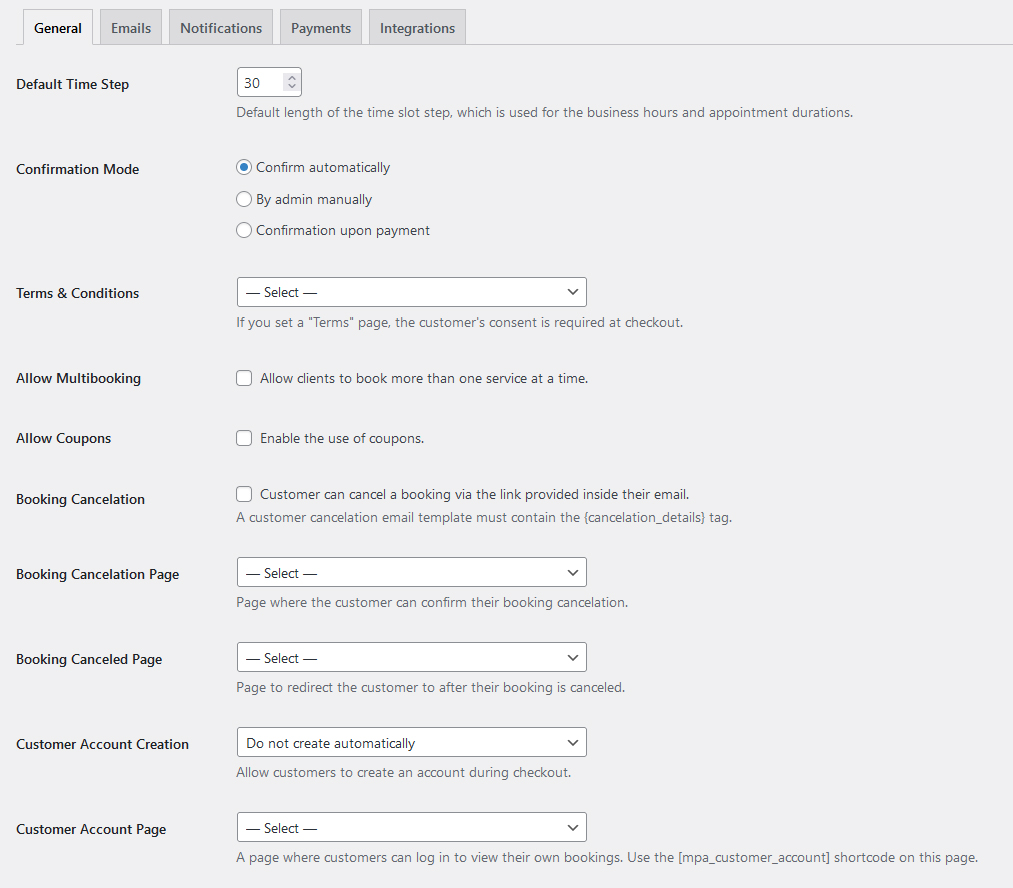
Go to Appointments > Settings > General and define:
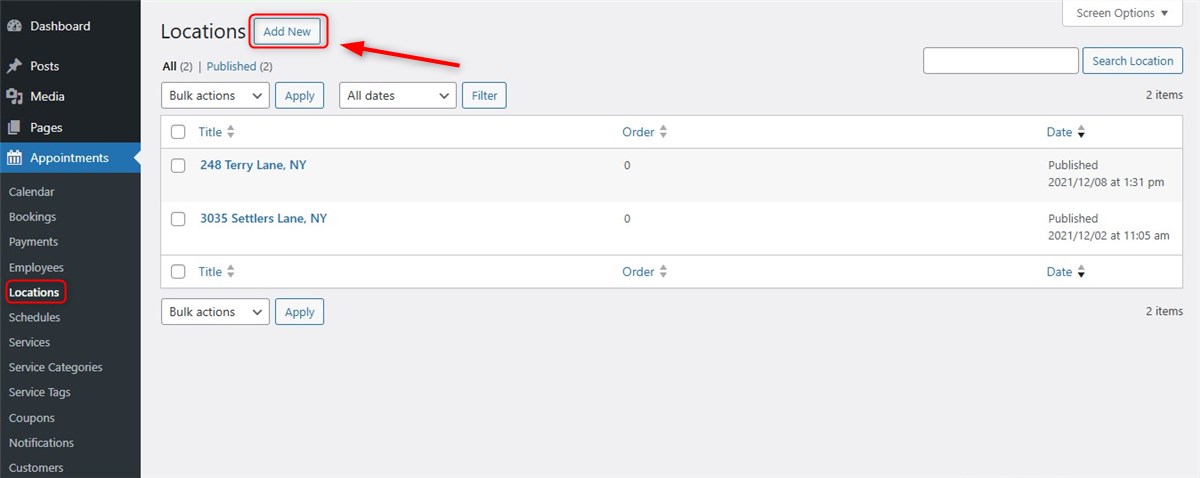
If your business operates in multiple locations, add them first.
Create staff profiles and include basic information such as name, description, and role.
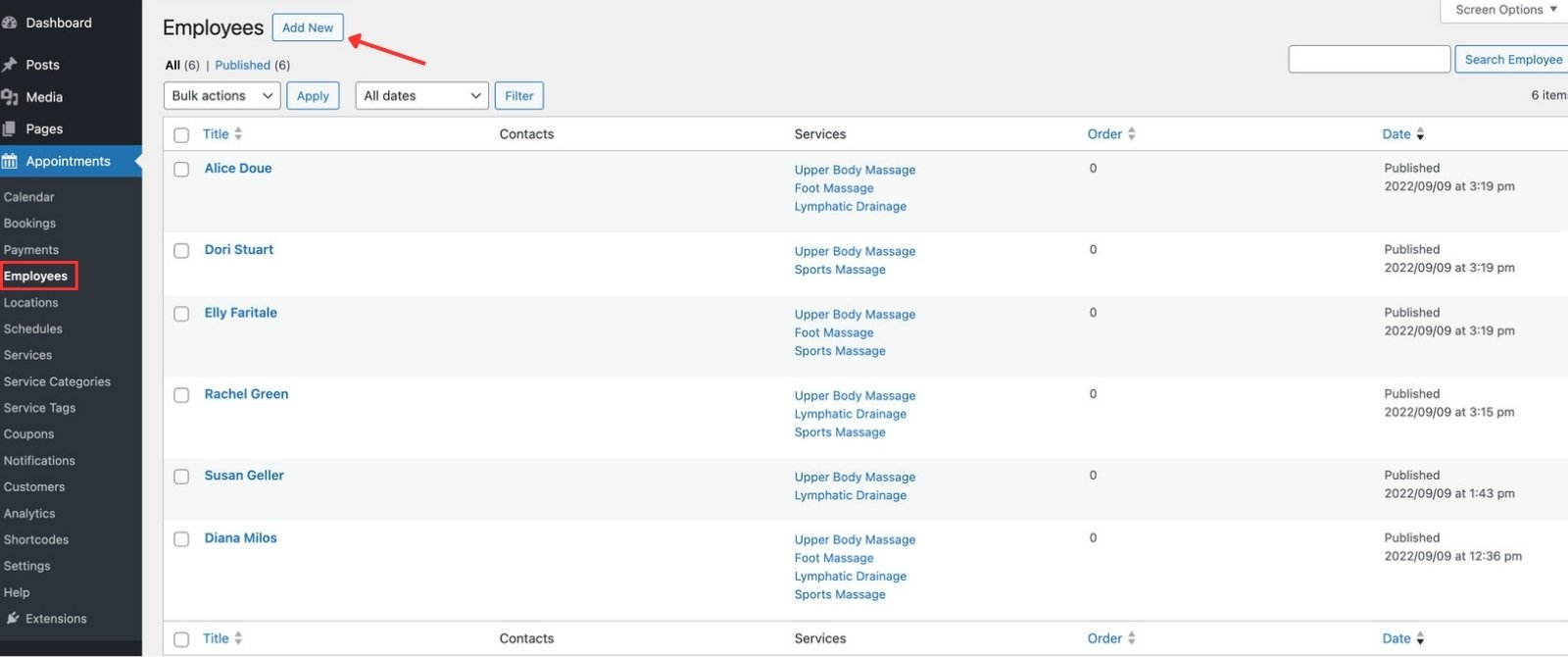
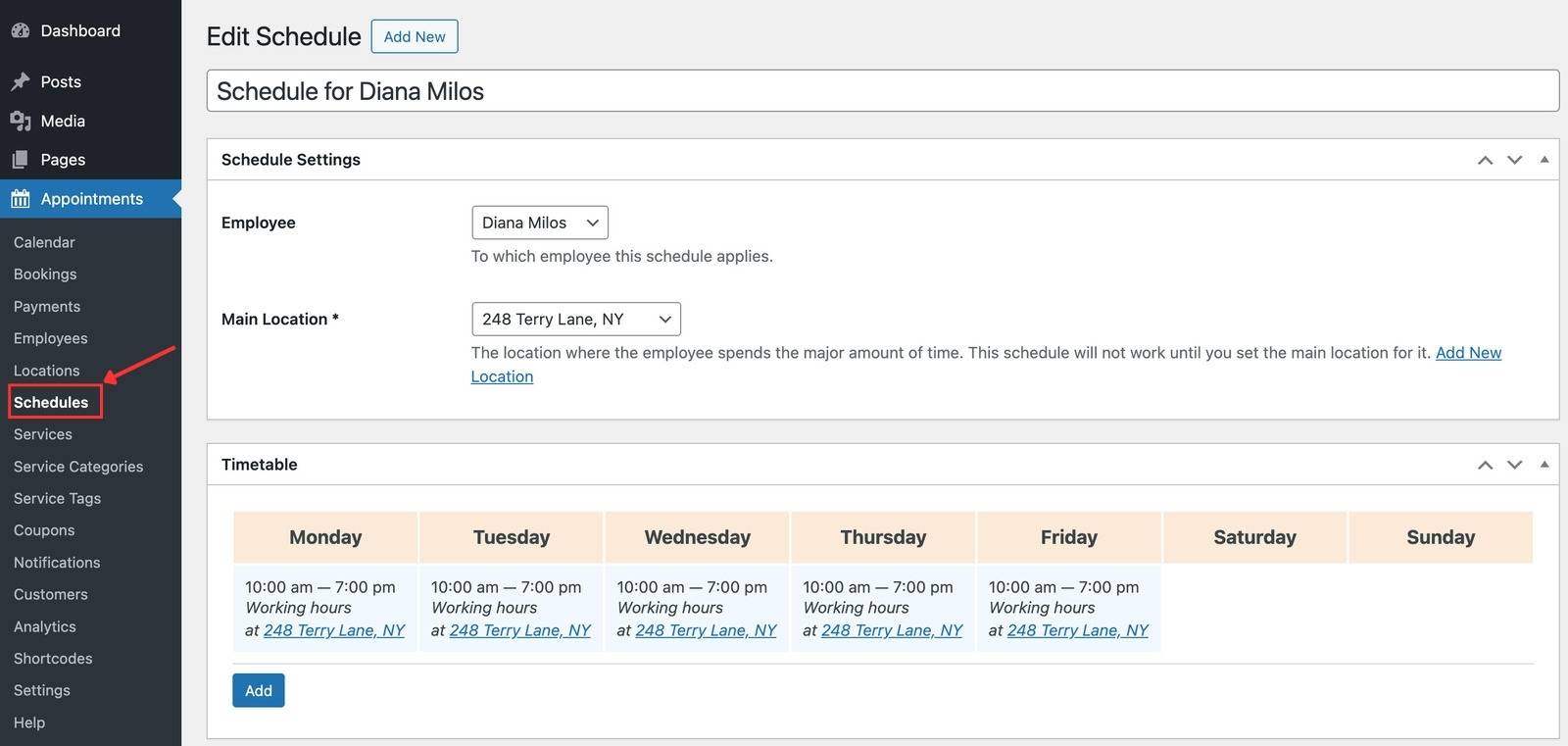
Define working hours, breaks, days off, and holidays for each employee.
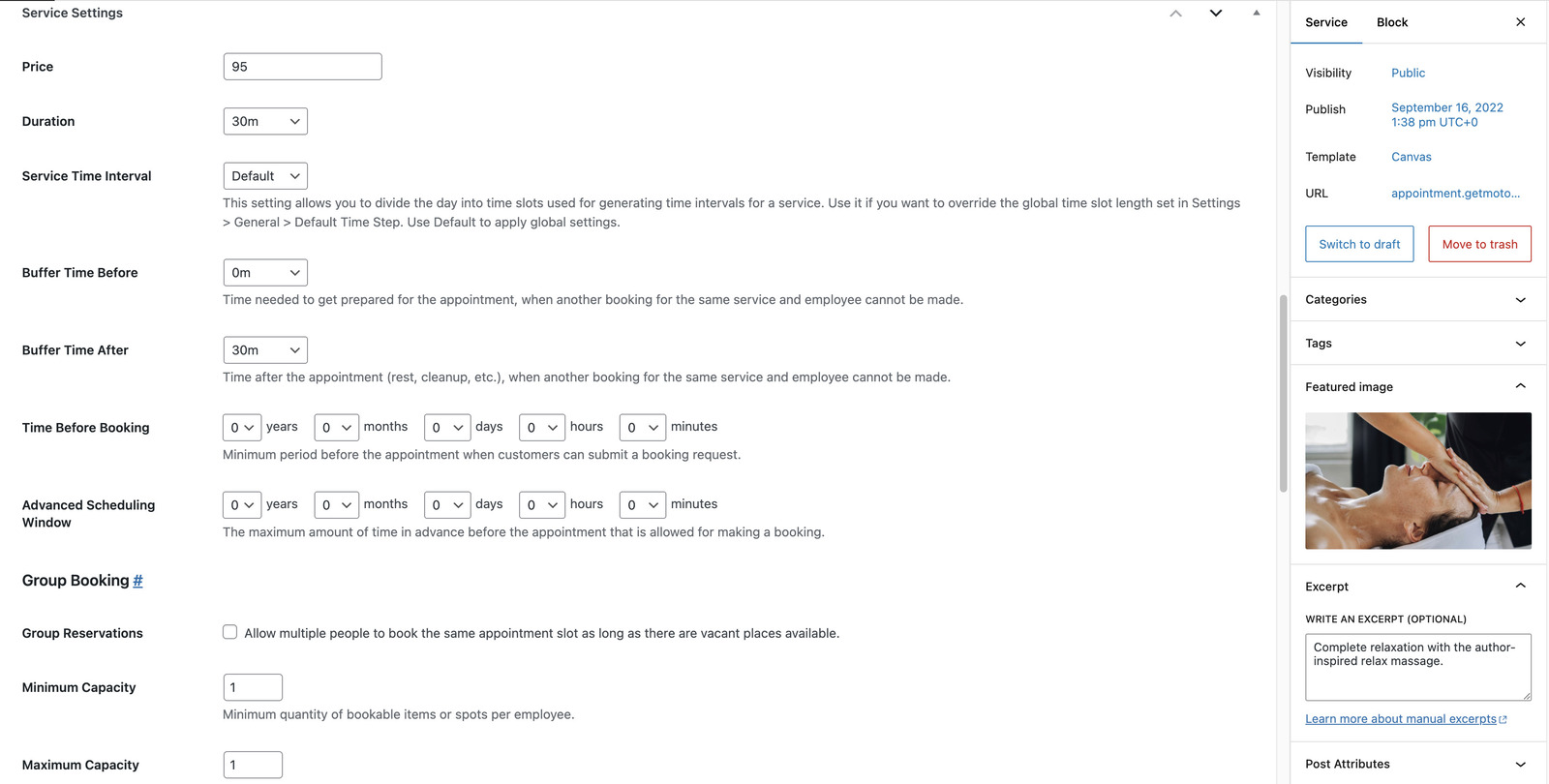
Create services with duration, buffer time, pricing, and assigned employees. You can also define group capacity if needed.
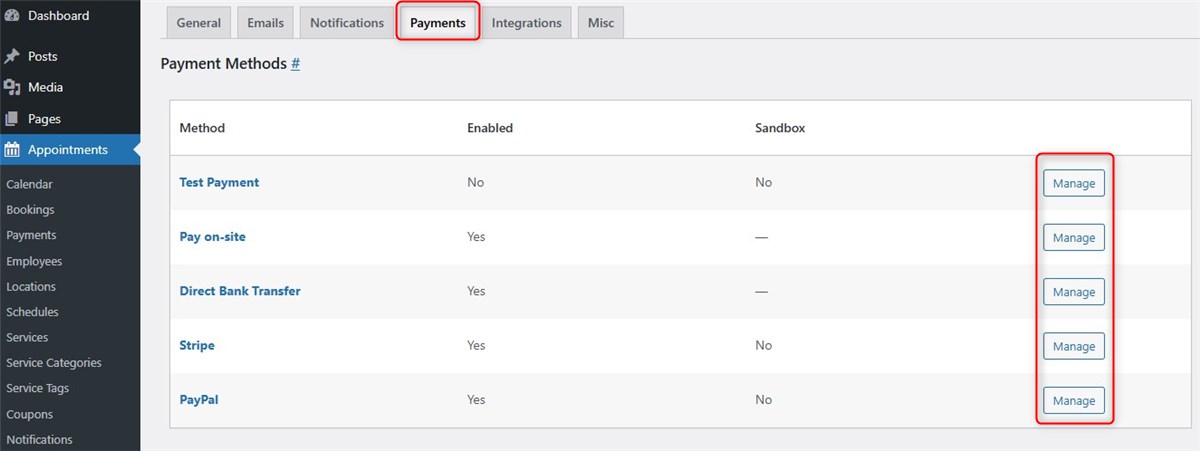
Navigate to Appointments > Settings > Payments to enable payment methods such as Stripe, PayPal, or pay-on-site, and decide how bookings should be confirmed.
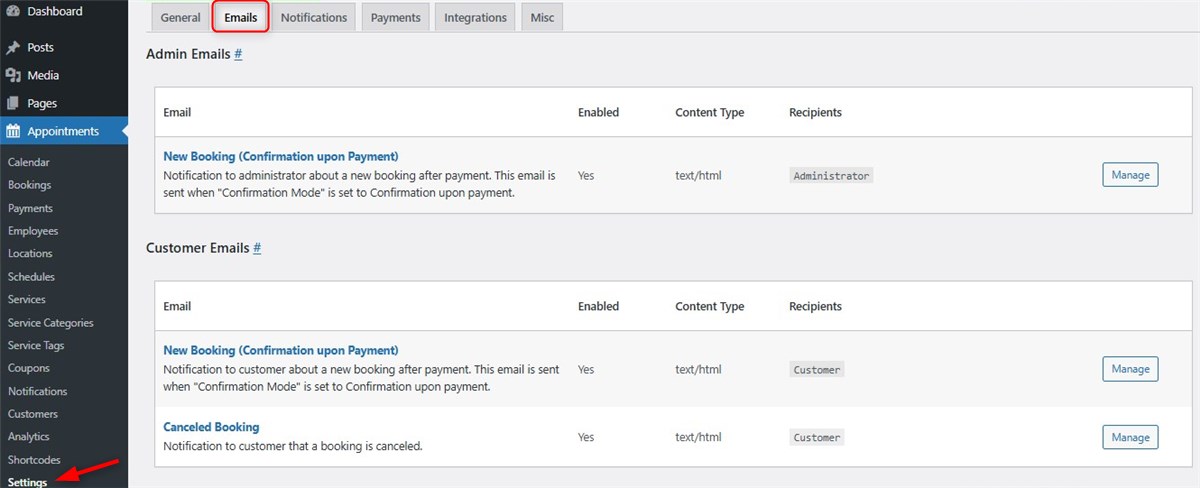
Go to Appointments > Settings > Emails to configure email templates to keep both clients and staff informed.
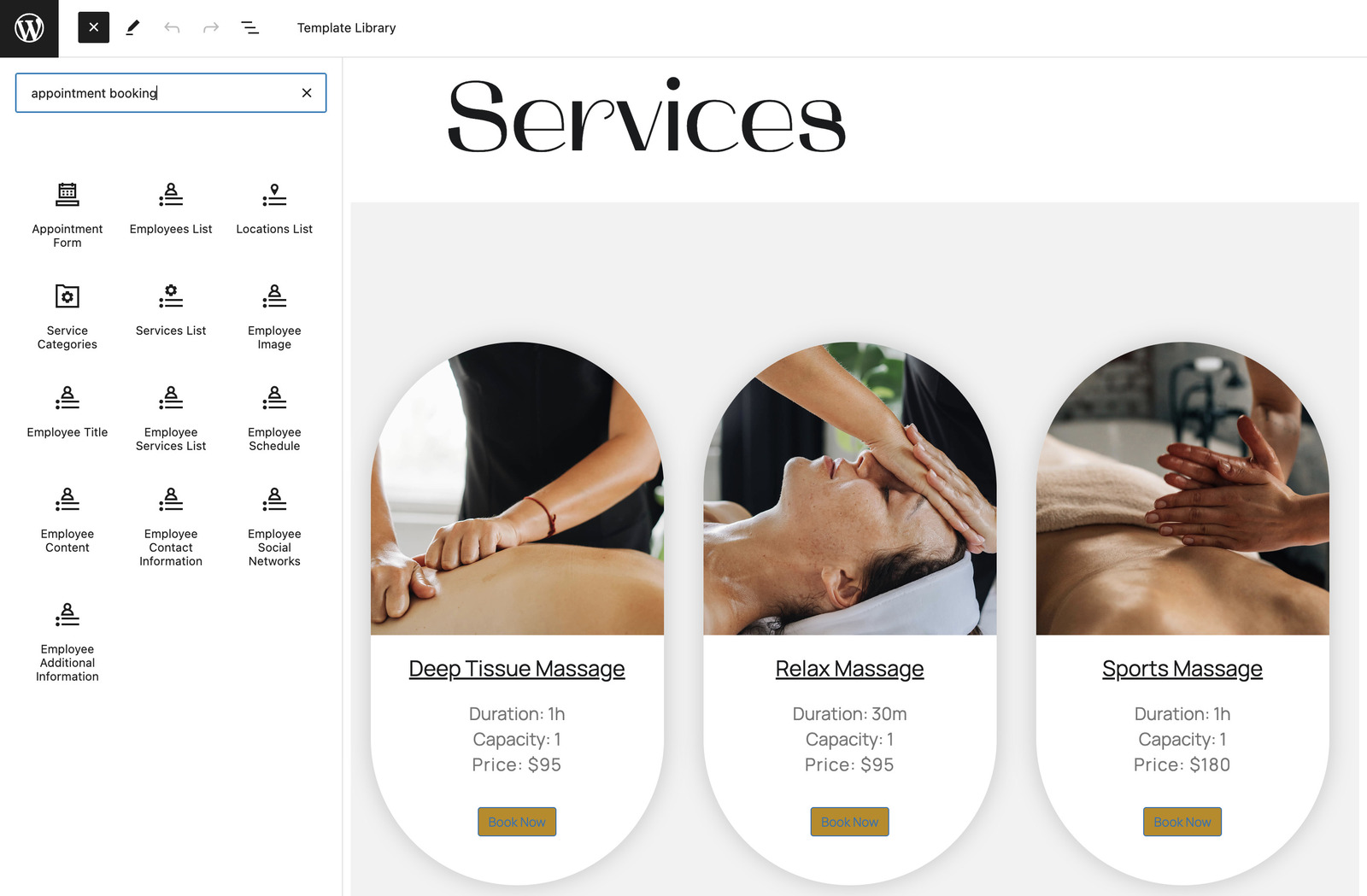
Place booking forms on key pages using dediacted blocks or shortcodes. Common placements include service pages, homepage sections, and dedicated booking pages.
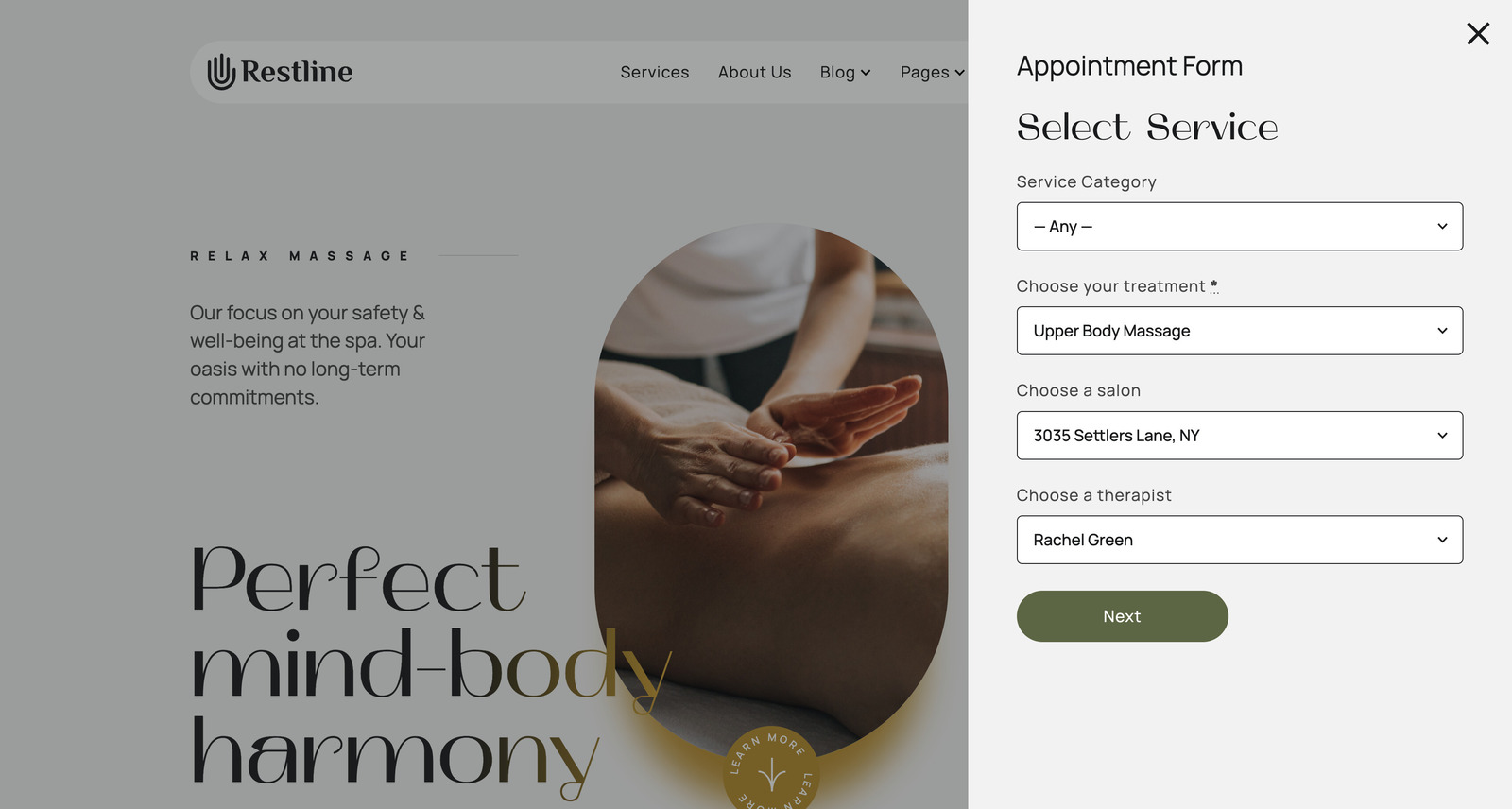
On the Restline theme, the wellness service booking form visually interplays with the design. Once clients click on the ‘Make an Appointment’ Button, it opens a booking widget. They can choose a service category, a service, and a location.
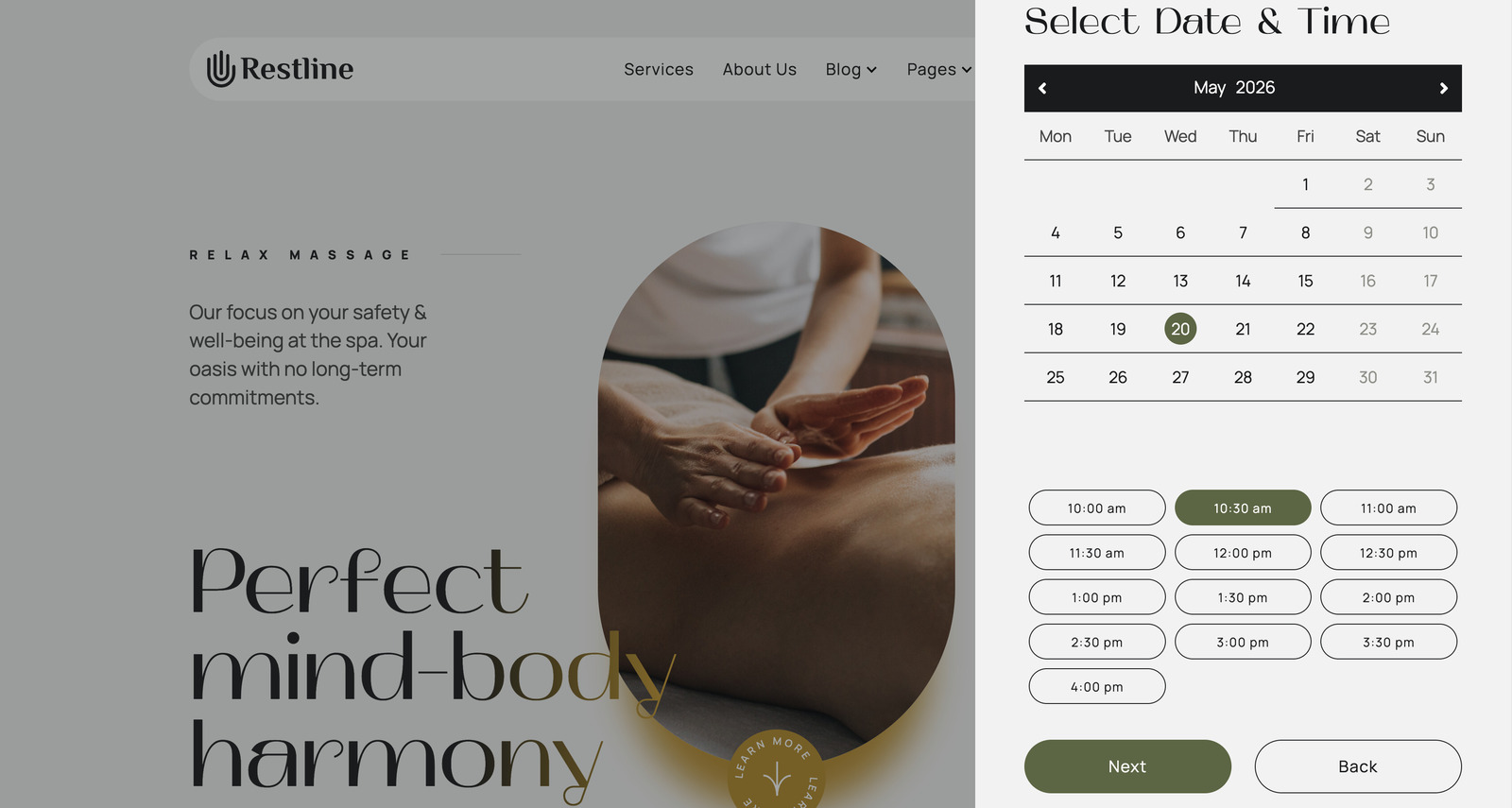
Then, they select an available date and a time slot:
During the next step, clients can submit multiple bookings by clicking the ‘Add More’ button. If you set up group bookings and set service capacity (for example, for seminars or workshops), they will be able to set the number of people for the service by clicking the ‘+’ icon.
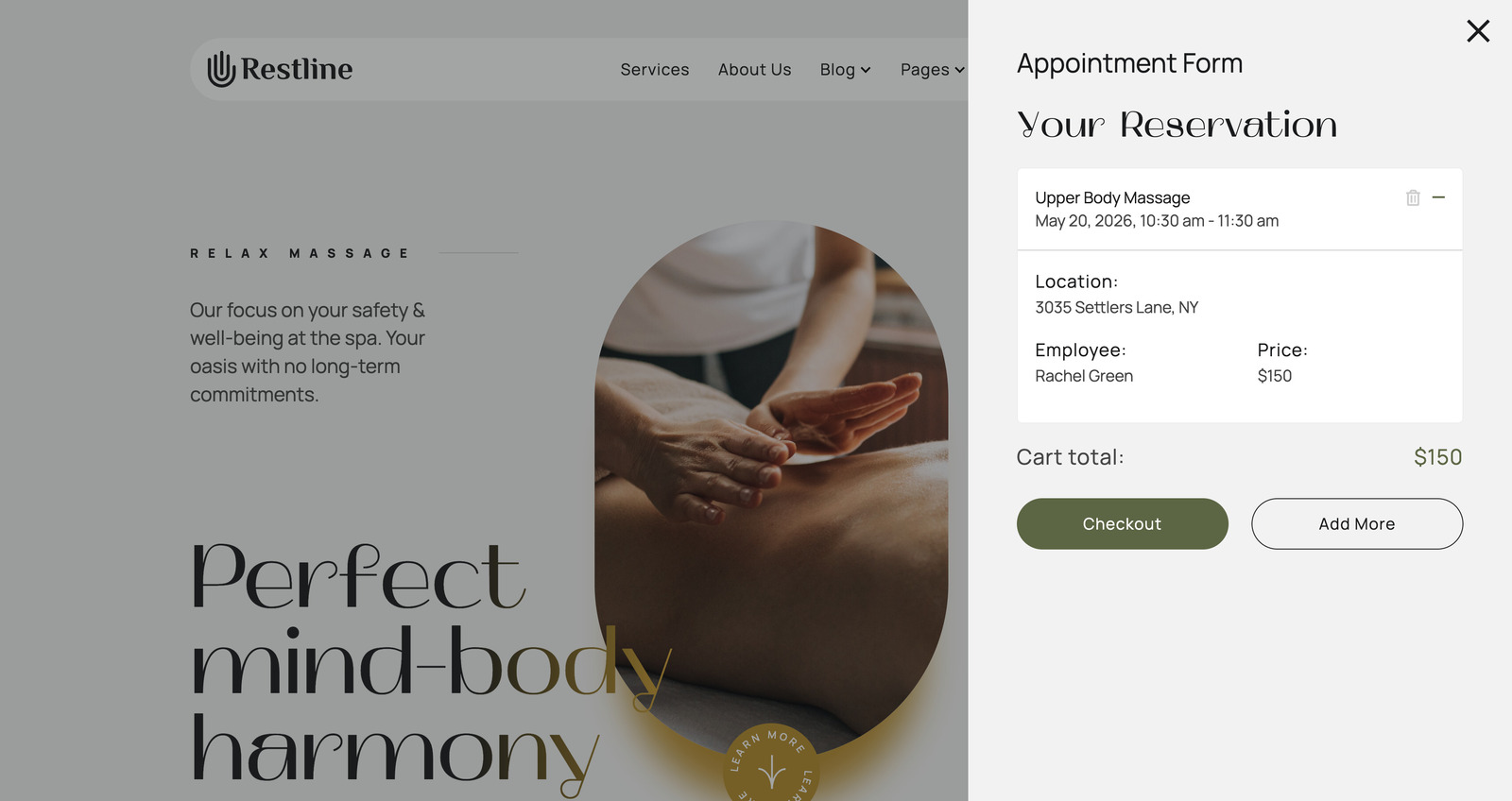
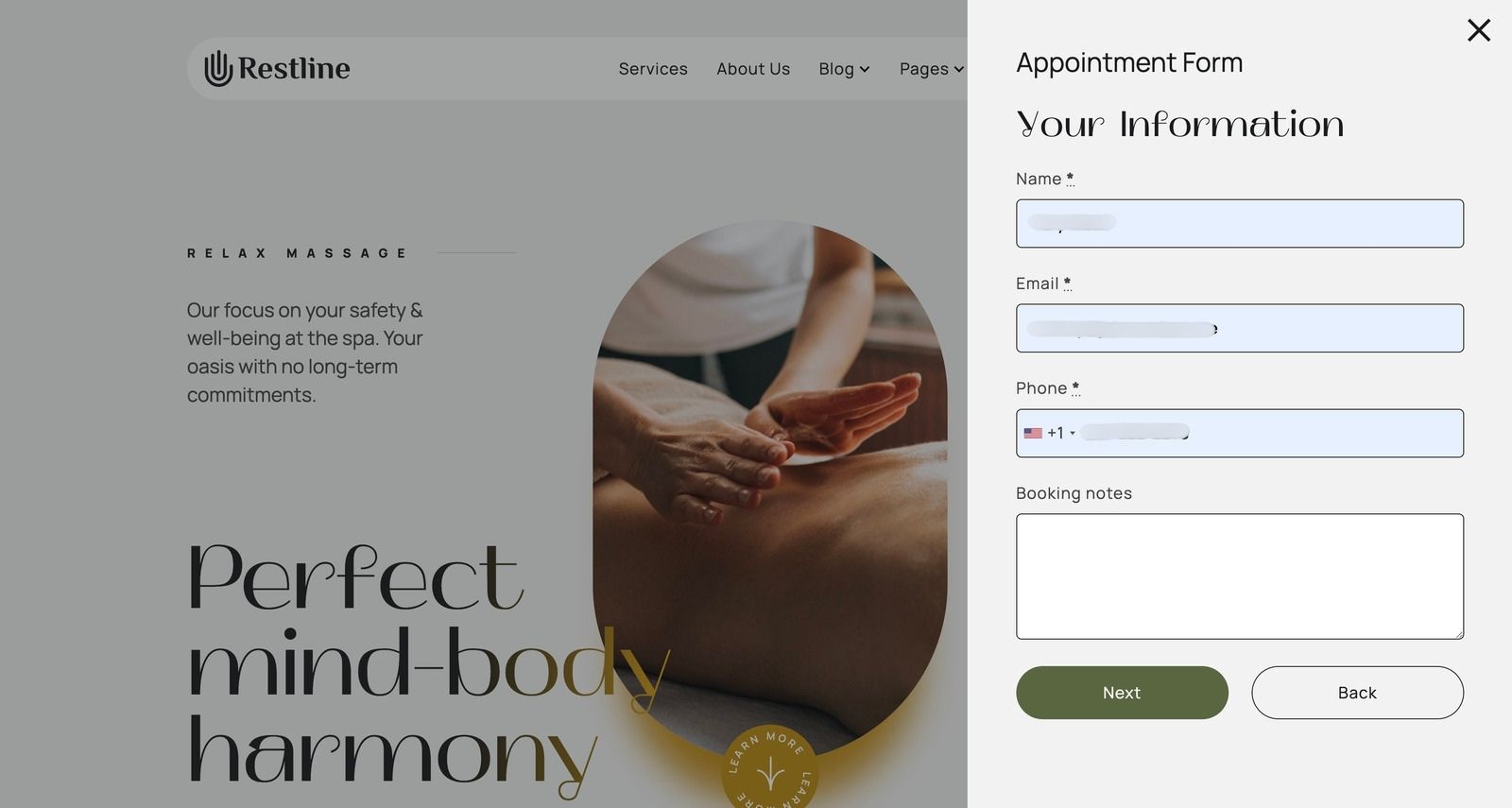
The Checkout button navigates the client to the Personal Information step.
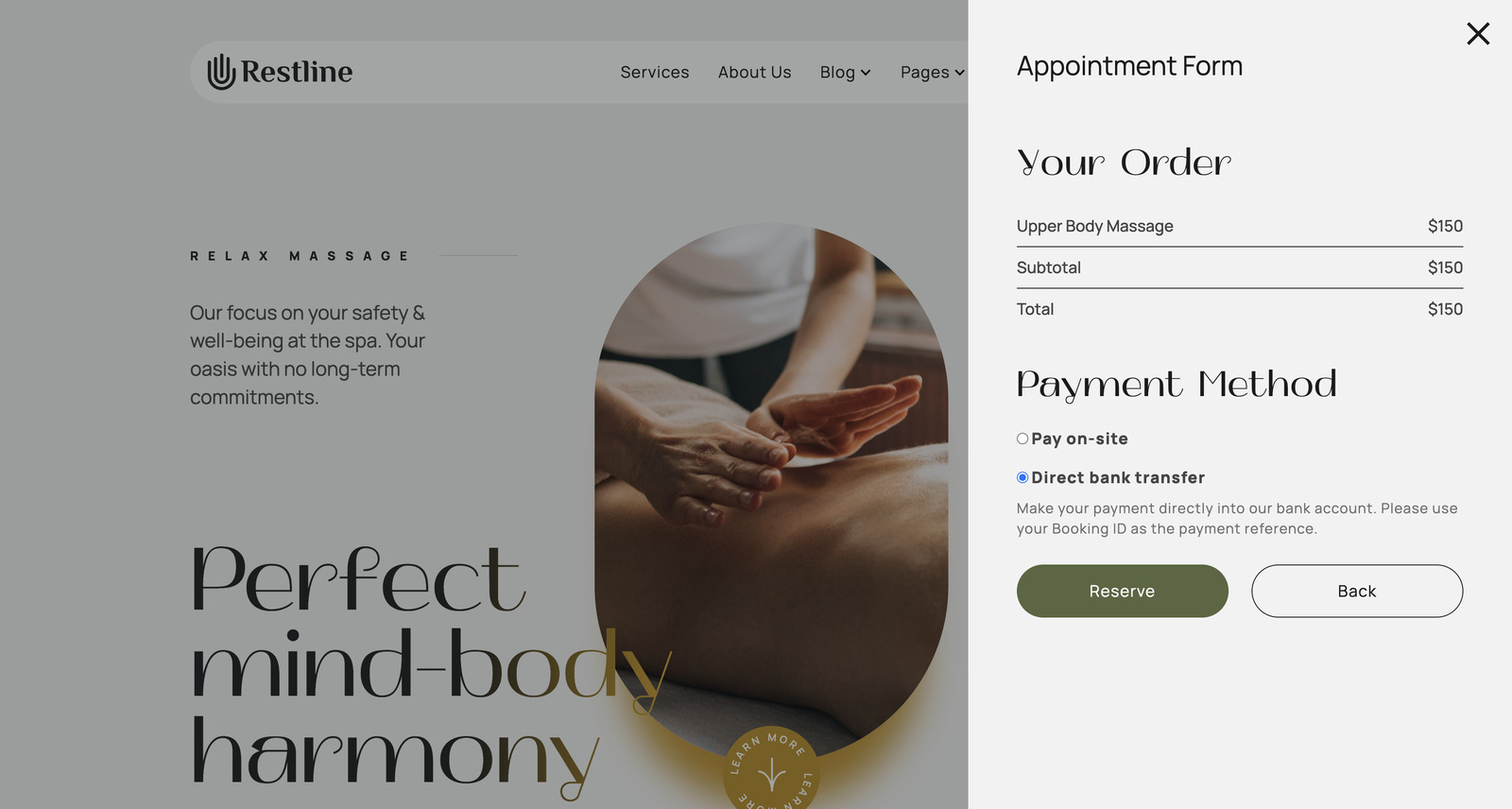
If you enable payment gateways in settings, the next step involves a preferred payment method.
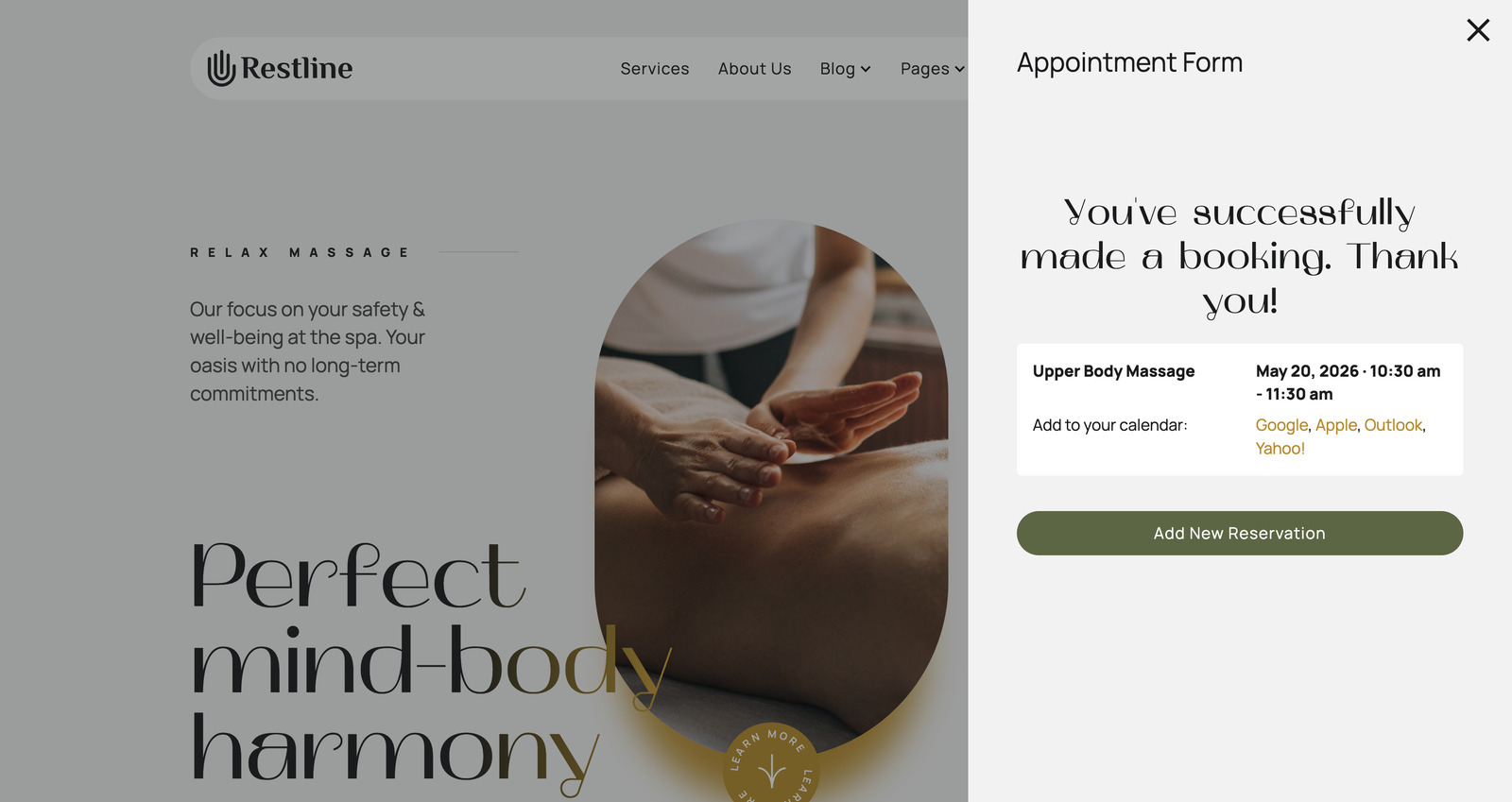
When the reservation is confirmed, clients will see this message:
Once your booking system is set up, you can start managing appointments. With MotoPress Appointment Booking, you can easily keep track of your schedule and stay in control.
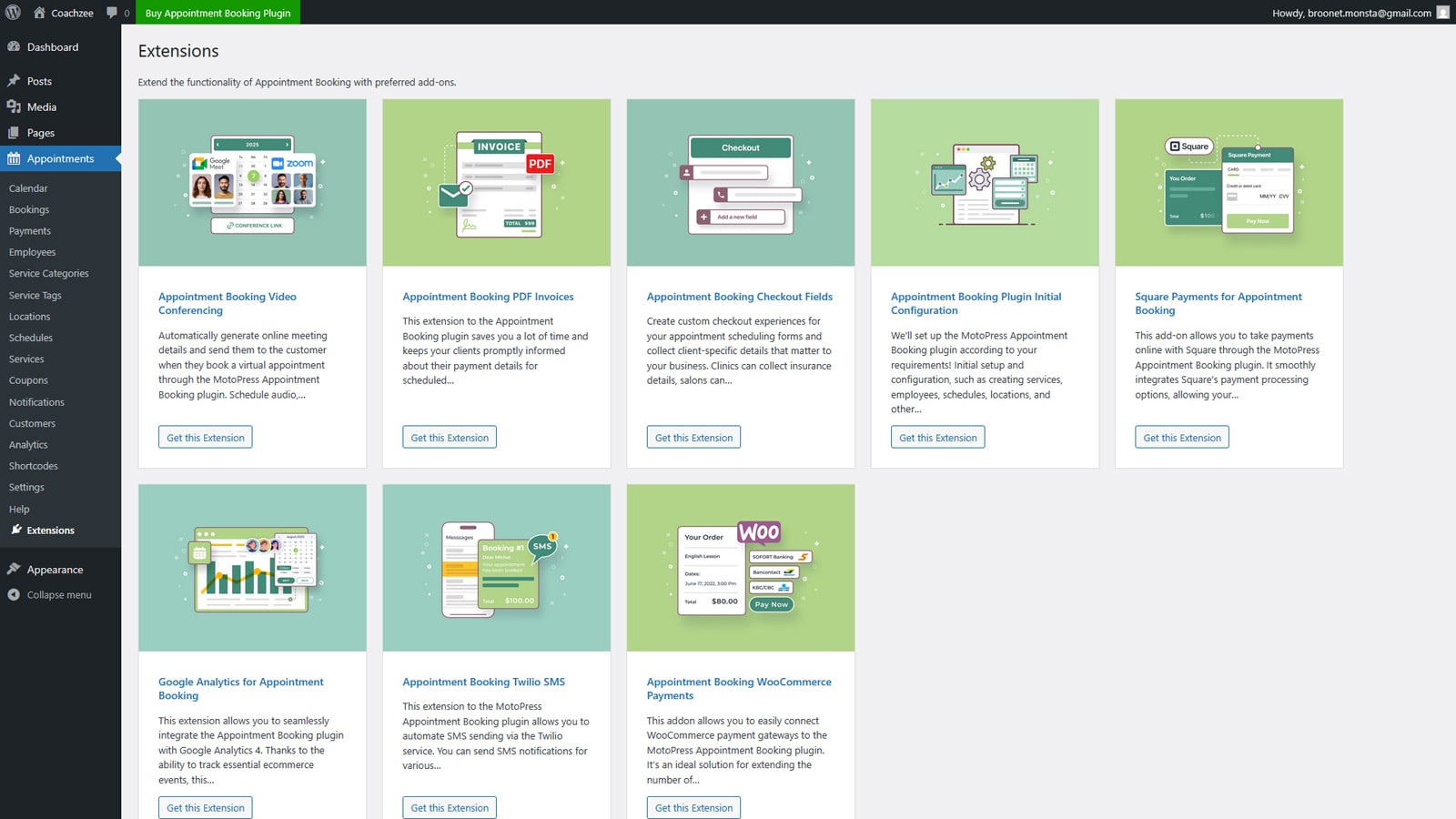
To take things further, MotoPress provides a range of premium addons that extend the plugin’s capabilities. These include integrations like WooCommerce Payments, extra checkout fields, video conferencing via Zoom and Google Meet, PDF invoices, Square payments, Twilio SMS notifications, and Google Analytics.
MotoPress Appointment Booking Addons

We’ve also decided to include 6 tips that might make the booking experience on your website more effective.
Even a well-designed system can underperform if it’s not configured properly. Most issues come from setup decisions and can even reduce conversions. While setting up your WordPress wellness center booking, we’d recommend you avoid:
Watch a detailed video tutorial on how to build a WordPress wellness appointment scheduling website:
Every element plays a role in whether a visitor becomes a client. So, you need to ensure a complete experience that combines discovery, trust, and action.
WordPress gives you the flexibility to build it the way your business needs it. Tools like MotoPress Appointment Booking make it possible to manage everything in one place.
So, which tools do you use to build a wellness appointment scheduling system? Share your experience with our team!
What is the best WordPress plugin for spa booking?
There are several booking plugins available for WordPress, but the best choice depends on your business model and scheduling needs. For wellness businesses, a plugin like MotoPress Appointment Booking is a strong option because it supports multiple services, employees, and locations, flexible schedules, online payments, and automated notifications.
Is WordPress better for wellness scheduling than booking platforms?
Dedicated booking platforms can be quicker to set up, but they often limit customization and may charge transaction fees or monthly commissions. WordPress gives you full control over your website and booking experience. It provides flexibility to scale and customize as your business grows.
Can I accept payments for wellness appointments online?
Yes, many WordPress booking plugins like MotoPress Appointment Booking support online payments via gateways like Stripe or PayPal. Some systems also include deposits, pay-on-arrival options, and manual payment recording.
此内容由惯性聚合(RSS阅读器)自动聚合整理,仅供阅读参考。 原文来自 — 版权归原作者所有。