







Are you planning a great event by investing in speakers and building a thoughtful agenda? Make sure people can find your event page online. Because today, events don’t just compete with each other. They compete for attention in search results, recommendation feeds, and in AI-generated answers. In this article, we’ll walk through an SEO guide for event marketing to optimize your pages for those environments!
We’ll cover the main steps to make your event visible from the very beginning. Thus, you can reach the right audience at the exact moment they’re searching for something to attend. Let’s get it started!
Before diving into our SEO guide for event marketing, we will briefly step back and understand what SEO actually is.
In general, Search Engine Optimization (SEO) is the process of improving your website so it appears higher in search results when people look for relevant topics. The goal is to make your content easier for search engines to understand and easier for users to find.
Studies consistently show that most clicks go to the top results on Google. For example, the first organic result alone receives around 27–30% of all clicks, while the top three results capture more than half of the total traffic.
Recent data also shows how search is evolving. With the rise of AI-generated answers, organic click-through rates can drop significantly.
This means SEO today is about being visible in the right place, whether that’s a top search result or part of an AI-generated answer.
When it comes to event marketing, SEO becomes even more valuable because of how people search.
1. Unlike general browsing, event-related searches are usually intentional. This makes organic traffic especially powerful for events because it tends to be:
2. One of the biggest advantages of SEO is that it continues to work over time.
While paid campaigns end when your budget runs out, your optimized content can keep driving traffic. It comes in handy if you:
How AI Is Changing Event Discovery
Search behavior is changing. Instead of clicking through multiple links, people now ask direct questions:
And they often get answers summarized by AI. If your page is complete and easy to understand, it’s much more likely to be surfaced in search results or AI-generated answers.
Now, let’s get down to the practical steps!
Your event page, calendar, and content create an ecosystem. And the smoother that ecosystem is, the easier it becomes for both users and search engines to navigate it.
Before diving into optimization, it helps to pause for a moment. What do you actually want this event to achieve? It might sound obvious, but skipping this step often leads to scattered efforts.
Depending on the situation, your goal might be:
Once that’s clear, you know what to prioritize while building an event branding SEO strategy.
Different audiences approach your event from different angles.
And all of these perspectives matter.

Tools like Google Keyword Planner, Ahrefs, or similar platforms can show you:
This is especially useful for event marketing, where search queries tend to be very specific.
Instead of chasing high-volume keywords, it helps to focus on combinations:
At the heart of event SEO is your content. This is what both users and search engines rely on to understand your event. Let’s break down how to approach this in practice.
This section covers content improvements. Let’s talk about what people actually read and interact with.
1. Start with a Clear Event Narrative
Before thinking about keywords or structure, focus on clarity. Your event page should immediately answer:
2. Structure Content Around Real User Questions
Instead of writing one long block of text, organize your page into meaningful sections. Most effective event pages include:
This structure improves readability and aligns with how people search and how AI tools extract information.
3. Use Keywords Naturally
Once your structure is clear, integrate your keywords in a way that feels natural. Focus on placing them in:
Avoid overusing them. If your content reads naturally and clearly explains the event, keywords will fit in without effort.
4. Improve Readability and Scannability
Most visitors scan the text. To support that behavior:

Technical elements determine how well your page performs. Here are some technical improvements you can apply to your event and calendar pages:
1. Optimize Page Speed
A slow page can undo all your SEO efforts. You should:
2. Ensure Mobile-Friendly Design
Since most users will visit your event page on their phone, you should check out whether:
3. Use Clean & Descriptive URLs
Your URL should clearly reflect your event. Clean URLs help search engines understand your page and make links more user-friendly.
4. Build a Strong Internal Linking Structure
Your event page should not exist in isolation.
Connect it to:
This helps users explore your site and allows search engines to crawl it more effectively.
5. Use Event Schema Markup
In simple terms, event schema markup is a type of structured data that helps search engines clearly understand the key details of your event. Instead of guessing what your page is about, they can read it in a structured way.
For event pages, this usually includes:
This can lead to:
Even the best content benefits from external signals. Search engines look at how your event is referenced across the web to understand its relevance and authority.

1. Leverage Event Partnerships
Events are naturally collaborative, which creates opportunities for visibility. Mentions of third-party resources act as trust signals. For example, when:
2. Use Event Platforms
Listing your event on platforms like Eventbrite, Meetup, or niche directories can:
Make sure your event details are consistent across all platforms.
3. Encourage Sharing and Mentions
You don’t need a complex link-building strategy. Sometimes, simple actions help:
Over time, these small steps build a stronger online presence.
If your event pages feel disconnected from your calendar or your structure is inconsistent, it becomes harder for search engines to understand your content. This is where the right tools make a difference.
Instead of building everything manually, you can create structured pages, manage schedules, and provide a smooth experience for your visitors.
We’ve curated a few WordPress tools to build and manage event content for our SEO guide for event marketing:
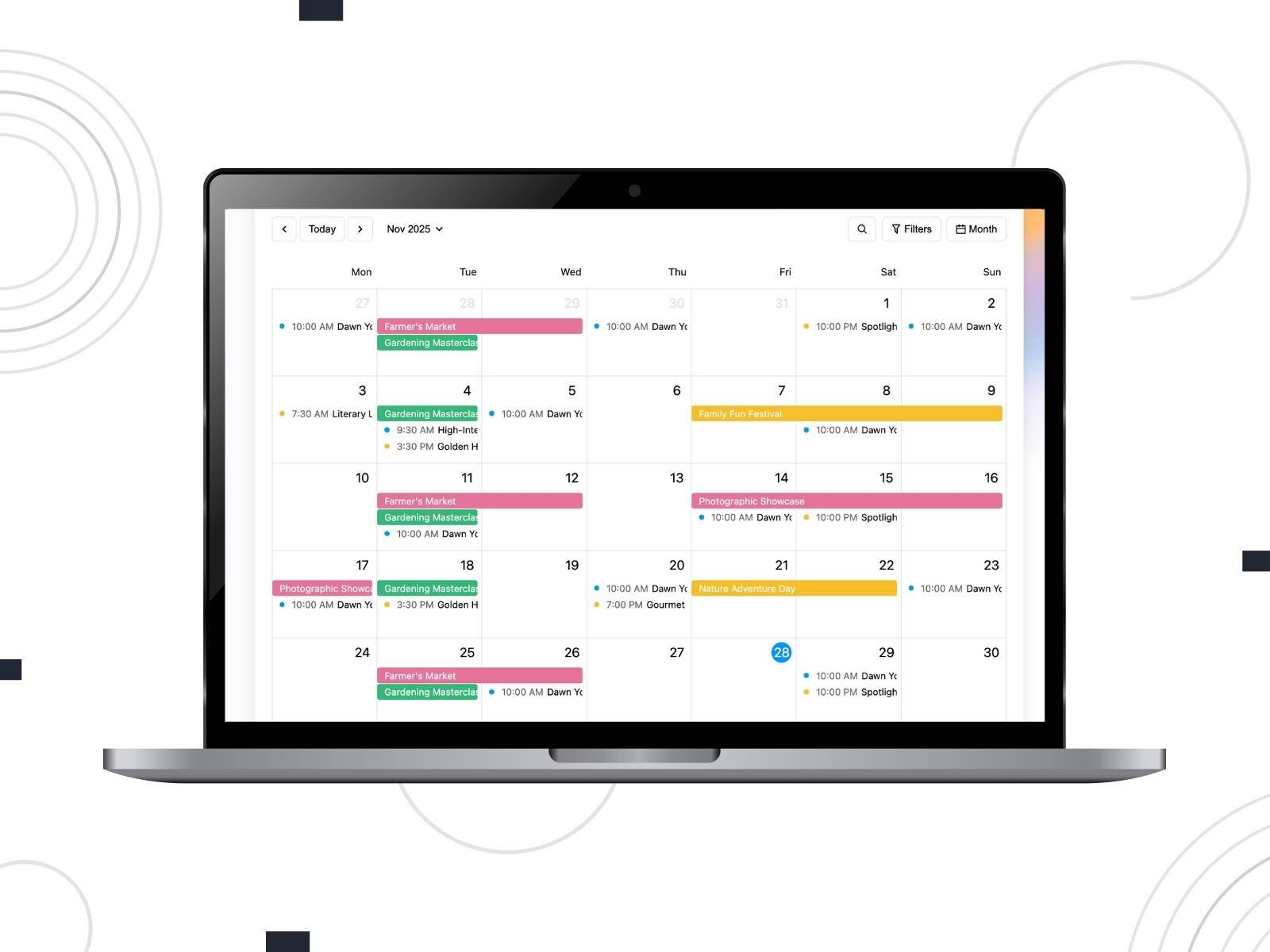
If you’re using WordPress, solutions like MotoPress Events Calendar help you create a structure where you can:
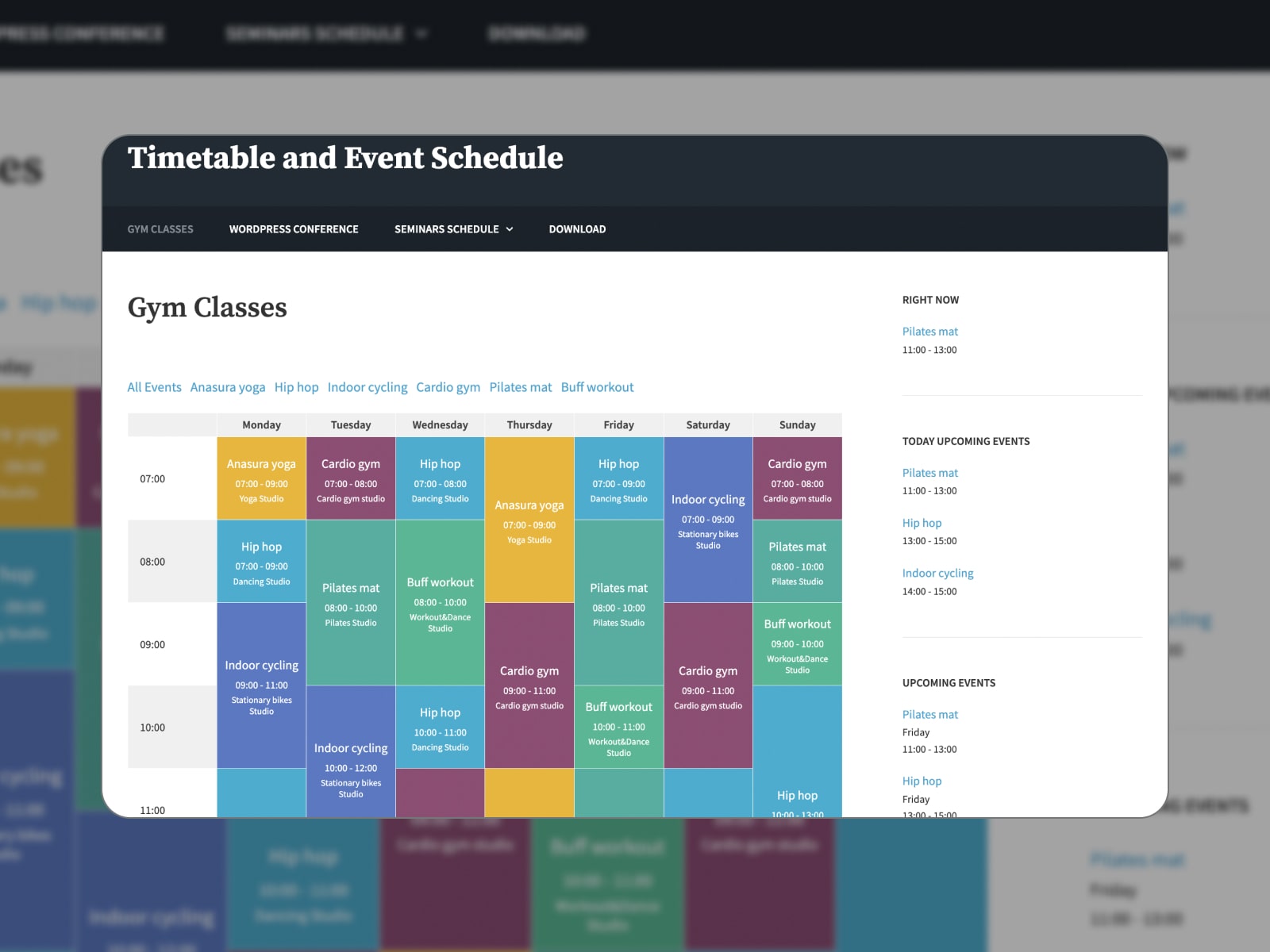
This plugin is a free option for displaying schedules, especially for conferences, classes, or multi-session events. It allows you to create clean, responsive timetables with detailed events, custom column names, head avatars, and background colors.
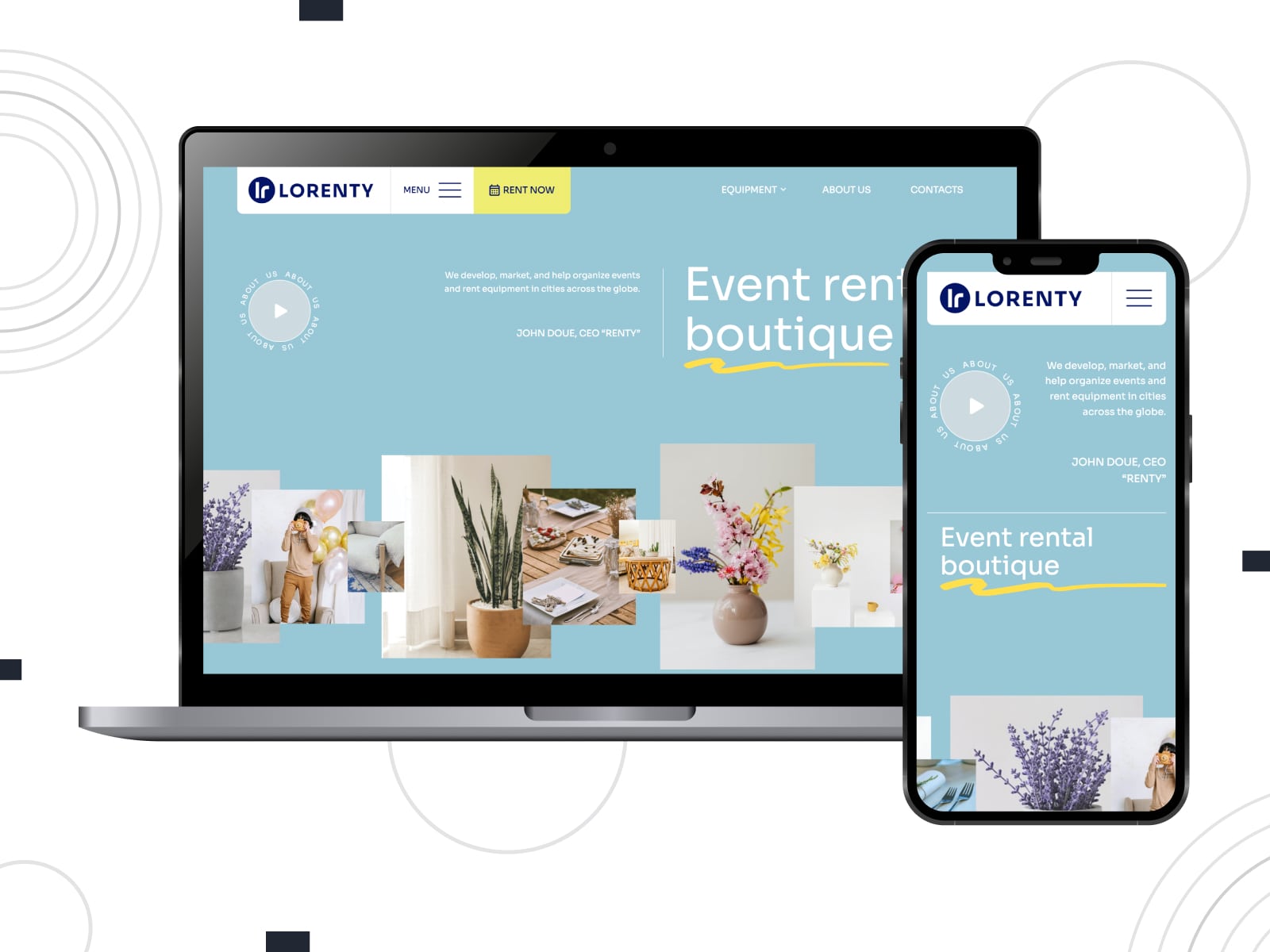
If your events are tied to rentals, bookings, or services, you can check out Lorenty. It’s a multipurpose WordPress theme with built-in booking functionality. You can manage availability, accept payments, and create detailed listings. It suits businesses that combine events with rentals, such as equipment, venues, or experiences.
If your event is tied to a specific location, local SEO becomes one of your strongest advantages.
People often search with location in mind. Queries like “events near me” or “workshops in London this weekend” rely heavily on local signals.
To improve your visibility, you can:
These steps help search engines connect your event with relevant local searches.
SEO is one of those things that becomes clearer once you start looking at the data. You can use tools like Google Analytics and Google Search Console to see patterns:
As a result, you will be able to adjust your event SEO strategy based on what’s already working instead of guessing.
To sum up our SEO guide for event marketing, the points below highlight the important details for search visibility and for how people experience your page.
Avoid Common Mistakes
If there’s one thing to take from this SEO guide for event marketing, it’s that this is a system of elements that work together. Your event page, your calendar, your structure, and your content shape how your event rank in search results.
At the same time, search itself is evolving. It’s no longer just about ranking on a results page. Events now appear in curated lists, local directories, and even AI-generated answers.
In many cases, event SEO comes down to:
If you’re building your event website on WordPress, using a structured solution like MotoPress Events Calendar can help you bring all of this together.
So, when someone searches for an event like yours, will they find it? Which tips from this SEO guide for event marketing would you implement on your website?
What is SEO for event marketing?
SEO for event marketing is the process of optimizing event pages so they appear in search results when users look for events. It helps increase visibility, attract relevant traffic, and drive registrations.
What are the most critical on-page SEO factors for event websites?
Clear titles, structured content, detailed descriptions, mobile-friendly design, and fast loading speed play a key role in how your pages perform.
What content should be included on my event landing page?
A strong event page should include an overview, agenda, speaker details, date and location, registration information, and FAQs.
How can I display a calendar of events on my website?
The easiest way is to use a dedicated events calendar plugin (especially on WordPress). It lets you create events and display them in calendar or list views, often with filters for categories or locations.
With tools like MotoPress Events Calendar, you can offer a familiar Google Calendar–like experience with easy navigation. You can add full event details, organize events into categories, enable search and filtering, and link each listing to a dedicated event page.
此内容由惯性聚合(RSS阅读器)自动聚合整理,仅供阅读参考。 原文来自 — 版权归原作者所有。