


This semester, students can use NotebookLM to instantly generate flashcards, quizzes, professional reports and more.
Dharti Dhami
Engineering Manager, LearnX
General summary
NotebookLM now offers new features to help you actively learn and master subjects. You can now create flashcards and quizzes from your documents, generate tailored reports, and deepen understanding with the new Learning Guide. Also, explore trusted academic content from OpenStax and listen to your sources in new ways with Audio Overviews.
Summaries were generated by Google AI. Generative AI is experimental.
Bullet points
- "6 Ways to Use NotebookLM to Master Any Subject" introduces new AI-powered learning features.
- NotebookLM now creates flashcards and quizzes from your documents to help you recall information.
- Upgraded reports let you create tailored documents, like blog posts, with suggested options.
- The new "Learning Guide" offers personalized tutoring within NotebookLM, deepening understanding.
- Audio Overviews now include Brief, Critique, and Debate formats for diverse perspectives on sources.
Summaries were generated by Google AI. Generative AI is experimental.
Explore other styles:
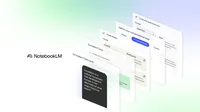
Turning information into knowledge is challenging, whether you are preparing for an exam, starting a new project or exploring a new interest. That’s why we built NotebookLM as your personalized AI partner for research and thinking. It helps you make connections and understand complex material faster.
This summer, we introduced learning features like Video Overviews, which students worldwide have used for everything from understanding a topic quickly to preparing for exams.
Today, we are introducing new features and public notebooks that transform passive reading into active learning. Here’s what’s new.
1. Recall information with flashcards and quizzes.
Actively engaging with material is key to learning. NotebookLM now instantly creates study aids from your documents, including lecture notes, research papers or work reports. These interactive tools are grounded entirely in your sources.
You can customize the topic, set the difficulty and share your study sets with friends or colleagues with a simple link. Both flashcards and quizzes give you the option to dig deeper; just click “explain” and NotebookLM will generate a detailed overview, helping you understand a flashcard definition or explaining why you got a quiz question wrong, with citations pointing back to the original source material.
2. Create tailored, high-quality documents with upgraded reports.
One of NotebookLM’s most popular features is the ability to Instantly generate Briefing Docs and Study Guides from sources. Users have asked us for more reports, and for more control over them.
We are introducing redesigned reports, which include a new Blog Post format. These reports also dynamically suggest options based on the theme, topic or industry mentioned in your sources. For example, upload a scholarly article on economic theory and NotebookLM might suggest a glossary of key terms or a magazine-style explainer of the paper’s implications; upload a draft of a short story and NotebookLM might suggest a character analysis or a detailed critique of the plot.
You can also create new custom formats to generate content tailored to your specific needs.
3. Deepen conversations with Learning Guide.
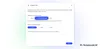
We're introducing a new “Learning Guide” option that encourages participation with probing, open-ended questions. Instead of just giving answers, it helps you break down problems step-by-step and adapts explanations to your needs, building a deeper understanding of the subject. Learning Guide is like having a personal tutor for your sources directly within NotebookLM. Chat customization and Learning Guide will start being available to all users starting next week.
4. Learn with trusted academic content.
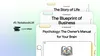
We have partnered with OpenStax, the leading provider of free, peer-reviewed textbooks, to transform their most popular academic titles into interactive Notebooks. These ready-to-use Notebooks help high school and college students learn with high-quality, vetted sources. We have curated notebooks on these subjects:
5. Hear your sources in a new way with Audio Overviews.
Audio Overviews help you understand your material on the go. Based on the popularity of Deep Dives, we've added new formats to provide more diverse perspectives on your resources. For example, use the Debate format to explore two sides of a topic before a class discussion. The new formats include:
- Brief: A single AI host delivers a short summary of your sources' core ideas.
- Critique: Two AI hosts review your material, offering constructive feedback on an essay or design document.
- Debate: Two AI hosts discuss different perspectives on the topics in your sources.
6. Give teachers and students expanded access.
Today, educators can create Notebooks from their class materials and assign them directly in Canvas by Instructure and PowerSchool Schoology Learning using Gemini LTI. In the coming weeks, educators will also be able to create and assign notebooks in Google Classroom. This expands on the access we announced for teenagers and users on education domains earlier this summer.
Get started today
These new features make NotebookLM a more powerful partner for deepening your understanding of the world.
Ready to get started? Flashcards, Quizzes and Reports will start to be available today and will expand to more users over the next week. The new Audio Overview formats are available to everyone today. You can also explore our new OpenStax Notebooks and let us know what you think.