



Our second Obsidian October has come to a close, and once again we were overwhelmed with all the amazing content, plugins, and themes that the Obsidian community created.
We received 84 entries, judged by our panel that included joethei, liam, luke, ryanjamurphy, bri, silver and kepano. In keeping with our “Back to School” theme, a few of the entries were selected by our judges as their 🧑🎓 student pick, ideal for anyone in school and academia.
🎉 Thank you to everyone who participated, and congratulations to the winners!
We will be in touch with winners soon so you can receive your prizes!
New plugin
Winner
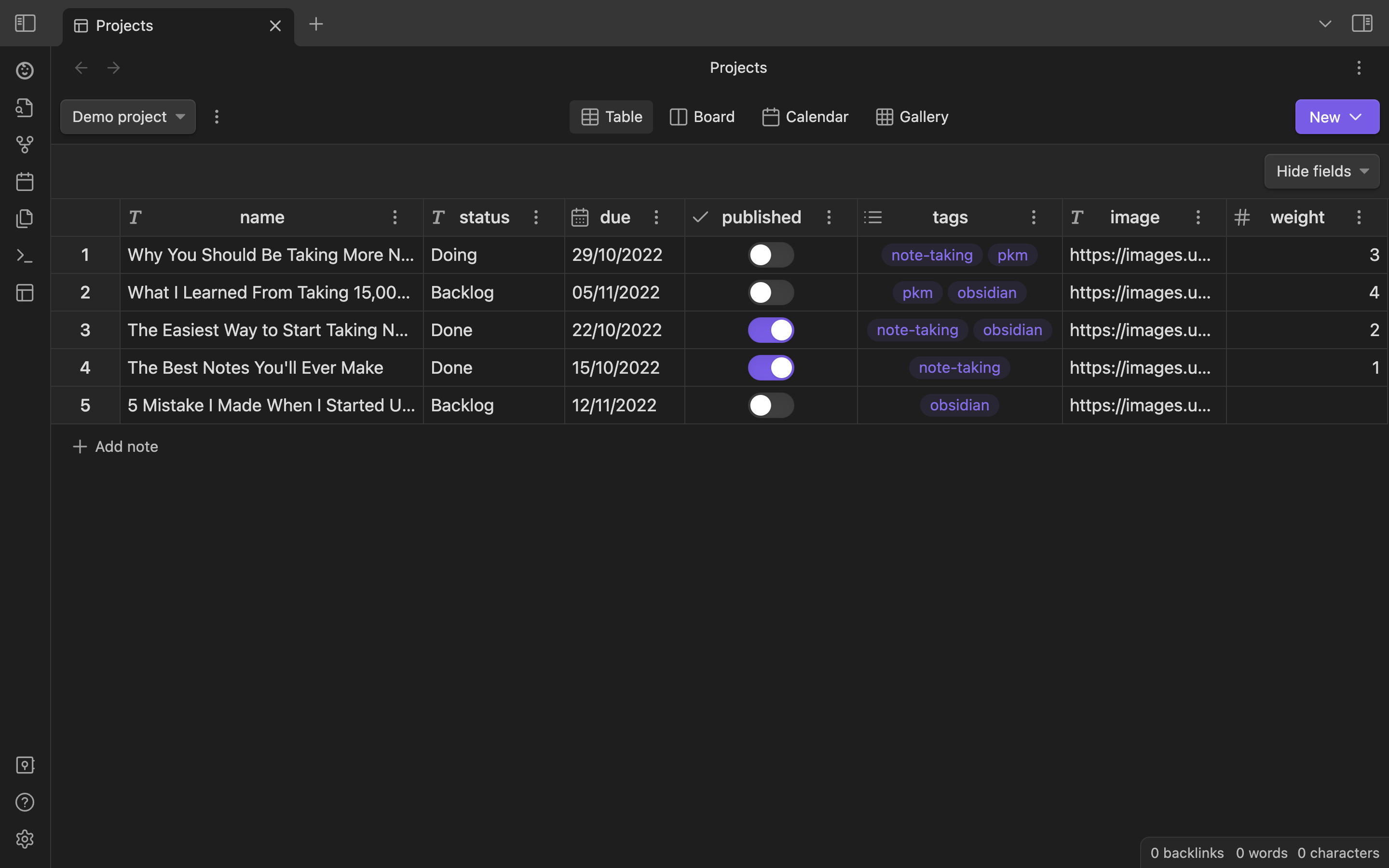
🏆 Obsidian Projects by Marcus Olsson
Projects is a plugin for Obsidian that lets you manage and visualize notes for project management.
Runners up
Strange New Worlds by TfT Hacker
Discover the connections of thought in your Obsidian vault. The basic idea is we want to see when links, block references and embeds have associations with other files in the vault. The problem is you have to search, open backlinks and so on to find out what is going on. But there are so many strange new worlds of networked thought to discover in our vault. This plugin attempts to resurface those connections and not be to intrusive (or not too intrusive) in doing so.
Numerals by RyanC
Numerals gives you the power of an advanced calculator inside a
mathcode block, complete with currencies, units, variables, and math functions!
make.md by JP — 🧑🎓 student pick
Make.md enhances your Obsidian experience with powerful features whether you’re a beginner 🚲 or an Obsidian Magician 🪄
New theme
Winner
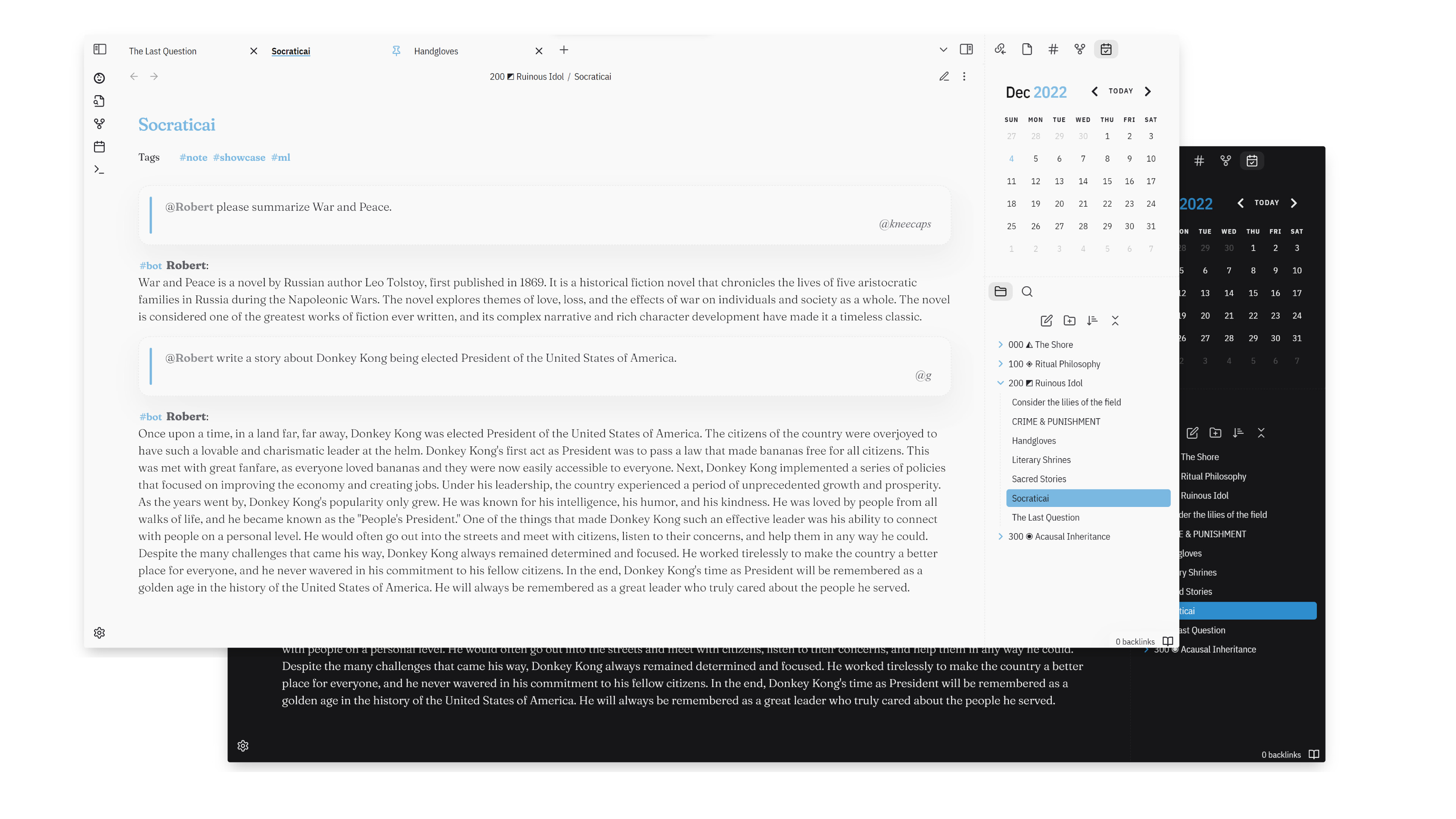
🏆 Origami by kneecaps
A playful workhorse theme for Obsidian, inspired by paper and ink
Runners up
GitHub theme by krios2146
Theme for Obsidian inspired by GitHub color scheme
Listive by efemkay
Outliner-focused theme with differentiated header style and subtle interface for atomic notes with insight-based points
Plugin update
Winner
🏆 Obsidian-OCR by Jonas Mohr
Obsidian OCR allows you to search for text in your images and pdfs
Runners up
Commander by Johnny & phibr0
Add commands to every part of Obsidian’s user interface
Longform 2.0 by kevboh
Longform is a plugin for Obsidian that helps you write and edit novels, screenplays, and other long projects. It lets you organize a series of notes, or scenes, into an ordered manuscript.
Theme update
Winner
🏆 Shimmering Focus Rewrite for Obsidian 1.0 by pseudometa
A minimalistic and opinionated Obsidian theme for the keyboard-centric user.
Runners up
Prism 3.0.0 by Damian Korcz
Prism 3.0.0 is a complete rewrite of the theme to incorporate the changes made by the new Default theme introduced in Obsidian 1.0.0. The theme aims to supports Desktop, Phone and Tablet clients. The theme makes liberal use of the newly introduced variables to help with CSS Snippet compatibility and general overridability of Prism styling.
Obsidian Typewriter 2.0.0 by crashmoney
Typewriter is an Obsidian theme designed for a focused writing experience.
Written content
Winner
🏆 The Konik Method for Making Useful Notes by Eleanor Konik
How to make notes for reference, not self-improvement: A practical guide to messy notes meant to be used, not admired.
Runners up
How to Boost Your Productivity for Scientific Research Using Obsidian by Leonardo Castorina — 🧑🎓 student pick
Tools and workflows for managing your zettelkasten, projects, reading lists, notes, and inspiration during your PhD.
The Atoms of Obsidian.md by Sam Roberts
Writing notes on subjects and entities, and writing longer-form publishable Markdown files like this blog post, is really nice in Obsidian. These end up being the atoms of Obsidian, the basic building blocks of the experience and the nodes in the knowledge network graph.
Video
Winner
🏆 Obsidian Onboarding by Danny Hatcher
This video is part of my Obsidian Onboarding playlist that is on YouTube where I have posted (and will post more) videos during the event, focused on core and community plugin onboarding.
Runners up
How And Why To Setup A Knowledge Base by DJ Lensing
A knowledge base is a place where information is gathered and organised into what we call knowledge. This lesson is meant to provide some help with the goal of setting up your own personal knowledge base. In practice, this comes down to a mindful approach to note-taking. More on this in the video. Enjoy!
How to Turn Your Note-taking Into a Lifelong Learning Workflow with Obsidian by Marcel Samyn
If you’re a note-taker like me, you probably learn and write down a TON of stuff. But without a workflow to integrate this into your knowledge as a whole, they just kinda disappear over time and you forget about it. I’ve been thinking a lot about this lately, and trying to come up with a workflow or framework that gives me the practices to start really remembering what I learn. I also want to use MY OWN notes to generate new insights, and with the tips in this video that seems to be starting out well.
How I Write Conceptual Lecture Notes in Obsidian by Aidan Helfant — 🧑🎓 student pick
Most students are never taught how to take effective notes that they can use even after the semester is over. In this video, I discuss how I use Obsidian to take lecture notes that stay make my knowledge unique and stay with me over years and years. I explain the dangers of bad notetaking and how to use my notetaking method, conceptual notemaking, before, during and after class.
Demo vault
Winner
🏆 Obsidian for Biblical & Theological Studies by Limezy
This vault is a demo of why we believe Obsidian to be the best tool currently available for exegesis, theological and philosophical studies.
Runners up
MISS W by Kinmury — 🧑🎓 student pick
Management / Inbox / Slipbox / Source / Workbench This Vault was developed by a user with programming knowledge, a Computer Engineer student to be precise. This means that the design of the vault is affected by the workflow of a programming/engineer student.
An Academic Knowledge Management System by Chris Lovejoy
The purpose of an academic knowledge management (AKM) system is to enable you to:
- Aggregate and organise academic papers of interest
- Extract and synthesise their key findings and insights
- Combine these insights for a birds-eye view of a research field’s cutting edge
- Exporting references and citations when conducting a research project
Congratulations again to all who won and participated!