
惯性聚合 高效追踪和阅读你感兴趣的博客、新闻、科技资讯
阅读原文 在惯性聚合中打开

推荐订阅源

cs.CV updates on arXiv.org
Threat Intelligence Blog | Flashpoint
C
CERT Recently Published Vulnerability Notes
V
Vulnerabilities – Threatpost
cs.CL updates on arXiv.org
L
Lohrmann on Cybersecurity
C
CXSECURITY Database RSS Feed - CXSecurity.com
Schneier on Security
T
Threatpost
P
Proofpoint News Feed
MongoDB | Blog
MongoDB | Blog
OSCHINA 社区最新新闻
OSCHINA 社区最新新闻
大猫的无限游戏
大猫的无限游戏
T
Threat Research - Cisco Blogs
罗磊的独立博客
Security Latest
Security Latest
D
Docker
S
Secure Thoughts
博客园 - 聂微东
A
Arctic Wolf
Recorded Future
Recorded Future
雷峰网
雷峰网
Microsoft Azure Blog
The Cloudflare Blog
P
Palo Alto Networks Blog
Project Zero
Project Zero
Blog — PlanetScale
Blog — PlanetScale
D
Darknet – Hacking Tools, Hacker News & Cyber Security
H
Help Net Security
T
The Blog of Author Tim Ferriss
Latest news
Latest news
AWS News Blog
AWS News Blog
U
Unit 42
Stack Overflow Blog
Stack Overflow Blog
The GitHub Blog
The GitHub Blog
Know Your Adversary
Know Your Adversary
Vercel News
Vercel News
WordPress大学
WordPress大学
Spread Privacy
Spread Privacy
F
Full Disclosure
Martin Fowler
Martin Fowler
T
The Exploit Database - CXSecurity.com
Attack and Defense Labs
Y
Y Combinator Blog
Microsoft Security Blog
V
V2EX
M
MIT News - Artificial intelligence
P
Proofpoint News Feed
小众软件
小众软件
宝玉的分享
宝玉的分享

我心向阳 - ubuntu

ubuntu2604 尝鲜 Linux Mint 快速上手 阿里云ECS部署免费SSL证书 阿里云 ubuntu 用 docker compose 部署 halo
阿里云 ubuntu 用 docker 快速部署 halo
ymz316 · 2024-03-09 · via 我心向阳 - ubuntu

Halo 是一个强大易用的开源建站工具,部署非常简单。下面以阿里云 ECS 服务器的 ubuntu 镜像 + apache2 为例,通过 Docker 来部署一个 Halo 个人网站。

apt install docker.io

二、下载 Halo 镜像

docker pull halohub/halo:2.13

三、新建并启动 halo 容器

run -it -d --name halo -p 8090:8090 -v ~/.halo2:/root/.halo2 halohub/halo:2.13
  • -it:开启输入功能并连接伪终端
  • -d:后台运行容器
  • --name:为容器指定一个名称halo
  • -p:端口映射,格式为 主机(宿主)端口:容器端口 ,可在 application.yaml 配置。这里使用8090端口
  • -v:工作目录映射。形式为:-v 宿主机路径:/root/.halo2,后者不能修改。
这条命令默认使用自带的 H2 Database 数据库,主要用于体验和测试,官方不推荐在生产环境中使用 H2 数据库,这可能因为操作不当导致数据文件损坏。若使用其他数据库,需要通过 docker-compose 来部署。

四、添加反向代理服务

我用的是 apache2,就用它为例操作:

1.启用反向代理模块

a2enmod proxy
a2enmod proxy_http

2.配置反向代理

我准备的域名是 halo.hollowman.cn,接下来是在 /etc/apache2/site-aviables/ 目录下新建一个 halo.conf 文件,内容如下:

<VirtualHost *:80>
ServerName halo.hollowman.cn
        ServerAdmin webmaster@localhost
        ProxyPass / http://localhost:8090/
        ProxyPassReverse / http://localhost:8090/

        ErrorLog ${APACHE_LOG_DIR}/error.log    
        CustomLog ${APACHE_LOG_DIR}/access.log combined
</VirtualHost>

别忘了启用该配置文件:

a2ensite /etc/apache2/site-aviables/halo.conf

3.重启 apache2 服务

systemctl restart apache2

五、初始化和使用 Halo

在浏览器输入:halo.hollowman.cn/console 即可初始化Halo个人网站了,登陆一次后台完成初始化。界面如下:
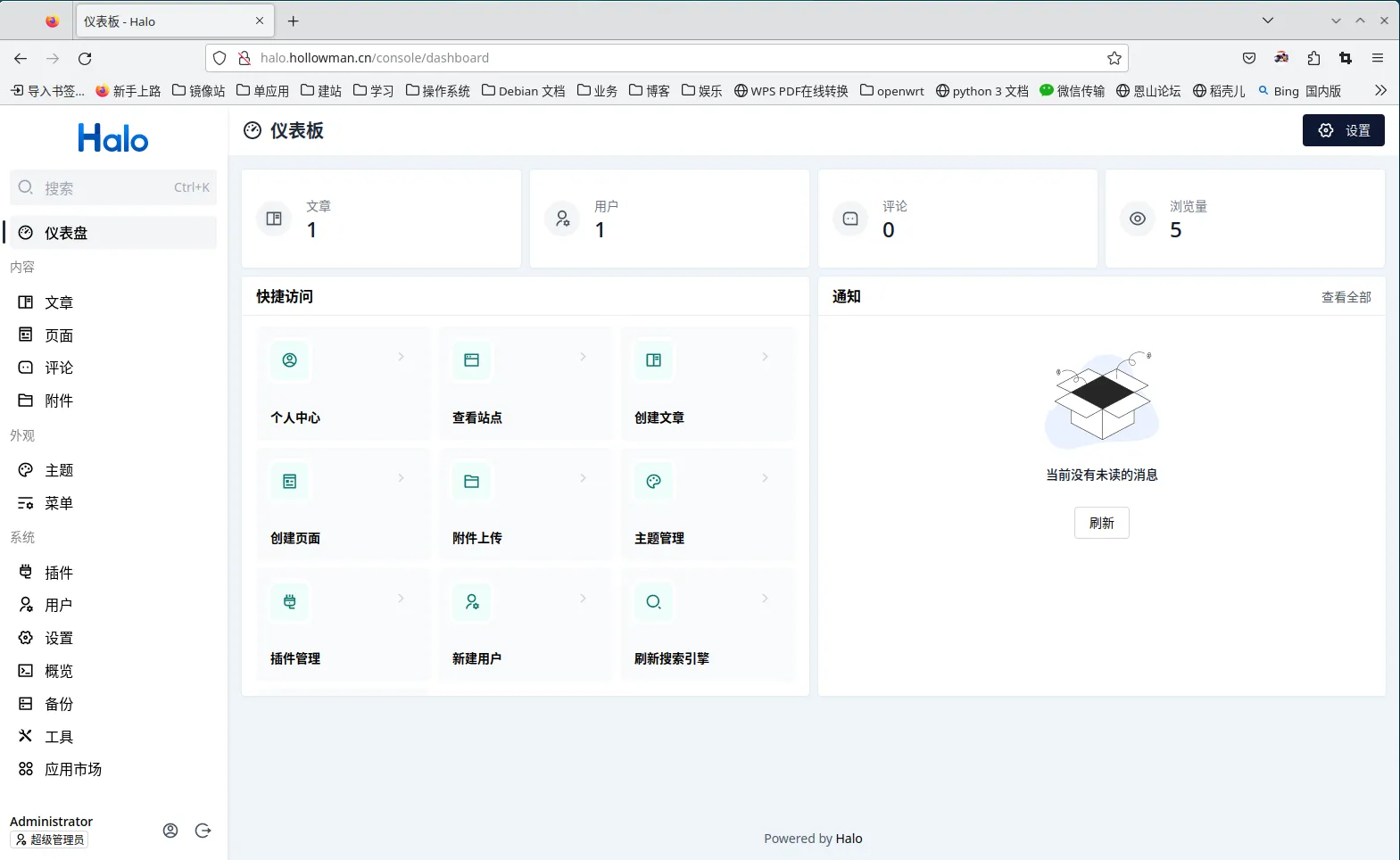
halo_admin.webp

然后在浏览器输入 halo.hollowman.cn 即可正常浏览网页。界面如下:
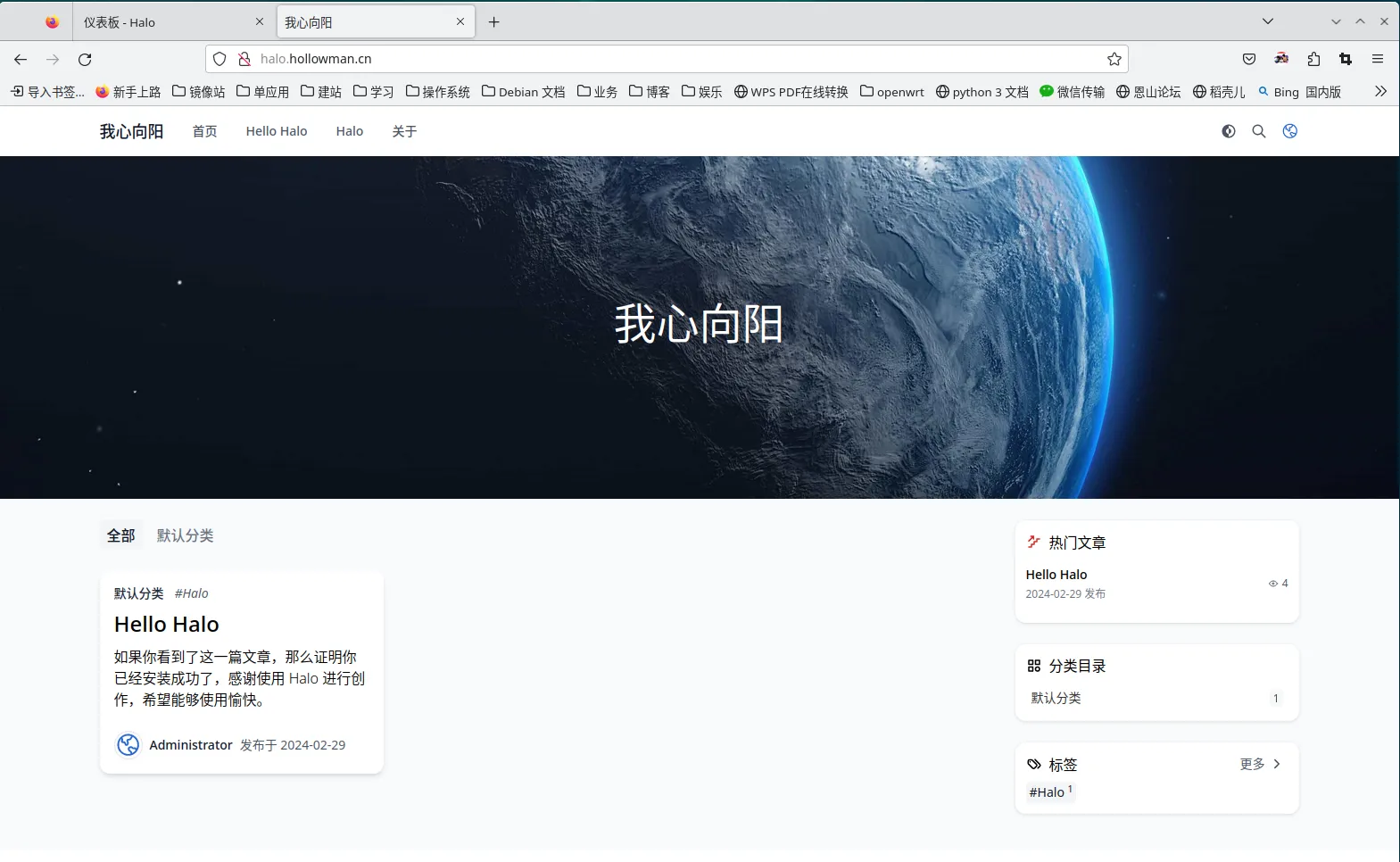
Halo_home.webp