






Google Product Listing Ads can be an amazing way to target new customers in a cost-effective way – if you know what you’re doing. Product Listing Ads are visually appealing, often well-targeted and can go a long way to ensure your Google Shopping ads are profitable.
In this guide, we will take you through everything you need to know to set up Google Product Listing Ads for your e-commerce store.
- What are Google Product Listing Ads
- ✅ Benefits of Product Listing Ads
- ⚙️ How to set up Google product listing ads
- How do I optimize Google product listing ads?
What are Google Product Listing Ads
Google Product Listing Ads, also known as PLA, are a type of advertising that allows e-commerce businesses to promote their products on Google’s search results pages, showcasing product images and prices to potential customers.
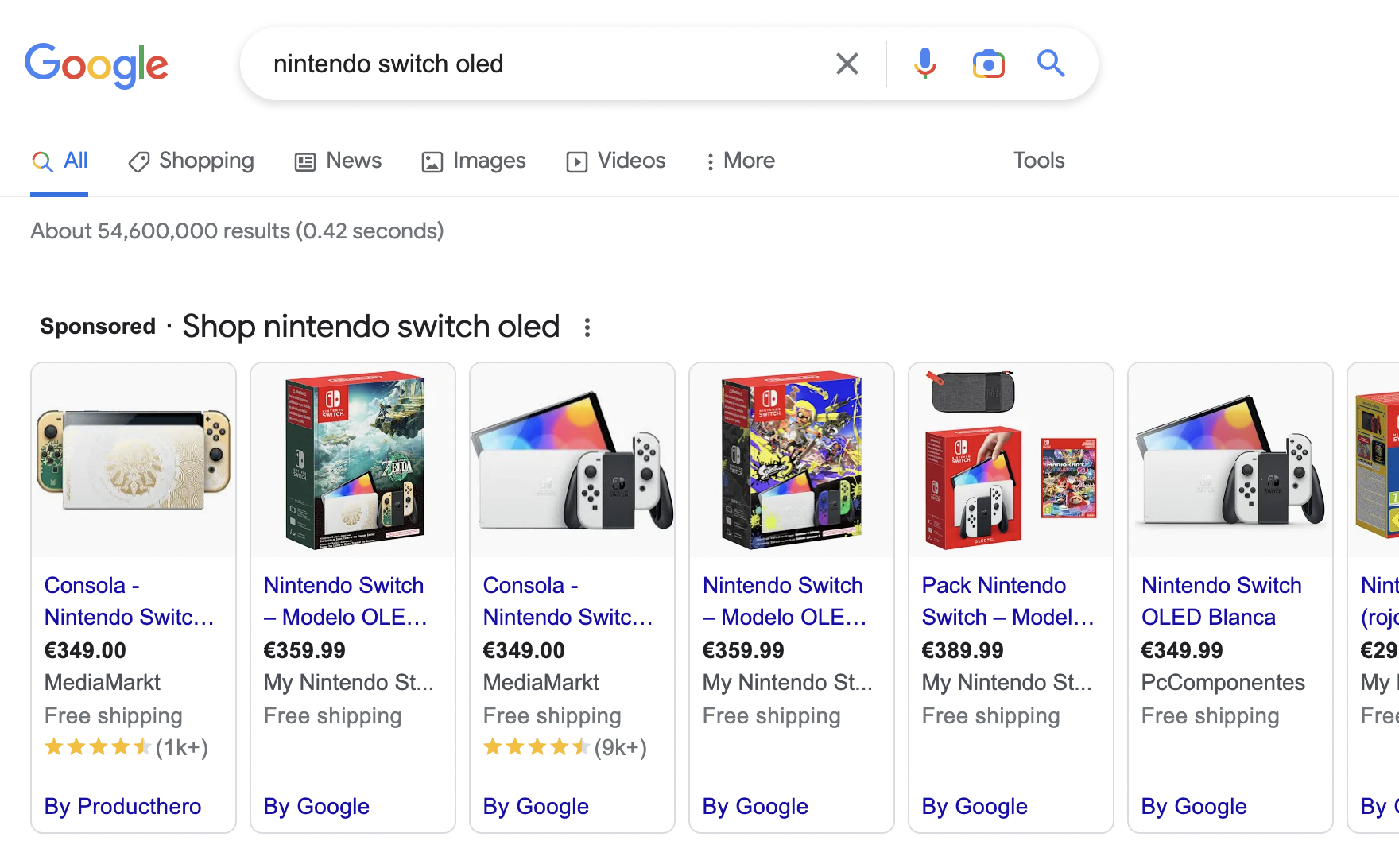
When a user searches for a product, here’s an example of how shopping ads may appear:
✅ Benefits of Product Listing Ads
- Increased visibility: PLAs are prominently displayed at the top of Google search results, making them more visible to potential customers who are searching for products.
- Highly targeted: PLAs are displayed based on a user’s search query and product category, making them more relevant to potential customers and increasing the likelihood of a click.
- Rich product information: PLAs include product images, pricing information, and other relevant details, making it easier for customers to evaluate products and make purchasing decisions.
- Cost-effective: PLAs operate on a pay-per-click (PPC) model, meaning you only pay when someone clicks on your ad. This makes them a cost-effective way to promote your products compared to traditional advertising methods.
- Higher conversion rates: PLAs have been shown to have higher click-through rates and conversion rates compared to traditional text ads, meaning they can lead to more sales for your business.
⚙️ How to set up Google product listing ads
Before we dive into the step-by-step guide, let’s first look at the general steps you should follow before getting started with this type of advertising:
- First and foremost, you’ll need a Google Ads account. If you don’t have one yet, it’s easy to create one. Just go to ads.google.com and follow the instructions.
- Second, you’ll need to have a Google Merchant Center account, which is where you’ll upload your product data to make it available to Google for use in your ads.
- Once you have both of these accounts set up, you’re ready to start setting up your PLA campaigns.
To structure your PLA campaigns, you need to follow these steps:
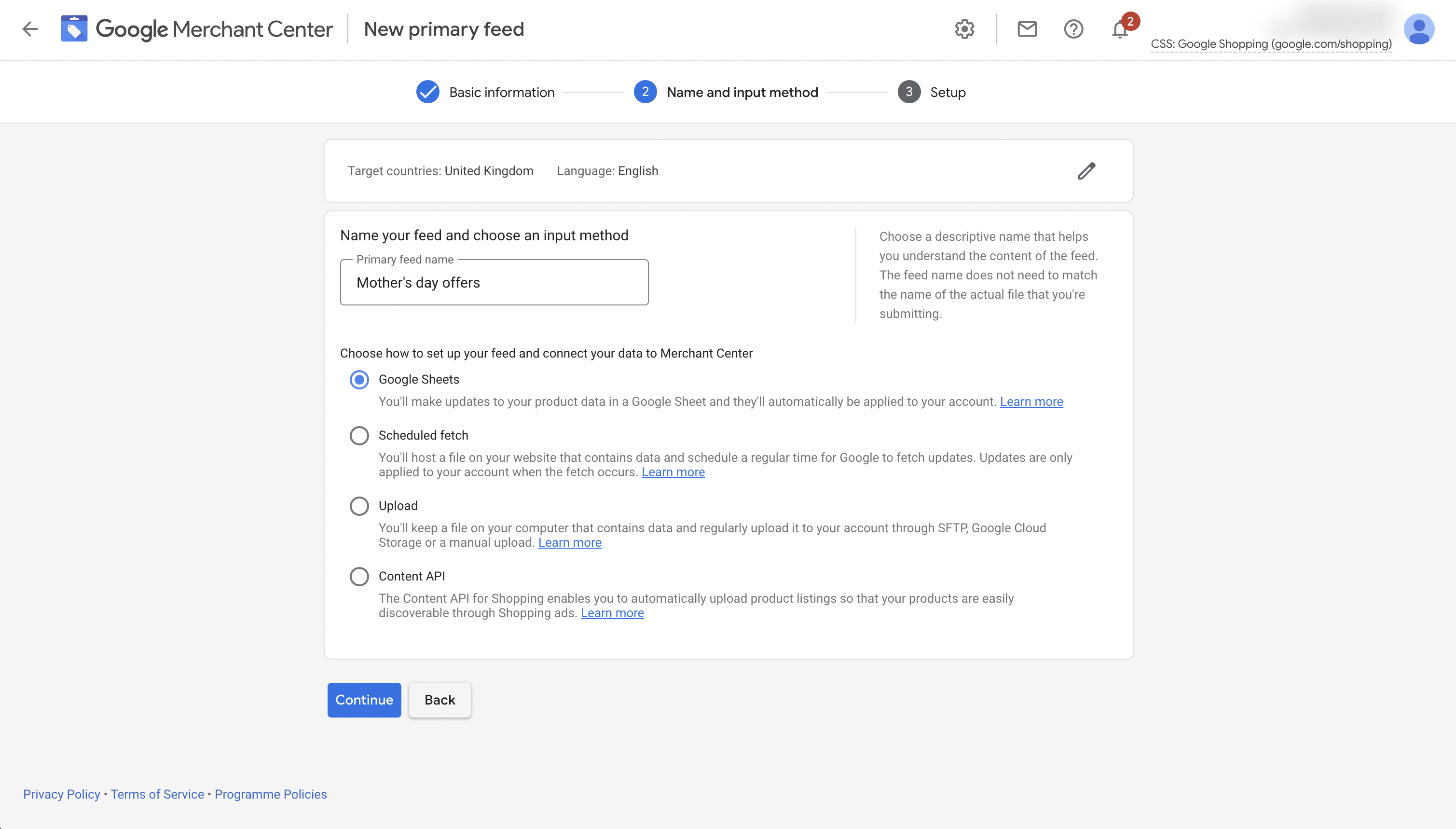
👉 Step 1: Create a Product Feed to advertise your products on Google – you’ll need to provide Google with your product data.
This data includes:
- product names,
- descriptions,
- images,
- prices,
- and more.
You can upload this data to Google Merchant Center by creating a product feed.
A product feed is a file that contains all the information about your products. You can create this feed using a spreadsheet or a supported e-commerce platform.
👉 Step 2: Create a Campaign in Google Ads.
Once you have your product feed set up, it’s time to create your PLA campaign in Google Ads.
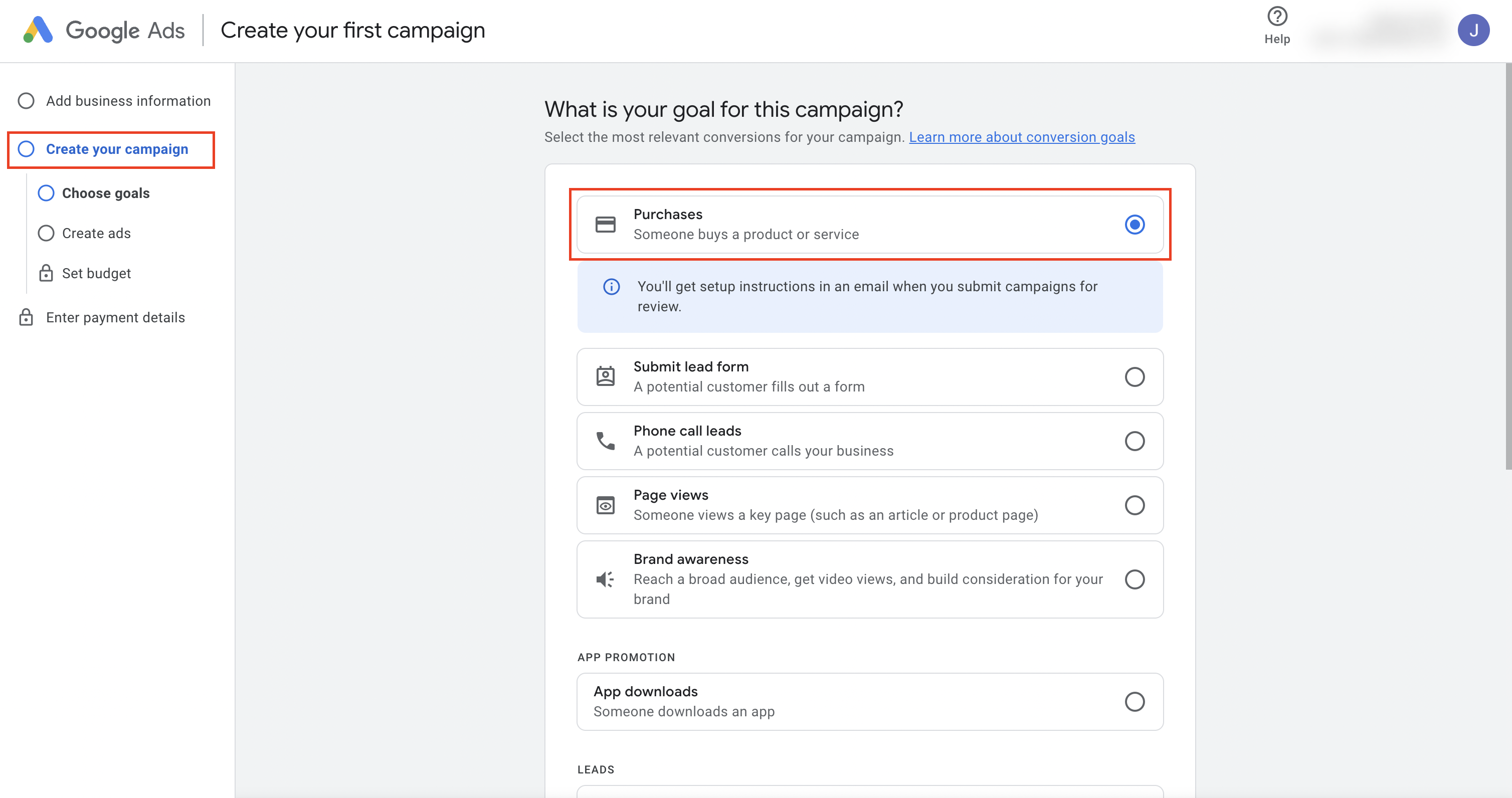
To create a campaign, click on the “New Campaign” button in your Google Ads account and select “Purchases” as your campaign type. From there, you’ll need to name your campaign, set your budget, and select your target audience.
👉 Step 3: Set Up Your Ad Groups In your campaign – you’ll need to create ad groups that contain your product listings.
Ad groups allow you to organize your ads by theme or product type.
For example, you might have one ad group for women’s clothing and another for men’s clothing. Within each ad group, you’ll need to set bids for your products, which determine how much you’re willing to pay for clicks on your ads.
👉 Step 4: Create Your Ads Once you have your ad groups set up, it’s time to create your ads.
PLA ads include a product image, title, price, and your store name. Google automatically generates your ad using the product data you uploaded to your product feed.
However, you can optimize your ad by writing compelling product titles and descriptions, adding promotions, and using high-quality product images.
👉 Step 5: Monitor and Optimize Your Campaign Once your PLA campaign is up and running.
It’s important to monitor and optimize it regularly.
You can use Google Ads’ reporting tools to track your ad performance, including clicks, impressions, and conversions. From there, you can adjust your bids, add negative keywords, and test different ad copy to improve your ad performance.
Now that you know how to set up your Google product listing Ads campaigns, let’s talk about how to optimize them ⬇️
How do I optimize Google product listing ads?
Facebook Dynamic Product Ads, also known as DPAs, are a type of dynamic retargeting ad that allows eCommerce businesses to promote their products to people who have previously shown interest in them.
Dynamic retargeting means that the ads are created dynamically, based on the products that people have interacted with on the business’s website or app.
DPAs allow businesses to target potential customers who have abandoned their carts, browsed through specific product pages, or made a purchase in the past.
Optimizing your Google Product Listing Ads campaigns is essential to increase your ad performance and generate more sales.
Here are some tips to optimize your campaigns:
- Improve your product data: Ensure that your product data is accurate, complete, and up-to-date. Include high-quality product images, detailed product descriptions, and correct pricing and availability information.
- Optimize your product titles and descriptions: Use relevant keywords in your product titles and descriptions to increase the visibility of your products. Include product features and benefits, and make sure your language is clear and concise.
- Use negative keywords: Use negative keywords to exclude irrelevant searches and save your ad spend. For example, if you sell only women’s clothing, use “men’s clothing” as a negative keyword.
- Monitor your bid strategy: Regularly monitor your bid strategy and adjust your bids for individual products based on their popularity, profit margin, and competition.
- Use ad extensions: Use ad extensions, such as promotions and seller ratings, to provide more information about your products and improve your ad performance.
- Target specific geographic areas: If you have a brick-and-mortar store, target your ads to specific geographic areas to drive in-store sales.
- Track your performance: Use Google Analytics to track your campaign’s performance and identify areas for improvement. Analyze your click-through rate, conversion rate, and cost per conversion to optimize your campaigns.
Setting up Google Product Listing Ads can greatly benefit your e-commerce business by increasing product visibility and driving more sales. If you consider the suggestions given in this guide, you will be able to create effective and profitable PLA campaigns for your store. 🚀
Read also
- Abandoned Cart Email Templates
- Retargeting vs Remarketing
- Retargeting Campaign: How to Bring Back Lost Customers
About us

The solution to draft, update and maintain your Terms and Conditions. Optimised for eCommerce, marketplace, SaaS, apps & more.