



Here is our website launch checklist, or the 5 fundamental things you need to check before your website goes live.
Considering that you’ve probably invested quite a bit of effort if you’ve made it to this point – you definitely want to make sure that everything is perfect. Indeed, a website that has been set up correctly can really make a difference for your business!
But what if you missed something that could compromise your traffic and revenues? Don’t worry, we got you covered!

1. Check that your website is secure with an SSL certificate
Have you ever seen this message? 👇
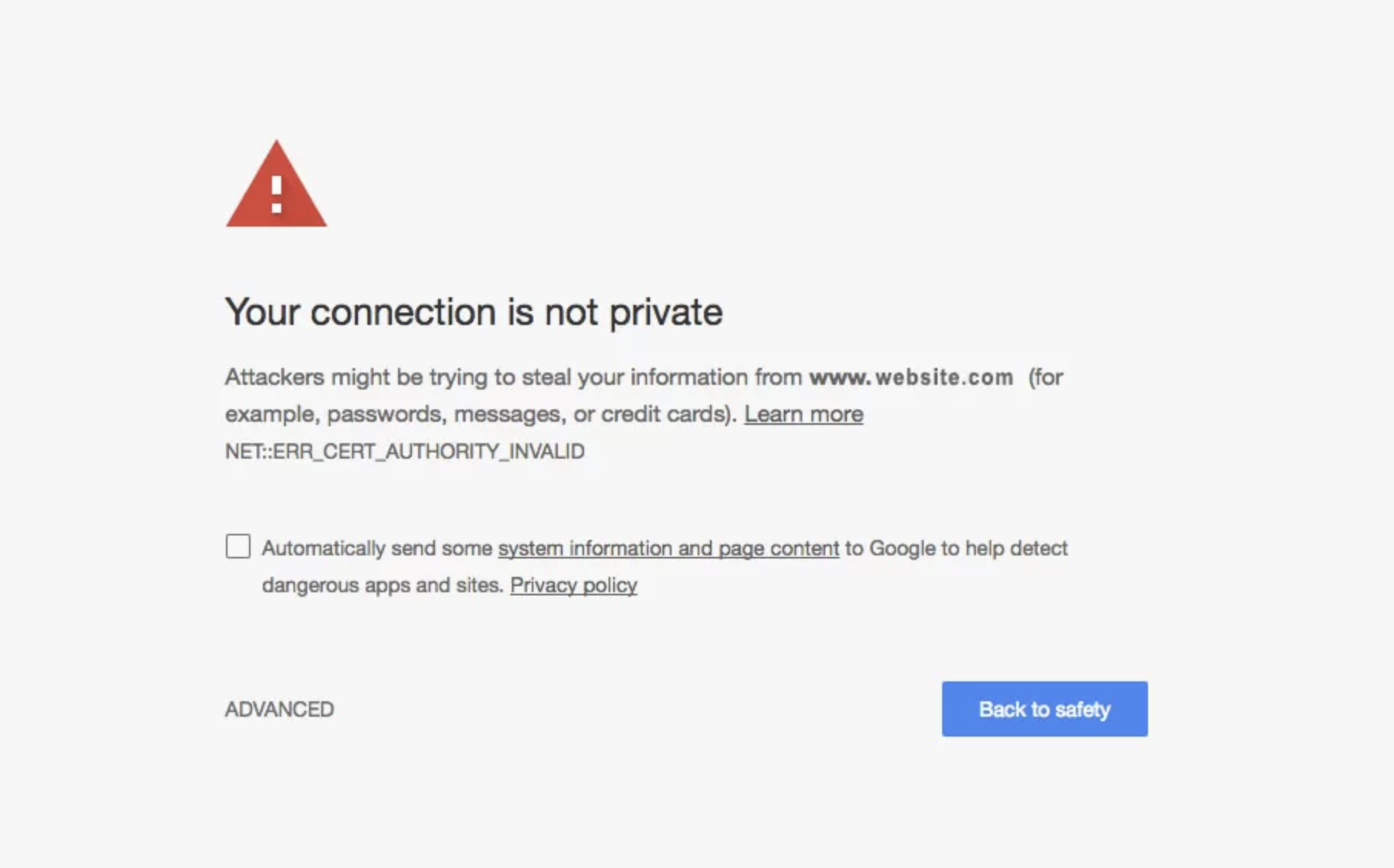
This is what Google Chrome shows when a website is not secure. Browsers block websites they mark as unsafe for users, because they see them as a threat for their privacy.
As a website owner, you definitely don’t want your reputation be damaged by a message like this. Moreover, almost everyone visiting your website would instantly close it if it were shown as unsafe.
How can you avoid it?
Check that your website has an SSL certificate and is working properly.
What does SSL mean?
SSL stands for Secure Sockets Layer, a protocol that encrypts communication between the browser and web server. An SSL certificate confirms your identity as the website owner and ensures your users’ privacy is protected.
By confirming your SSL certificate, your URL will start with HTTPS and not just HTTP. An HTTP URL would be shown as non-secure and this could highly affect traffic and trust.
If you still don’t have an SSL certificate, you can generate one for free on websites like Let’s Encrypt.
2. Check responsiveness and speed
Did you know that 40% of people abandon a website that takes more than 3 seconds to load?
That’s why you want to make sure that your website is loading fast. There are 3 things that it’s important to test:
👉 how long it takes to open your website;
👉 how long it takes to see the first piece of content on your home page;
👉 how long it takes for a page to load all the elements.
Speed is crucial for SEO and traffic. A responsive website is also a website with a lower bounce rate. Basically, people will less likely to close your website if it loads fast.
A few things you can do to improve your website’s speed are:
- optimize your images;
- check that the files you’re using are in the right format;
- if you’re using a CMS and you’ve installed plugins, check that they aren’t slowing down your pages.
3. Check that your website is accessible to everybody
One thing that you should never forget is accessibility. A website that is accessible is a website that everybody can use, regardless of their abilities or disabilities.
The Web Content Accessibility Guidelines (WCAG) 2.0 provide the standard for accessible websites. Here are a few things that you could do to improve your website’s accessibility:
- add alt text to all your images;
- make your website navigable with the keyboard alone;
- make your text content readable and understandable;
- make your website compatible with multiple devices, operating systems and browsers.
Following WCAG guidelines doesn’t only allow everyone to use your website fully, but it can also give you a slight SEO advantage.
4. Check that your website is optimized for mobile
It’s a fact: today, most people access websites through their mobile phones. According to the latest stats, 62.06% of website traffic comes from mobile devices. And this explains also why Google has switched to a mobile-first indexing approach, meaning that the mobile version of a website is indexed first.
So having a website that is optimized for mobile view is key.
As a rule of thumb, the mobile version of your website should have the same content as the desktop version, the images should be optimized for a smaller screen, as well as the overall spacing and elements (you can check here for more best practices on website development and design).
5. Check that your website is legally compliant
Last but not least, you shouldn’t forget your legal documents.
Legal compliance is often overlooked, but it shouldn’t. You surely wouldn’t want your website to be shut down after its launch.
Now more than ever, people are conscious about privacy and how their data is used. Being transparent with them allows you to build a relationship based on trust, which will likely last longer.
Moreover, legal compliance is beneficial to you, too, because it prevents liabilities and unpleasant consequences. For example, almost every US privacy law allows users to sue businesses that collect and process personal data unlawfully.
How do you comply with privacy laws?
The first thing to do here is to determine your law (or laws) of reference, that is the law that applies to you.
Then you should create and add your documents.
Each website has its specific needs, so the documents you need may vary. However, generally speaking, a website will most likely need:
- a privacy policy, that is a document that contains all the information about the data you collect through your website and how you’re planning to use it;
- a cookie consent management solution, that can help you manage every aspect of cookie consent.
- if you run an e-commerce, or a more complex website, you may also need a terms and conditions document, which helps you set the rules on how to use your services or content.
Get your legal documents in minutes with iubenda
iubenda offers attorney-level solutions to make your websites compliant with the law across multiple countries and legislations.
Our software tools are currently trusted by more than 90,000 clients worldwide and are designed to help you achieve full compliance and keep focusing on what matters most: your business.
Here’s the full overview 👇
This was our website launch checklist!
Let’s recap:
Speed and accessibility
My website is fast and responsive
My website is accessible for everybody
My website is optimized for mobile
Safety
My website has an SSL certificate and a HTTPS URL
Legal & Trust
I have a valid and up-to-date privacy policy
I have a consent banner and privacy controls for European and US users and a solution to manage cookies
I have a terms and conditions document
We know that some of these things will probably require some effort on your side, but it’s important to set everything up because they will save you a lot of time and money in the future!
However, some things don’t need to take that long.
💡
For example, there are tools that can help you get compliant in just a few minutes, like iubenda!
iubenda can help you make your website legally compliant, in minutes:
- Our Privacy and Cookie Policy Generator allows you to create a privacy and cookie policy for your website and comply with data protection laws such as the EU GDPR, the US CCPA/CPRA or VCDPA, the Brazilian LGPD.
- Our Privacy Controls and Cookie Solution help you manage every aspect of cookie consent and privacy preferences across multiple locations.
- Our Terms and Conditions Generator helps you create your customized Terms and Conditions document, to suit your needs.
👀 See more:
- Top 7 Hosting With Website Builder Included
- How Much Does Website Development Cost? A Comprehensive Breakdown
- A Quick Overview of European Privacy Laws
About us

Attorney-level solutions to make your websites and apps compliant with the law across multiple countries and legislations.