


Before a purchase or when filling out a form, we have all been invited to click a button to agree with Terms and Conditions. This action is called clickwrap. It can seem quite simple, but there are a few distinctions to make and some best practices to follow, that we will explain in this post. 👀 Let’s get started!

What is clickwrap?
Clickwrap is the method for entering a contract, such as agreeing to the Terms and Conditions of a website or app, that involves a user to actively click on a checkbox. It is usually required at the end of a form, i.e. account registration or checkout.
Browsewrap vs. clickwrap
Browsewrap and clickwrap agreements are both methods for someone to agree to Terms on a website or app, but they have one major difference.
📌 Browsewrap agreement is passive. The user is considered to agree to the Terms by just using or browsing the website. Typically, it looks like the following informative message (displayed, or not, to users): “By continuing to use this Site, you agree to the Site’s Terms of Use”.
Why does browsewrap raise some issues?
Because no proper notice nor explicit action (and therefore explicit consent) are required. Users aren’t correctly or fairly informed, consent is only implied. The only fact that agreements are available on the site (menu, footer) acts as a binding agreement. That’s why browsewrap is on its way to being phased out, since explicit consent is now the norm.
📌 Clickwrap agreement, on the other hand, is a contract you enter by clicking on something. It is active, which means agreements are still provided in the footer or menu, but links to those documents are also presented to the user at the moment he/she is prompted to agree – usually by checking a box – to the Terms and Conditions.
Typically, this type of agreement looks like a checkbox with a label such as “I confirm I have read and agree to the present Terms and Conditions”.
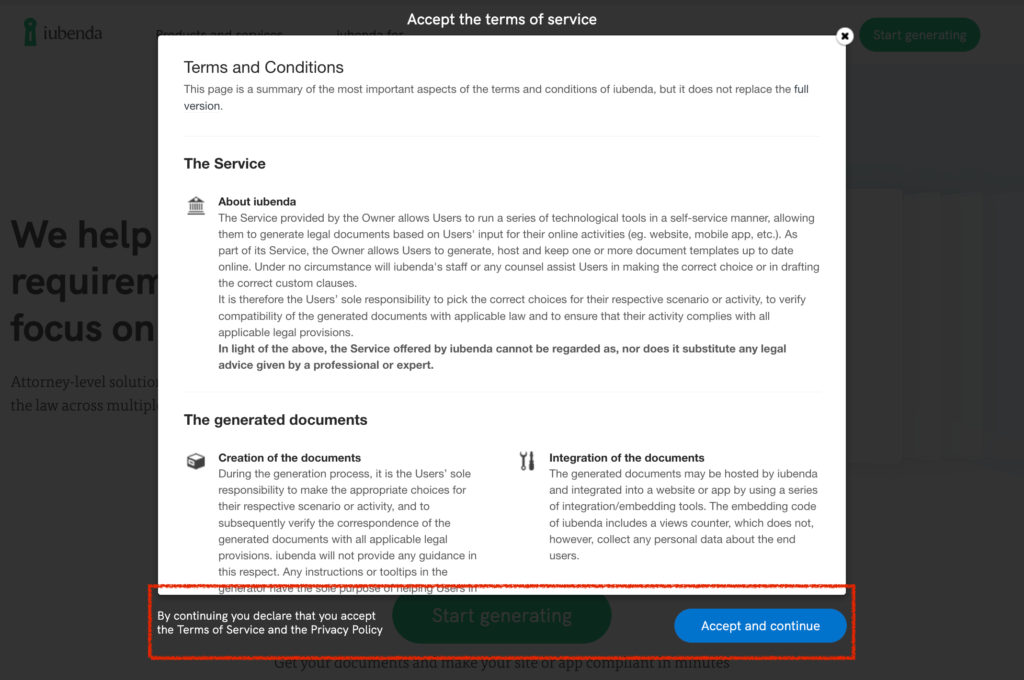
💡 Clickwrap is clearly the preferred method because it requires an explicit action and consent from users.
Why is clickwrap important?
To protect your website, limit your liability, comply with data privacy laws, you most likely have some important legal documents in place such as Terms and Conditions, Privacy and Cookie Policies.
If these documents are not present, or they are hidden somewhere on your site, users aren’t aware of them or provided with a way to agree to your Terms and therefore there is no binding agreement in place.
When users don’t explicitly agree, this generally means that rules, clauses, disclaimers, limitations of liability outlined in the document will not be enforced in case something happens.
Furthermore, failing to inform users of your Terms can result in your content being illegally used, or your information scraped, at your expense.
🔍 You don’t have a Terms and Conditions document? Here are 5 reasons why you need them.
Where should I put them on my site?
So, how do you make sure users agree to your Terms?
It’s in your best interest to make sure clickwrap agreements are used in the right scenarios and in the right way (see section below). They are commonly used in:
- Forms (contact, login or account registration); and
- Checkout pages.
How you should use clickwrap agreements
Here are 5 things to follow as a best practice for setting up a valid clickwrap method:
1. Clickwrap should be conspicuous
👁️ Whether it’s at the end of a form or a checkout process, clickwrap set up should be easy to see and recognize. Font sizes and colors should be noticeable, the full screen should stay simple.
2. Clickwrap should use clear language
🖋️ Being clear and unambiguous means you should explain exactly what documents users are agreeing to after clicking, using simple language. It goes without saying: make sure to link to the documents, hyperlinks should be blue and underlined.
3. Clickwrap should include an explicit action from users
No pre-checked boxes! Pre-checking the box is considered a misleading and unfair method to get users to agree. Users need to actively check the box.
It is common practice to:
- make checking the box a mandatory field for continuing (meaning you can’t submit if you haven’t agreed);
- require users to virtually open the documents before continuing.
4. Request renewed agreement after an update
🆕 This usually applies to the use of a website, app or service in general. It is important to request renewed acceptance whenever your agreements are modified. Users should also be informed of it (i.e. by email).
5. Use separate checkboxes per document
This applies if you are using more than one document in your clickwrap agreement.
It’s good practice not to lump documents together, but to use separate checkboxes for each privacy document you want users to acknowledge. In that way, you will get separate active consents.
👋 Do you have forms on your website? Here’s an important note for you
Did you know your forms need to be done a certain way for them to be valid?
If they aren’t, you might not be able to use the information collected.