


惯性聚合 高效追踪和阅读你感兴趣的博客、新闻、科技资讯
阅读原文 在惯性聚合中打开

推荐订阅源

L
LangChain Blog
阮一峰的网络日志
阮一峰的网络日志
WordPress大学
WordPress大学
博客园 - 司徒正美
罗磊的独立博客
D
Docker
Last Week in AI
Last Week in AI
爱范儿
爱范儿
M
MIT News - Artificial intelligence
V
V2EX
Google DeepMind News
小众软件
小众软件
Apple Machine Learning Research
Microsoft Security Blog
T
Tailwind CSS Blog
MyScale Blog
MyScale Blog
V
Visual Studio Blog
博客园 - 叶小钗
B
Blog RSS Feed
A
About on SuperTechFans
F
Fortinet All Blogs
T
The Blog of Author Tim Ferriss
Martin Fowler
Martin Fowler
P
Proofpoint News Feed

Runpod Blog.

New Runpod datacenter now live: AP-IN-1 Track GPU spend across your team with Cost Centers The GPU supply supercycle is here. Here’s what AI builders need to know. Community Spotlight: One-click AI image and video generation on Runpod with SwarmUI | Runpod Blog Community Spotlight: LoRA Pilot Data Prep to Inference Introducing the Runpod Assistant: Manage Your Cloud GPU Resources with Natural Language OpenAI's Parameter Golf: Train the Best Language Model That Fits in 16MB on Runpod LLM inference optimization: techniques that actually reduce latency and cost Pruna P-Video and Vidu Q3 public endpoints now available on Runpod Runpod brand spelling guide Quickstart - Runpod Documentation The AI market looks nothing like the narrative Training StyleGAN3 with Vision-Aided GAN on Runpod KoboldAI – The Other Roleplay Front End, And Why You May Want to Use It How to Connect Cursor to LLM Pods on Runpod for Seamless AI Dev Community Spotlight: How AnonAI Scaled Its Private Chatbot Platform with Runpod Prompt Scheduling with Disco Diffusion on Runpod Runpod's Latest Innovation: Dockerless CLI for Streamlined AI Development Run Your Own AI from Your iPhone Using Runpod Introducing Flash: Run GPU workloads on Runpod Serverless: No Docker required Use Claude Code with your own model on Runpod: No Anthropic account required Avoid Errors by Selecting the Proper Resources for Your Pod What hackers built on Runpod at TreeHacks 2026 Easily Back Up and Restore Your Pod with Cloud Sync + Backblaze B2 The Complete Guide to GPU Requirements for LLM Fine-Tuning AI Guides, Tutorials & GPU Infrastructure Insights | Runpod Your first Claude Code project within Runpod: a complete setup guide 10 billion Serverless requests and counting Building for resilience: Runpod’s response to the AWS us-east-1 outage How to Connect Google Colab to Runpod
Use DeepFloyd To Create Actual English Text Within AI!
Brendan McKeag · 2023-05-16 · via Runpod Blog.

If you've ever tried to generate text in images in packages like Stable Diffusion, you're probably familiar with the positively haunting facsimile of language it manages to produce. It looks so much like it could be a real language, and ultimately manages to be gibberish - something like you might actually see in a dream.

Screenshot from DeepFloyd text generation tutorial

As entertaining as it can be at times, it's probably not what you want to see in a serious art project. Runpod is proud to offer a solution through DeepFloyd, as portrayed in a new video by Bill Meeks, which can be run directly within a pod on the platform.

Setting up DeepFloyd on Runpod

First, you'll need to download a customized Jupyter notebook created by Bill Meeks, which can be found here.

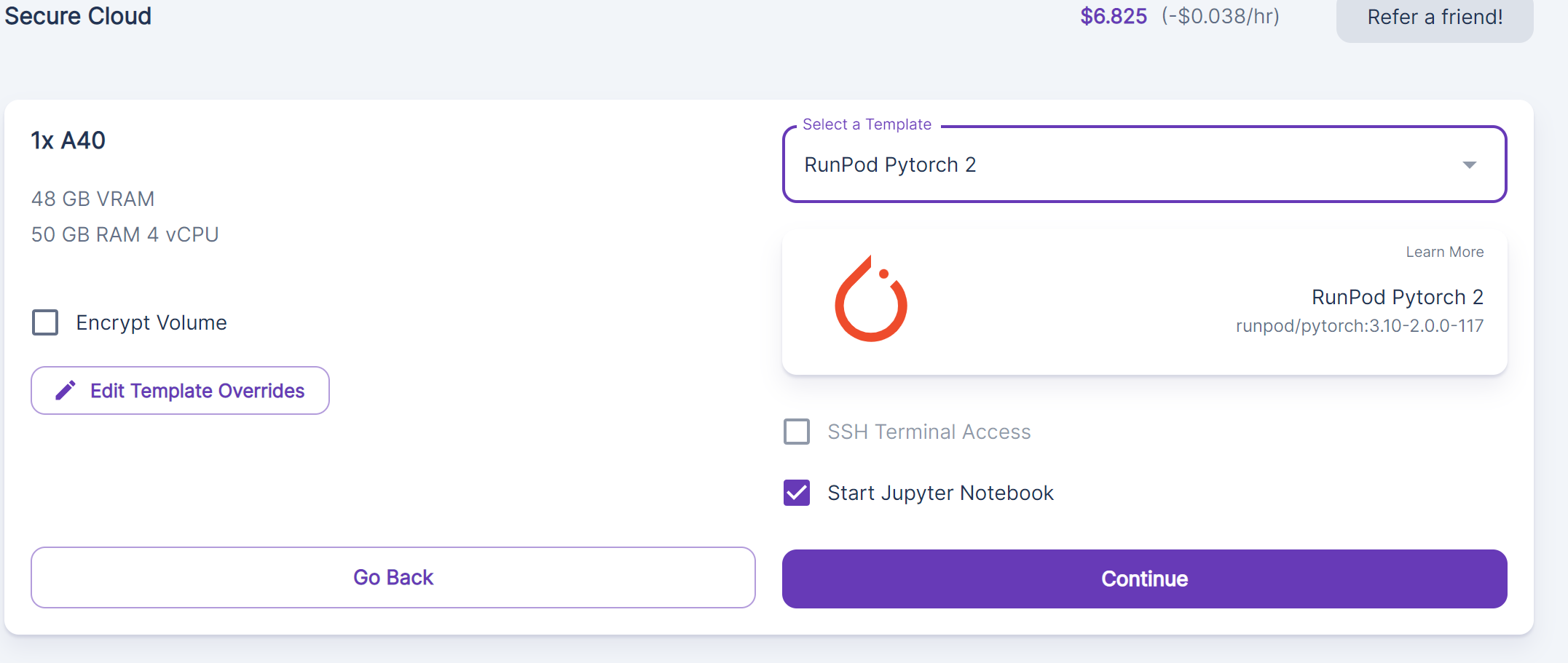
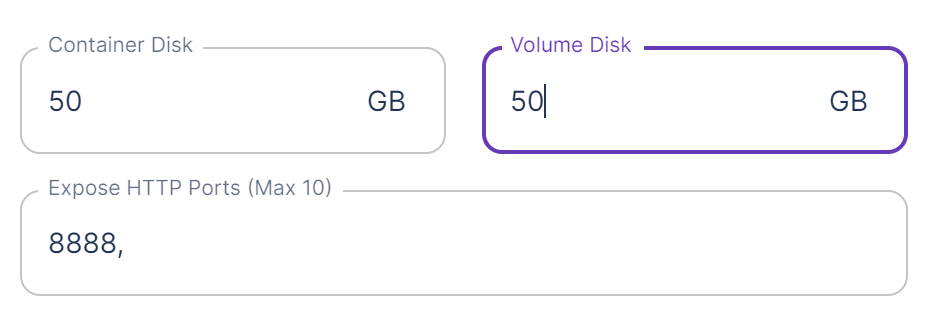
Then, you'll want to spin up a reasonably powerful pod (such as an A40, at the very least) and create it using the Pytorch 2 template. Even an A40 will take a few minutes per image set, so you'll want to use a healthy GPU to be sure that you don't run into CUDA errors or other delays. You'll also want to edit the template override and give the pod at least 50gb for both the volume and the container.
Screenshot from DeepFloyd text generation tutorial

Screenshot from DeepFloyd text generation tutorial

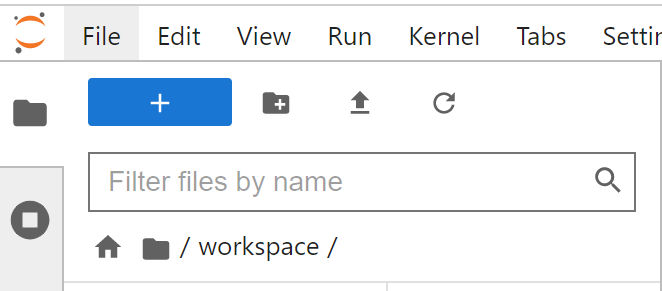
Once you have the Jupyter notebook loaded, upload the custom notebook that you downloaded earlier by clicking the upward facing arrow in the upper left corner.
Screenshot from DeepFloyd text generation tutorial

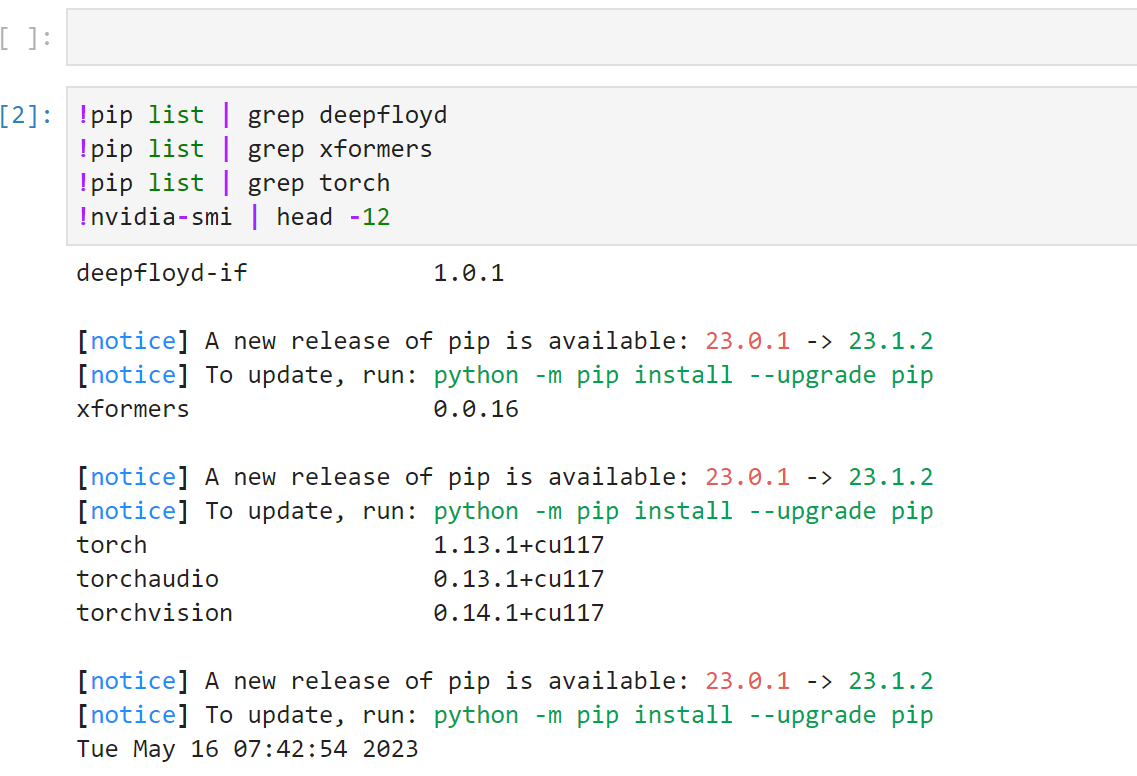
Then, run through each cell in the notebook by pressing Ctrl+Enter, moving to the next one after they complete.
Screenshot from DeepFloyd text generation tutorial

If you are prompted for a Huggingface token, you can create one under the Settings -> Access Tokens page on HF. You'll also need to go to the DeepFloyd page and accept their licensing agreement.
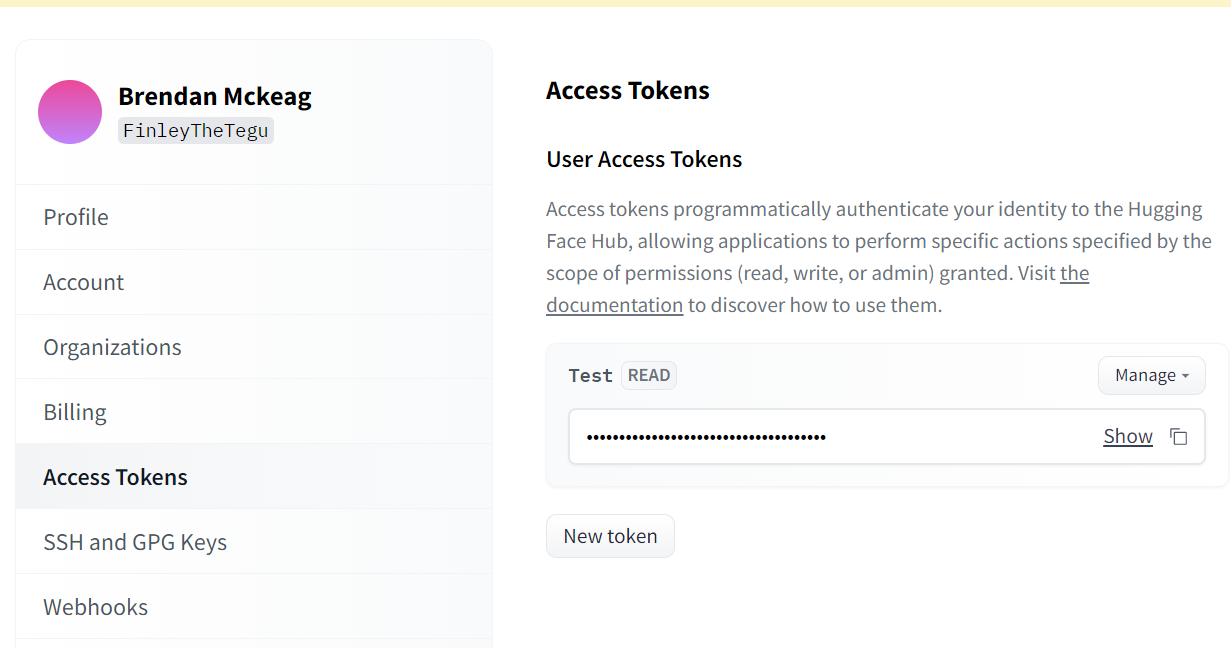
Screenshot from DeepFloyd text generation tutorial

Running the model

To run the model, scroll down further into the notebook past the initial setup and you'll see several cells where you can go in and change the text in the image.
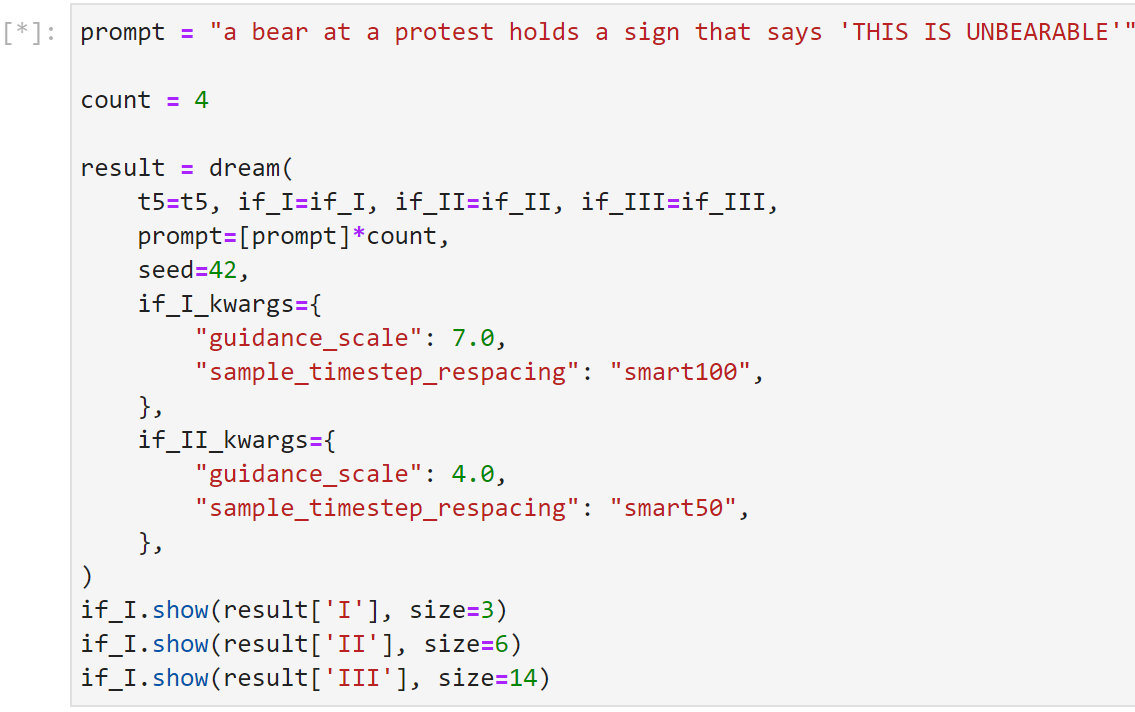
Screenshot from DeepFloyd text generation tutorial

As with Stable Diffusion in general, the goal should be to get an image that is close to what you are looking for, and then let manual editing carry you through any curveballs that it may throw in your way. It'll likely take a few iterations to get close to where you want to be, but it can get pretty darn close on its own with some patience.

AI-generated image of a bear at a protest holding a sign reading THIS IS UBBEARABLE

Don't forget to check out Bill's very in depth Youtube guide for further insights on how to run DeepFloyd on Runpod!

Author profile: Brendan McKeag