惯性聚合 高效追踪和阅读你感兴趣的博客、新闻、科技资讯
阅读原文 在惯性聚合中打开

推荐订阅源

让小产品的独立变现更简单 - ezindie.com
V
V2EX
WordPress大学
WordPress大学
U
Unit 42
I
InfoQ
A
About on SuperTechFans
宝玉的分享
宝玉的分享
J
Java Code Geeks
博客园 - 司徒正美
爱范儿
爱范儿
Engineering at Meta
Engineering at Meta
G
Google Developers Blog
人人都是产品经理
人人都是产品经理
小众软件
小众软件
Microsoft Security Blog
L
LangChain Blog
奇客Solidot–传递最新科技情报
奇客Solidot–传递最新科技情报
Hugging Face - Blog
Hugging Face - Blog
H
Hackread – Cybersecurity News, Data Breaches, AI and More
aimingoo的专栏
aimingoo的专栏
OSCHINA 社区最新新闻
OSCHINA 社区最新新闻
Last Week in AI
Last Week in AI
腾讯CDC
Recent Announcements

Runpod Blog.

New Runpod datacenter now live: AP-IN-1 Track GPU spend across your team with Cost Centers The GPU supply supercycle is here. Here’s what AI builders need to know. Community Spotlight: One-click AI image and video generation on Runpod with SwarmUI | Runpod Blog Community Spotlight: LoRA Pilot Data Prep to Inference Introducing the Runpod Assistant: Manage Your Cloud GPU Resources with Natural Language OpenAI's Parameter Golf: Train the Best Language Model That Fits in 16MB on Runpod LLM inference optimization: techniques that actually reduce latency and cost Pruna P-Video and Vidu Q3 public endpoints now available on Runpod Runpod brand spelling guide Quickstart - Runpod Documentation The AI market looks nothing like the narrative Training StyleGAN3 with Vision-Aided GAN on Runpod KoboldAI – The Other Roleplay Front End, And Why You May Want to Use It How to Connect Cursor to LLM Pods on Runpod for Seamless AI Dev Community Spotlight: How AnonAI Scaled Its Private Chatbot Platform with Runpod Prompt Scheduling with Disco Diffusion on Runpod Runpod's Latest Innovation: Dockerless CLI for Streamlined AI Development Run Your Own AI from Your iPhone Using Runpod Introducing Flash: Run GPU workloads on Runpod Serverless: No Docker required Use Claude Code with your own model on Runpod: No Anthropic account required Avoid Errors by Selecting the Proper Resources for Your Pod What hackers built on Runpod at TreeHacks 2026 Easily Back Up and Restore Your Pod with Cloud Sync + Backblaze B2 The Complete Guide to GPU Requirements for LLM Fine-Tuning AI Guides, Tutorials & GPU Infrastructure Insights | Runpod Your first Claude Code project within Runpod: a complete setup guide 10 billion Serverless requests and counting Building for resilience: Runpod’s response to the AWS us-east-1 outage How to Connect Google Colab to Runpod
Deploy Python ML Models on Runpod, No Docker Needed
River Snow · 2023-06-20 · via Runpod Blog.

What if I told you, you can now deploy pure python machine learning models with zero-stress on Runpod! Excuse that this is a bit of a hacky workflow at the moment. We'll be providing better abstractions in the future!

Prerequisites and Notes

  • The tutorial only works for containers installed purely from pypi, so system installed packages unfortunately won't work with this tutorial
  • A good understanding of virtual environments in python
  • A network drive (see the Runpod network volumes guide)
  • A decent amount of knowledge on how to use the terminal

For the ease of this tutorial, I am going to do all this in the Jupiter interface (for editing python files), however, this tutorial may be repeated in vscode, if that is a coding environment you are more comfortable with
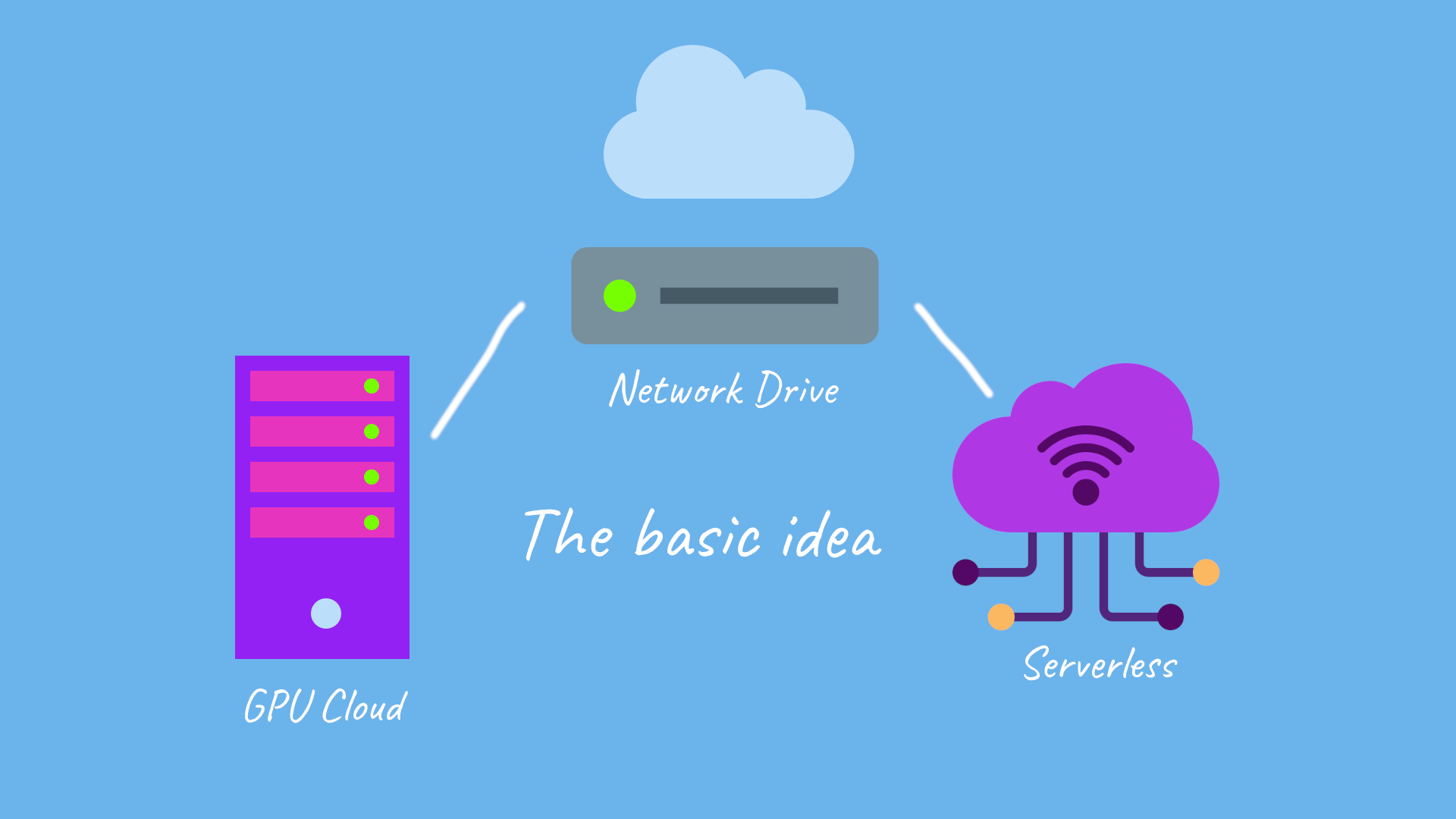
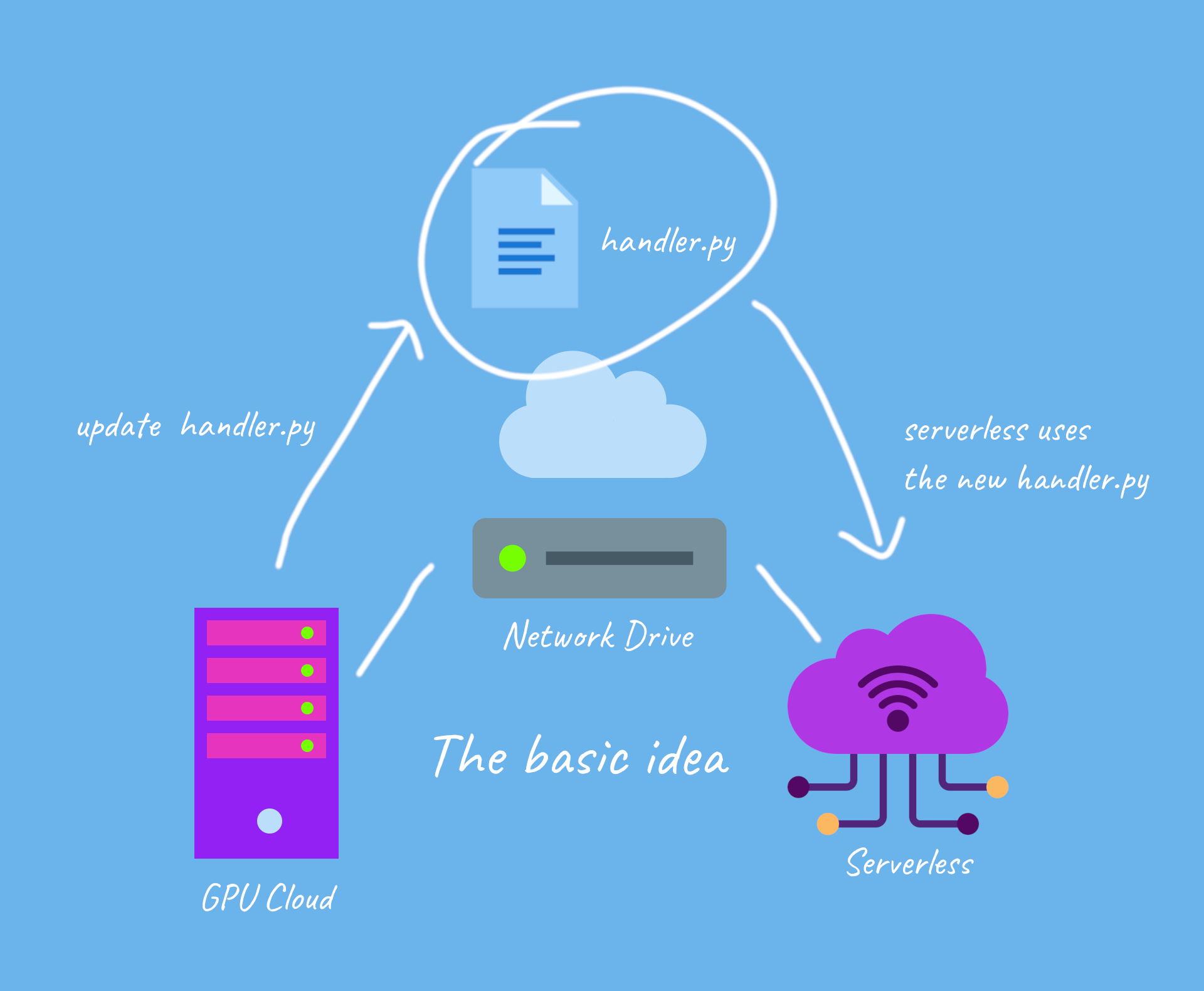
The Grand Idea

we're essentially connecting and running our serverless functions and updating the handler in serverless, using GPU cloud

we're essentially connecting and running our serverless functions and updating the handler in serverless, using GPU cloud

and for updates

when we update the handler file via GPU cloud on the network drive, we also update it on serverless

when we update the handler file via GPU cloud on the network drive, we also update it on serverless

Lets Get Started!

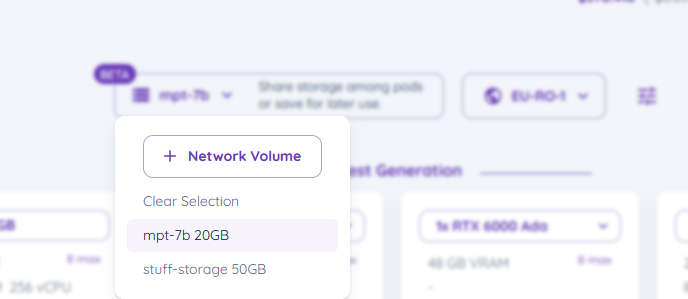
  1. Select your network drive in secure cloud, and click it to select it, it should appear on your top bar

select the network drive

select the network drive

2. Lets start a Runpod Pytorch 2 (you can use any runtime container that you like) template with Runpod, by selecting the pod you wish for with the template
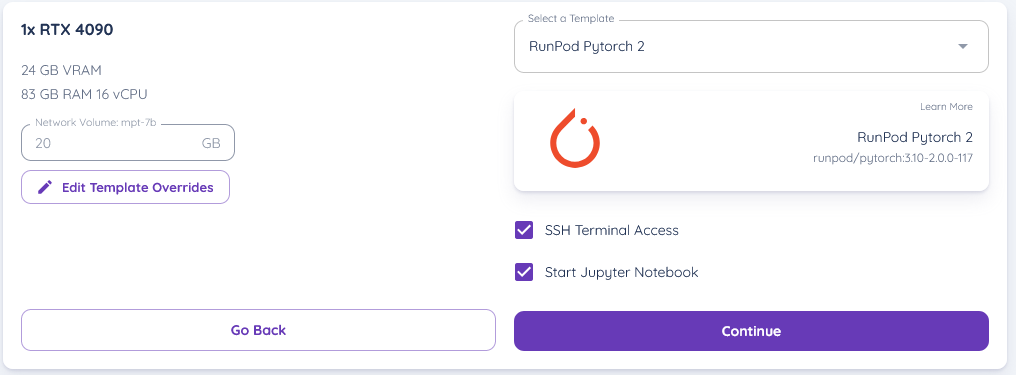
Runpod pod setup with RTX 4090 and PyTorch 2 template, SSH terminal and Jupyter Notebook options checked

(ensure your network drive is selected on the pod)

3. start the pod and get into the Jupyter Lab interface, and then open a terminal
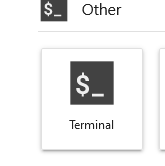
Screenshot from Python ML model deployment tutorial

4. now in the terminal, create a python virtual environment by typing in (ensure your current directory is /workspace)

update ubuntu with

then create a virtual environment

this should create a virtual environment in /workspace

next we activate the virtual environment with

5. for now, I am going to develop and deploy bark, a text-to-speech engine that produces realistic sounding audio

lets install the package in the terminal by typing, as well as runpod and scipy

6. lets create a python file, and type in the following code into it, lets name it "handler.py" and save it in /workspace/handler.py

the python code for running bark

code explanation :
this basically returns the generated audio as a file

7. lets write a startup file - this will be the code used to start docker up with serverless, we'll save this in "/workspace/pod-startup.sh"

Testing the API out on runpod - in GPU cloud

  1. You can test the api out by creating a testing json in /workspace/test_input.json

2.

 1. deactivate the venv we're in in the terminal by typing deactivate
 2. try sh pod-startup.sh to test it out

This should show the generation process, and we should be able to see the process being run!

Testing the API out via serverless

  1. Go ahead to serverless and lets create a new serverless template

Goto https://www.console.runpod.io/serverless/user/templates and create a new template

2. and set its variables to the following
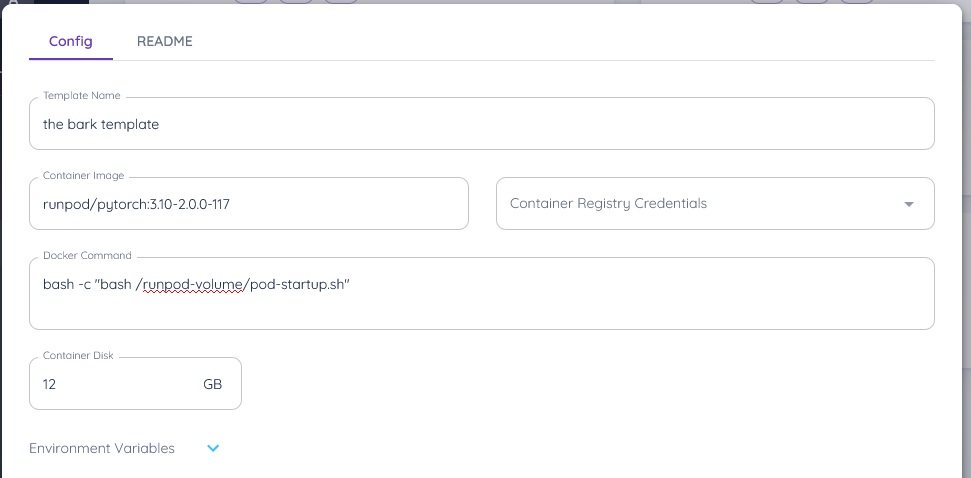
Runpod template config for 'the bark template' with PyTorch container image and custom startup Docker command

3. now setup a runpod serverless api with your network volume connected, using the template
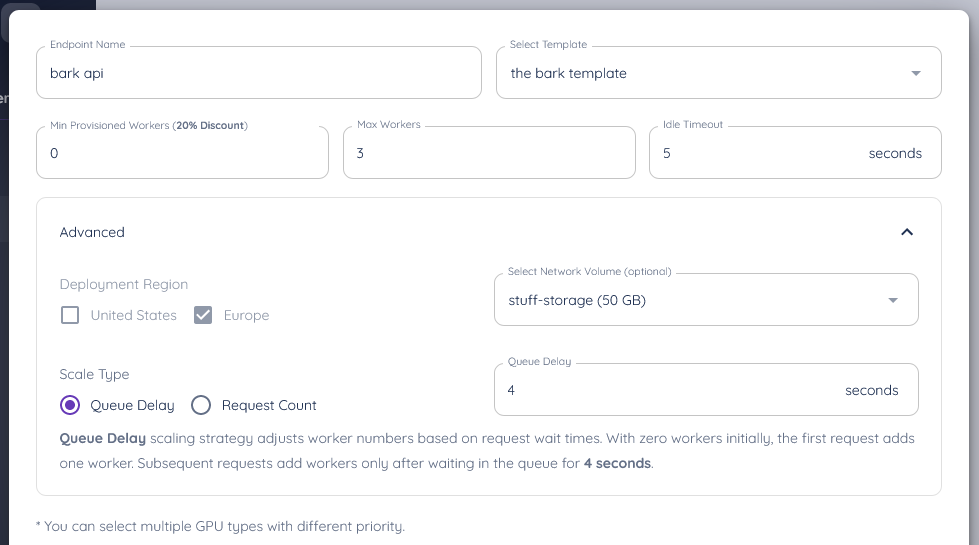
Runpod serverless endpoint form for 'bark API' with worker counts, network volume, and queue delay scaling

ensure you connect it to your network volume, and your template

and ta-da, you've setup your api to it!

Actually test it out!

you can now make requests to it, so here's some sample code to make a request and download a file (ensure you install the requests the library for this with pip install requests)

Author profile: River Snow