









Improving screenlocking (or: sessionlocking) has been on our agenda for a few cycles now. We’ve used the old and proven XScreensaver for a few releases, but people have always complained about its antiquated looks (which are also not customizable). Switching to gnome-screensaver wasn’t an option because of the additional package dependencies. Furthermore, after gnome-screensaver 3.6, locking became more tightly integrated into Gnome-Shell, which is why Ubuntu/Unity kept version 3.6 and has maintained it for a few releases now.
Starting with 14.04, Ubuntu/Unity have switched to a new solution for locking, and so have we.
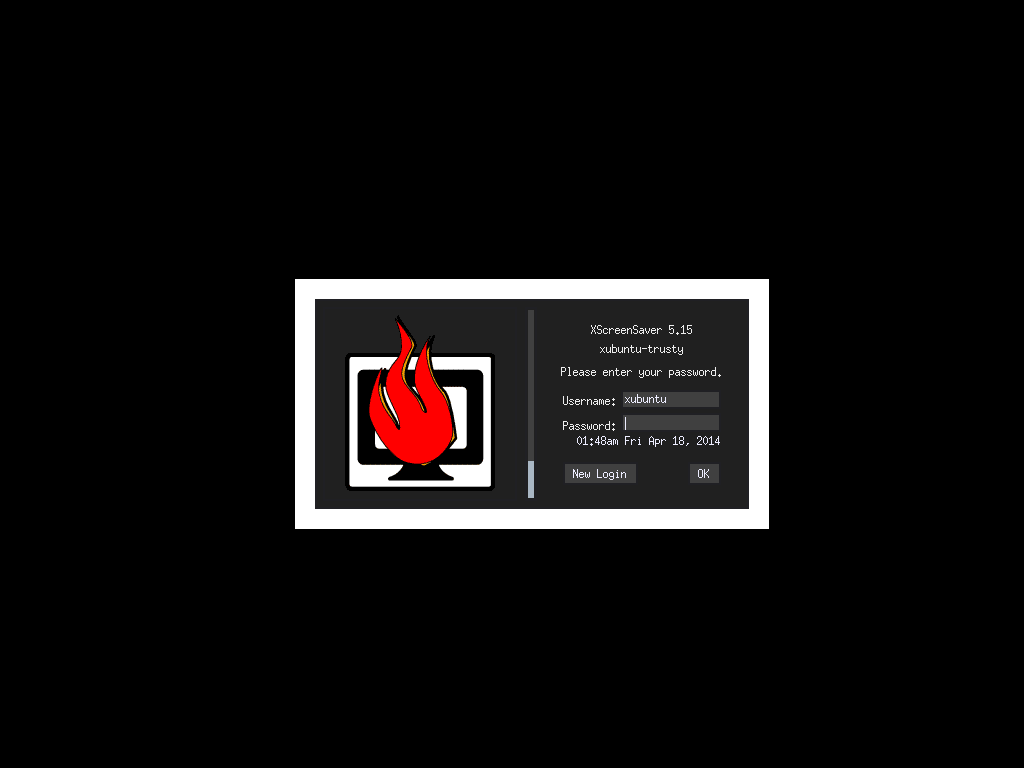
Lockscreen: xscreensaver
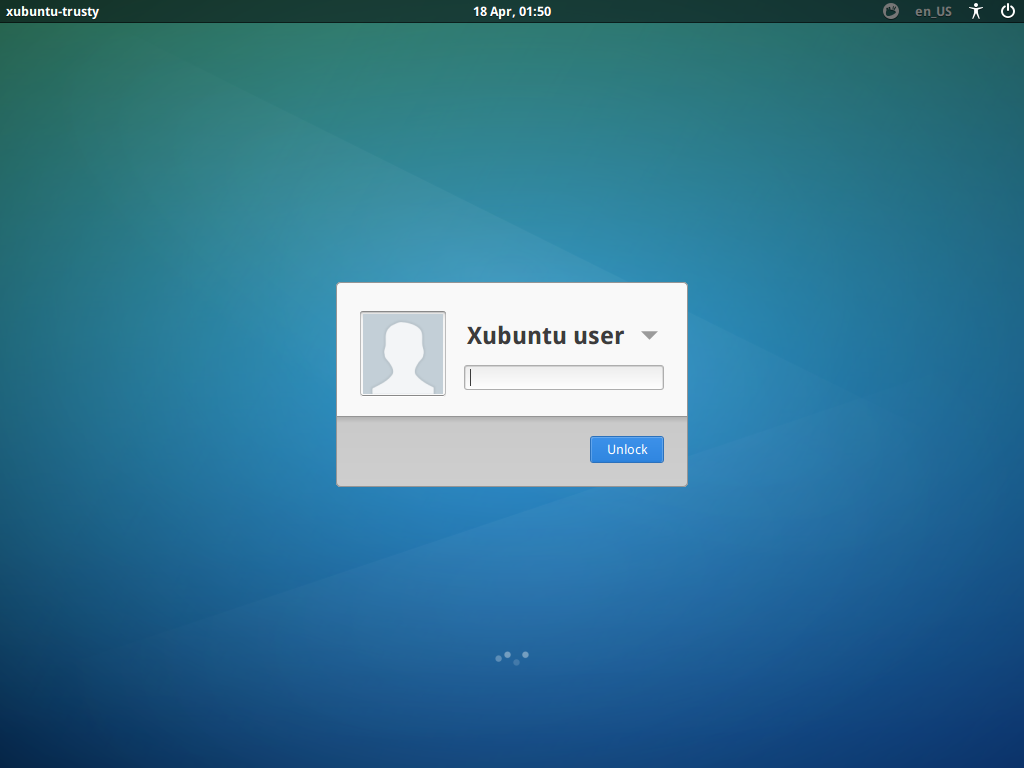
Lockscreen: light-locker
The solution Xubuntu uses in 14.04 is called light-locker. The light-locker project is a fork of gnome-screensaver 3.6, but cut down to a bare minimum (so no gnome-dependencies), using LightDM’s greeter as the lock (and unlock) screen.
How does the screenlocking work?
There aren’t too many changes for users. The light-locker process operates in the background and people can still lock their session in the ways they used to (e.g. through Whiskermenu’s lock launcher or through a keyboard shortcut invoking “xflock4”).
Settings are configurable via a settings dialog developed for Xubuntu 14.04, called Light Locker Settings. The tool can be found in the the Settings Manager. It allows you to configure whether your session should be locked automatically after a timeout and the screen-blank and off times. The dialog is still, for the moment, basic, but it should allow you enough control. Refinements are planned for future cycles/releases.
One thing that changes for users is the fact that locking with LightDM means that a new virtual terminal is opened. In a default single-user session, the user’s X session rests at VT7 (reachable with the keyboard-shortcut Ctrl+Alt+F7). When you lock your session, LightDM sends a lock signal, light-locker locks the session on VT7 and you get forwarded to VT8, where you’re presented with the login greeter, which serves as the unlock dialog.
The aforementioned change introduces one inconvenience you might (or might not) notice: when light-locker switches the VT, there is some screenflickering and it could take a second or two on older machines.
What happened to my music playback?
As your seat becomes inactive, your audio stream is stopped/paused until you log into your session again. This is one of the known issues of light-locker or locking with LightDM in general.
Currently, when locking, it is assumed you are either:
- in a public space of sorts (the desktop at home hardly needs locking) and have walked away from the machine
- using a system with more than one user
Stopping/pausing playback in both of these scenarios make sense.
However, this might be an annoying change for users used to having their music playback continue even when their session locks. If you don’t like this behavior, there are basically two solutions:
- Set light-locker to lock the session “When the screensaver is deactivated”
- Switch back to using xscreensaver
- Add your user to the “audio” group on your computer and music playback will continue also with light-locker
The first option is a good workaround, because it means that your audio-playback will continue when the screen has been blanked. However, when you wake up your computer, e.g. by touching the mouse, it will pause the music until you log into your session again. The third solution is mentioned last, because it isn’t advised to add your user to the “audio” group (read The Audio Group wiki page for a comprehensive explanation). However, as long as you’re on a single-user system, this might still be an option for you.
Can I have a screensaver other than the blank screen with light-locker?
In a word – no.
If you need a screensaver for whatever reason, perhaps using a TV for a monitor and don’t want a blank screen, then you will need to remove light-locker and install some alternative, like xscreensaver.
Conclusion
From Xubuntu 14.04 on, we can finally provide a visually consistent way of logging in to and locking your session with light-locker. As mentioned above, there is a conceptual change in how we look at locking in Xubuntu (which to some might seem like a small regression), however, there are still good alternatives for those who don’t agree with our vision.
Known Issues
Currently, you might run into this known issue (that we discovered only when the release was already imminent), which we’re already working on fixing:
- Xfce4 Power Manager does not restore screen power (1259339) – see the release notes for details and workarounds
Also, upgraders from previous Xubuntu versions might run into trouble because XScreensaver and light-locker are both installed. Just get rid of one of the two to resolve that.