惯性聚合 高效追踪和阅读你感兴趣的博客、新闻、科技资讯
阅读原文 在惯性聚合中打开

推荐订阅源

H
Hackread – Cybersecurity News, Data Breaches, AI and More
C
Check Point Blog
Hacker News: Ask HN
Hacker News: Ask HN
cs.CL updates on arXiv.org
WordPress大学
WordPress大学
P
Proofpoint News Feed
V
Visual Studio Blog
C
Cyber Attacks, Cyber Crime and Cyber Security
N
Netflix TechBlog - Medium
C
CXSECURITY Database RSS Feed - CXSecurity.com
博客园 - 聂微东
Threat Intelligence Blog | Flashpoint
博客园 - 叶小钗
Cisco Talos Blog
Cisco Talos Blog
S
Schneier on Security
T
Threat Research - Cisco Blogs
腾讯CDC
cs.AI updates on arXiv.org
The Hacker News
The Hacker News
Google DeepMind News
Microsoft Security Blog
奇客Solidot–传递最新科技情报
奇客Solidot–传递最新科技情报
GbyAI
GbyAI
N
News | PayPal Newsroom
L
LINUX DO - 最新话题
酷 壳 – CoolShell
酷 壳 – CoolShell
P
Palo Alto Networks Blog
T
Tenable Blog
S
Secure Thoughts
T
Threatpost
V2EX - 技术
V2EX - 技术
大猫的无限游戏
大猫的无限游戏
Martin Fowler
Martin Fowler
freeCodeCamp Programming Tutorials: Python, JavaScript, Git & More
Vercel News
Vercel News
罗磊的独立博客
P
Privacy & Cybersecurity Law Blog
Engineering at Meta
Engineering at Meta
小众软件
小众软件
Google DeepMind News
N
News and Events Feed by Topic
Y
Y Combinator Blog
CTFtime.org: upcoming CTF events
C
Cybersecurity and Infrastructure Security Agency CISA
P
Proofpoint News Feed
L
Lohrmann on Cybersecurity
P
Privacy International News Feed
H
Heimdal Security Blog
量子位
B
Blog

Derek Seaman's Tech Blog

SmartWings Blinds Review: Matter over Thread Zebra Shades Aqara Camera Hub G350: World’s First Matter v1.5 Camera ESPHome: Micro-Air EasyStart Integration Seeed Studio ESP32 Showdown: C3 vs. C6 vs. S3 (ESPHome Edition) Home Assistant: Updating Aqara FP300 Zigbee Firmware How-To: Using my ESPHome Bluetooth IRK Capture Package Vibe Coding: My ESPHome Bluetooth IRK Capture Tool Home Assistant: Track Who’s in Each Room with ESPHome + Bermuda BLE 3-2-1-1 Go: Implementing Foolproof Backups Proxmox Backup Server (PBS) 4.0 Blog Series How To: Proxmox Backup Server 4 as a Synology VM How To: Backblaze B2 as a Proxmox Backup Server 4 S3 Datastore How To: Synology NFS for Proxmox Backup Server Datastore (2025) How To: Proxmox Backup Server 4 (VM) Installation How MVNOs Like US Mobile Can Save You Money on Your Cell Phone Bill Data Brokers Exposed: How to Opt Out and Secure Your Personal Data Digital Privacy Decoded: Simple Ways to Secure Your Information Part 2: Ruckus Unleashed (200.18+) Best Practices Guide Part 1: Ruckus Unleashed (200.18+) Best Practices Guide 3-2-1 Go: A Step-by-Step Guide to Implementing Foolproof Backups Geek Chic Eyewear: My Optometrist Saga, Eyewear Collection & More Geek Chic Eyewear: Optometry Tools, Eye Health and Insurance Geek Chic Eyewear: Understanding Lens Materials and Designs Essential Tips for a Stable Matter over Thread Network Aqara U200 Thread/Matter/Homekey Smart Lock Impressions Home Assistant: The Ultimate Light Automation Blueprints 6 GHz Wi-Fi: Are Your Devices ready for Standard Power? Demystifying Ruckus Home Wi-Fi: Getting Started Guide Mastering Home Wi-Fi: A Guide to Predictive RF Planning Part 2: Ruckus Unleashed Best Practices Guide Part 2: Ruckus One Home Wi-Fi Best Practices Guide Part 1: Ruckus One Home Wi-Fi Best Practices Guide Smartwings Thread/Matter Blinds Review Ruckus One: Provisioning ICX Switches Goodbye NextDNS, Hello Control D : My New DNS Service Ruckus Unleashed to Ruckus One Migration Guide Unleashing the Power of 6 GHz Wi-Fi: Re-Think Everything Enterprise Grade Home Wi-Fi: Ruckus Unleashed vs. Ruckus One Home Assistant: Ecowitt Weather Station Setup Configuring Netgear M4300 IGMP & MLD Multicast Snooping Configuring TP-Link IGMP & MLD Multicast Snooping Part 3: Smart Home Matter and Thread Deep Dive Part 2: Smart Home Matter and Thread Deep Dive Part 1: Smart Home Matter and Thread Deep Dive Unraveling Apple Shortcuts: A Journey with the Apple Watch Ultra Top macOS App picks (mid-2023) Stecker: Trigger macOS Shortcuts with USB Devices (FREE) Home Assistant: Tracking Apple's Sleep Focus Mode How-to: Proxmox Backup Server 2.4 to 3.0 Upgrade Guide Proxmox VE 8: Windows 11 vGPU (VT-d) Passthrough with Intel Alder Lake Home Assistant: Auto-renewing Let’s Encrypt SSL Designing your own Custom Under Desk Mounting Bracket Home Assistant: Hands-on Adding a Matter Smart Plug (Eve Energy) Ubuntu Kernel Upgrades: The Easy Button Hands On: Beelink Mini-PCs for Proxmox, Home Assistant and Plex Migration Guide: Plex on Synology to Proxmox LXC Proxmox Let’s Encrypt SSL: The Easy Button InfluxDB + Chronograf: Configuring Let’s Encrypt SSL Getting your Cloudflare DNS Zone API Key and Account ID Home Assistant: Installing Grafana (LXC) with Let’s Encrypt SSL Home Assistant: InfluxDB Data Management (LXC) InfluxDB 1.x Automated Backups Home Assistant: Proxmox VE 7.4 Quick Start Guide Home Assistant: Getting Started Guide My Stream Deck Productivity Setup (2023 Edition) Home Network Upgrade (2023 Edition) My Dream Desk Setup (2023 Edition) NOTICE: RSS Feed URL Changing (Action Needed) Email aliases: How to easily protect your inbox from spam Top macOS App picks for 2023
ESPHome: Introducing the Seeed Studio Xiao ESP32-C5
2026-03-02 · via Derek Seaman's Tech Blog

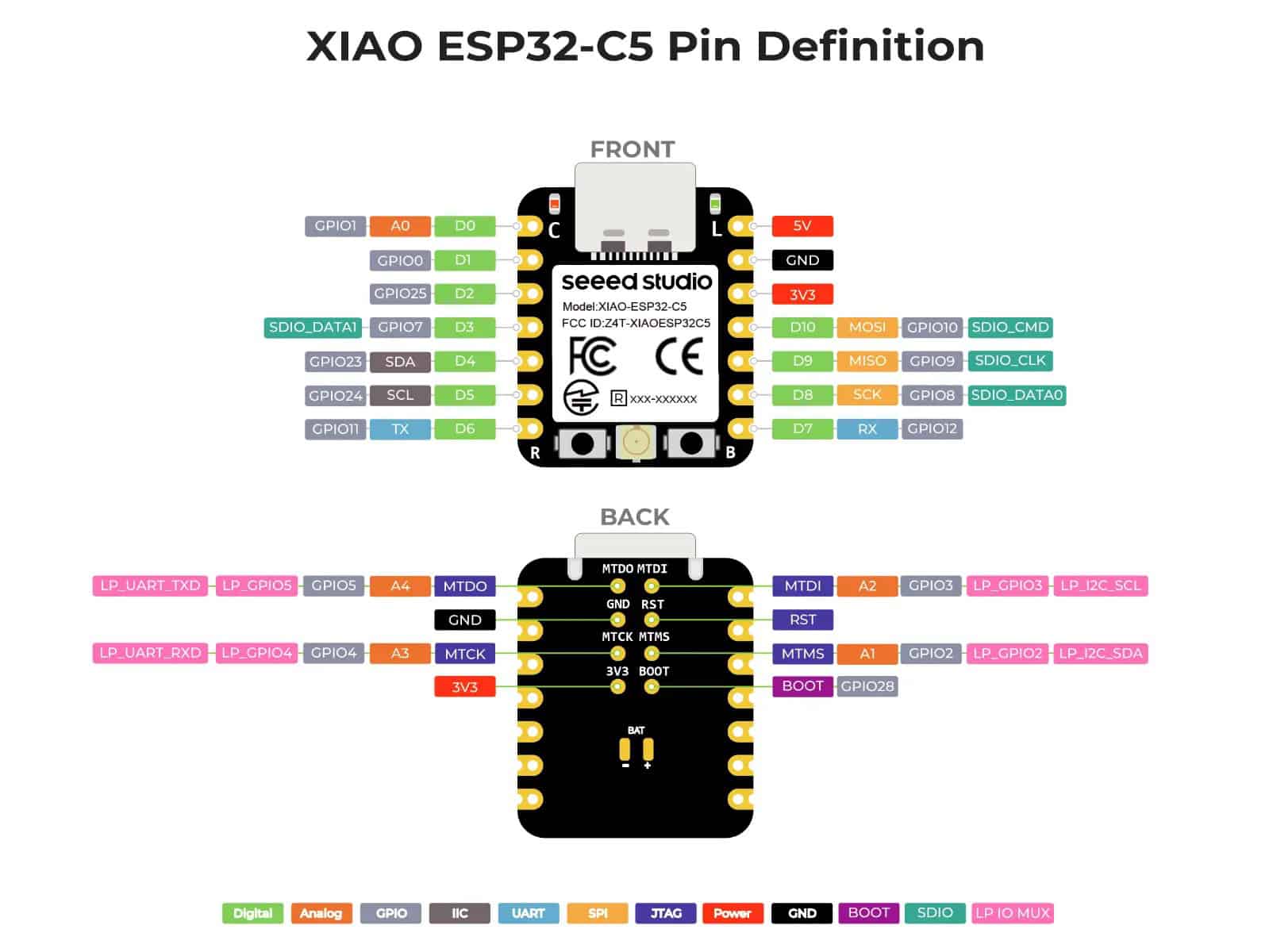
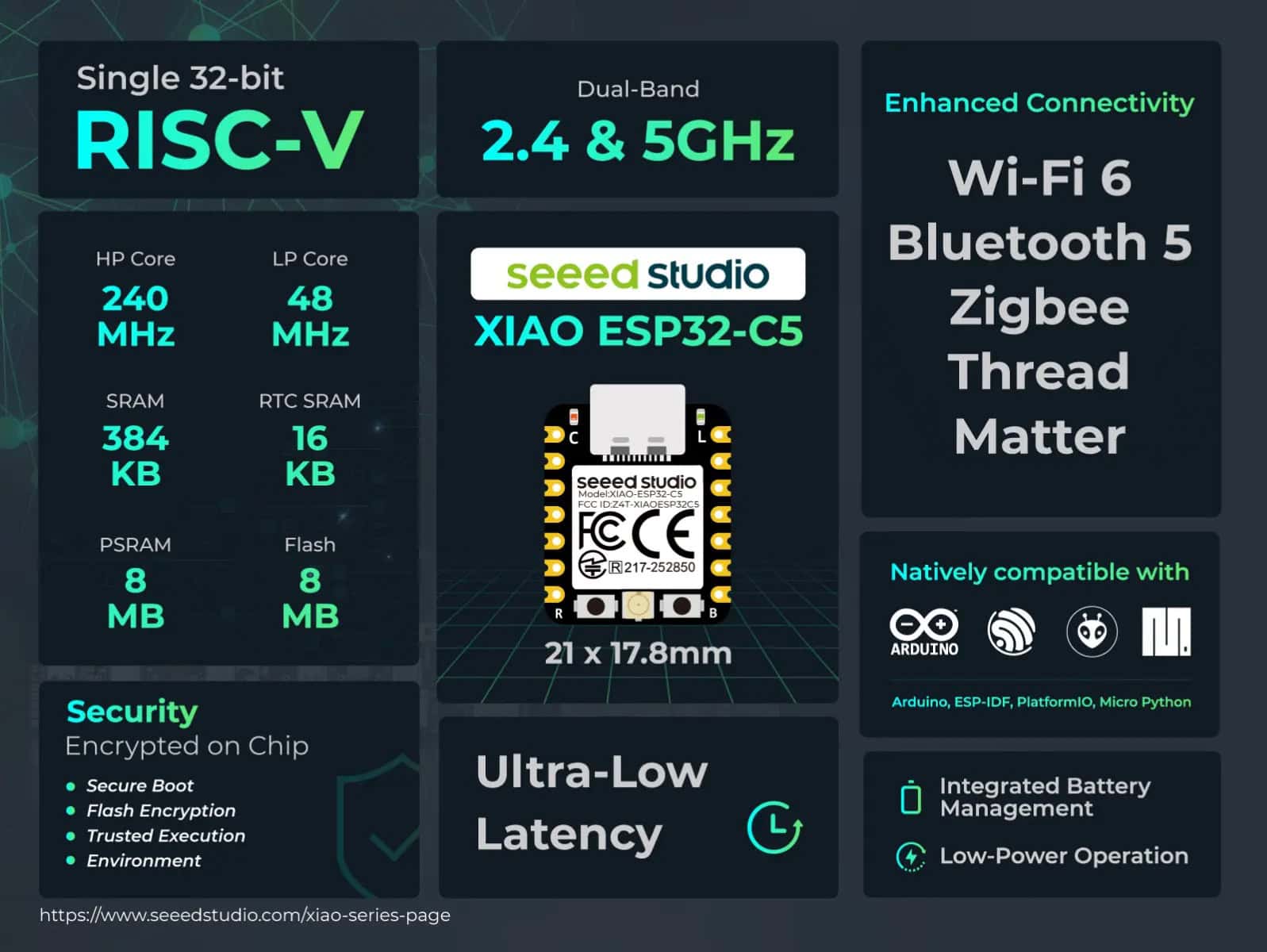
Hot off the press is the brand new Seeed Studio Xiao ESP32-C5. This is the first Seeed Studio Xiao module with 5 GHz Wi-Fi support. Built on the RISC-V architecture, it brings together 2.4 GHz and 5 GHz dual-band Wi-Fi 6, Bluetooth 5 (LE), and IEEE 802.15.4 (Zigbee, Thread) connectivity, while offering full support for IoT application protocols including ESPHome, Matter, HomeKit, and MQTT. At USD $7, they are very affordable. 

Update March 28, 2026: I’ve added Wi-Fi band and channel sensors in Home Assistant. This let’s you quickly diagnose any potential Wi-Fi issues.
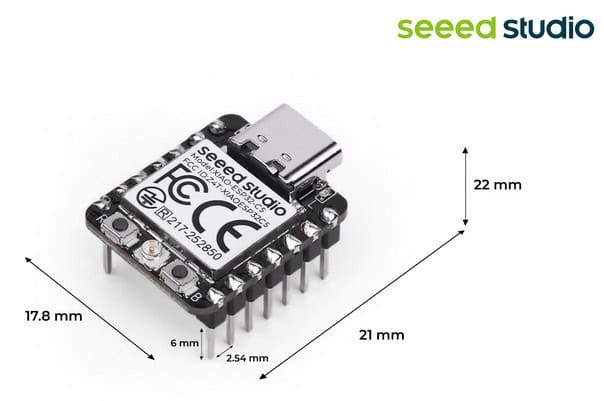
Seeed Studio Xiao ESP32-C5 (Pre-Soldered)
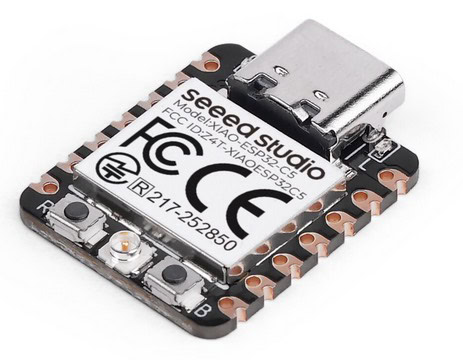
Seeed Studio Xiao ESP32-C5 (Un-Soldered)

The Xiao ESP32-C5 joins a family of ESP32 boards that share the same thumbnail physical design. A comparison of various SKUs in the Seeed Studio Xiao ESP32 family is below. Before the C5 was released my favorite ESP32 board for ESPHome Bluetooth proxies was the C6. 
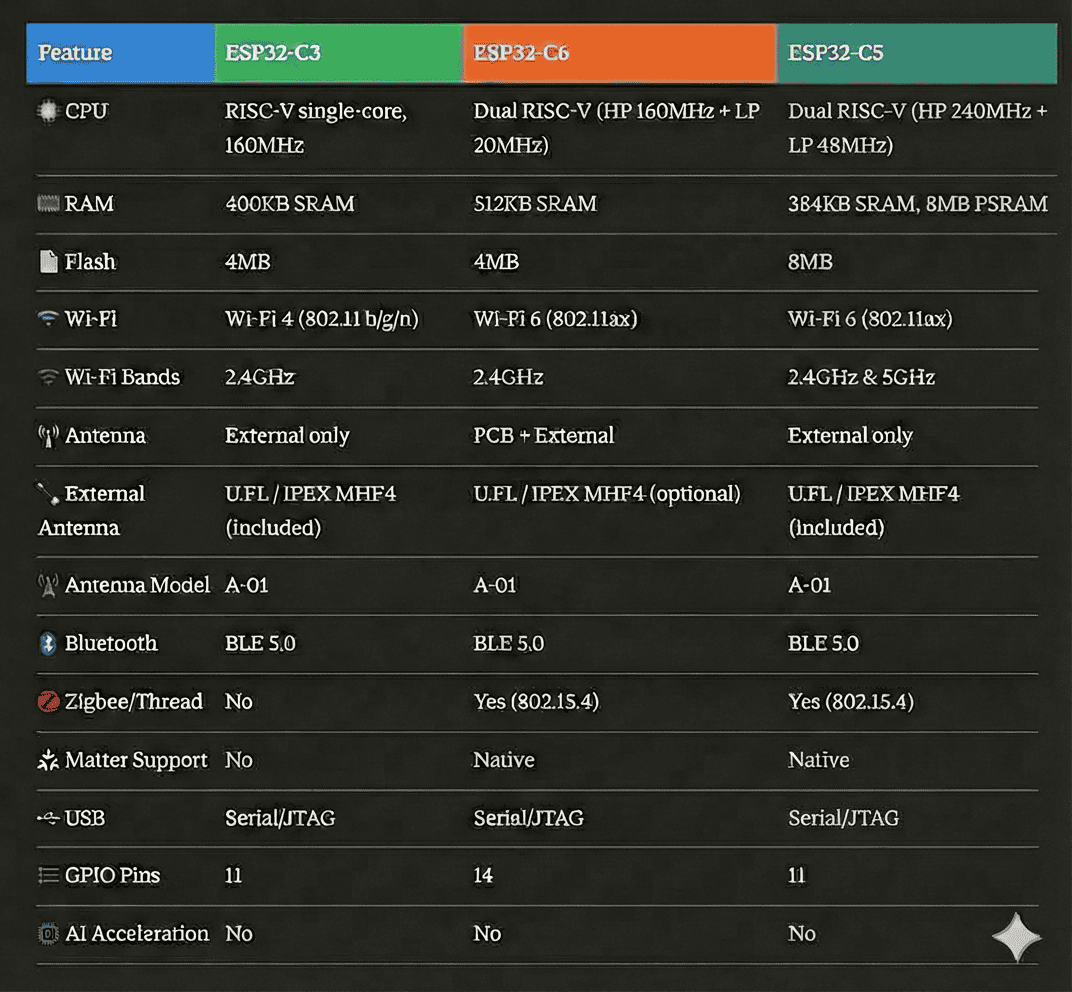
ESPHome Compatibility

Out of the box, as of February 2026, the ESPHome WebSerial component does not properly support the C5. In fact, I opened a GitHub issue for the ESPHome project on this very issue. However, not all is lost. For the initial serial based flash, you can use the ESP_Flasher by Jason2866. After the initial serial flash, I was able to do all subsequent updates via Wi-Fi OTA from within ESPHome. 

To use Jason’s ESP Flasher, follow this procedure:

  • Hop over to my Github repo for C5 and download the applicable YAML file. For example, Seeed xiao ESP32-c5 base.yaml
  • In ESPHome builder create a new device using unique OTA/API keys.
  • Build the firmware and download as Factory Format to your PC. 
  • Connect the ESP32-C5 to your PC via USB and load any needed drivers. 
  • Launch Jason’s ESP flasher, select the appropriate serial port and firmware BIN image. 
  • Flash.
  • Power cycle the ESP32-C5 and verify in ESPHome that it connects.

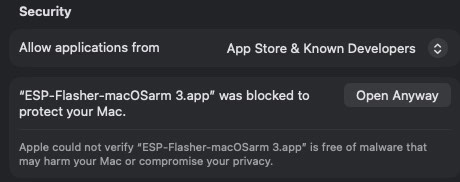
Note: On modern macOS versions the unsigned binary will be blocked from execution. You will need to go into Privacy & Security to allow the app to run. 
My ESPHome ESP32-C5 Github Repo

Over on my Seeed Studio Xiao ESP32-C5 Github repo I have a few example ESPHome YAML configuration files. The repo covers two basic use cases:
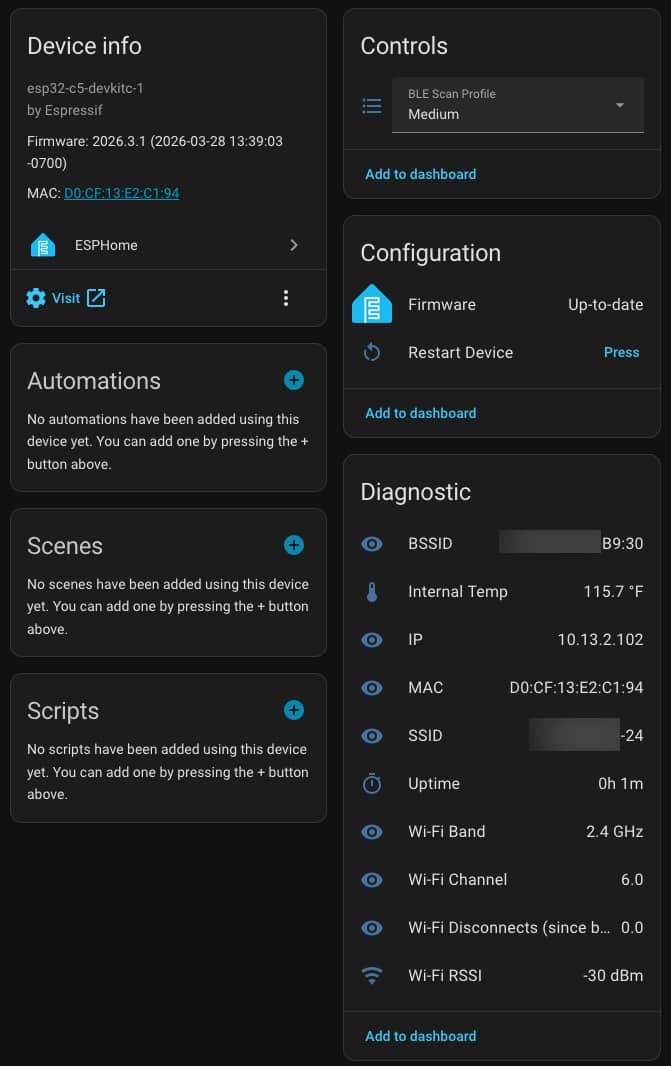
  • ESPHome Bluetooth proxy
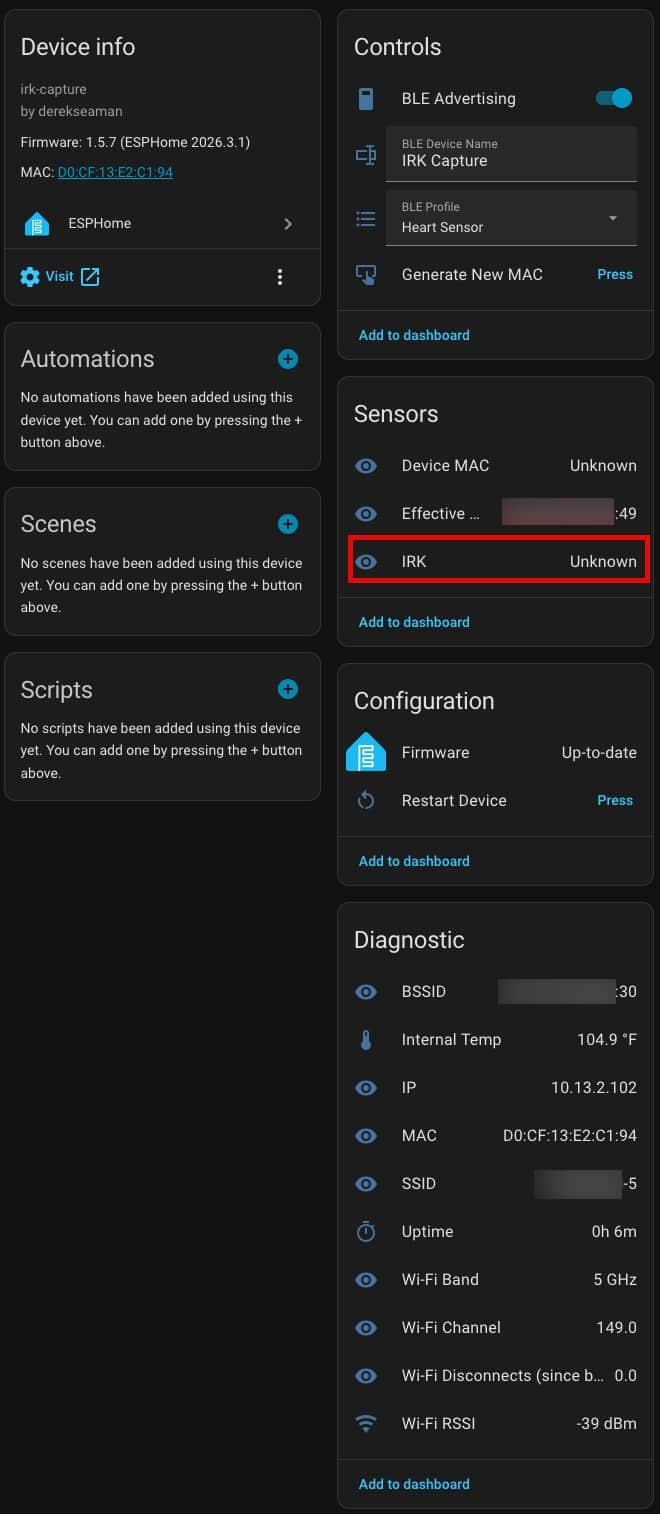
  • ESPHome Bluetooth Identity Resolving Key (IRK) Capture
ESP32-C5 Bluetooth Proxy
ESP32-C5 IRK Capture

Wi-Fi 5 GHz Support

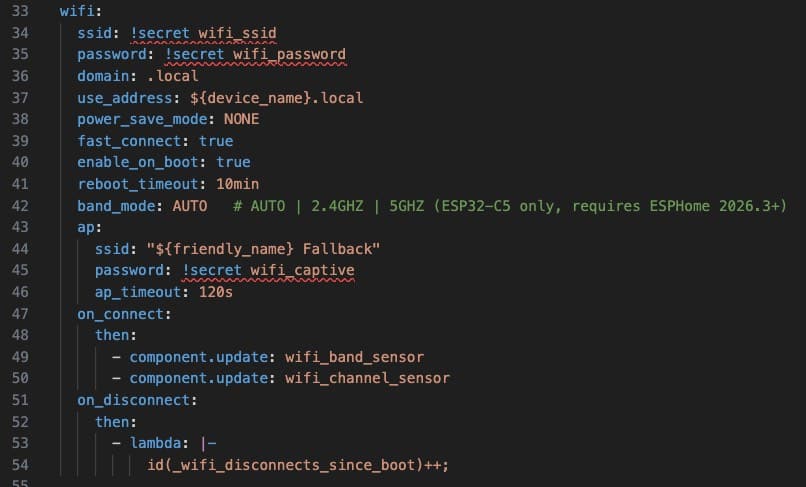
As previously mentioned, the Xiao C5 is the first Seeed Studio ESP32 model to support both 2.4 GHz and 5 GHz bands. In my house I have separated the 2.4 GHz band SSID from my combined 5 and 6 GHz SSID. To use the C5 on the 5 GHz band I defined 5 GHz specific Wi-Fi credentials in my ESPHome builder secrets file. 

If you have a combined 2.4 GHz and 5 GHz SSID and want to force the 5 GHz band, you can modify the ‘band_mode’ setting in the YAML. 
Fun ESPHome Uses

Summary

The Seeed Studio Xiao ESP32-C5 is my new favorite ESP32 device for Bluetooth proxies. With Wi-Fi 6 and 5 GHz band support, it really modernizes ESP32 connectivity. It also supports Thread/Zigbee and Matter. Once ESPHome works through the serial flashing issue, using the C5 will be seamless experience. I plan on using the C5 for all future ESP32 projects.