







Advances in AI continue to make our world more and more accessible. Today, in honor of Global Accessibility Awareness Day, we’re rolling out new updates to our products across Android and Chrome, as well as adding new resources for developers building speech recognition tools.
We’re building on our work and integrating the best of Google AI and Gemini into core mobile experiences customized for vision and hearing.
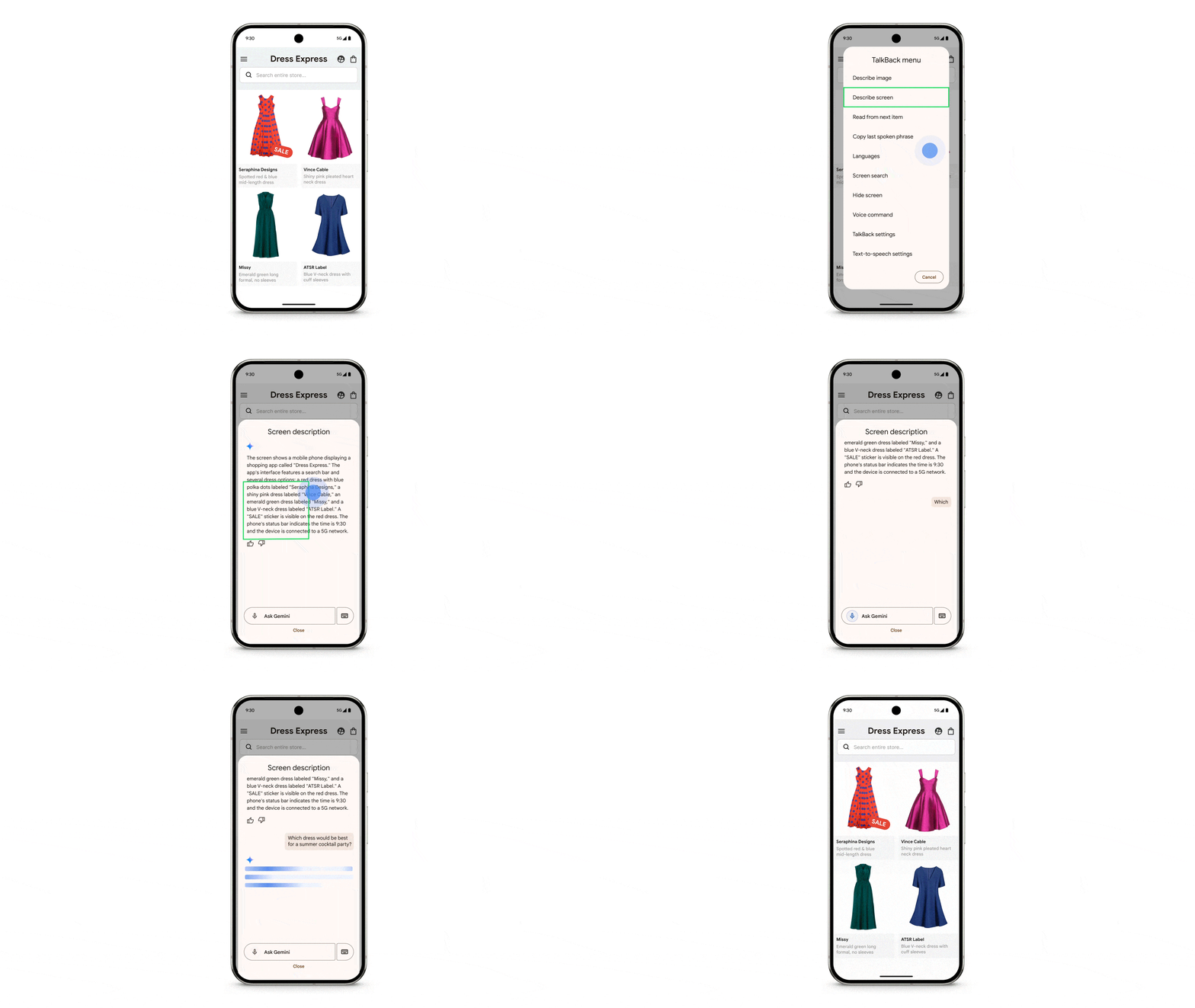
Last year we brought Gemini’s capabilities to TalkBack, Android’s screen reader, providing people who are blind or low-vision with AI-generated descriptions for images, even when there’s no alt text. Today, we’re expanding this Gemini integration so people can ask questions and get responses about their images. That means the next time a friend texts you a photo of their new guitar, you can get a description and ask follow-up questions about the make and color, or even what else is in the image. People can now also get descriptions and ask questions about their whole screen. So if you’re shopping for the latest sales on your favorite shopping app, you can ask Gemini about the material of an item or if a discount is available.
Use TalkBack's Gemini powered capabilities to get a description of what’s on your screen.
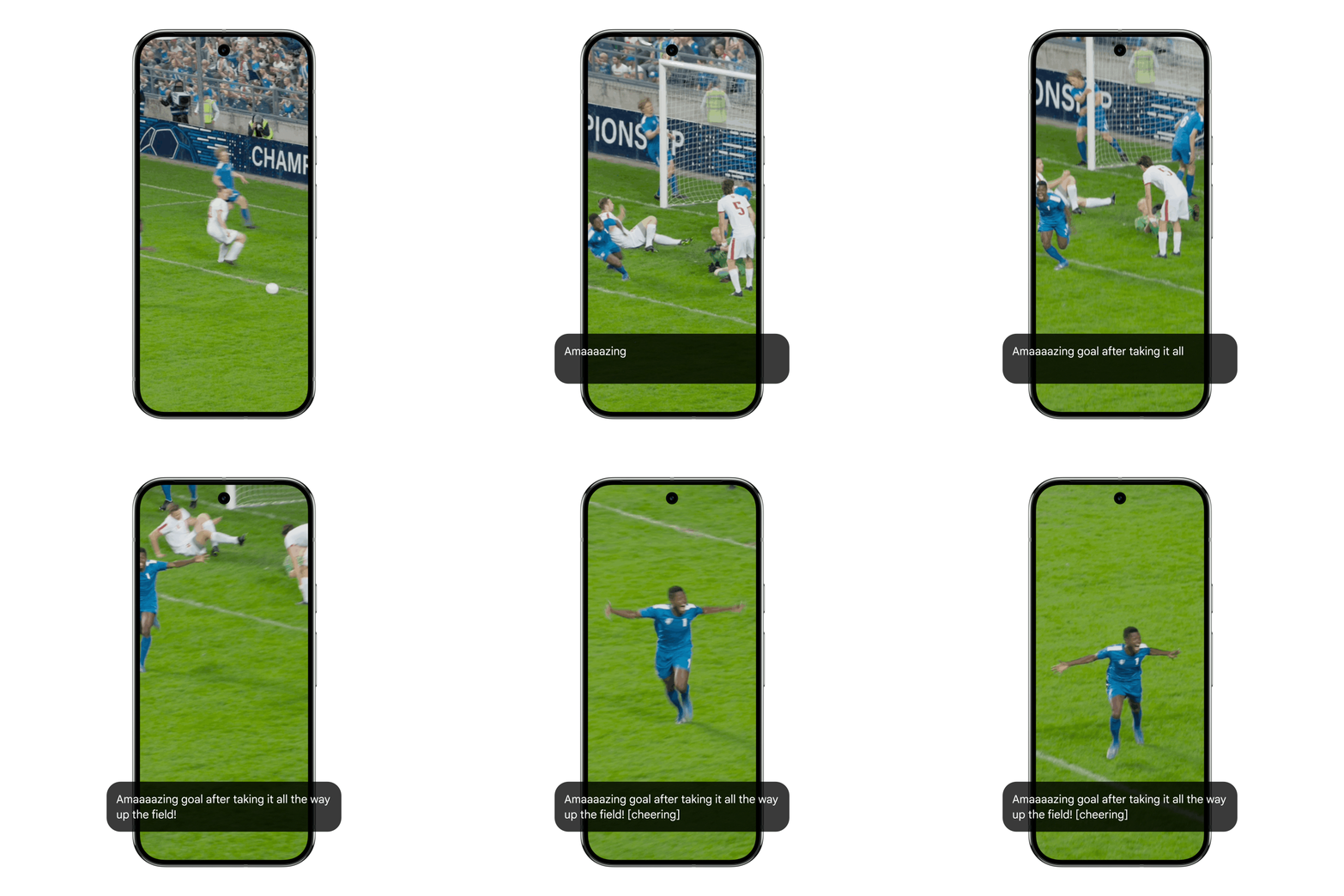
With Expressive Captions, your phone provides real-time captions for anything with sound across most apps on your phone — using AI to not only capture what someone says, but how they say it. We know one of the ways people express themselves is by dragging out the sound of their words, which is why we developed a new duration feature on Expressive Captions, so you can know when a sports announcing is calling out an “amaaazing shot” or when the video message is not “no” but “nooooo.” You’ll also receive even more labels for sounds, so you know when someone is whistling or clearing their throat. This new version is rolling out in English in the U.S., U.K., Canada and Australia for devices running Android 15 and above.
With Expressive Captions new duration feature, get even more context of what's being said in the audio and video on your phone.
In 2019, we launched Project Euphonia to find ways to make speech recognition more accessible for people with non-standard speech. Now we’re supporting developers and organizations around the world as they bring that work to even more languages and cultural contexts.
To improve the ecosystem of tools globally, we’re providing developers with our open-source repositories via Project Euphonia’s GitHub page. They can now develop personalized audio tools for research or train their models for diverse speech patterns.
Earlier this year we partnered with Google.org to provide support to the University College London in their creation of the Centre for Digital Language Inclusion (CDLI). The CDLI is working to improve speech recognition technology for non-English speakers in Africa by creating open-source datasets in 10 African languages, building new speech recognition models and continuing to support the ecosystem of organizations and developers in this space.
Accessibility tools can be particularly helpful for students with disabilities, from using facial gestures to navigate their Chromebooks with Face Control to customizing their reading experience with Reading Mode.
And now when you use your Chromebook with College Board’s Bluebook testing app (which is where students can take the SAT and most Advanced Placement exams) you’ll have access to all of Google’s built-in accessibility features. This includes ChromeVox screen reader and Dictation, along with College Board’s own digital testing tools.
With more than 2 billion people using Chrome each day, we’re always striving to make our browser easier to use and more accessible for everyone with features like Live Caption and image descriptions for screen reader users.
Previously, if you opened a scanned PDF in your desktop Chrome browser, you wouldn’t be able to use your screen reader to interact with it. Now with Optical Character Recognition (OCR), Chrome automatically recognizes these types of PDFs, so you can highlight, copy and search for text like any other page and use your screen reader to read them.
Page Zoom now lets you increase the size of the text you see in Chrome on Android without affecting the webpage layout or your browsing experience — just like how it works on Chrome desktop. You can customize how much you want to zoom in and easily apply the preference to all the pages you visit or just specific ones.
Page Zoom works with Chrome on Android, letting you customize how you see pages
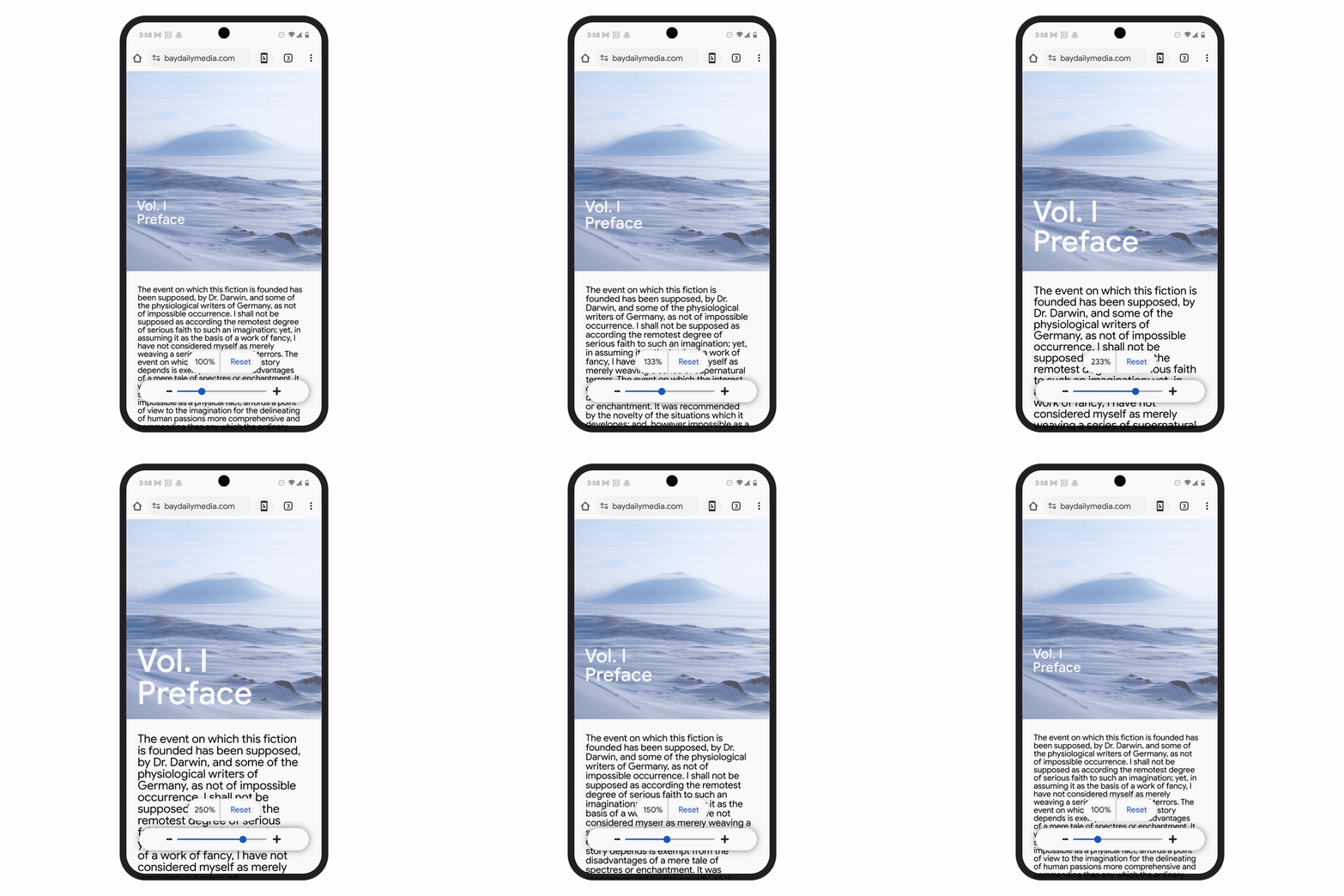
To start using this feature, just tap the three-dot menu in the top right corner on Chrome and set your zoom preferences.
此内容由惯性聚合(RSS阅读器)自动聚合整理,仅供阅读参考。 原文来自 — 版权归原作者所有。