
惯性聚合 高效追踪和阅读你感兴趣的博客、新闻、科技资讯
阅读原文 在惯性聚合中打开

推荐订阅源

cs.CV updates on arXiv.org
博客园 - 【当耐特】
博客园 - 聂微东
MyScale Blog
MyScale Blog
T
The Blog of Author Tim Ferriss
F
Full Disclosure
aimingoo的专栏
aimingoo的专栏
H
Help Net Security
Engineering at Meta
Engineering at Meta
Last Week in AI
Last Week in AI
D
DataBreaches.Net
让小产品的独立变现更简单 - ezindie.com
宝玉的分享
宝玉的分享
Cyberwarzone
Cyberwarzone
S
Schneier on Security
Know Your Adversary
Know Your Adversary
cs.CL updates on arXiv.org
云风的 BLOG
云风的 BLOG
T
Threatpost
D
Darknet – Hacking Tools, Hacker News & Cyber Security
博客园 - 司徒正美
酷 壳 – CoolShell
酷 壳 – CoolShell
Recent Announcements
罗磊的独立博客
L
LangChain Blog
L
Lohrmann on Cybersecurity
The GitHub Blog
The GitHub Blog
P
Palo Alto Networks Blog
The Cloudflare Blog
Hacker News - Newest:
Hacker News - Newest: "LLM"
M
MIT News - Artificial intelligence
WordPress大学
WordPress大学
博客园 - Franky
C
Cyber Attacks, Cyber Crime and Cyber Security
S
Securelist
NISL@THU
NISL@THU
L
LINUX DO - 最新话题
PCI Perspectives
PCI Perspectives
V2EX - 技术
V2EX - 技术
IT之家
IT之家
钛媒体:引领未来商业与生活新知
钛媒体:引领未来商业与生活新知
N
News | PayPal Newsroom
人人都是产品经理
人人都是产品经理
Google DeepMind News
T
The Exploit Database - CXSecurity.com
cs.AI updates on arXiv.org
Cisco Talos Blog
Cisco Talos Blog
H
Heimdal Security Blog
Help Net Security
Help Net Security
V
V2EX

Google Chrome

We’re expanding Gemini in Chrome to users in the U.K. We’re expanding Gemini in Chrome to users in Latin America, Africa, the Middle East and more. Bringing the best of Gemini in Chrome to Android Approximate location sharing gives you more control over your location data in Chrome. We’re expanding Gemini in Chrome to users in Asia Pacific. A new way to explore the web with AI Mode in Chrome Turn your best AI prompts into one-click tools in Chrome Get more done with new vertical tabs and immersive reading mode in Chrome Expanding Chrome’s AI experiences to India, New Zealand and Canada New features in Chrome for work, life and everything in between The latest AI news we announced in January The new era of browsing: Putting Gemini to work in Chrome 60 of our biggest AI announcements in 2025 Take the web for a fresh spin with GenTabs, built with Gemini 3 4 new ways Chrome autofill will simplify your holidays Our favorite Chrome extensions in 2025 AI Mode in Chrome is easier to use on iOS and Android. Chrome now helps you fill in passport, driver’s license, vehicle information and more. The latest AI news we announced in September Go behind the browser with Chrome’s new AI features Chrome: The browser you love, reimagined with AI 5 Chrome features I use all the time as a college student Chrome is helping you shop smarter and safer with store reviews. New Chromebooks and tools for even better teaching and learning You can now move your Chrome address bar to the bottom of your Android screen. Introducing Google AI Ultra: The best of Google AI in one subscription New AI and accessibility updates across Android, Chrome and more
Chrome is bringing advanced autofill capabilities to your phone with Google Wallet
Amanda Lim · 2026-06-24 · via Google Chrome

We’re extending new autofill capabilities to iOS and Android users and deepening our integration with Google Wallet. Get passport details, payment info and more, at your fingertips.

Nico Jersch

Senior Product Manager, Chrome

General summary

Chrome now lets you autofill complex information like flight details and license plates on both iOS and Android. You can also pull sensitive data, such as passport numbers and driver’s license details, directly from your Google Wallet to complete forms faster. Chrome keeps this information encrypted and only fills it with your explicit permission.

Summaries were generated by Google AI. Generative AI is experimental.

Bullet points

  • Chrome’s new update brings advanced autofill features to your phone using Google Wallet.
  • You can now automatically fill complex details like flight info and license plates.
  • Chrome pulls your passport and driver’s license data directly from your Google Wallet.
  • Your sensitive info stays safe with encryption and only fills with your permission.
  • Easily manage or update your stored data anytime in your Chrome settings.

Summaries were generated by Google AI. Generative AI is experimental.

Basic explainer

Chrome now makes filling out online forms way faster by pulling info directly from your Google Wallet. It can handle tricky details like your passport, driver's license or flight info automatically. You stay in control because Chrome only uses your data when you give it permission. Everything stays safe and encrypted while you save time.

Summaries were generated by Google AI. Generative AI is experimental.

Explore other styles:
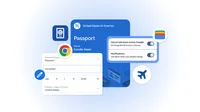
Image of various forms using autofill

Your browser does not support the audio element.

Listen to article

This content is generated by Google AI. Generative AI is experimental

[[duration]] minutes

Autofill continues to save you time on online tasks like flight check-ins or parking payments. We recently took autofill to the next level, letting you automatically fill more complex data types, including flight details and vehicle information, like your license plate and VIN. Starting today, we’re extending these capabilities to iOS and Android users.

At the same time, we’re deepening our integration with Google Wallet across mobile and desktop. Chrome can now automatically fill forms using data that’s stored in your Google Wallet, including driver’s license details, passport information and your Known Traveler Number. If those details aren’t already stored in your Wallet, you can save them there when you enter them in Chrome for the first time.

Chrome will only save or fill your information with your permission, and, as always, sensitive data is encrypted. Manage or update your data in your Google Wallet settings or on the “Autofill and passwords” page in your Chrome settings. Private passes, like IDs, can be managed through their own controls.

Get more stories from Google in your inbox.

Done. Just one step more.

Check your inbox to confirm your subscription.

You are already subscribed to our newsletter.

You can also subscribe with a

Related stories