





Ollama 是一个基于 Go 语言开发的可以本地运行大模型的开源框架。
GitHub 地址: https://github.com/ollama/ollama
Ollama 安装 #
下载安装 Ollama #
在 Ollama 官网根据操作系统类型选择对应的安装包,这里选择 macOS 下载安装。
安装完在终端输入 ollama,可以看到 ollama 支持的命令。
Usage:
  ollama [flags]
  ollama [command]

Available Commands:
  serve       Start ollama
  create      Create a model from a Modelfile
  show        Show information for a model
  run         Run a model
  pull        Pull a model from a registry
  push        Push a model to a registry
  list        List models
  cp          Copy a model
  rm          Remove a model
  help        Help about any command

Flags:
  -h, --help      help for ollama
  -v, --version   Show version information

Use "ollama [command] --help" for more information about a command.
查看 ollama 版本
ollama -v
ollama version is 0.1.31
查看已下载模型
ollama list

NAME    	ID          	SIZE  	MODIFIED
gemma:2b	b50d6c999e59	1.7 GB	3 hours ago
我本地已经有一个大模型,接下来我们看一下怎么下载大模型。
下载大模型 #
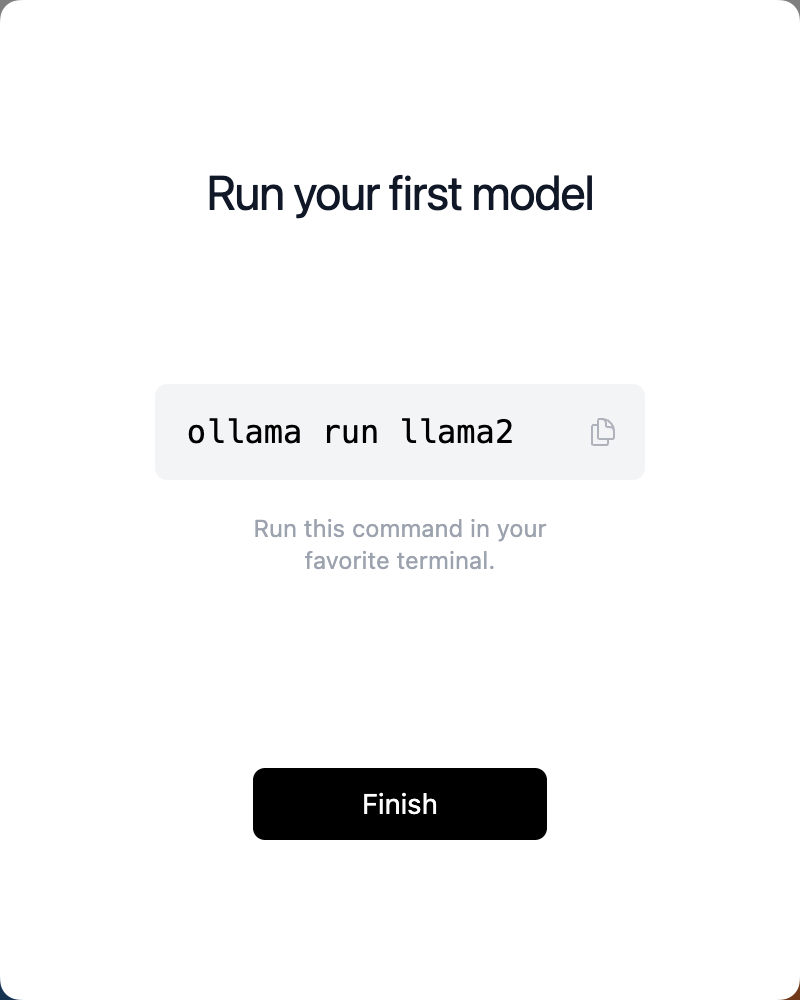
安装完后默认提示安装 llama2 大模型,下面是 Ollama 支持的部分模型
| Model | Parameters | Size | Download |
|---|---|---|---|
| Llama 3 | 8B | 4.7GB | ollama run llama3 |
| Llama 3 | 70B | 40GB | ollama run llama3:70b |
| Mistral | 7B | 4.1GB | ollama run mistral |
| Dolphin Phi | 2.7B | 1.6GB | ollama run dolphin-phi |
| Phi-2 | 2.7B | 1.7GB | ollama run phi |
| Neural Chat | 7B | 4.1GB | ollama run neural-chat |
| Starling | 7B | 4.1GB | ollama run starling-lm |
| Code Llama | 7B | 3.8GB | ollama run codellama |
| Llama 2 Uncensored | 7B | 3.8GB | ollama run llama2-uncensored |
| Llama 2 13B | 13B | 7.3GB | ollama run llama2:13b |
| Llama 2 70B | 70B | 39GB | ollama run llama2:70b |
| Orca Mini | 3B | 1.9GB | ollama run orca-mini |
| LLaVA | 7B | 4.5GB | ollama run llava |
| Gemma | 2B | 1.4GB | ollama run gemma:2b |
| Gemma | 7B | 4.8GB | ollama run gemma:7b |
| Solar | 10.7B | 6.1GB | ollama run solar |
Llama 3 是 Meta 2024年4月19日 开源的大语言模型,共80亿和700亿参数两个版本,Ollama均已支持。
这里选择安装 gemma 2b,打开终端,执行下面命令:
pulling manifest
pulling c1864a5eb193... 100% ▕██████████████████████████████████████████████████████████▏ 1.7 GB
pulling 097a36493f71... 100% ▕██████████████████████████████████████████████████████████▏ 8.4 KB
pulling 109037bec39c... 100% ▕██████████████████████████████████████████████████████████▏  136 B
pulling 22a838ceb7fb... 100% ▕██████████████████████████████████████████████████████████▏   84 B
pulling 887433b89a90... 100% ▕██████████████████████████████████████████████████████████▏  483 B
verifying sha256 digest
writing manifest
removing any unused layers
success
经过一段时间等待,显示模型下载完成。
上表仅是 Ollama 支持的部分模型,更多模型可以在 https://ollama.com/library 查看,中文模型比如阿里的通义千问。
终端对话 #
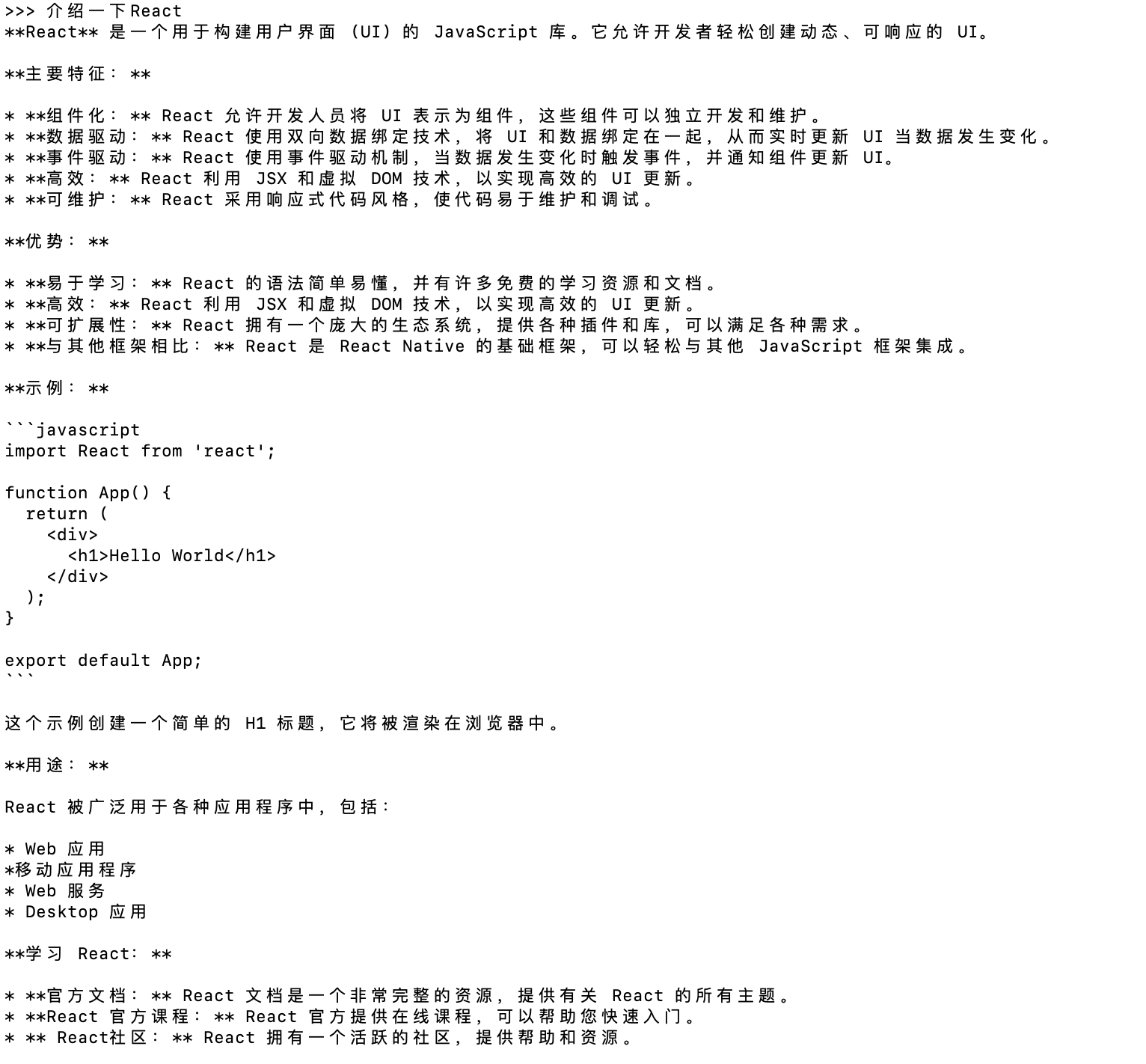
下载完成后,可以直接在终端进行对话,比如提问“介绍一下React”
输出内容如下:
显示帮助命令-/? #
>>> /?
Available Commands:
  /set            Set session variables
  /show           Show model information
  /load <model>   Load a session or model
  /save <model>   Save your current session
  /bye            Exit
  /?, /help       Help for a command
  /? shortcuts    Help for keyboard shortcuts

Use """ to begin a multi-line message.
显示模型信息命令-/show #
>>> /show
Available Commands:
  /show info         Show details for this model
  /show license      Show model license
  /show modelfile    Show Modelfile for this model
  /show parameters   Show parameters for this model
  /show system       Show system message
  /show template     Show prompt template
显示模型详情命令-/show info #
>>> /show info
Model details:
Family              gemma
Parameter Size      3B
Quantization Level  Q4_0
API 调用 #
除了在终端直接对话外,ollama 还可以以 API 的方式调用,比如执行 ollama show --help 可以看到本地访问地址为:
http://localhost:11434
ollama show --help
Show information for a model

Usage:
  ollama show MODEL [flags]

Flags:
  -h, --help         help for show
      --license      Show license of a model
      --modelfile    Show Modelfile of a model
      --parameters   Show parameters of a model
      --system       Show system message of a model
      --template     Show template of a model

Environment Variables:
      OLLAMA_HOST        The host:port or base URL of the Ollama server (e.g. http://localhost:11434)
下面介绍主要介绍两个 api :generate 和 chat。
generate #
- 流式返回
curl http://localhost:11434/api/generate -d '{
  "model": "gemma:2b",
  "prompt":"介绍一下React,20字以内"
}'
{"model":"gemma:2b","created_at":"2024-04-19T10:12:32.337192Z","response":"React","done":false}
{"model":"gemma:2b","created_at":"2024-04-19T10:12:32.421481Z","response":" 是","done":false}
{"model":"gemma:2b","created_at":"2024-04-19T10:12:32.503852Z","response":"一个","done":false}
{"model":"gemma:2b","created_at":"2024-04-19T10:12:32.584813Z","response":"用于","done":false}
{"model":"gemma:2b","created_at":"2024-04-19T10:12:32.672575Z","response":"构建","done":false}
{"model":"gemma:2b","created_at":"2024-04-19T10:12:32.754663Z","response":"用户","done":false}
{"model":"gemma:2b","created_at":"2024-04-19T10:12:32.837639Z","response":"界面","done":false}
{"model":"gemma:2b","created_at":"2024-04-19T10:12:32.918767Z","response":"(","done":false}
{"model":"gemma:2b","created_at":"2024-04-19T10:12:32.998863Z","response":"UI","done":false}
{"model":"gemma:2b","created_at":"2024-04-19T10:12:33.080361Z","response":")","done":false}
{"model":"gemma:2b","created_at":"2024-04-19T10:12:33.160418Z","response":"的","done":false}
{"model":"gemma:2b","created_at":"2024-04-19T10:12:33.239247Z","response":" JavaScript","done":false}
{"model":"gemma:2b","created_at":"2024-04-19T10:12:33.318396Z","response":" 库","done":false}
{"model":"gemma:2b","created_at":"2024-04-19T10:12:33.484203Z","response":"。","done":false}
{"model":"gemma:2b","created_at":"2024-04-19T10:12:33.671075Z","response":"它","done":false}
{"model":"gemma:2b","created_at":"2024-04-19T10:12:33.751622Z","response":"允许","done":false}
{"model":"gemma:2b","created_at":"2024-04-19T10:12:33.833298Z","response":"开发者","done":false}
{"model":"gemma:2b","created_at":"2024-04-19T10:12:33.919385Z","response":"轻松","done":false}
{"model":"gemma:2b","created_at":"2024-04-19T10:12:34.007706Z","response":"构建","done":false}
{"model":"gemma:2b","created_at":"2024-04-19T10:12:34.09201Z","response":"可","done":false}
{"model":"gemma:2b","created_at":"2024-04-19T10:12:34.174897Z","response":"重","done":false}
{"model":"gemma:2b","created_at":"2024-04-19T10:12:34.414743Z","response":"用的","done":false}
{"model":"gemma:2b","created_at":"2024-04-19T10:12:34.497013Z","response":" UI","done":false}
{"model":"gemma:2b","created_at":"2024-04-19T10:12:34.584026Z","response":",","done":false}
{"model":"gemma:2b","created_at":"2024-04-19T10:12:34.669825Z","response":"并","done":false}
{"model":"gemma:2b","created_at":"2024-04-19T10:12:34.749524Z","response":"与","done":false}
{"model":"gemma:2b","created_at":"2024-04-19T10:12:34.837544Z","response":"各种","done":false}
{"model":"gemma:2b","created_at":"2024-04-19T10:12:34.927049Z","response":" JavaScript","done":false}
{"model":"gemma:2b","created_at":"2024-04-19T10:12:35.008527Z","response":" ","done":false}
{"model":"gemma:2b","created_at":"2024-04-19T10:12:35.088936Z","response":"框架","done":false}
{"model":"gemma:2b","created_at":"2024-04-19T10:12:35.176094Z","response":"一起","done":false}
{"model":"gemma:2b","created_at":"2024-04-19T10:12:35.255251Z","response":"使用","done":false}
{"model":"gemma:2b","created_at":"2024-04-19T10:12:35.34085Z","response":"。","done":false}
{"model":"gemma:2b","created_at":"2024-04-19T10:12:35.428575Z","response":"","done":true,"context":[106,1645,108,25661,18071,22469,235365,235284,235276,235960,179621,107,108,106,2516,108,22469,23437,5121,40163,81964,16464,57881,235538,5639,235536,235370,22978,185852,235362,236380,64032,227725,64727,81964,235553,235846,37694,13566,235365,236203,235971,34384,22978,235248,90141,19600,7060,235362,107,108],"total_duration":3172809302,"load_duration":983863,"prompt_eval_duration":80181000,"eval_count":34,"eval_duration":3090973000}
- 非流式返回
通过设置 “stream”: false 参数可以设置一次性返回。
``bash curl http://localhost:11434/api/generate -d ‘{ “model”: “gemma:2b”, “prompt”:“介绍一下React,20字以内”, “stream”: false }’
```json
{
  "model": "gemma:2b",
  "created_at": "2024-04-19T08:53:14.534085Z",
  "response": "React 是一个用于构建用户界面的大型 JavaScript 库,允许您轻松创建动态的网站和应用程序。",
  "done": true,
  "context": [106, 1645, 108, 25661, 18071, 22469, 235365, 235284, 235276, 235960, 179621, 107, 108, 106, 2516, 108, 22469, 23437, 5121, 40163, 81964, 16464, 236074, 26546, 66240, 22978, 185852, 235365, 64032, 236552, 64727, 22957, 80376, 235370, 37188, 235581, 79826, 235362, 107, 108],
  "total_duration": 1864443127,
  "load_duration": 2426249,
  "prompt_eval_duration": 101635000,
  "eval_count": 23,
  "eval_duration": 1757523000
}
chat #
- 流式返回
curl http://localhost:11434/api/chat -d '{
  "model": "gemma:2b",
  "messages": [
    { "role": "user", "content": "介绍一下React,20字以内" }
  ]
}'
可以看到终端输出结果:
{"model":"gemma:2b","created_at":"2024-04-19T08:45:54.86791Z","message":{"role":"assistant","content":"React"},"done":false}
{"model":"gemma:2b","created_at":"2024-04-19T08:45:54.949168Z","message":{"role":"assistant","content":"是"},"done":false}
{"model":"gemma:2b","created_at":"2024-04-19T08:45:55.034272Z","message":{"role":"assistant","content":"用于"},"done":false}
{"model":"gemma:2b","created_at":"2024-04-19T08:45:55.119119Z","message":{"role":"assistant","content":"构建"},"done":false}
{"model":"gemma:2b","created_at":"2024-04-19T08:45:55.201837Z","message":{"role":"assistant","content":"用户"},"done":false}
{"model":"gemma:2b","created_at":"2024-04-19T08:45:55.286611Z","message":{"role":"assistant","content":"界面"},"done":false}
{"model":"gemma:2b","created_at":"2024-04-19T08:45:55.37054Z","message":{"role":"assistant","content":" React"},"done":false}
{"model":"gemma:2b","created_at":"2024-04-19T08:45:55.45099Z","message":{"role":"assistant","content":"."},"done":false}
{"model":"gemma:2b","created_at":"2024-04-19T08:45:55.534105Z","message":{"role":"assistant","content":"js"},"done":false}
{"model":"gemma:2b","created_at":"2024-04-19T08:45:55.612744Z","message":{"role":"assistant","content":"框架"},"done":false}
{"model":"gemma:2b","created_at":"2024-04-19T08:45:55.695129Z","message":{"role":"assistant","content":","},"done":false}
{"model":"gemma:2b","created_at":"2024-04-19T08:45:55.775357Z","message":{"role":"assistant","content":"允许"},"done":false}
{"model":"gemma:2b","created_at":"2024-04-19T08:45:55.855803Z","message":{"role":"assistant","content":"开发者"},"done":false}
{"model":"gemma:2b","created_at":"2024-04-19T08:45:55.936518Z","message":{"role":"assistant","content":"轻松"},"done":false}
{"model":"gemma:2b","created_at":"2024-04-19T08:45:56.012203Z","message":{"role":"assistant","content":"地"},"done":false}
{"model":"gemma:2b","created_at":"2024-04-19T08:45:56.098045Z","message":{"role":"assistant","content":"创建"},"done":false}
{"model":"gemma:2b","created_at":"2024-04-19T08:45:56.178332Z","message":{"role":"assistant","content":"动态"},"done":false}
{"model":"gemma:2b","created_at":"2024-04-19T08:45:56.255488Z","message":{"role":"assistant","content":"网页"},"done":false}
{"model":"gemma:2b","created_at":"2024-04-19T08:45:56.336361Z","message":{"role":"assistant","content":"。"},"done":false}
{"model":"gemma:2b","created_at":"2024-04-19T08:45:56.415904Z","message":{"role":"assistant","content":""},"done":true,"total_duration":2057551864,"load_duration":568391,"prompt_eval_count":11,"prompt_eval_duration":506238000,"eval_count":20,"eval_duration":1547724000}
默认流式返回,同样可以通过 “stream”: false 参数一次性返回。
generate 和 chat 的区别在于,generate 是一次性生成的数据。chat 可以附加历史记录,多轮对话。
Web UI #
除了上面终端和 API 调用的方式,目前还有许多开源的 Web UI,可以本地搭建一个可视化的页面来实现对话,比如:
- open-webui
https://github.com/open-webui/open-webui
- lollms-webui
https://github.com/ParisNeo/lollms-webui
通过 Ollama 本地运行大模型的学习成本已经非常低,大家有兴趣尝试本地部署一个大模型吧 🎉🎉🎉
参考资料 #
https://ollama.com/ https://llama.meta.com/llama3/ https://github.com/ollama/ollama/blob/main/docs/api.md https://dev.to/wydoinn/run-llms-locally-using-ollama-open-source-gc0