惯性聚合 高效追踪和阅读你感兴趣的博客、新闻、科技资讯
阅读原文 在惯性聚合中打开

推荐订阅源

宝玉的分享
宝玉的分享
博客园 - 【当耐特】
NISL@THU
NISL@THU
IT之家
IT之家
博客园 - 叶小钗
M
MIT News - Artificial intelligence
博客园_首页
Hugging Face - Blog
Hugging Face - Blog
量子位
The Register - Security
爱范儿
爱范儿
酷 壳 – CoolShell
酷 壳 – CoolShell
cs.AI updates on arXiv.org
S
Security Affairs
W
WeLiveSecurity
S
Security @ Cisco Blogs
Apple Machine Learning Research
V2EX - 技术
V2EX - 技术
The Last Watchdog
The Last Watchdog
Blog — PlanetScale
Blog — PlanetScale
美团技术团队
J
Java Code Geeks
P
Proofpoint News Feed
大猫的无限游戏
大猫的无限游戏
Vercel News
Vercel News
H
Hackread – Cybersecurity News, Data Breaches, AI and More
Last Week in AI
Last Week in AI
腾讯CDC
Cisco Talos Blog
Cisco Talos Blog
C
Check Point Blog
人人都是产品经理
人人都是产品经理
Forbes - Security
Forbes - Security
SecWiki News
SecWiki News
CTFtime.org: upcoming CTF events
钛媒体:引领未来商业与生活新知
钛媒体:引领未来商业与生活新知
B
Blog
S
Secure Thoughts
T
Threat Research - Cisco Blogs
P
Privacy & Cybersecurity Law Blog
N
News | PayPal Newsroom
The GitHub Blog
The GitHub Blog
Recorded Future
Recorded Future
Google DeepMind News
博客园 - 聂微东
V
Visual Studio Blog
L
LINUX DO - 最新话题
Recent Commits to openclaw:main
O
OpenAI News
Webroot Blog
Webroot Blog
Hacker News: Ask HN
Hacker News: Ask HN

mafeifan 的编程技术分享

mafengwo-mp3-downloader | mafeifan 的编程技术分享 示例页面 | mafeifan 的编程技术分享 mafeifan 的编程技术分享 mafeifan 的编程技术分享 mafeifan 的编程技术分享 mafeifan 的编程技术分享 mafeifan 的编程技术分享 mafeifan 的编程技术分享 mafeifan 的编程技术分享 mafeifan 的编程技术分享 mafeifan 的编程技术分享 查看 default namespace 下的 default service account名称 mafeifan 的编程技术分享 检查日志 | mafeifan 的编程技术分享 bridge fdb show dev flannel.1 mafeifan 的编程技术分享 mafeifan 的编程技术分享 mafeifan 的编程技术分享 mafeifan 的编程技术分享 mafeifan 的编程技术分享 mafeifan 的编程技术分享 mafeifan 的编程技术分享 mafeifan 的编程技术分享 mafeifan 的编程技术分享 mafeifan 的编程技术分享 mafeifan 的编程技术分享 mafeifan 的编程技术分享 mafeifan 的编程技术分享 mafeifan 的编程技术分享 mafeifan 的编程技术分享 数据收集原理分析 | mafeifan 的编程技术分享 mafeifan 的编程技术分享 mafeifan 的编程技术分享 mafeifan 的编程技术分享 mafeifan 的编程技术分享 mafeifan 的编程技术分享 mafeifan 的编程技术分享 mafeifan 的编程技术分享 mafeifan 的编程技术分享 mafeifan 的编程技术分享 mafeifan 的编程技术分享 mafeifan 的编程技术分享 mafeifan 的编程技术分享 mafeifan 的编程技术分享 mafeifan 的编程技术分享 几种方法 | mafeifan 的编程技术分享 mafeifan 的编程技术分享 mafeifan 的编程技术分享 mafeifan 的编程技术分享 mafeifan 的编程技术分享 mafeifan 的编程技术分享 mafeifan 的编程技术分享 mafeifan 的编程技术分享 mafeifan 的编程技术分享 mafeifan 的编程技术分享 mafeifan 的编程技术分享 mafeifan 的编程技术分享 mafeifan 的编程技术分享 mafeifan 的编程技术分享 mafeifan 的编程技术分享 mafeifan 的编程技术分享 mafeifan 的编程技术分享 mafeifan 的编程技术分享 mafeifan 的编程技术分享 mafeifan 的编程技术分享 mafeifan 的编程技术分享 mafeifan 的编程技术分享 mafeifan 的编程技术分享 mafeifan 的编程技术分享 mafeifan 的编程技术分享 mafeifan 的编程技术分享 mafeifan 的编程技术分享 mafeifan 的编程技术分享 mafeifan 的编程技术分享 mafeifan 的编程技术分享 mafeifan 的编程技术分享 mafeifan 的编程技术分享 mafeifan 的编程技术分享 mafeifan 的编程技术分享 mafeifan 的编程技术分享 mafeifan 的编程技术分享 mafeifan 的编程技术分享 mafeifan 的编程技术分享 mafeifan 的编程技术分享 mafeifan 的编程技术分享 mafeifan 的编程技术分享 mafeifan 的编程技术分享 mafeifan 的编程技术分享 mafeifan 的编程技术分享 mafeifan 的编程技术分享 mafeifan 的编程技术分享 mafeifan 的编程技术分享 mafeifan 的编程技术分享 check the export on the very top of this document so we can use $do mafeifan 的编程技术分享 mafeifan 的编程技术分享 mafeifan 的编程技术分享 mafeifan 的编程技术分享 延伸 -- 关于前端路由 xdebug 3 和 2 的区别
mafeifan 的编程技术分享
2026-01-16 · via mafeifan 的编程技术分享
  1. 效果如下

https://stackblitz.com/edit/base-dialog

点击按钮,出现弹窗,背后还有遮盖层,弹窗的内容可以自定义

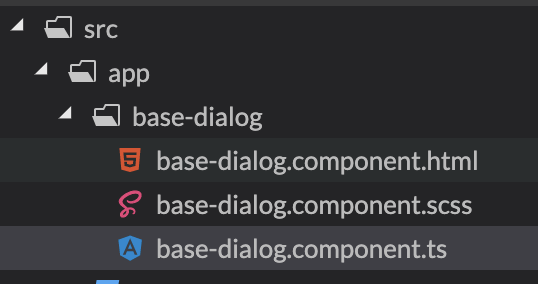
  1. 打开一个全新的 Angular 项目,然后执行创建组件命令 ng g c --name base-dialog 得到三个初始化的文件

image.png

  1. 首先制作遮盖层,就是铺满整个屏幕的div base-dialog.component.html
<div class="modal-overlay" *ngIf="visible"></div>

对应的样式 base-dialog.component.scss

.overlay {
  position: fixed;
  top: 0;
  right: 0;
  bottom: 0;
  left: 0;
  width: 100%;
  height: 100%;
  z-index: 1200;
  background-color: rgba(0, 0, 0, 0.3);
  touch-action: none;  /* 不触发任何事件 */
  -ms-touch-action: none;
}

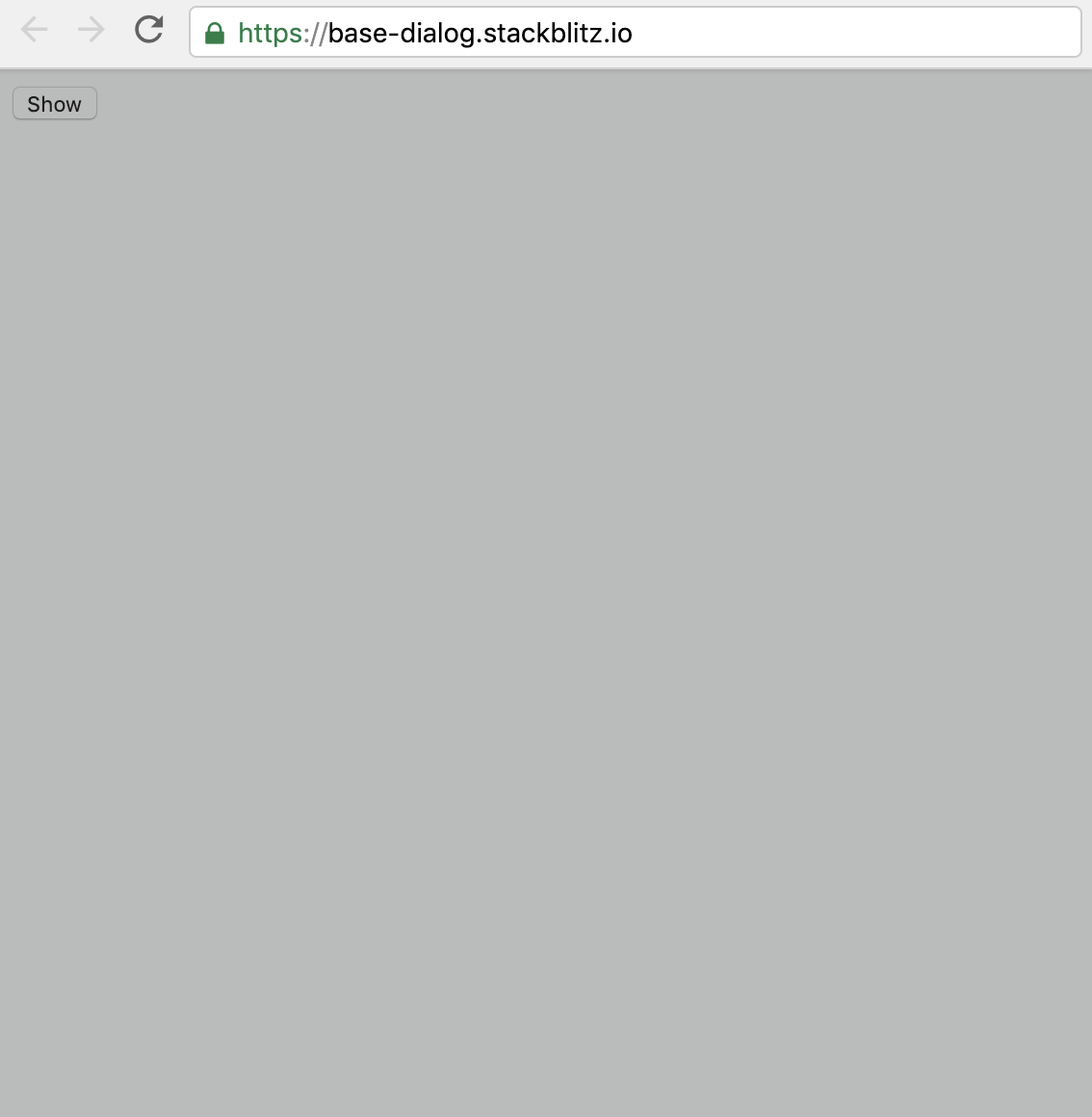
效果:遮盖整个屏幕

image.png

默认情况下,遮盖层是不显示的

typescript

  @Input() dialogTitle = '';
  /*
  * 显示/隐藏
  * */
  _visible = false;
  constructor() { }

  ngOnInit() {
  }

  show() {
    this._visible = true;
  }

  close() {
    this._visible = false;
  }
  1. 制作弹窗Dialog区域

html

<div class="overlay"></div>
<div class="dialog-container">
  <div class="dialog-content">
    <div class="dialog-header">{{dialogTitle}}</div>
    <div class="dialog-body">
      <ng-content select=".dialog-body"></ng-content>
    </div>
    <div class="dialog-footer">
      <ng-content select=".dialog-footer"></ng-content>
    </div>
  </div>
</div>

补充样式

scss

.overlay {
  ....
}
.dialog-container {
  position: fixed;
  z-index: 1300;
  left: 50%;
  top: 50%;
  background-color: #fff;
  .dialog-content {
    border-radius: 8px;
    padding: 10px;
  }
  .dialog-body {
  }
  .dialog-footer {
    text-align: right;
  }
}

这里有一个细节是base-dialogz-index一定要大于overlay的,已保证dialog能显示在遮盖层上方。

  1. 打开app.component.html, 加入下面的代码

html

<button (click)="dialogRef.show()">Show</button>

<app-my-dialog class="dialog-container"  dialogTitle="这是标题" #dialogRef>
  <ng-container class="dialog-body">
    <div>
      <p>这是内容</p>
    </div>
  </ng-container>
  <ng-container class="dialog-footer">
    <button (click)="dialogRef.close()">关闭</button>
  </ng-container>
</app-my-dialog>
  • dialogRef 是这个组件的引用别名
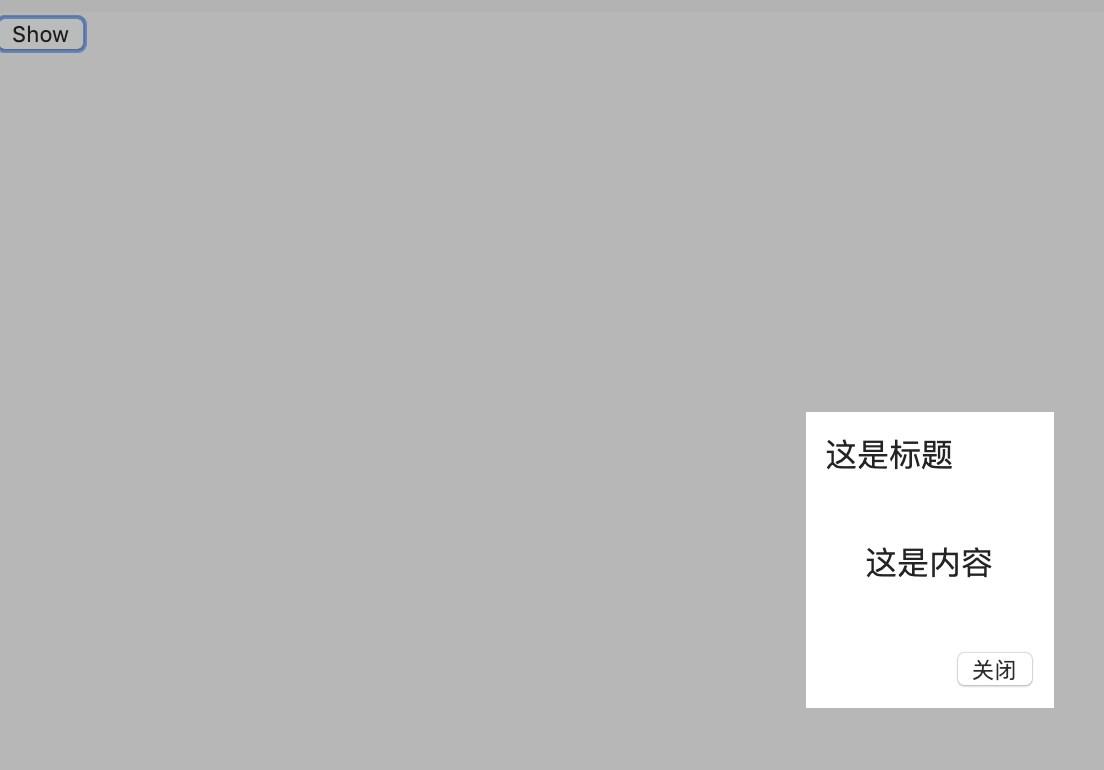
  • <ng-container class="dialog-body"> 类似Vue中的插槽,之内的html会替换组件内部的<ng-content select=".dialog-body"></ng-content> 效果如下,点击show按钮,显示弹窗,点击弹窗中的关闭按钮,恢复原样。

image.png

  1. 其实大部分功能已经完成了,剩下的是样式美化和添加一些额外功能,比如现在是居中显示,示例中加入了从底部显示,用到了CSS3中的动画。