






We show you how to connect the GTmetrix MCP with GitHub’s Copilot CLI.
Overview
The GTmetrix MCP can be connected to GitHub Copilot CLI in order to bring GTmetrix workflow directly into your terminal/CLI.
In this guide, we’ll show you how to connect the GTmetrix MCP to GitHub Copilot CLI with step-by-step instructions.
GitHub Copilot CLI requires Oauth authentication to connect the GTmetrix MCP.
Once you have GitHub Copilot installed on your machine, follow the steps below to set up this connection:
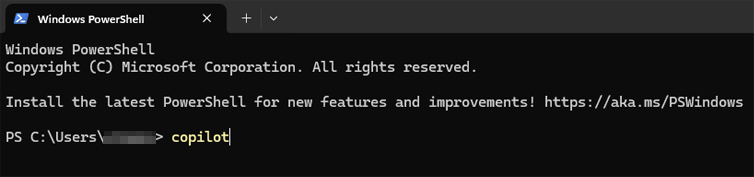
1) Launch GitHub Copilot CLI from the Terminal
On Windows, you can use Powershell.
Copilot CLI is typically launched by typing copilot and pressing Enter.
2) Confirm that you trust the files in your user folder
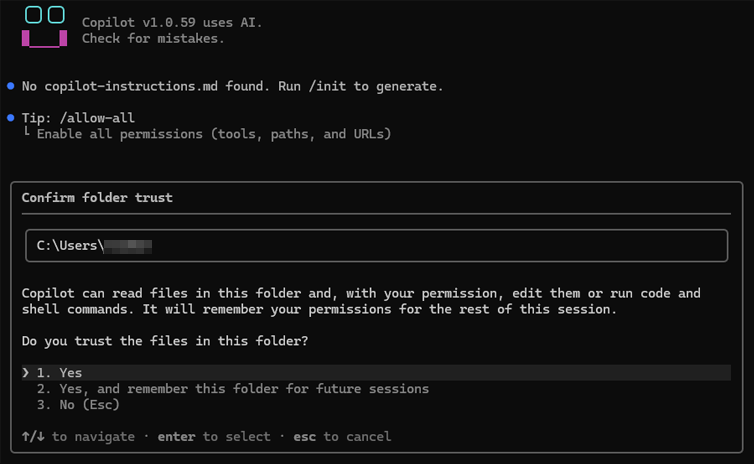
Copilot will ask you to confirm you trust the files in your user folder.
Press 1 to trust it for the current session, or 2 to trust it for future sessions as well.
3) Add the GTmetrix MCP Server
Type /mcp add GTmetrix in the terminal and press Enter. This will bring up the “Edit Server” menu to configure the GTmetrix MCP server.
Use Tab to navigate to the next field, and Shift + Tab to go back to the previous field. The Server Name will already be added.
Now, configure the following details:
- Server Type: Press
2for HTTP - URL/Remote server URL:
https://gtmetrix.com/mcp - Tools:
*
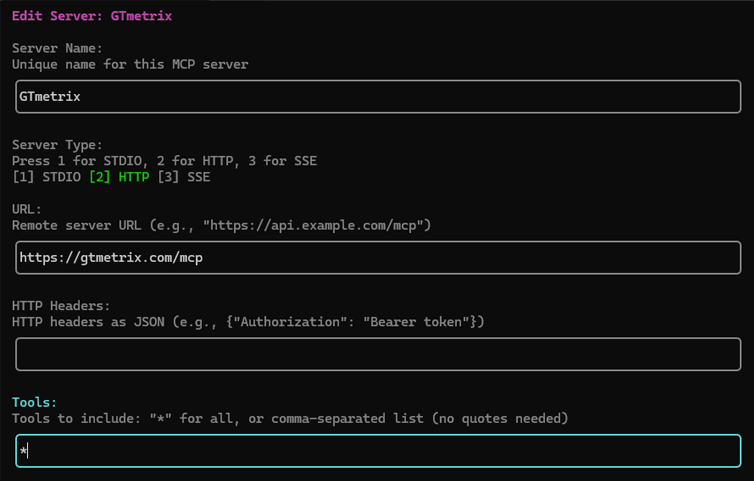
Press Ctrl + S to save this configuration. You will now be asked to authenticate this connection. Press Enter to continue.

4) Authenticate the GTmetrix MCP connection
You’ll be shown the authorization link and your browser should automatically open the link asking you to log into GTmetrix.
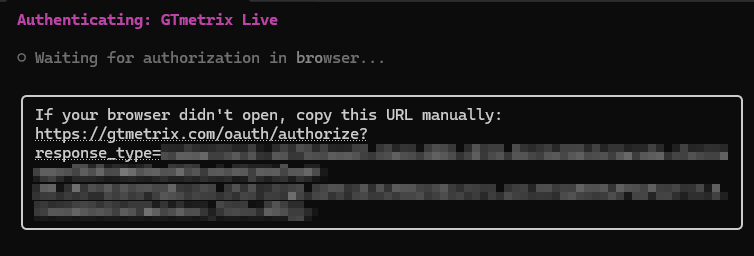
If the browser doesn’t automatically open the link, paste the link shown to open the Authorization page.
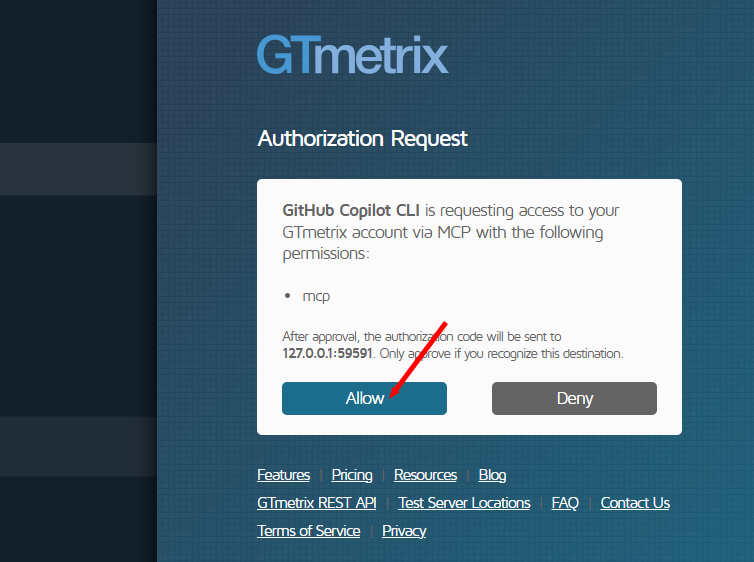
Log into your GTmetrix account and click on Allow to authorize your connection.
A success screen should appear on both the browser and your terminal when the connection is successfully established.
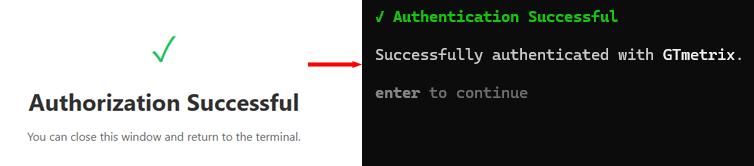
Close the browser window, return to the terminal and press Enter to continue.
5) Verify GTmetrix MCP is setup
You should see the GTmetrix MCP now. If you don’t see it, type /mcp show to bring up the list of connected MCP servers.
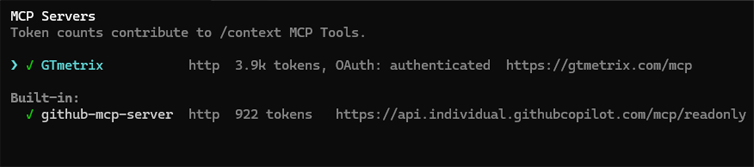
When you see GTmetrix, press Enter to show the available tools.
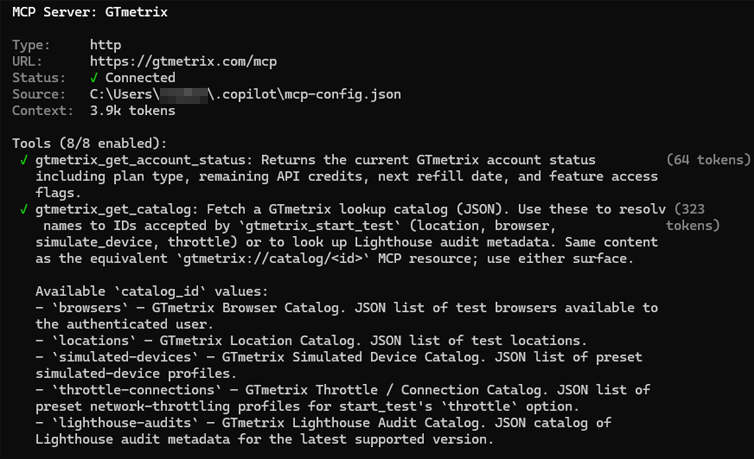
6) Test the GTmetrix MCP connection
Return to the command line and ask Copilot if it can see the GTmetrix MCP tools.
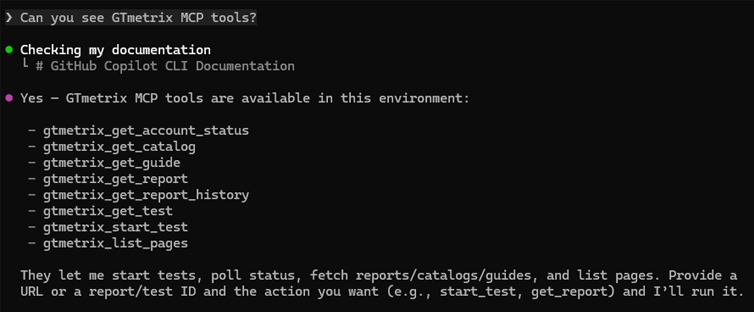
If Copilot responds with a list of GTmetrix tools, that is confirmation that the connection was successful, and you can now start interacting with Copilot and get it to use GTmetrix.
Summary
Connecting the GTmetrix MCP to GitHub Copilot CLI is quick and simple and is done using OAuth authorization..
Use the GTmetrix MCP connection to bring your GTmetrix workflows directly into your Copilot CLI environment.
Get Copilot to start GTmetrix tests, test in different scenarios (locations/devices/connection speeds, etc.), compare results, and help you understand what’s slowing down your page and how to fix them.
Give this a try and let us know if you run into any bugs or issues.
Unlock More API Credits for Copilot CLI Powered Performance Testing
Run more tests with additional API credits. Use GTmetrix MCP inside GitHub Copilot CLI to automate testing, compare results, access history, and surface actionable insights.
Available with select PRO plans (excluding Lite plan).
Other features include: Priority access for tests, More Monitored Slots, Access to more locations, Remote Location Monitoring, Complete Mobile testing suite, and more!