












by Alem Tuzlak on Jun 5, 2026.
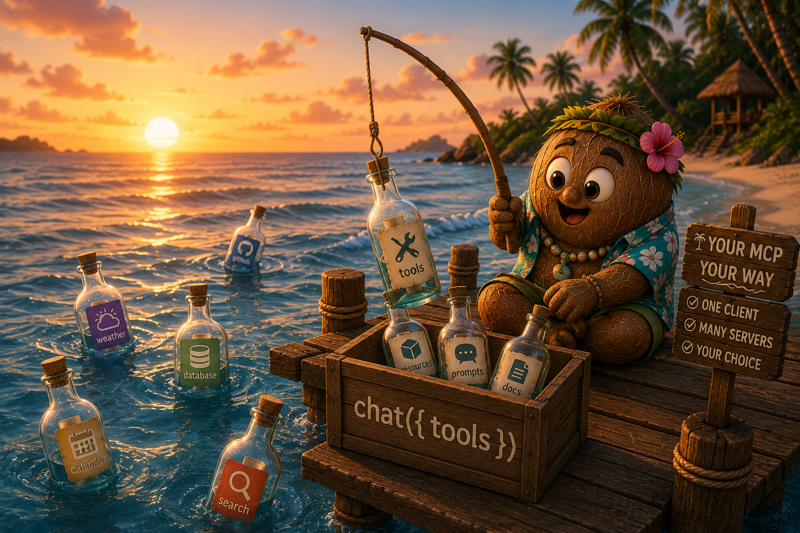
Most "we support MCP now" announcements hand you exactly one way to use it. Connect to a server, get some tools, hope the lifecycle works out.
@tanstack/ai-mcp takes the opposite stance. It is a host-side Model Context Protocol client that turns any MCP server into ordinary ServerTool[] you spread into chat(). Because the output is just tools, every layer above it stays the same: any adapter (OpenAI, Anthropic, Gemini, Ollama), any agent loop, any framework integration. TanStack AI never knows MCP was involved.
That single design decision is what lets you use MCP your way: one server or fifty, fully managed or hand-wired, untyped-and-fast or generated-and-strict. This post walks the entire surface, every flag and every config, with the exact types from the package.
Built on the official @modelcontextprotocol/sdk, the runtime stays edge-deployable. The Streamable HTTP transport is node:-free, the Node-only stdio transport is isolated behind a subpath, and the codegen CLI's heavy dependencies are bundled into the bin only, never into the library you ship.
There is exactly one idea to internalize:
An MCP client is a tool factory. You get back ServerTool[]. You spread them into chat({ tools }).
Everything else in this post is a variation on that line: how you build the client, how you type the tools, how many servers you fan in, and who owns close().
MCP tool execution is server-side only. createMCPClient lives in a server route or serverless function, never in browser code.
A single client connects to a single server. The options are small and every field is load-bearing.
The returned MCPClient exposes the full protocol surface:
Four ways to connect, one consistent shape.
HTTP (Streamable HTTP) is the preferred transport for remote servers and the only one that is fully edge-safe.
SSE is for servers that still implement the legacy Server-Sent Events transport. Same fields as HTTP (url, headers?, fetch?, authProvider?).
stdio spawns a local MCP process. Because it imports Node-native modules, it is isolated behind the @tanstack/ai-mcp/stdio subpath so your edge bundles stay clean.
Passing a { type: 'stdio' } config object to createMCPClient directly throws on purpose, with a message pointing you at the subpath. That keeps the Node-only code path out of edge builds unless you opt in.
Custom transport is the escape hatch: pass any SDK Transport instance straight through. InMemoryTransport is re-exported for in-process testing.
This escape hatch is also how you handle interactive OAuth redirect flows: build a StreamableHTTPClientTransport yourself, keep a reference so you can call transport.finishAuth(code) in your callback route, then hand it to createMCPClient({ transport }).
Two paths, both passed on the http/sse transport config.
This is where "your way" gets literal. The same client supports three levels of typing, and you pick per call site.
Call tools() with no arguments to get every tool the server exposes. No setup. Tool arguments are unknown at compile time and validated at runtime against the server's JSON Schema.
Two behaviors worth knowing:
Pass TanStack toolDefinition() instances to get full TypeScript types and Zod validation. This is an allowlist: only the named tools come back.
Two errors guard this path:
This mode reuses the existing toolDefinition() primitive. There is no parallel schema system to learn, and the per-tuple return type is preserved so each tool keeps its own input/output types.
Run the codegen CLI against a live server to emit per-server interface types, then pass the type as a generic. Tool names narrow to the server's literal names, so a typo becomes a compile error, with zero runtime cost.
Mode 3 types the tool names; tool arguments stay untyped on the discovery path. Combine it with Mode 2 when you want both narrowed names and typed args. The full CLI workflow is in its own section below.
MCP servers expose more than tools. The client surfaces resources and prompts directly, plus two converters that turn them into shapes chat() understands.
To seed a conversation with that content, use the converters:
mcpResourceToContentPart maps a text field to a text part, a blob field to a [binary resource <uri>] placeholder, and anything else to stringified JSON. mcpPromptToMessages normalizes each message to a user/assistant role with text content.
A standalone client is caller-owned. chat() never closes a client you spread manually, which is what makes warm reuse across requests possible.
Tools execute lazily while the response stream is consumed, so the client must stay open until the stream is fully drained. In a route handler that returns a streaming Response, a try/finally around the return closes the client before the body streams and in-flight tool calls fail. Close in a middleware terminal hook (onFinish/onAbort/onError, exactly one fires per run) instead, or let the managed mcp option handle it.
For scoped usage, the client implements Symbol.asyncDispose:
The core @tanstack/ai package gained an optional abortSignal on ToolExecutionContext, and chat() threads the run's signal (the caller's AbortController combined with any middleware abort()) into every tool execution.
@tanstack/ai-mcp forwards that signal straight into the SDK's callTool:
The practical effect: when a chat run is aborted, a long-running MCP callTool is cancelled with it instead of running to completion in the background. The change is additive and backward-compatible.
One server is the simple case. Real agents pull tools from several. createMCPClients connects to many servers in parallel and merges their tools into one flat array.
The config is a Record<string, MCPClientOptions> - the same options as a single client, keyed by a name you choose. The pool gives you:
The default prefix is the config key. Override it with a string, or disable it entirely with an empty string.
A pool satisfies the same structural contract as a single client (tools() plus close()), so anywhere a client works, a pool works too - including the managed mcp option next.
Spreading tools manually gives you full control. Most of the time you do not want that control, you want the tools discovered and the connections closed for you. That is the mcp option, and it is the shortest path to a working integration.
Here is every field on the option, with exact semantics.
An array of anything that satisfies MCPToolSource, which is the structural shape { tools(options?), close() }. Both MCPClient and MCPClients (a pool) match by shape, so you can mix single clients and pools in one array. The core @tanstack/ai package does not import @tanstack/ai-mcp - the dependency only points one way.
Discovered tools are appended to any tools you already passed via tools, so mcp and a hand-written tools array compose cleanly.
Controls what happens to the connections when the run ends.
When true, chat() calls each source's tools({ lazy: true }), which marks the tools lazy so their schemas are deferred. Useful when a server exposes a large catalog and you do not want to pay the full schema cost up front. Defaults to false.
Called when discovery fails for a single source, with the error and the source that produced it.
Async handlers are awaited, so a rejected promise also fails fast.
When chat({ mcp }) runs, an internal MCPManager is built from the option (and is an inert no-op when mcp is undefined, so there is no branching cost otherwise). On each run it:
If discovery itself throws, the manager disposes any connected sources first (when the policy is 'close') so a failed run does not leak connections.
Modes 1 and 2 need no build step. Mode 3 does, and the CLI is how you get there. It introspects live servers and emits compile-time-only types that slot into both standalone clients and pools.
defineConfig is purely for editor autocomplete and type checking of the config itself. Each CodegenServerConfig carries a transport and an optional prefix. That prefix must match whatever you pass at runtime, because it changes the tool names the types describe.
The CLI connects to each declared server, introspects its tools, resources, and prompts, and writes the result to outFile. Its heavier dependencies are bundled into the bin only, so they never reach the library you deploy.
One interface per server (extending ServerDescriptor) plus a combined pool map:
For a single client, pass the per-server interface:
For a pool, pass the combined MCPServers map. This is the part that makes codegen and pools click together: the generated map constrains the pool config keys, so a missing or misspelled server key is a compile error, and each pool.clients[key] is typed to that server's descriptor.
The types are a compile-time overlay. At runtime the pool builds the same descriptor-agnostic clients it always would, which is why the generated map costs nothing in your bundle and nothing at execution time.
The three concepts compose into one summary: a single server, a pool, and generated types all feed the same chat().
One server or many. Managed or manual. Untyped or generated. Warm or closed. Same chat(), every time.
A few decisions are worth calling out because they affect where you can deploy:
Install the package:
That is all you need - @modelcontextprotocol/sdk ships as a dependency, so it comes along automatically. Add it to your own package.json only if you import from it directly (for example the OAuthClientProvider type or a hand-built StreamableHTTPClientTransport in the escape-hatch path).
Then connect a server, hand it to chat(), and ship. Read the full guides at tanstack.com/ai: start with the MCP overview, then the managed chat() integration, the manual typed-tools path, and the codegen workflow.
Whatever shape your MCP setup takes - one server or a fleet, fully managed or hand-wired, loosely typed or generated end-to-end - @tanstack/ai-mcp meets you there. It is your MCP, your way.
此内容由惯性聚合(RSS阅读器)自动聚合整理,仅供阅读参考。 原文来自 — 版权归原作者所有。