惯性聚合 高效追踪和阅读你感兴趣的博客、新闻、科技资讯
阅读原文 在惯性聚合中打开

推荐订阅源

Y
Y Combinator Blog
Jina AI
Jina AI
雷峰网
雷峰网
有赞技术团队
有赞技术团队
WordPress大学
WordPress大学
美团技术团队
V
V2EX
酷 壳 – CoolShell
酷 壳 – CoolShell
小众软件
小众软件
博客园 - Franky
博客园 - 三生石上(FineUI控件)
月光博客
月光博客
博客园 - 叶小钗
大猫的无限游戏
大猫的无限游戏
爱范儿
爱范儿
Hugging Face - Blog
Hugging Face - Blog
宝玉的分享
宝玉的分享
Last Week in AI
Last Week in AI
Apple Machine Learning Research
量子位
IT之家
IT之家
人人都是产品经理
人人都是产品经理
博客园_首页
让小产品的独立变现更简单 - ezindie.com

Home on Alex Plescan

bigdraw: I made a collaborative drawing site Just for fun: animating a mosaic of 90s GIFs Two computers, one monitor, zero fiddling Placeholder names should be bad and unique Rebuilding this site Okay, I really like WezTerm GNU Parallel, where have you been all my life? Timeseries with PostgreSQL Easy SVG sparklines Using Declarative Shadow DOM to embed HTML emails on a web page Selling SaaS on Gumroad PDF: The Conjoined Triangles of Success Deploying Metabase to Fly.io The ".x" Files Xcode 8 managed signing: adding new device UUIDs to a provisioning profile Emojify your Wi-Fi (Netgear R6300 edition) Disabling App Transport Security in your development environment Swift: A nicer way to tell if your app is running in Debug mode Development environment config overrides in Jekyll Setting up SwiftLint on Travis CI
How to use the San Francisco Mono typeface before macOS S...
2016-06-14 · via Home on Alex Plescan

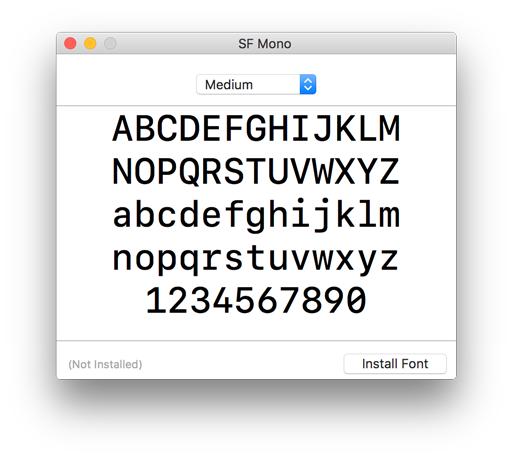
Apple’s new San Francisco Mono typeface comes bundled in with the latest Xcode 8 beta, and it’s beautiful! If you’re impatient like me and want to use San Francisco Mono in your other apps before macOS Sierra is released, you can grab its otf files from the Xcode 8 Beta app package and install them manually:

  1. Download and install the Xcode 8 beta (you’ll need an Apple Developer account)
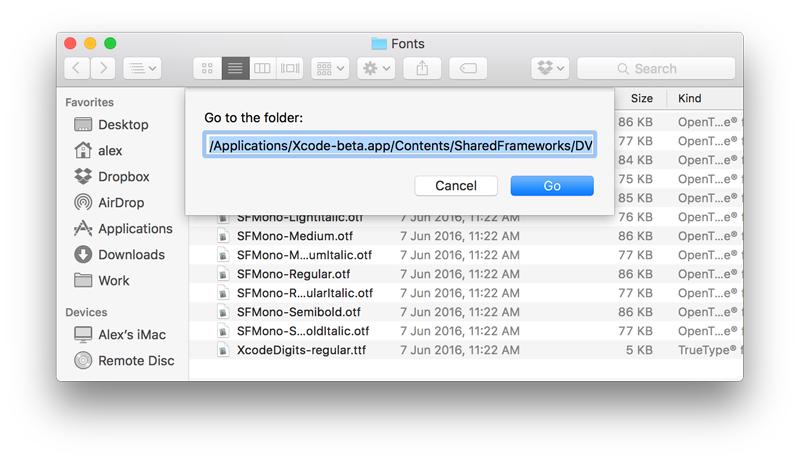
  2. Open Finder and push CMD + SHIFT + G to open the “Go to Folder dialog”, then paste this path (its prefix may differ depending on where you installed Xcode): /Applications/Xcode-beta.app/Contents/SharedFrameworks/DVTKit.framework/Versions/A/Resources/Fonts Go to dialog
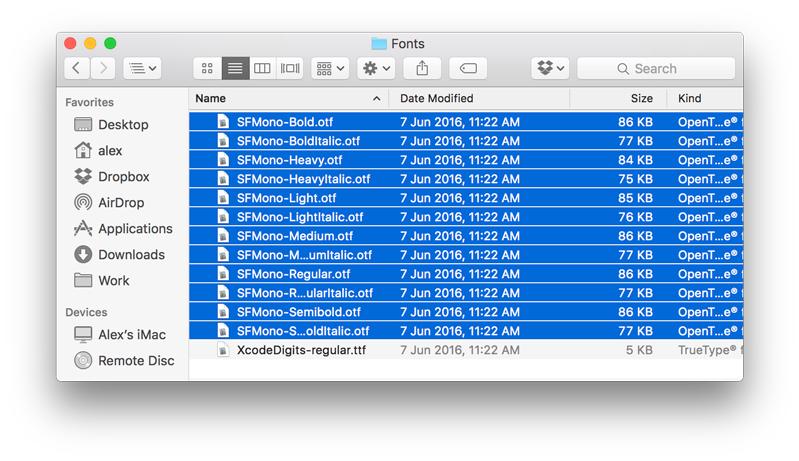
  3. Open all the font files starting with “SFMono”: Select all fonts
  4. Choose “Install Font”: Install fonts

The San Francisco Mono fonts should now be available to use throughout your entire system. Enjoy!