


惯性聚合 高效追踪和阅读你感兴趣的博客、新闻、科技资讯
阅读原文 在惯性聚合中打开

推荐订阅源

F
Full Disclosure
WordPress大学
WordPress大学
小众软件
小众软件
Cloudbric
Cloudbric
AWS News Blog
AWS News Blog
腾讯CDC
量子位
人人都是产品经理
人人都是产品经理
大猫的无限游戏
大猫的无限游戏
freeCodeCamp Programming Tutorials: Python, JavaScript, Git & More
V
Vulnerabilities – Threatpost
Scott Helme
Scott Helme
Hugging Face - Blog
Hugging Face - Blog
博客园_首页
C
CXSECURITY Database RSS Feed - CXSecurity.com
The Hacker News
The Hacker News
奇客Solidot–传递最新科技情报
奇客Solidot–传递最新科技情报
IT之家
IT之家
Jina AI
Jina AI
Attack and Defense Labs
S
SegmentFault 最新的问题
Simon Willison's Weblog
The Cloudflare Blog
阮一峰的网络日志
阮一峰的网络日志
T
Tailwind CSS Blog
Last Week in AI
Last Week in AI
博客园 - 【当耐特】
Google Online Security Blog
美团技术团队
OSCHINA 社区最新新闻
OSCHINA 社区最新新闻
V
Visual Studio Blog
罗磊的独立博客
L
LINUX DO - 最新话题
博客园 - Franky
博客园 - 叶小钗
Apple Machine Learning Research
The Last Watchdog
The Last Watchdog
J
Java Code Geeks
AI
AI
C
Cisco Blogs
酷 壳 – CoolShell
酷 壳 – CoolShell
C
Cyber Attacks, Cyber Crime and Cyber Security
Cisco Talos Blog
Cisco Talos Blog
博客园 - 三生石上(FineUI控件)
雷峰网
雷峰网
Help Net Security
Help Net Security
钛媒体:引领未来商业与生活新知
钛媒体:引领未来商业与生活新知
云风的 BLOG
云风的 BLOG
I
Intezer
S
Securelist

Pierce Freeman

A browser for agents | Pierce Freeman The grey market of podcast appearances The way I travel | Pierce Freeman Fixing slow AWS uploads | Pierce Freeman Local tools should still use vaults We solved scratch content first Starting a podcast in 2025 Being late but still being early Automating our home video imports A deep dive on agent sandboxes Language servers for AI | Pierce Freeman My simple home podcast studio We need centralized infrastructure | Pierce Freeman Coercing agents to follow conventions using AST validation My unified theory of social selling My personal backup strategy | Pierce Freeman July updates to the homelab How the KV Cache works httpx is the right way to do web requests in Python Reputation is becoming everything | Pierce Freeman Building a (kind of) invisible mac app Updated knowledge in language models Making an ascii animation | Pierce Freeman How speculative decoding works | Pierce Freeman Under the hood of Claude Code Doing things because they're easy, not hard Speeding up sideeffects with JIT in mountaineer Firehot for hot reloading in Python Misadventures in Python hot reloading How text diffusion works | Pierce Freeman The tenacity of modern LLMs The ergonomics of rails | Pierce Freeman How language servers work | Pierce Freeman Just add eggs | Pierce Freeman Unfortunately SEO still matters | Pierce Freeman The futility of human-only web requirements Setting up Input Leap | Pierce Freeman Checking in on Waymo | Pierce Freeman The react revolution | Pierce Freeman Speeding up many small transfers to a unifi nas Quick notes on swift libraries AI engineering is a different animal San Francisco | Pierce Freeman Debugging a mountaineer rendering segfault Local network config on macOS Building our home network | Pierce Freeman Introducing Envelope.dev Legacy code and AI copilots Typehinting from day-zero | Pierce Freeman Generating database migrations with acyclic graphs Lofoten | Pierce Freeman Mountaineer v0.1: Webapps in Python and React Constraining LLM Outputs | Pierce Freeman Passthrough above all | Pierce Freeman Accuracy in kudos | Pierce Freeman How quick we are to adapt The curious case of LM repetition Costa Rica | Pierce Freeman Debugging chrome extensions with system-level logging Speeding up runpod | Pierce Freeman Inline footnotes with html templates Parsing Common Crawl in a day for $60 An era of rich CLI All or nothing with remote work The Next 10 Years | Pierce Freeman Adding wheels to flash-attention | Pierce Freeman LLMs as interdisciplinary agents | Pierce Freeman New Zealand | Pierce Freeman Representations in autoregressive models | Pierce Freeman Let's talk about Siri | Pierce Freeman Minimum viable public infrastructure | Pierce Freeman Reasoning vs. Memorization in LLMs Automatically migrate enums in alembic Greater sequence lengths will set us free On learning to ski | Pierce Freeman Dolomites | Pierce Freeman Using grpc with node and typescript Opportunity years | Pierce Freeman Buzzword peaks and valleys | Pierce Freeman Buenos Aires | Pierce Freeman Network routing interaction on MacOS Independent work: November recap Debugging slow pytorch training performance The provenance of copy and paste Debugging tips for neural network training Patagonia | Pierce Freeman Santiago | Pierce Freeman My 2022 digital travel kit AWS vs GCP - GPU Availability V2 Independent work: October recap | Pierce Freeman Planning Patagonia Relationship modeling | Pierce Freeman The power of status updates A new chapter | Pierce Freeman Give my library a coffee shop AWS vs GCP - GPU Availability V1 Switzerland | Pierce Freeman Headfull browsers beat headless | Pierce Freeman Webcrawling tradeoffs | Pierce Freeman Copenhagen | Pierce Freeman
Adding my parents to tailscale
2025-11-03 · via Pierce Freeman

I've been digitizing my family's collection of physical media onto my homelab. My motivation here was originally just to archive the media and store it for safe keeping in case some act of god affects the originals. But as expected, the second that some were digitized my parents wanted to take a watch. I was a cute kid after all.

Enter: Tailscale

I've been using Tailscale for years now as part of my own internal network, mostly to ssh into my homelab when I'm working on my primary or on mobile. It's much simpler interface to Wireguard and basically does the same (synthetic VPC access to devices backed by auto-deployed public keys). You can set up a more limited version for your extended family as well.

Tailscale is just the connection protocol to access your homelab. Unless you want to give your family raw file system access (which means they'll have to download a full 23GB file before it plays), a media server with a web UI is a much better choice.

My first inclination was to use Plex, since I used it a few years ago to host some of my media collection. With Plex you actually don't need to use Tailscale because they route your Plex instance through their servers to escape your firewall blocking direct connections to your device. I wasn't thrilled at the idea of proxying all my video traffic through their centralized account management system and in turn their own servers.

Jellyfin is a simpler self-hosted alternative. In the interest of maintaining my existing deployment pipeline (ie. all logic encapsolated within a single docker image), I made use of docker-within-docker to host the standard Jellyfin media server:

env_args = _build_env_args(media_config)
docker_cmd = [
    "docker", "run", "--rm", "--name", CONTAINER_NAME,
    "--network", "host",
    *env_args,
    *volume_args,
    JELLYFIN_IMAGE,
]

If you check out the full code, there are a few things going on that require some wrapper logic around the docker image:

  • Dynamic mounting of the NAS via a temporary SMB mounting point; the NAS will hold the raw media files as well as the transcoded paths to allow for faster streaming
  • Mounting only the isolated path to these family videos
  • Using ro for the volume to guarantee at OS level that Jellyfin isn't going to touch my underlying media

ACL roles

You have to define the tags in the ACL permissions before you can add them to the device. Since our homeserver is called bungalo, I added that as the given tag type1.

{
	// Define the tags which can be applied to devices and by which users.
	"tagOwners": {
		"tag:bungalo": ["autogroup:admin"],
	},

	// Traditional ACL format (not grants)
	"acls": [
		// Allow family to access bungalo-neuron on ports 80 and 8096 only
		{
			"action": "accept",
			"src":    ["[email protected]", "[email protected]"],
			"dst":    ["tag:bungalo:80", "tag:bungalo:8096"],
		},

		// Allow piercefreeman@github unrestricted access to all machines
		{
			"action": "accept",
			"src":    ["piercefreeman@github"],
			"dst":    ["*:*"],
		},
	],

	// Define users and devices that can use Tailscale SSH.
	"ssh": [
		{
			"action": "check",
			"src":    ["autogroup:member"],
			"dst":    ["autogroup:self"],
			"users":  ["autogroup:nonroot", "root"],
		},
	],
}

Once these are defined we add the tags to the device:
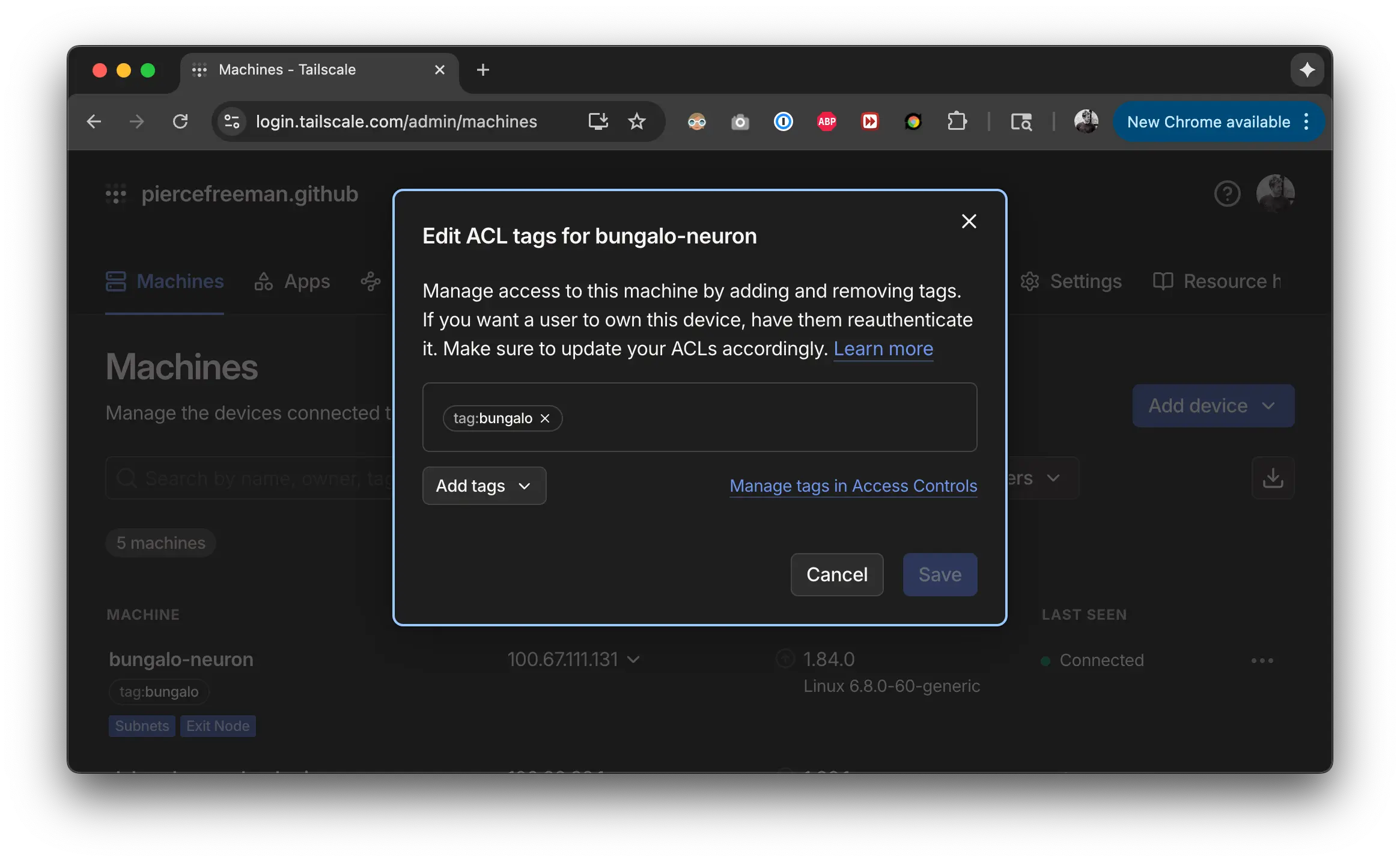
Screenshot of Tailscale tags

We want to allow limited access to the root status page for the homeserver :80 and the jellyfin server hosted on :8096. The root status page allows them to just access the device by the host name.

Setup

I had the benefit of having physical access to the computer during this setup. You should be able to do the same thing via a remote control session (Zoom Remote Control) but you'll probably run into some challenges if you try to script this whole process. There are a lot of manual auth jumps from the setup packager to the browser back to the toolbar utility, etc.

You'll have to send out a custom invite link. From there it's as simple as clicking the accept link to start account creation:
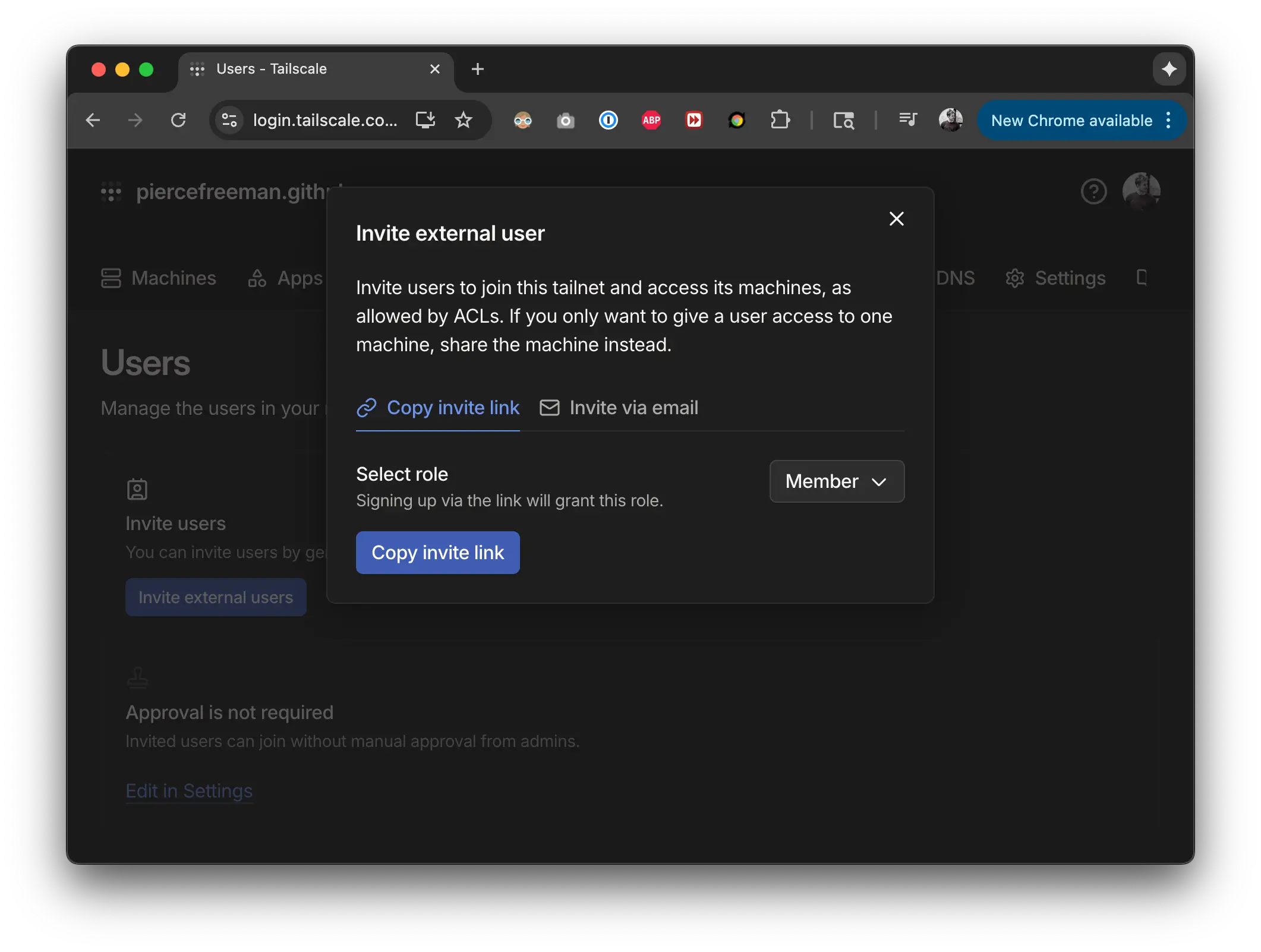
Screenshot of invite users

Most parts of the setup manager are pretty straightforward. The one part to double check is that when you login in the browser, you'll get an option to join their own tailscale or to join your own. Select your own since otherwise they won't be able to see the media server. Tailscale networks are isolates from one another and there doesn't seem to be an easy way to switch via the toolbar app2. If you're on the right network and have the right ACL permissions setup, you should be ready to stream your media:

http://bungalo-neuron/

This resolution by device name - not tag - is provided by the Magic DNS setting that can be configured in Tailscale's DNS settings.

The technical factors in this whole setup are impressive to me, but my parents couldn't care less. It feels like they're accessing any other website. This includes when they shutdown their computer and turn it back on again.

The whole thing just works™. It feels like an overly technical solution to what is a very basic problem (viewing some videos!) but I actually feel like it's the right balance to securely host your own content in a set-and-forget way.

  1. Yes, spelling is intentional. ↩

  2. There may well be a method here to switch via the Terminal but I don't think those instructions would resonate with the clientele. ↩