惯性聚合 高效追踪和阅读你感兴趣的博客、新闻、科技资讯
阅读原文 在惯性聚合中打开

推荐订阅源

V2EX - 技术
V2EX - 技术
奇客Solidot–传递最新科技情报
奇客Solidot–传递最新科技情报
宝玉的分享
宝玉的分享
F
Fortinet All Blogs
T
Tailwind CSS Blog
IT之家
IT之家
B
Blog
D
DataBreaches.Net
博客园 - 【当耐特】
G
Google Developers Blog
WordPress大学
WordPress大学
S
Securelist
A
Arctic Wolf
Project Zero
Project Zero
T
Tenable Blog
P
Privacy International News Feed
The GitHub Blog
The GitHub Blog
D
Darknet – Hacking Tools, Hacker News & Cyber Security
S
Schneier on Security
L
LINUX DO - 热门话题
T
Threat Research - Cisco Blogs
P
Privacy & Cybersecurity Law Blog
M
MIT News - Artificial intelligence
Scott Helme
Scott Helme
Google DeepMind News
Simon Willison's Weblog
C
CERT Recently Published Vulnerability Notes
雷峰网
雷峰网
The Register - Security
T
Threatpost
Recorded Future
Recorded Future
C
Cyber Attacks, Cyber Crime and Cyber Security
AWS News Blog
AWS News Blog
D
Docker
Cyberwarzone
Cyberwarzone
PCI Perspectives
PCI Perspectives
L
LangChain Blog
C
CXSECURITY Database RSS Feed - CXSecurity.com
腾讯CDC
T
The Exploit Database - CXSecurity.com
V
V2EX
S
Secure Thoughts
Hacker News - Newest:
Hacker News - Newest: "LLM"
AI
AI
阮一峰的网络日志
阮一峰的网络日志
Schneier on Security
Exploit-DB.com RSS Feed
B
Blog RSS Feed
J
Java Code Geeks
酷 壳 – CoolShell
酷 壳 – CoolShell

Oskar Wickström

Coding on Paper Catching Typos on My Website with Browser Testing The Bombadil Terminal Experiment There and Back Again: From Quickstrom to Bombadil Computer Says No: Error Reporting for LTL A Year with the Daylight Computer Finding Bugs in a Coding Agent with Lightweight DST Machine: Learning; Human: Unlearning; How I Built “The Monospace Web” A Flexible Minimalist Neovim for 2024 Statically Typed Functional Programming with Python 3.12 Specifying State Machines with Temporal Logic Clearing Weeds and Planting Trees Introducing Quickstrom: High-confidence browser testing The TodoMVC Showdown: Testing with WebCheck Time Travelling and Fixing Bugs with Property-Based Testing Property-Based Testing in a Screencast Editor, Case Study 3: Integration Testing Property-Based Testing in a Screencast Editor, Case Study 2: Video Scene Classification Property-Based Testing in a Screencast Editor, Case Study 1: Timeline Flattening Property-Based Testing in a Screencast Editor: Introduction Why I’m No Longer Taking Donations Writing a Screencast Video Editor in Haskell Declarative GTK+ Programming with Haskell Finite-State Machines, Part 2: Explicit Typed State Transitions Modeling with Haskell Data Types Motor: Finite-State Machines in Haskell Automating the Build of your Technical Presentation Tagless Final Encoding of a Test Language Hyper: Elegant Weapons for a More Civilized Page Taking a Step Back from Oden Custom Formatting in HTML and LaTeX Code Listings using Pandoc
Paramount Color Scheme for Vim
Oskar Wickström · 2016-05-15 · via Oskar Wickström

Having tried a lot of color schemes for editors, especially for Vim, I have gotten quite picky. All right, very picky. Most of the time Vim has been configured to use Tomorrow Night or Gruvbox. Although they’re great, they have felt a bit over the top. Also, depending on where I’m sitting at the moment I use both dark and light backgrounds for best contrast.

The last couple of days I’ve tried off with some small modifications for accent colors, e.g. number, strings and escape sequences. This setup fit my taste very well so I decided to package that as a color scheme for Vim. I call it Paramount.

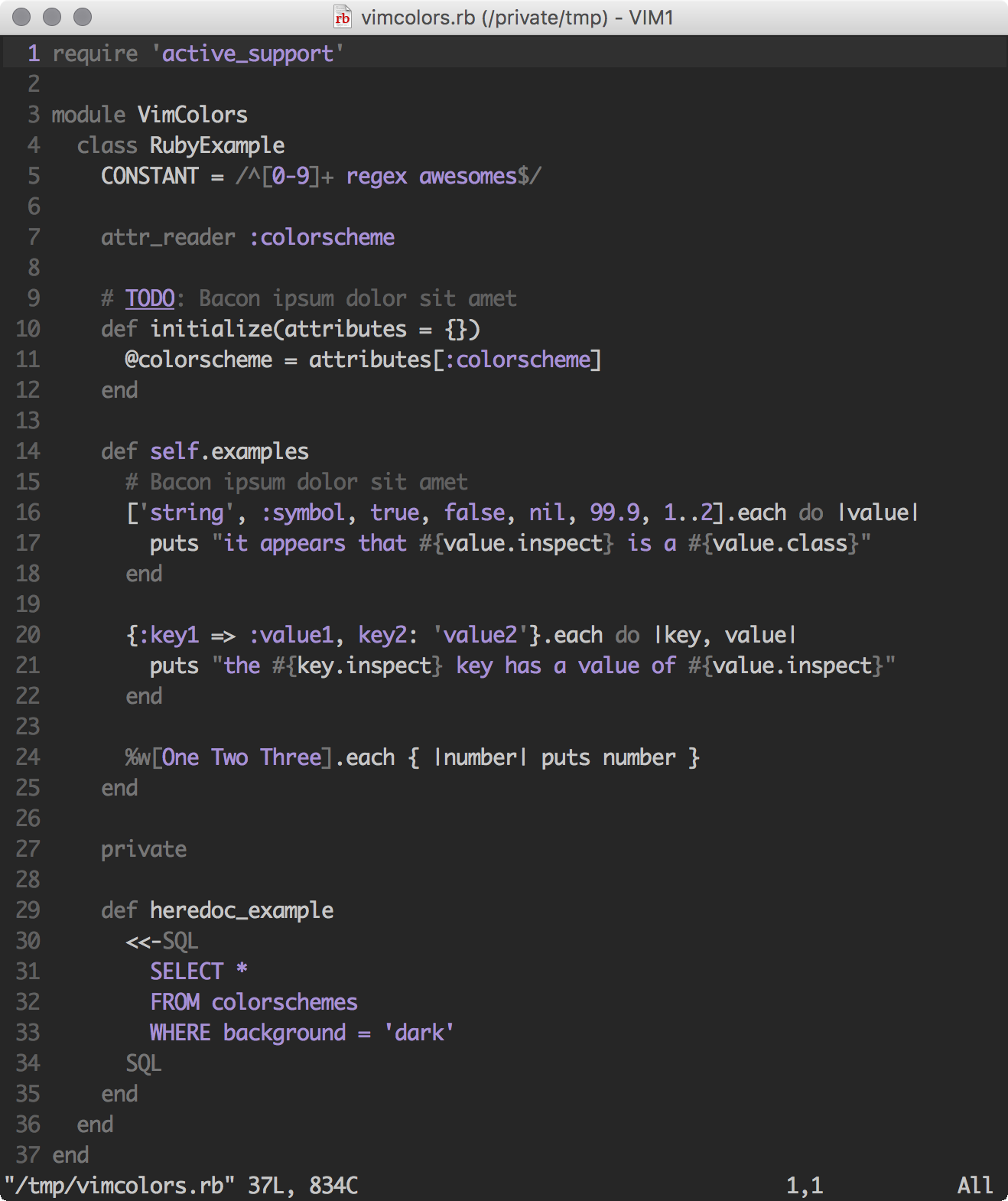
The goal of Paramount is to not clutter your editor with all colors of the rainbow, just to keep it simple. It uses three monochrome colors for most text together with a purple accent color. Diffs and some errors use red and green colors.

Paramount is based on the pencil and off color schemes. Thanks for the great work on those projects!

Screenshots

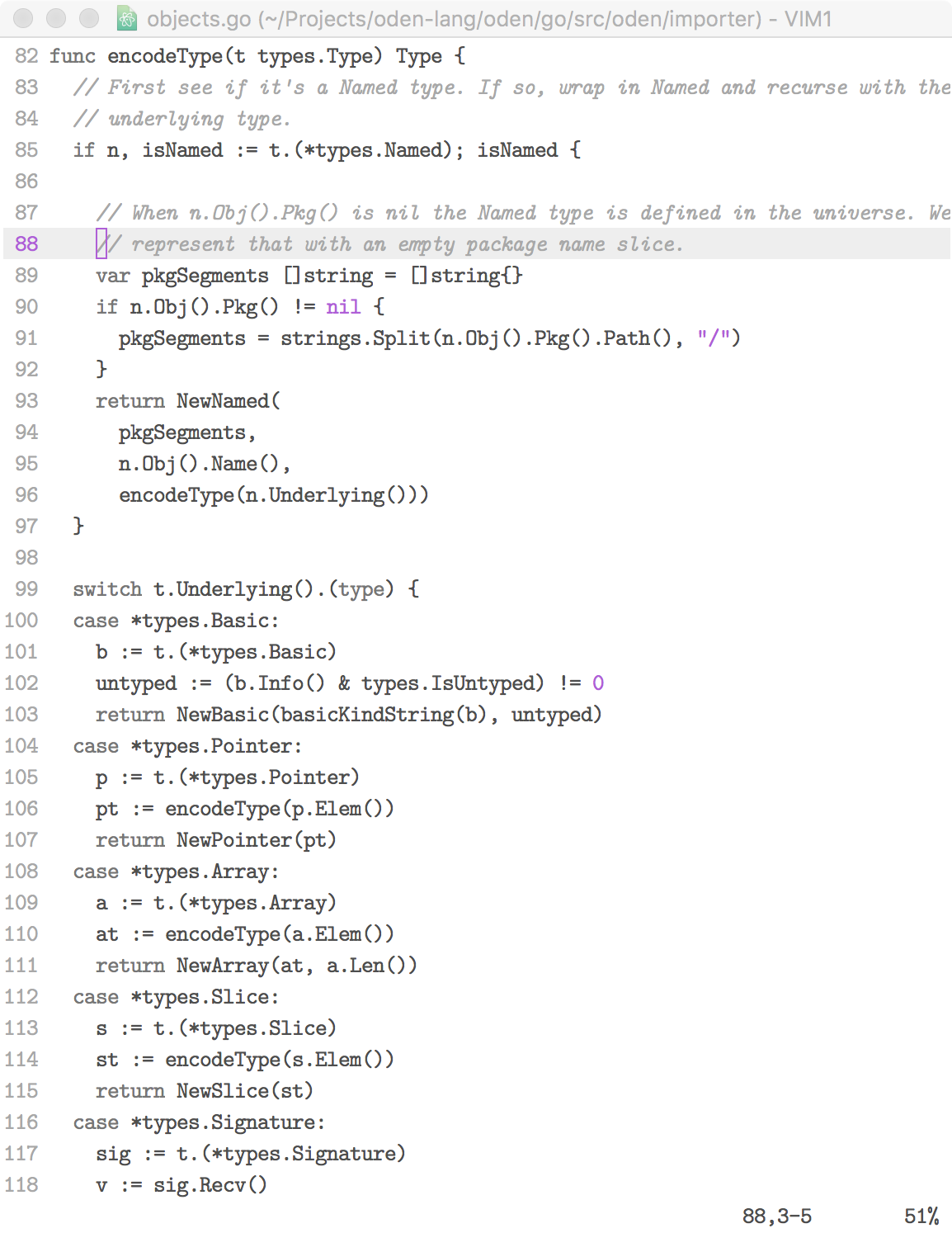
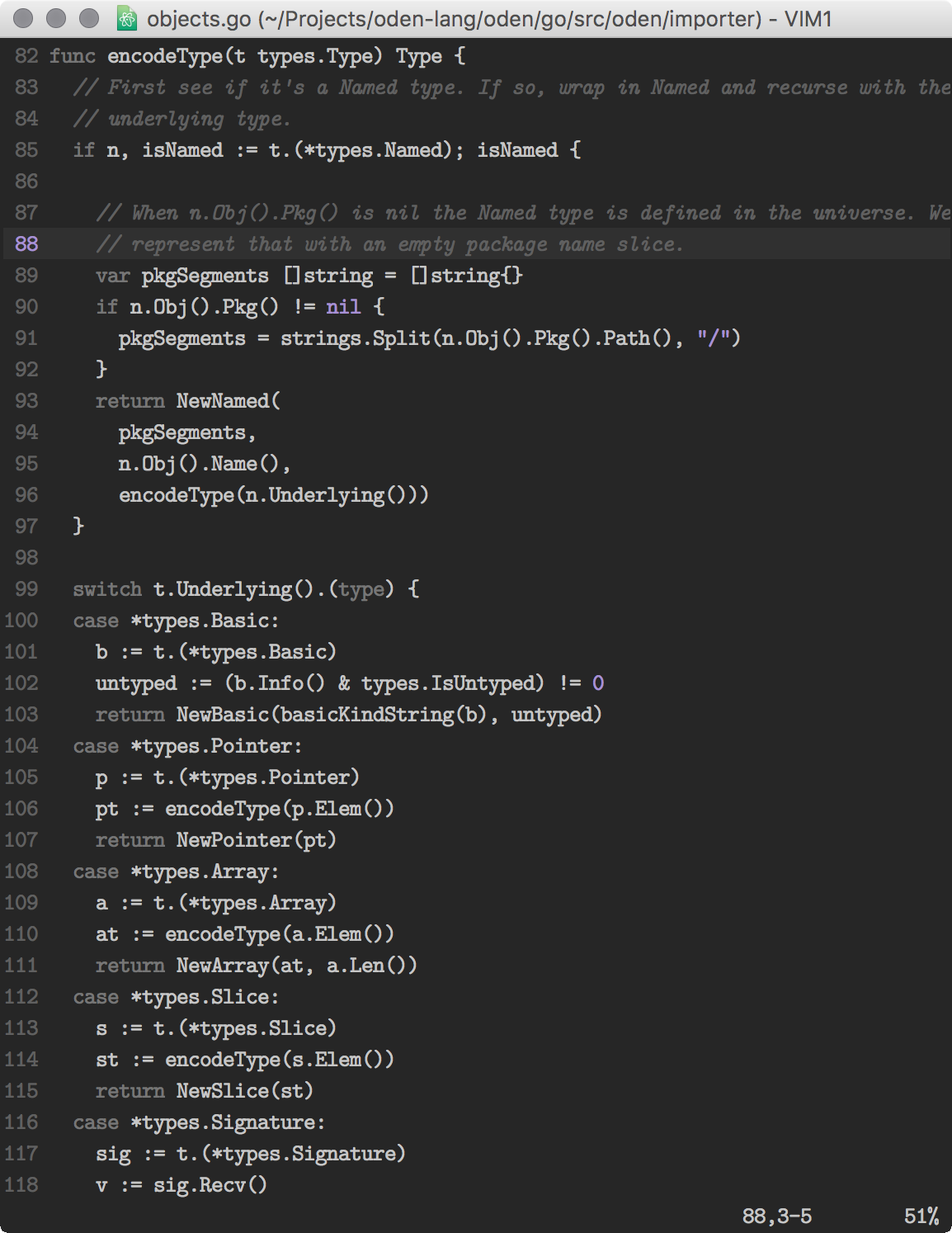
The following screenshots show some Go code together with the Latin Modern Mono font on light and dark backgrounds.
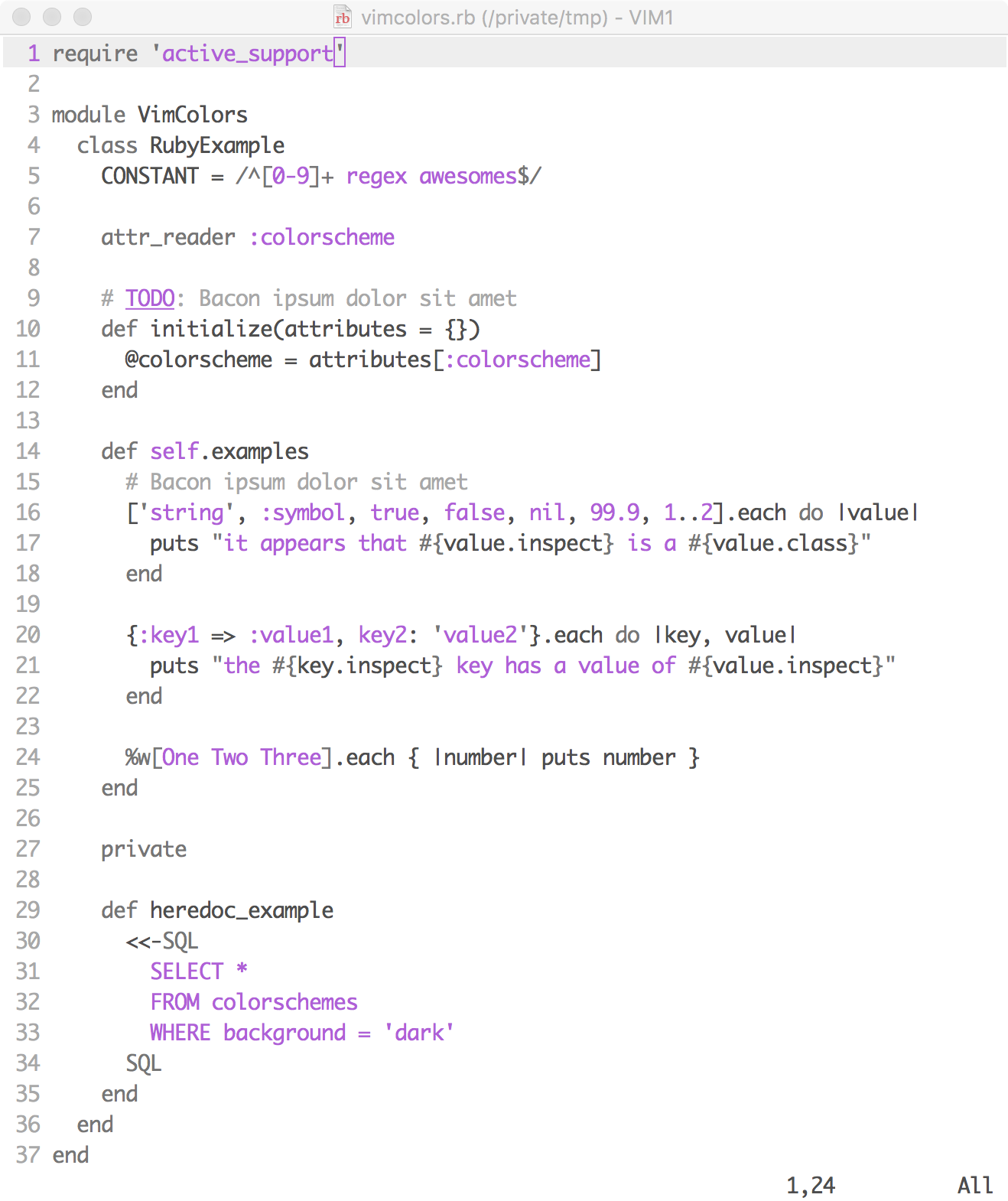
…and if you use the Monaco font to show the Ruby code from vimcolors.com:
Installation

Simply copy the color scheme file to your ~/.vim/colors directory or use a plugin manager like Plug or Vundle and add "owickstrom/vim-colors-paramount" as a plugin.

The source is available on GitHub. You can preview the theme on the ~/.vim/colors site.