





Posted on tirsdag, juli 18, 2023 in Hal9k, Planets
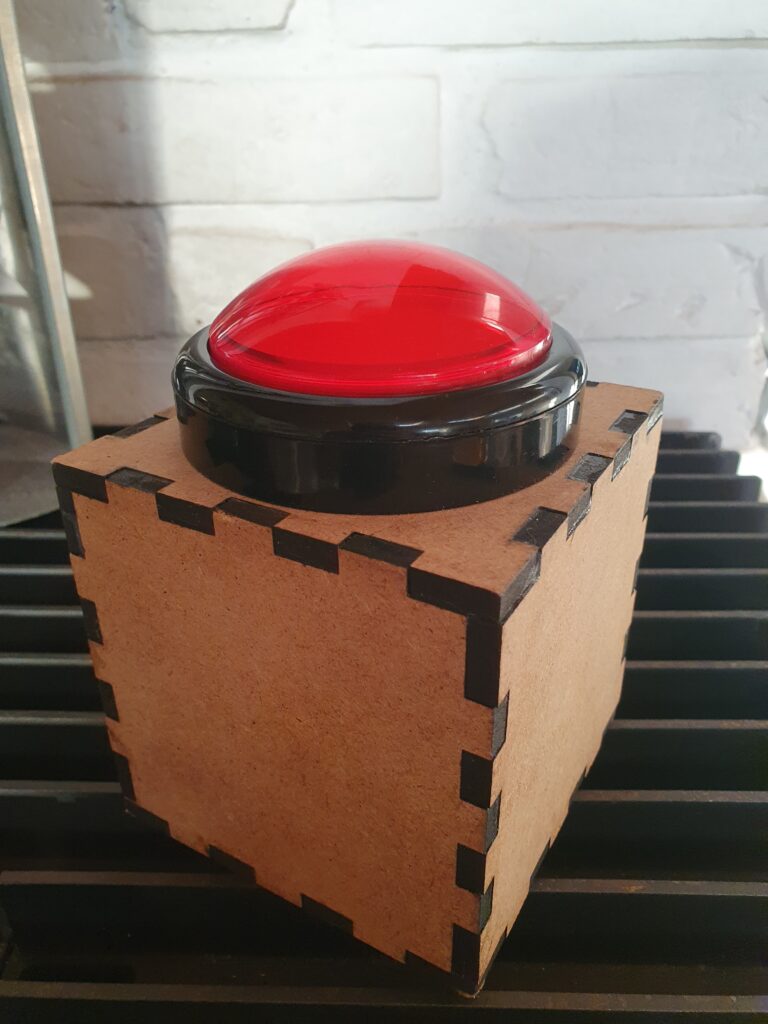
I want to build a physical giant red button, that when pressed instantly starts a children’s TV-show, in my case Fantus on DRTV using a Chromecast.
The first part of the build is figuring out how to remotely start a specific video on a Chromecast. Initially I thought this would be pretty simple to do from an Arduino, because back in the day you could start a video just using a HTTP request. Very much not so anymore: the Chromecast protocol has evolved into some monster using JSON inside Protobuf over TLS/TCP, with multicast DNS for discovery. Chance of getting that working on a microcontroller is near-zero.
But remote control is possible using e.g. pychromecast which has support for not only the usual app of YouTube, but also a couple of custom ones like BBC. Let’s try and add support for DRTV to pychromecast, starting at the hints given on adding a new app.
Using the netlog-viewer to decode the captured net-export from Chrome, and looking at the unencrypted socket communication, the appId of the DRTV app is easily found.
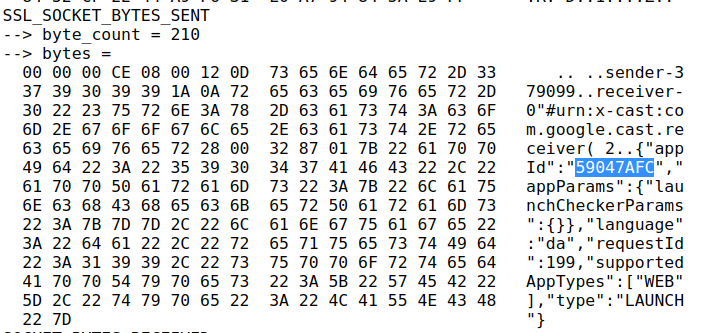
However, one of the subsequent commands has a lot more customData than I expected, since it should more or less just be the contentId that is needed:
{
  "items": [
    {
      "autoplay": true,
      "customData": {
        "accountToken": {
          "expirationDate": "2022-07-02T00:48:35.391Z",
          "geoLocation": "dk",
          "isCountryVerified": false,
          "isDeviceAbroad": false,
          "isFallbackToken": false,
          "isOptedOut": false,
          "profileId": "c4e0...f3e",
          "refreshable": true,
          "scope": "Catalog",
          "type": "UserAccount",
          "value": "eyJ0eX...Dh8kXg"
        },
        "chainPlayCountdown": 10,
        "profileToken": {
          "expirationDate": "2022-07-02T00:48:35.389Z",
          "geoLocation": "dk",
          "isCountryVerified": false,
          "isDeviceAbroad": false,
          "isFallbackToken": false,
          "isOptedOut": false,
          "profileId": "c4e0a...f3e",
          "refreshable": true,
          "scope": "Catalog",
          "type": "UserProfile",
          "value": "eyJ0eXAi...IkWOU5TA"
        },
        "senderAppVersion": "2.211.33",
        "senderDeviceType": "web_browser",
        "sessionId": "cd84eb44-bce0-495b-ab6a-41ef125b945d",
        "showDebugOverlay": false,
        "userId": ""
      },
      "media": {
        "contentId": "278091",
        "contentType": "video/hls",
        "customData": {
          "accessService": "StandardVideo"
        },
        "streamType": "BUFFERED"
      },
      "preloadTime": 0,
      "startTime": 0
    }
  ],
  "repeatMode": "REPEAT_OFF",
  "requestId": 202,
  "sessionId": "81bdf716-f28a-485b-8dc3-ac4881346f79",
  "startIndex": 0,
  "type": "QUEUE_LOAD"
}
Here I spent a long time trying without any customData, and just using the appId and contentId. Initially it seemed to work!
However, it turned out it only worked if the DRTV Chromecast app was already launched from another device. If launched directly from pychromecast the app would load, show a spinner, and then go back to idle. Here much frustration was spent; I guess the customData is actually needed. And indeed, putting that in works! But where do these tokens come from, and how do we get those tokens from Python?
Using Chrome’s developer tools (F12) on the DRTV page, and then searching globally (CTRL-SHIFT-f) for various terms (“expirationDate”, “customData”, “profileToken”, “accountToken” etc.) revealed some interesting code, that was as semi-readable as any pretty-printed minifyed Javascript. Eventually I found the tokens in local storage:
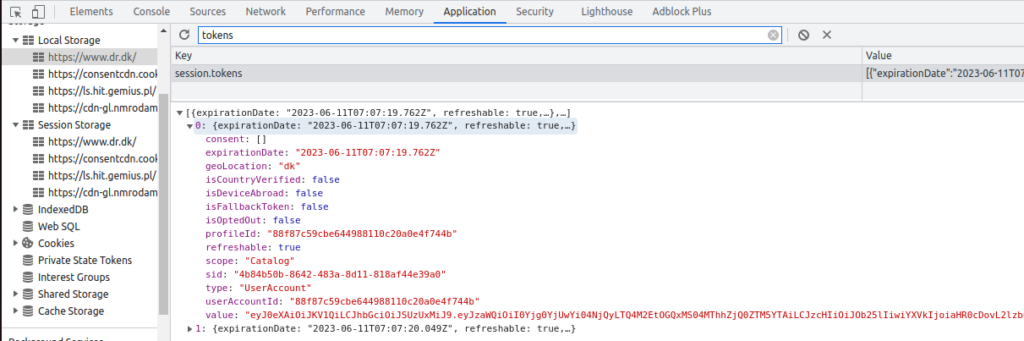
Using these tokens work really well, and allows starting playback!
Some further exploration proceeded: using the showDebugOverlay flag reveals that the DRTV player is just a rebranded Shaka Player. The autoplay functionality can be disabled by setting chainPlayCountdown to -1, which is honestly a real oversight that it cannot be disabled officially, to not have to rush to stop the playback of the item before the next autoplays.
With all the puzzle pieces ready, I prepared a pull request (still open) to add support for DRTV to pychromecast.
Fantus-button part 2 will follow, detailing the hardware build and network integration with the support from pychromecast.
此内容由惯性聚合(RSS阅读器)自动聚合整理,仅供阅读参考。 原文来自 — 版权归原作者所有。