


Our flagship Figma plugin and Utopian kickstarter have been rewritten to support the latest Figma features.
With Figma recently adding support for typographic variables, it felt like the right time to strip the plugin back to the bones and rewrite it to make the most of the tool's latest features. This plugin generates several variable collections that dynamically drive the generated type, space and grid artboards.
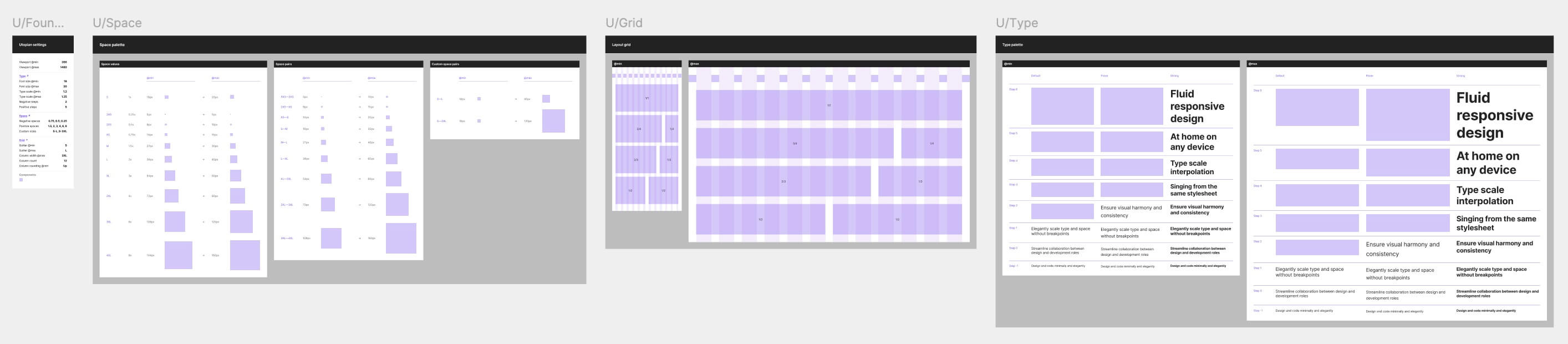
This fundamental shift in approach transforms these artboards into a reflection of the system, rather than a second source of truth, as they were before. They become disposable, which is a good thing! To that end, we've simplified the plugin so it will only create, not update existing artboards. If you add a new step to an existing type scale, you're free to delete the current type artboard and re-run the plugin, safe in the knowledge the variables will regenerate an accurate reflection of your type and space system.
If you have a paid Figma account, the plugin will now use modes. Modes allow variables to have multiple states, with state being determined by the parent artboard(s) they're used in. Our plugin treats the default mode for a variable collection as "min", and generates a new "max" mode. Then, rather than generating min and max versions of each step, it generates a single variable, with different values per mode. Modes allow variables to work much harder, slashing the number of variables required, and enabling instant toggling between multiple states of designed elements.
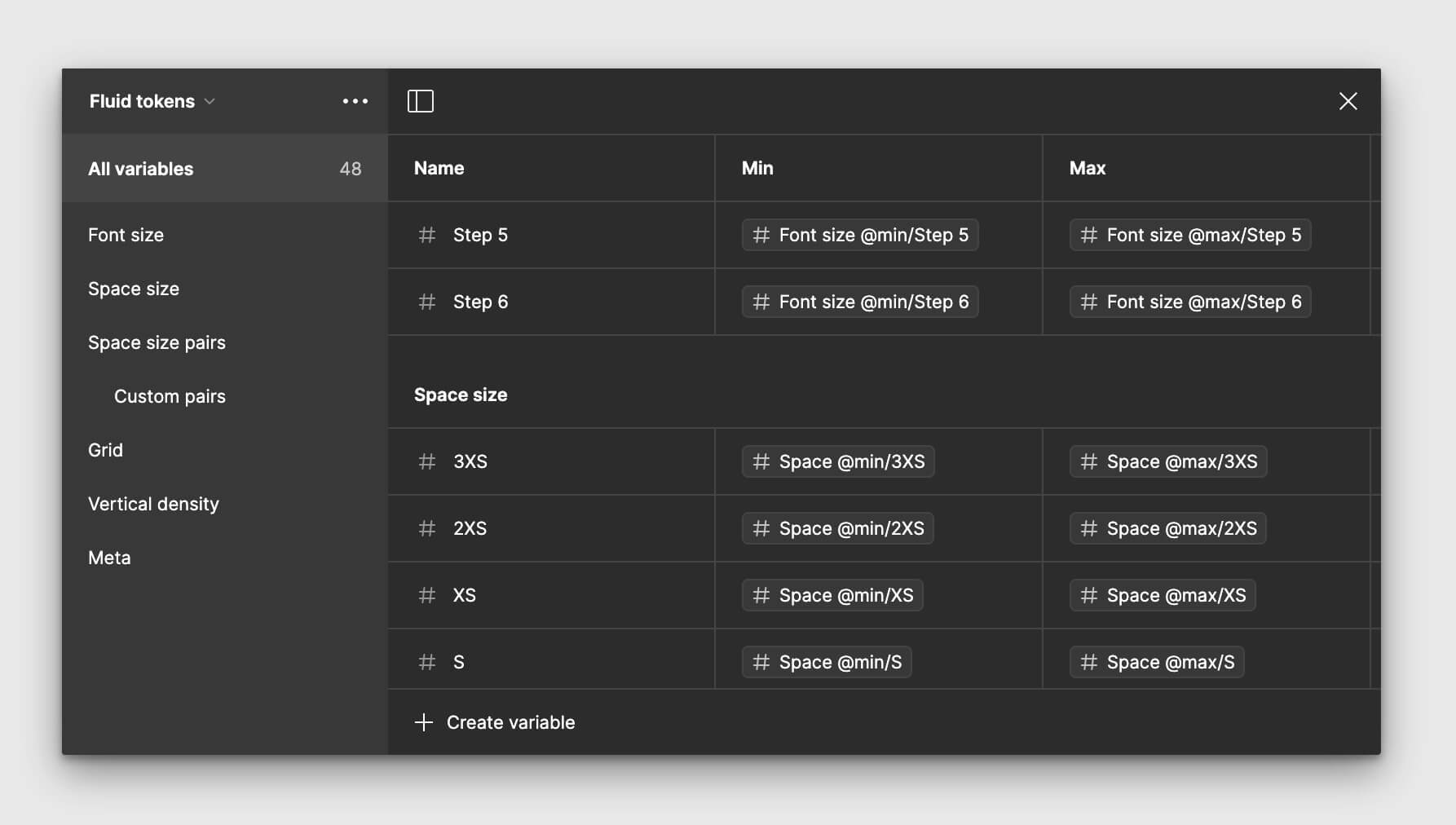
If your Figma account tier doesn't include modes, the plugin will generate individual min and max variables.
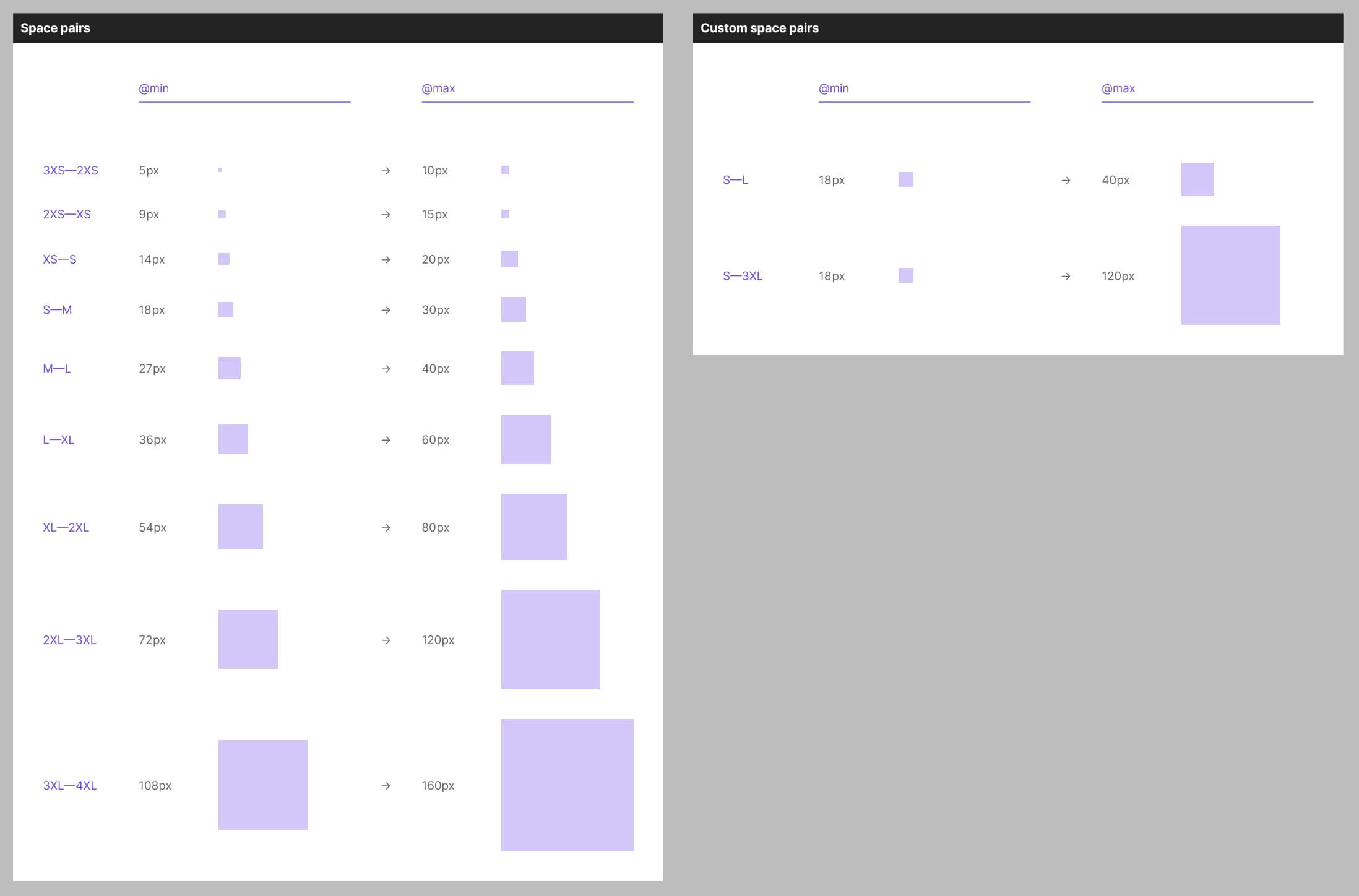
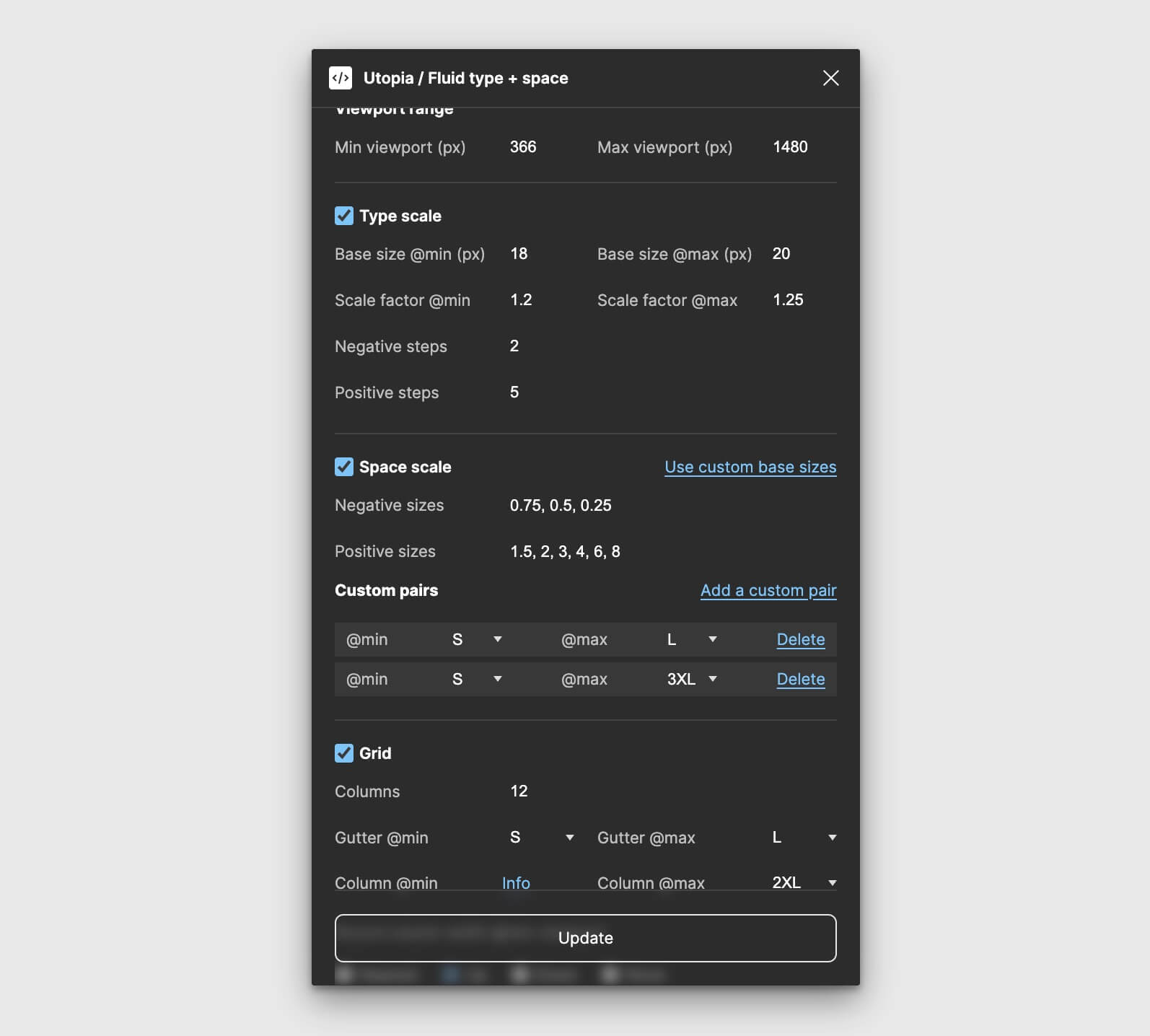
One key feature of a Utopian space scale is the ability to jump between different sizes at min and max, eg S—XL. That's been missing in the plugin until now, but with the inclusion of modes, the plugin now generates any single step and custom pairs you have configured in the space calculator. This doesn't change anything about how designs are rendered in Figma but it can help us to communicate decisions more clearly.
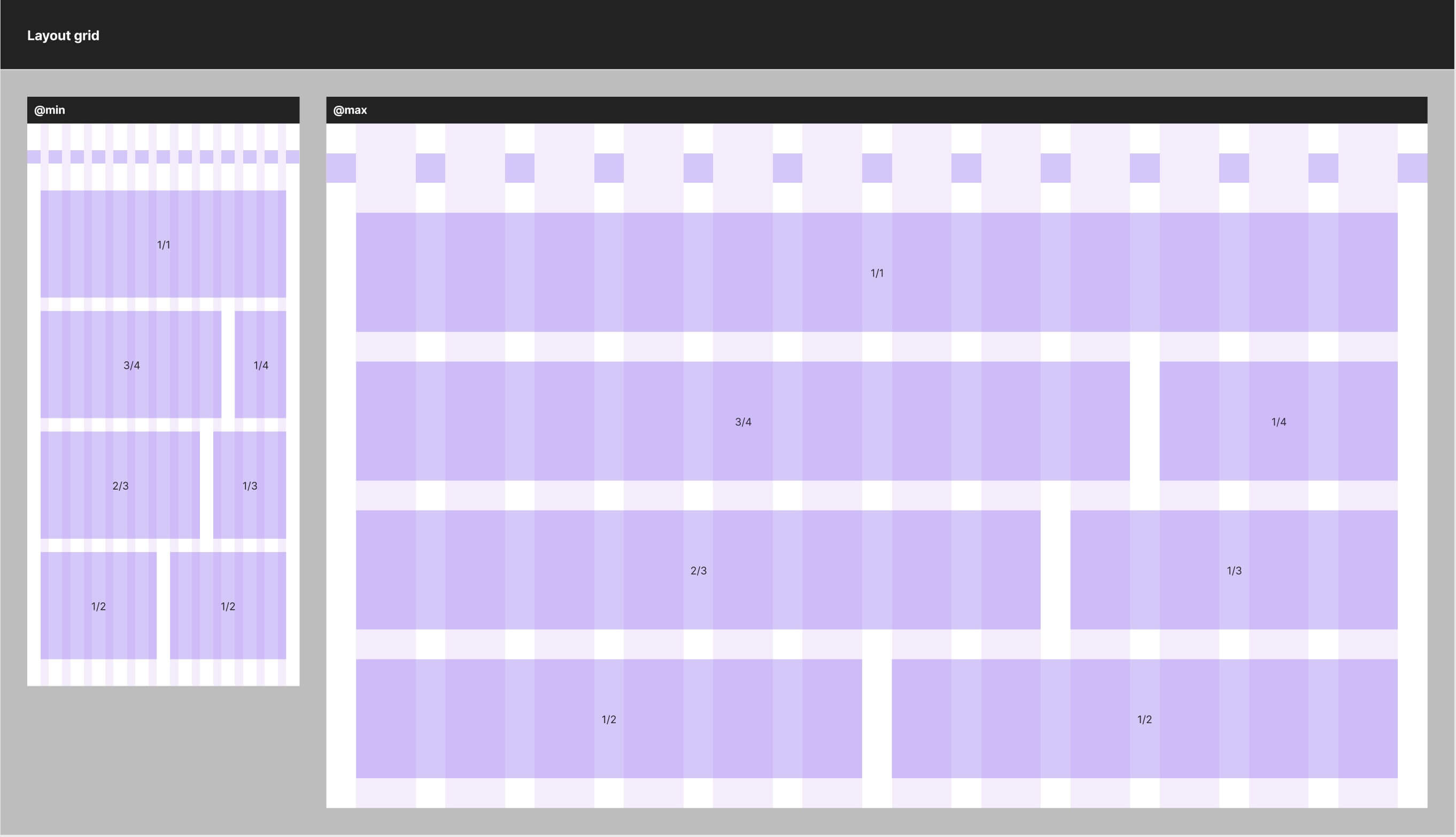
The plugin now generates variables for commonly used grid areas: half, quarter, third etc, and demonstrates them on the grid artboard. These are useful when it comes to planning layouts and constraining components at sensible, systematic sizes.
A common request for the Utopia plugin was to be able to opt in or out of the generated artboards. Each section in the plugin UI now includes a checkbox to create or omit the corresponding artboard.
Additionally, you can now supply different min and max base sizes to the space section of the plugin, should you wish to use a fixed or familiar methodology like the 8px space system, but still get the benefits of fluid typography and space scaling.
The Kickstarter has been fully overhauled to support modes throughout, with every component hooked up to min and max modes, demonstrated on the components page. There's also a new opinionated approach to prose flow spacing and a page mockup to show how this can work. In short, the prose container has a flow space of S (small) between all items, and components can optionally include their own additional "breathing room" above and below. We plan to write more about this in future.
It's fully compatible with the Utopia plugin, making it a breeze to kickstart new fluid projects.
Oh, and one more thing, the plugin now supports dark mode ✨
此内容由惯性聚合(RSS阅读器)自动聚合整理,仅供阅读参考。 原文来自 — 版权归原作者所有。