





This is historic content that may contain outdated information. For the newest information on FreeNAS and TrueNAS, please visit TrueNAS.com or read our latest Blogs.
TrueNAS has long supported disaster recovery (DR) scenarios. This blog attempts to address the various types of supported DR scenarios and their related workflows.
Point-in-Time Recovery – ZFS Replication
Of the native ways to replicate data, ZFS replication is the most efficient and reliable method for asynchronously replicating data from one TrueNAS system to another. Replication is based on snapshots of datasets or zvols and synchronizes the snapshots of the first system to the second system. There are numerous advantages to using ZFS replication. One of those is that a snapshot is a point-in-time, read-only copy of the data. This ensures that the contents of the snapshot cannot be altered.
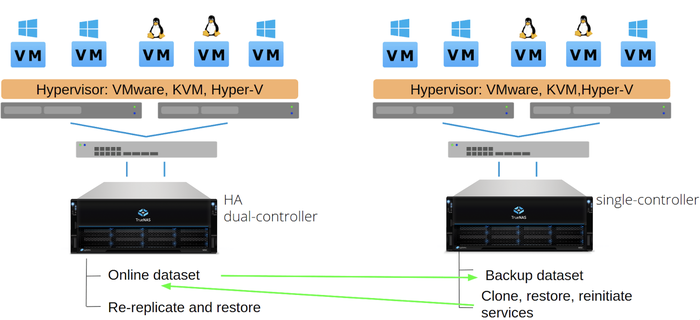 Replicate in a single direction for DR
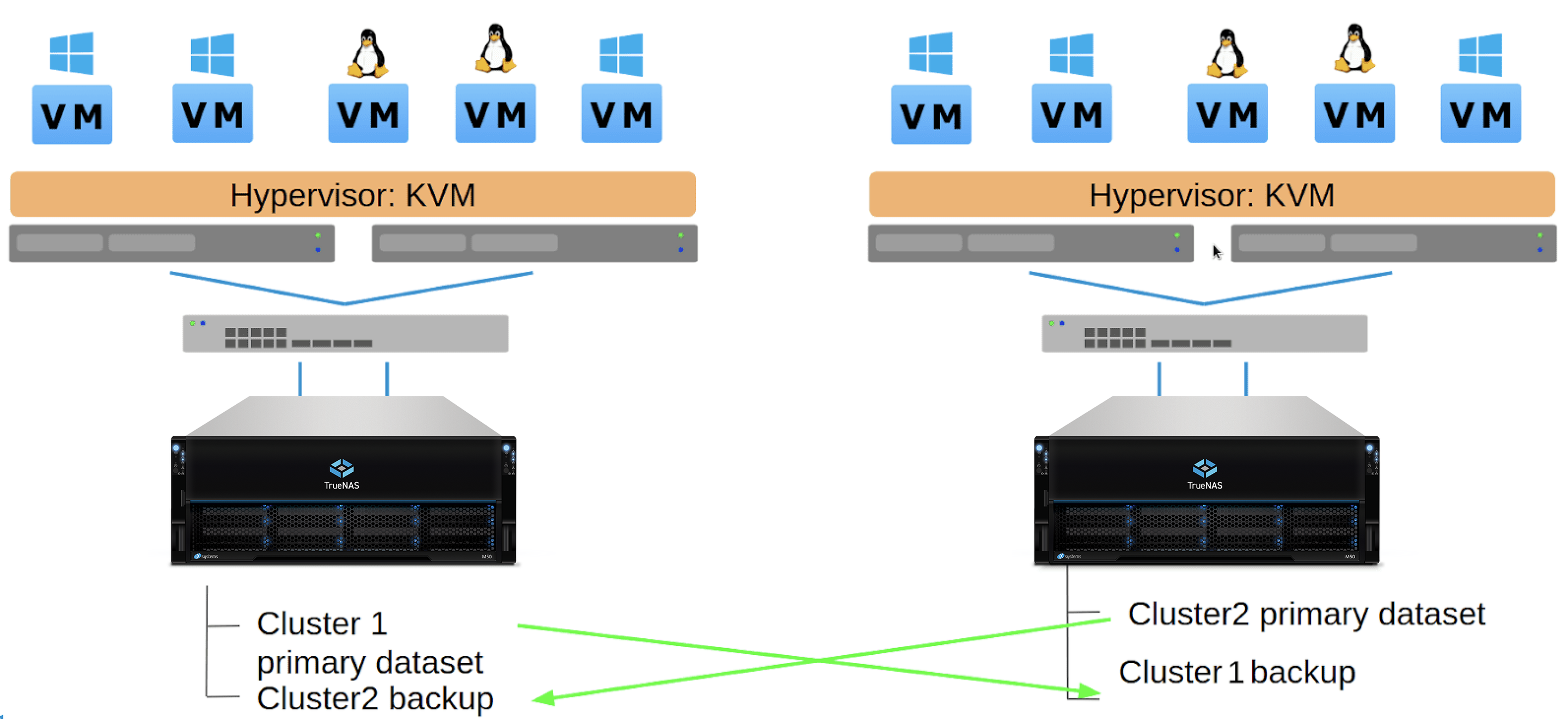 Replicate bi-directionally for dual-site DR
ZFS replication is commonly used for disaster recovery. Should the first system or site go down, the remote system can be brought back by cloning the snapshot to a new dataset and restoring the share. This recovery does require some work on the side of the admin, but it’s incredibly quick and ensures that whatever was transferred is retained. Snapshots and replications can be scheduled to run every few minutes.
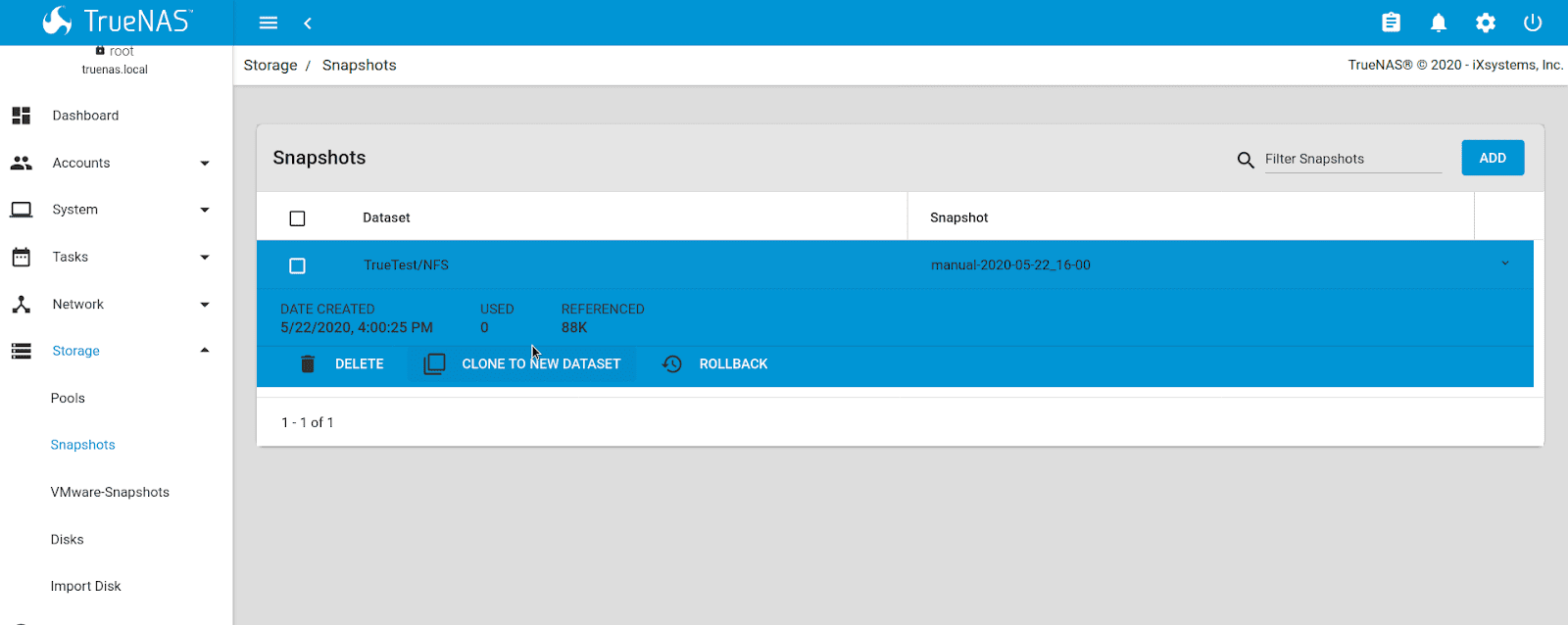
Another benefit of ZFS replication is the capability for the snapshots and referenced data to be stored on systems and pools of different specs or pool configuration. All-flash, high-performance pools can be backed up to lower performance pools with traditional drives and different RAID configurations. Smaller systems can also be backed up to larger central repositories. Companies such as FirstLink and others use this to help clone edge devices like the TrueNAS Mini systems to a central core TrueNAS in their data center. ZFS replication on TrueNAS ensures data protection regardless of system complexity, size, or location.
File-based Recovery – Rsync
Rsync is a file-level migration that’s the same as rsync in the Linux/FreeBSD command line. It’s handy for semi-live sync of data if you need just the same files between sites each shared over a local share.
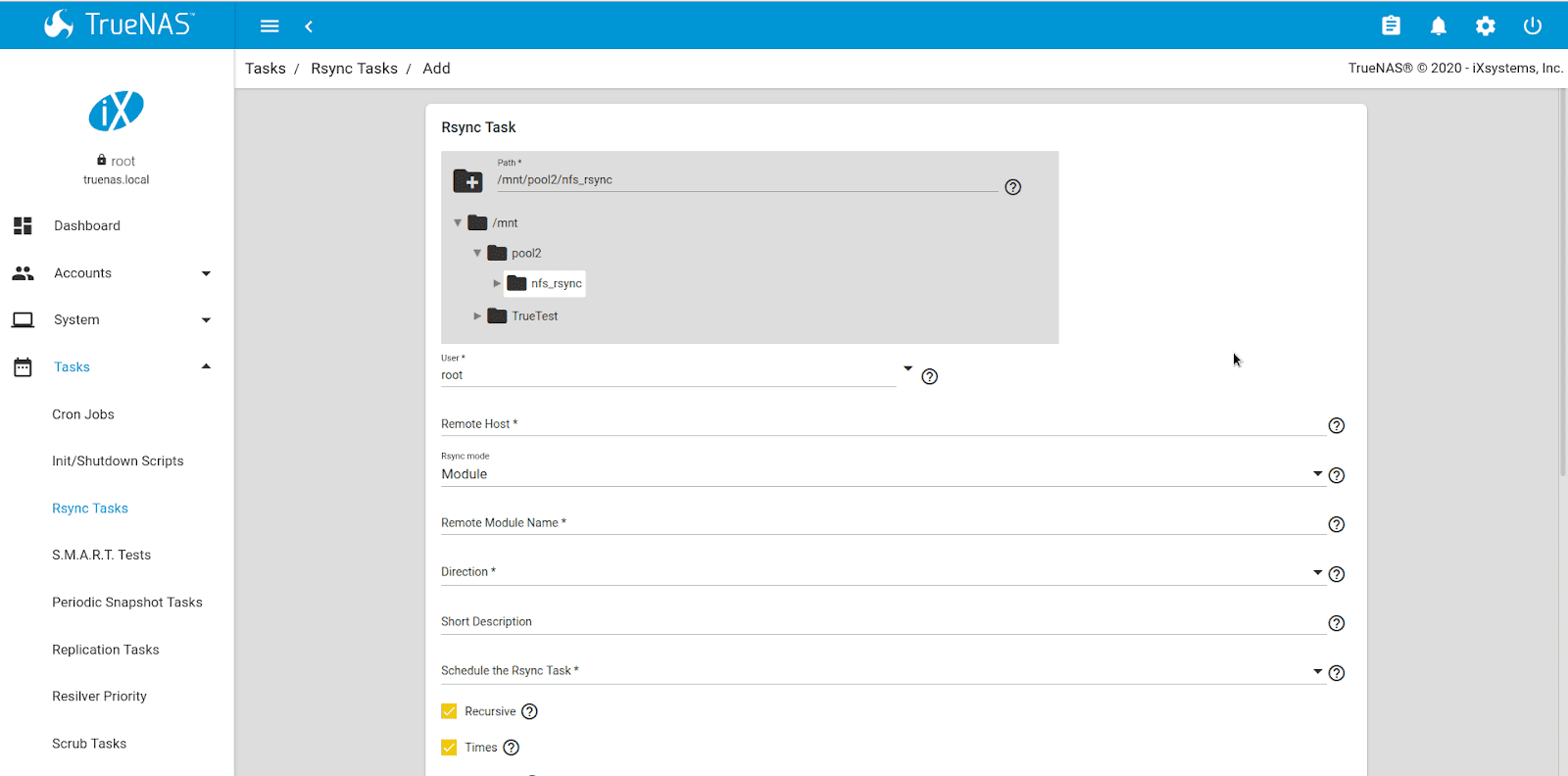
Rsync is useful for file transfer, but it’s not recommended if files are being modified. For example, if an rsync task starts while 100 GB is being written and the data is changed before the file is written, it will cause issues with versioning and data integrity. Rsync should never be used to copy active VM data stores, block-level data (iSCSI or fibre channel shares), or other data that could constantly be in use. Rsync is slower than ZFS replication, particularly for large datasets, so it’s recommended for convenience over data integrity. It can be used between TrueNAS and many other systems.
More information about setting rsync tasks in TrueNAS is located here.
File Recovery To or From the Cloud – Cloud Sync
TrueNAS can copy, pull, and sync data to a variety of cloud-based data storage systems, including Amazon AWS, Microsoft Azure, Google GCP, Google Drive, Backblaze B2, Dropbox, Box, and more. By integrating rclone sync for file transfers, this feature can copy files on TrueNAS into a cloud repository of a user’s choosing.
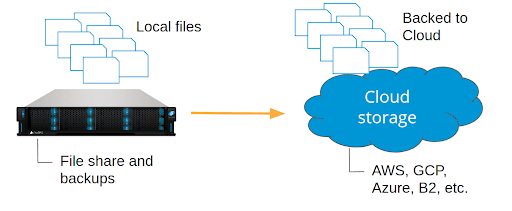
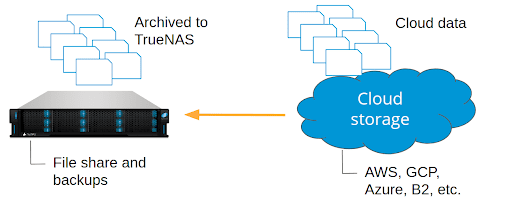
For larger datasets, TrueNAS systems are more cost-effective long-term than cloud offerings, including Amazon AWS. For this reason, using TrueNAS as a backup target for protecting cloud-based data, e.g., from AWS, Dropbox, or Google Drive, is ideal because data stored in TrueNAS will get scrubbed, checked, and retained with an unlimited number of snapshots available.
Automatic Site-to-Site failover – DNS, Load-Balancing, Proprietary Tools
Automatic failover between sites is beyond the scope of TrueNAS systems alone. TrueNAS is a storage system, and while it handles data replication well in a variety of ways, automatic failover to a remote site requires knowledge of the services themselves. For environments with web or video streaming services, DNS round-robin with failover might be feasible. Several web servers, like NGINX, also feature load-balancing services which could help mitigate service overload or downtime. TrueNAS systems provide a stable backend in this topology, with the option of also running ZFS replication for additional safety. Contact iXsystems if you need assistance with designing a storage system for your business.
TrueNAS is a storage platform with powerful ways to ensure data integrity and consistency between local and remote sites. ZFS replication is the fastest and best way to ensure the data transferred is intact. Rsync is useful for file sync but cannot be used for live data or block-level data that could change during transfer. Cloud sync supports user workloads that archive to or from mainstream cloud providers. Beyond these tools, TrueNAS works with other systems, such as Asigra Backup and iconik smart media management, to provide an ultra-scalable backend with robust performance and a strong emphasis on data protection. The tools that TrueNAS provides combined with the flexibility to work with nearly any IT environment make it a robust system for cross-site and DR workloads.
此内容由惯性聚合(RSS阅读器)自动聚合整理,仅供阅读参考。 原文来自 — 版权归原作者所有。