惯性聚合 高效追踪和阅读你感兴趣的博客、新闻、科技资讯
阅读原文 在惯性聚合中打开

推荐订阅源

N
News and Events Feed by Topic
让小产品的独立变现更简单 - ezindie.com
月光博客
月光博客
freeCodeCamp Programming Tutorials: Python, JavaScript, Git & More
大猫的无限游戏
大猫的无限游戏
T
Tailwind CSS Blog
S
SegmentFault 最新的问题
V
V2EX
阮一峰的网络日志
阮一峰的网络日志
C
Cisco Blogs
博客园 - 叶小钗
P
Privacy International News Feed
Jina AI
Jina AI
Apple Machine Learning Research
T
Threatpost
IT之家
IT之家
博客园 - 聂微东
Know Your Adversary
Know Your Adversary
Help Net Security
Help Net Security
罗磊的独立博客
I
Intezer
S
Schneier on Security
博客园_首页
C
CERT Recently Published Vulnerability Notes
雷峰网
雷峰网
Cisco Talos Blog
Cisco Talos Blog
宝玉的分享
宝玉的分享
cs.CV updates on arXiv.org
Webroot Blog
Webroot Blog
TaoSecurity Blog
TaoSecurity Blog
MyScale Blog
MyScale Blog
P
Privacy & Cybersecurity Law Blog
T
The Exploit Database - CXSecurity.com
PCI Perspectives
PCI Perspectives
Security Latest
Security Latest
H
Heimdal Security Blog
S
Secure Thoughts
Hacker News: Ask HN
Hacker News: Ask HN
Y
Y Combinator Blog
cs.CL updates on arXiv.org
Microsoft Security Blog
cs.AI updates on arXiv.org
SecWiki News
SecWiki News
The GitHub Blog
The GitHub Blog
A
Arctic Wolf
A
About on SuperTechFans
aimingoo的专栏
aimingoo的专栏
T
Threat Research - Cisco Blogs
Engineering at Meta
Engineering at Meta
Cyber Security Advisories - MS-ISAC

Menghuan1918's Blog

提升浏览器多标签页管理效率 介绍页 友链 My Arch Linux - 外观与字体 使用ray.tune进行自动调整超参数 使用Docker(MinIO)和Caddy创建图床服务 AI系统攻击手段(简要概述) RAG预处理增强:让Fastgpt/Dify召回更多东西 将PDF知识图谱化:graphrag+Doc2X+DeepSeek 如虎添翼:为gpt_academic配置searxng搜索 包管理工具UV使用指南:全面替代conda 折腾杂谈:运用Dify+xinference+ollama构建知识库 Ollama跨平台性能比拼:Windows遥遥落后 折腾杂谈:部署一个网页在线状态面板/反代切换到Caddy 笔记软件的最终选择:Obsidian + Self-hosted LiveSync 配置DOSBox以及其窗口大小 在VSCode中配置多平台的C/C++语言支持 折腾杂谈:部署Alist并整合/服务器优化 利用MSYS2在windows上配置C/C++/openGL开发环境 强制对游戏应用FSR 折腾杂谈:Docker部署Rustdesk/切换网站框架 Speedometer 3.0分数测试(电子斗蛐蛐) 在Arch Linux下编译32位C程序出错 使用pelican以及nginx建立个人博客
在Linux上交叉编译出Windows可执行程序
Menghuan1918 · 2024-04-05 · via Menghuan1918's Blog

借助MinGW-w64,在Linux上也可以交叉编译出Windows可执行程序。前文提到在Windows上使用MSYS2配置openGL编译环境,虽然没出现什么问题,但是校园网不能支撑2k级别的远程桌面(1080P顶天了),放在轻薄本的屏幕上看起来太不自在了。然而限于课程要求,需要编译出exe程序,于是便有了本文。

安装mingw-w64-gcc

使用包管理器安装:

Arch Linux

sudo pacman -S mingw-w64-gcc

Ubuntu

sudo apt install mingw-w64

完成这一步之后就完了,就已经可以使用x86_64-w64-mingw32-gcc代替gcc进行交叉编译C程序,此时编译出来的已经是Windows程序了。不过考虑到我还需要使用GLUT,于是接着配置FreeGLUT。

配置mingw-w64-freeglut

Arch Linxu

实际上AUR中已经有相应的包了。浏览一眼PKGBUILD并没有问题,于是进行安装:

paru -S mingw-w64-freeglut
# 如果你使用的AUR助手是yay
yay -S mingw-w64-freeglut

Ubuntu

apt储存库中当然没有这个,因此理论上你得自己编译。不过你也可以和我一样从transmissionzero下载二进制文件(节省时间),选择freeglut 3.0.0 MinGW Package进行下载。

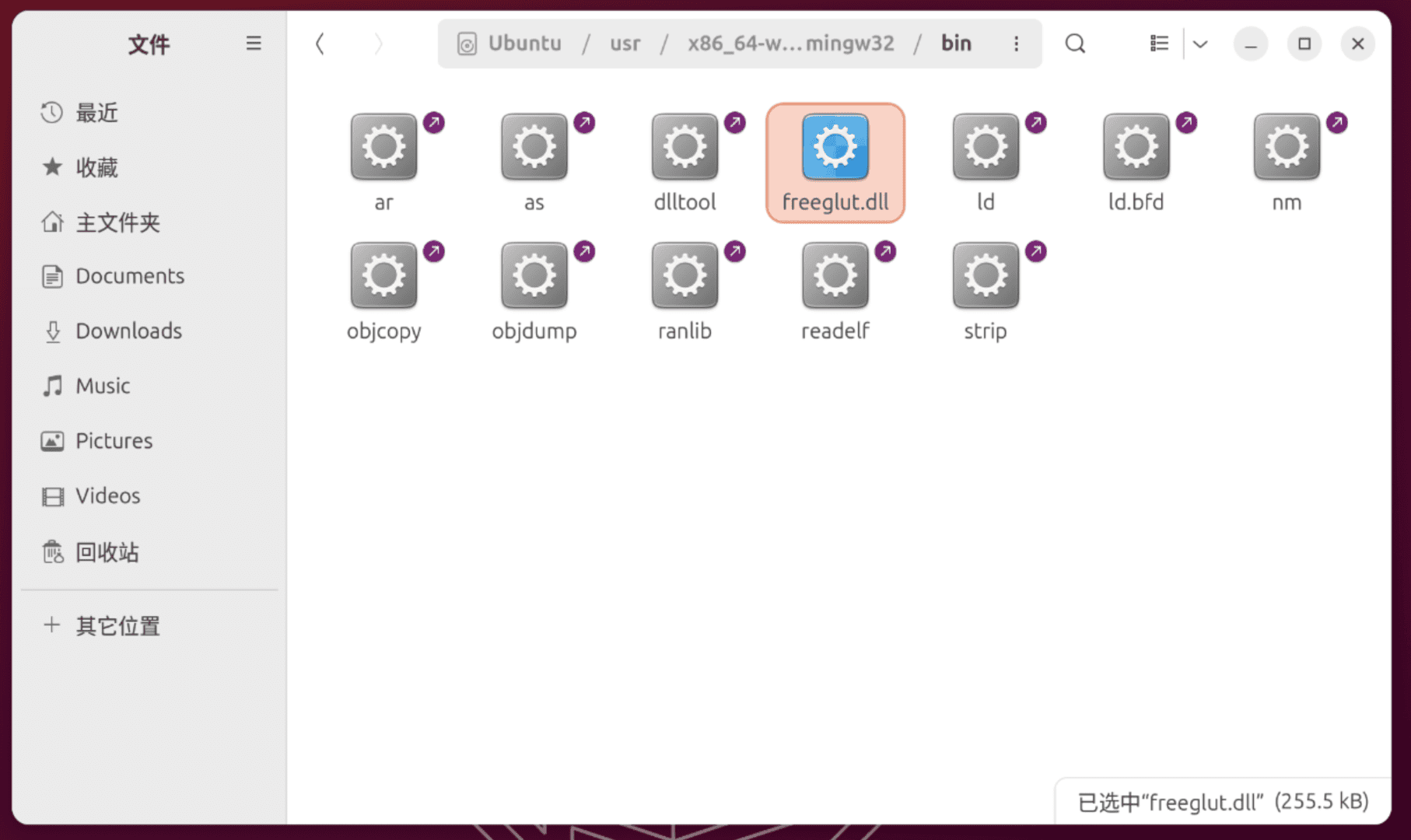
随后,将压缩包中的bin,include,lib文件夹中的内容复制到/usr/x86_64-w64-mingw32/的对应文件夹中。

由于包括上文的目标都是编译64位应用,因此对于对于bin,lib,复制其子文件夹x64的内容。

复制进去
复制进去

编译以及运行

那么整个流程就变成了:使用mingw-w64-g++进行交叉编译,再使用wine运行编译的结果。

配置Make文件如下

CC = x86_64-w64-mingw32-g++
SRC = Exercise1.cpp
OUT = App.exe

all:
	$(CC) $(SRC) -lfreeglut -lopengl32 -o $(OUT)

run: all
	wine $(OUT)

clean:
	rm -f $(OUT) $(OUT).exe

不出意外的话,如果你直接运行会得到以下报错:

0118:err:module:import_dll Library freeglut.dll (which is needed by L"Z:\\home\\menghuan_go\\Code\\openGL\\test.exe") not found
0118:err:module:loader_init Importing dlls for L"Z:\\home\\menghuan_go\\Code\\openGL\\test.exe" failed, status c0000135

因为仅仅是缺失了dll,将上文提到的从transmissionzero下载的压缩包打开,解压文件freeglut/bin/x64/freeglut.dll到Makefile所在文件夹就好了。
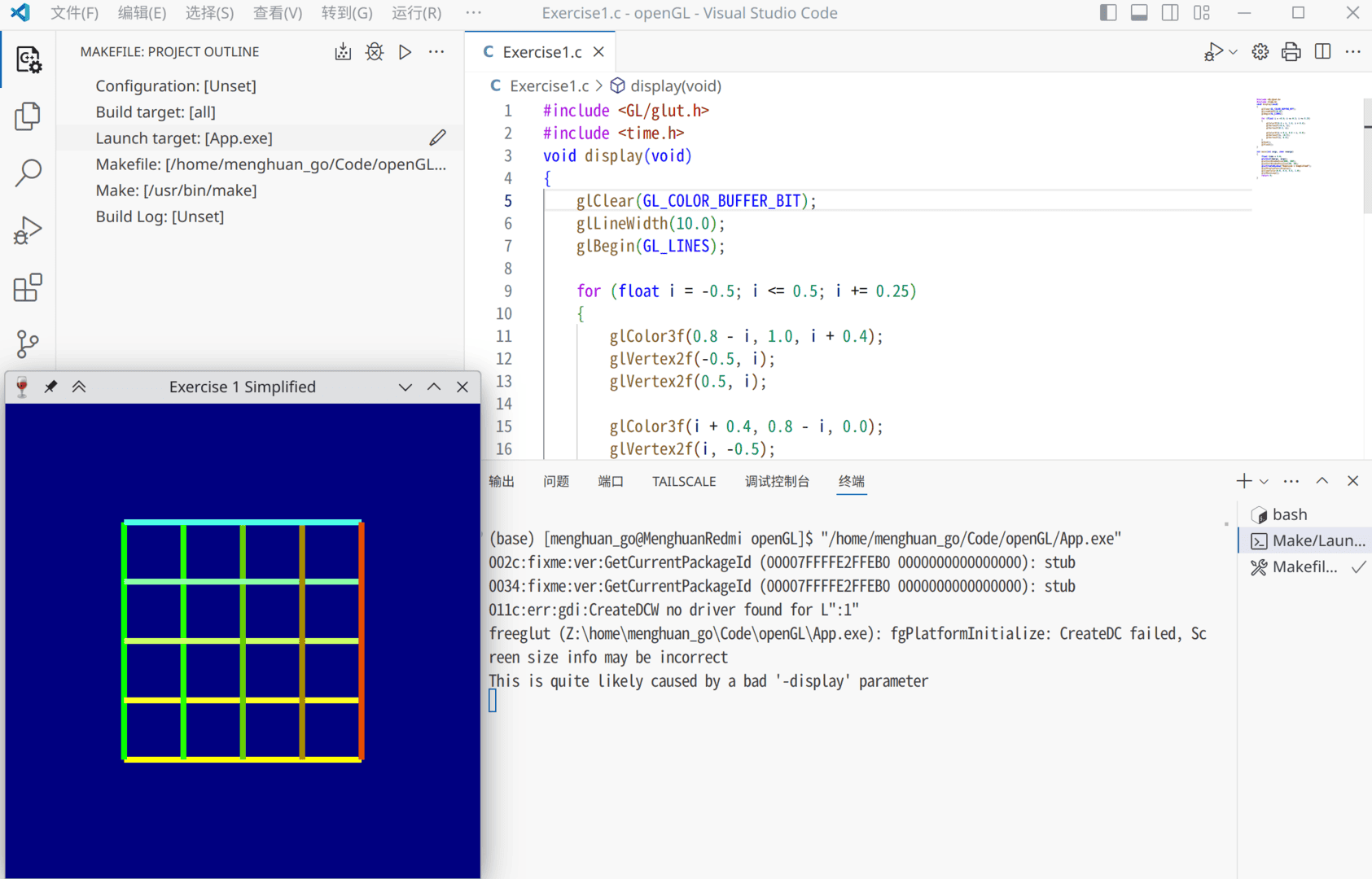
交叉编译并运行
交叉编译并运行

其他

当然,编译的成果也是能直接在Windows上运行的(前提是windows上有相应的freeglut.dll)。
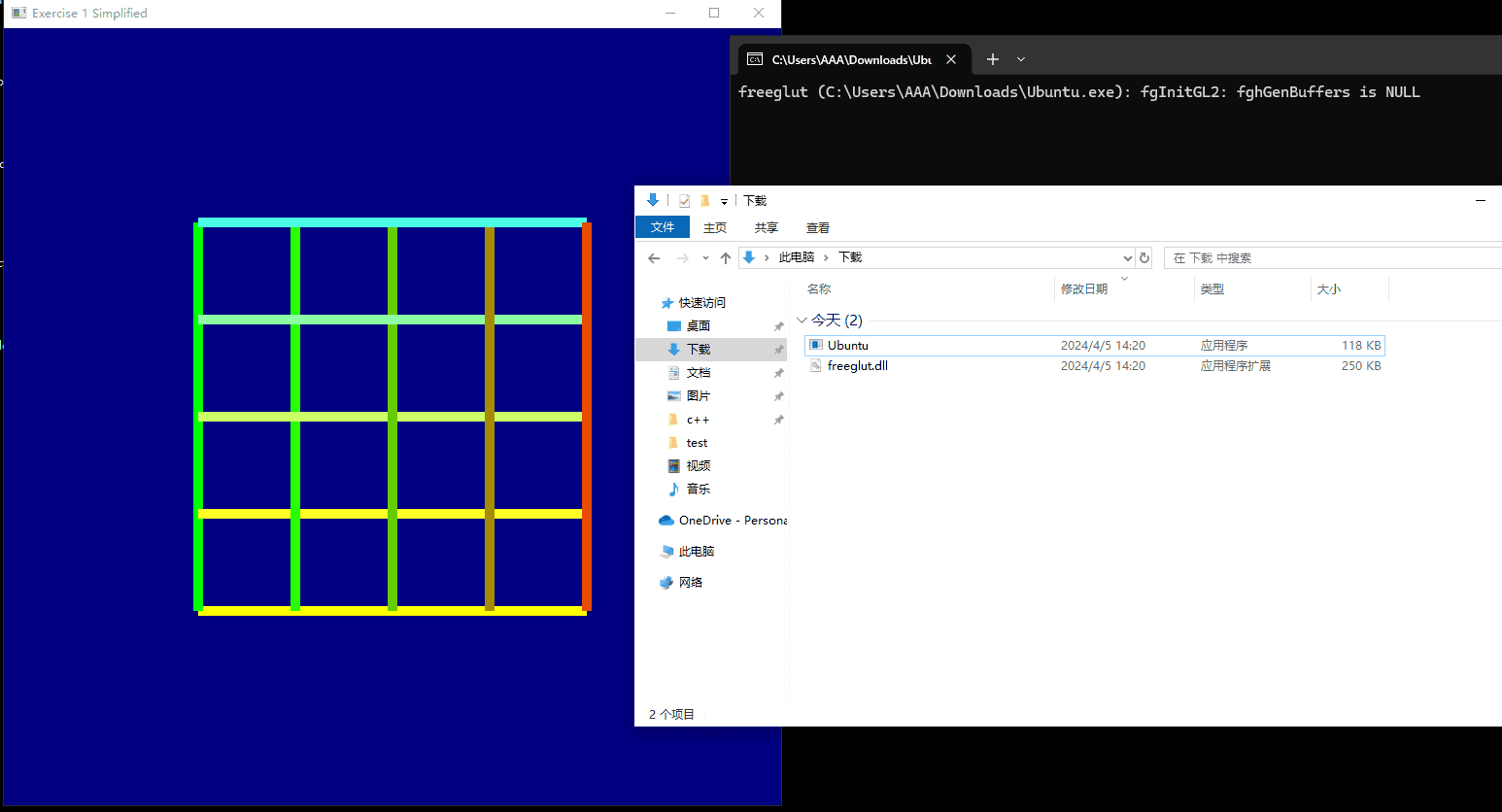
交叉编译的程序直接在Windows上运行