





We're excited to announce our latest Open Beta release, which introduces several significant improvements to CloudCannon. This beta focuses on streamlining your publishing workflow, enhancing domain management, and improving the editing experience in the Source Editor.
Thanks to our Partners who tested during the Private Beta phase, reported on their experiences with our new features, and requested additional features!
In brief, once you've opted into the Beta, you'll have immediate access to:
TLDR: This is a big one, with major benefits for all CloudCannon users on all plans! 🎉
One of our most requested features is now available! You can now resolve publishing conflicts directly within CloudCannon without needing to use your local developer environment or Git provider.
When updating your site from a publish branch, CloudCannon will now detect any conflicts between your current branch and the incoming changes. The Publishing page will display all files with conflicts, allowing you to open them in the Source Editor where you'll see clear highlighting of the differences between versions. You can choose to use either version or manually combine them for a perfect resolution.
This feature is available to Owners, Developers, and Technical Editors, as well as custom permission groups with appropriate access.
The new 'View diff' file action in the Content Editor lets you review all unsaved changes to your file in a text format.
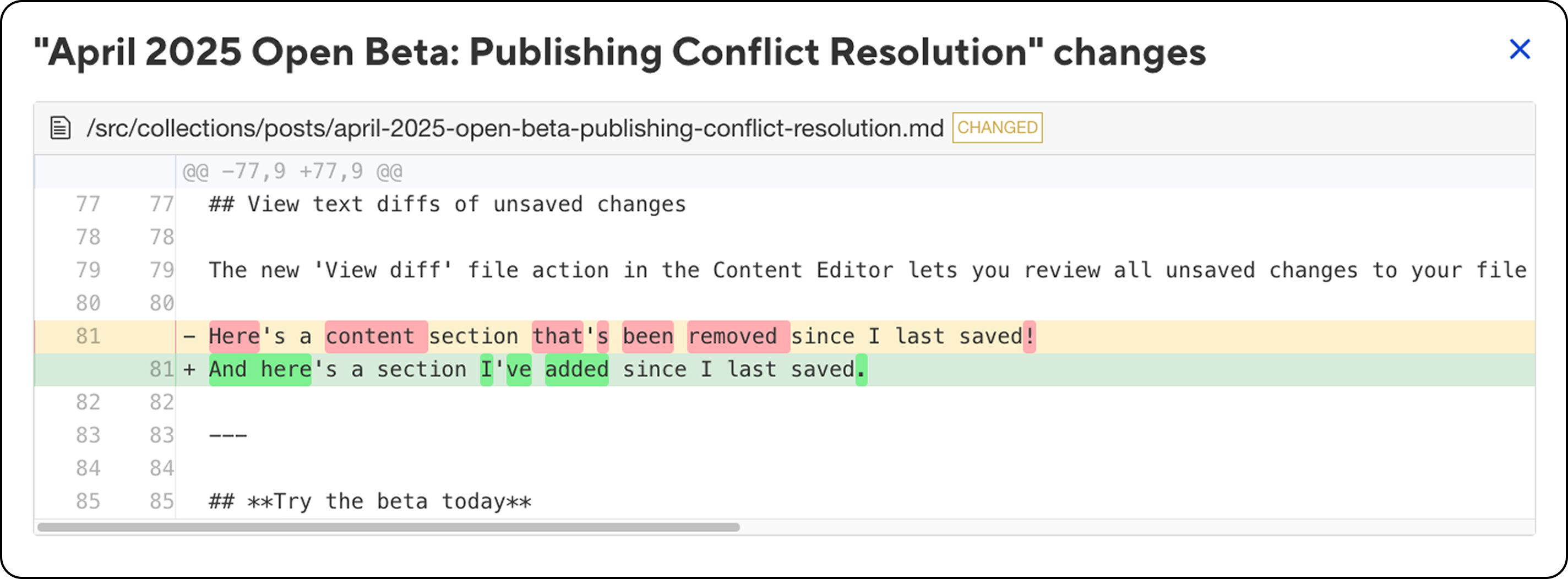
This text-based differential view highlights additions, deletions, and modifications, making it easier to identify exactly what's changing in your documents. Deleted content will appear with a red highlight, while content that has been added will be highlighted green.
Our Source Editor has received a significant upgrade with a new engine that provides improved syntax highlighting, especially for files with YAML front matter and markdown content.
The Source Editor now features conflict highlighting for better visualization of differences, multi-cursor editing with CMD+D/CTRL+D for simultaneous editing of repeated text, search and select via regular expressions, and a new default theme (basic_dark) for better readability.
We've redesigned the Publishing page with a more intuitive layout that matches other areas of the app. The new Summary tab provides a quick overview of your site's status, while the Changes and Commits tabs have moved to the top of the page for easier access.
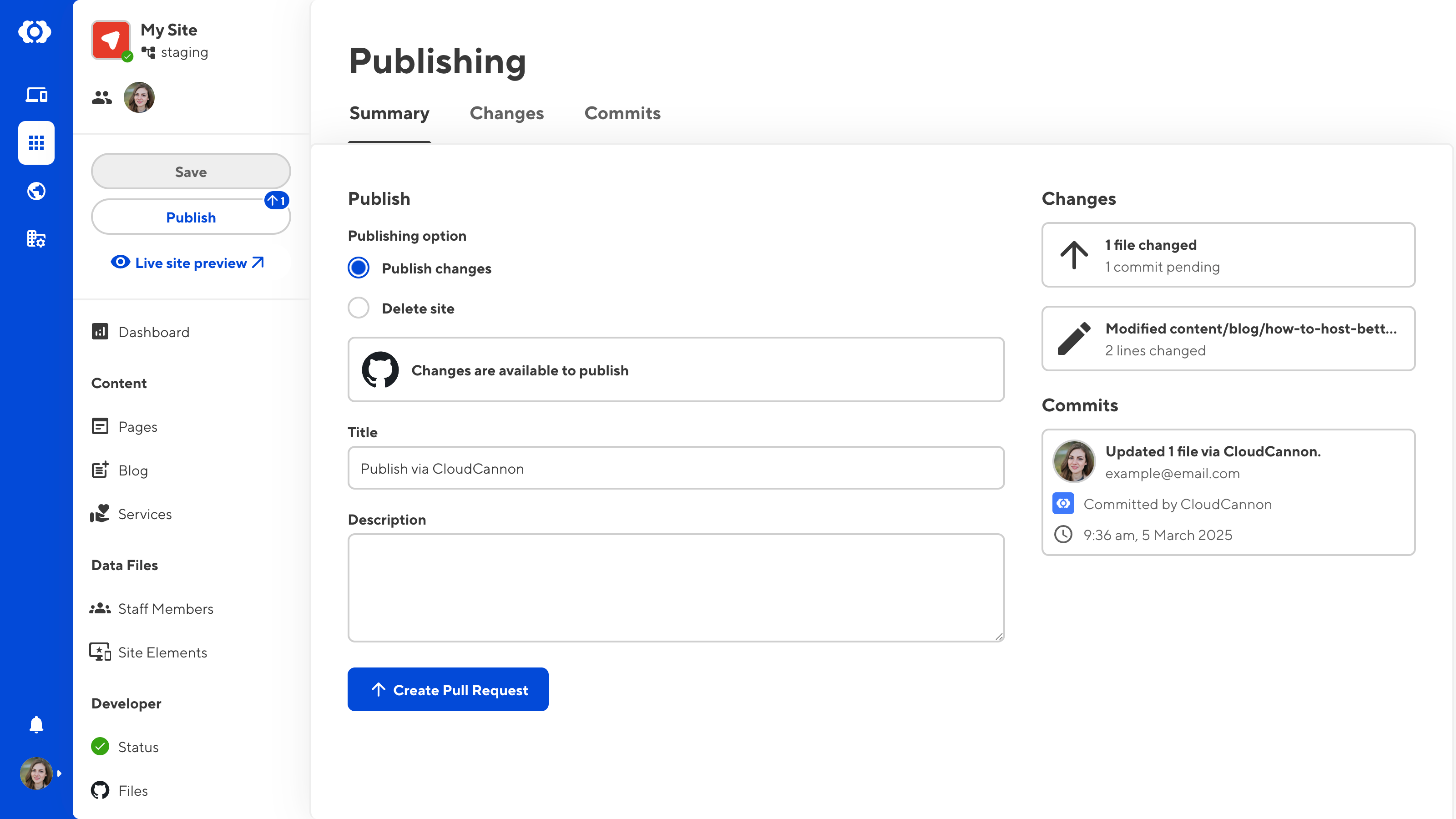
From the Summary tab, you can quickly see your publishing options, a count of files with saved changes, and recent commits made to your site.
Domain management has been completely overhauled. The new Domains section provides a centralized place to manage all domains connected to your organization. You can now create and configure domains directly from the Domains browser, view domain status, connected sites, and DNS configuration at a glance, and access detailed network settings including nameservers, subdomains, and fallback redirects.
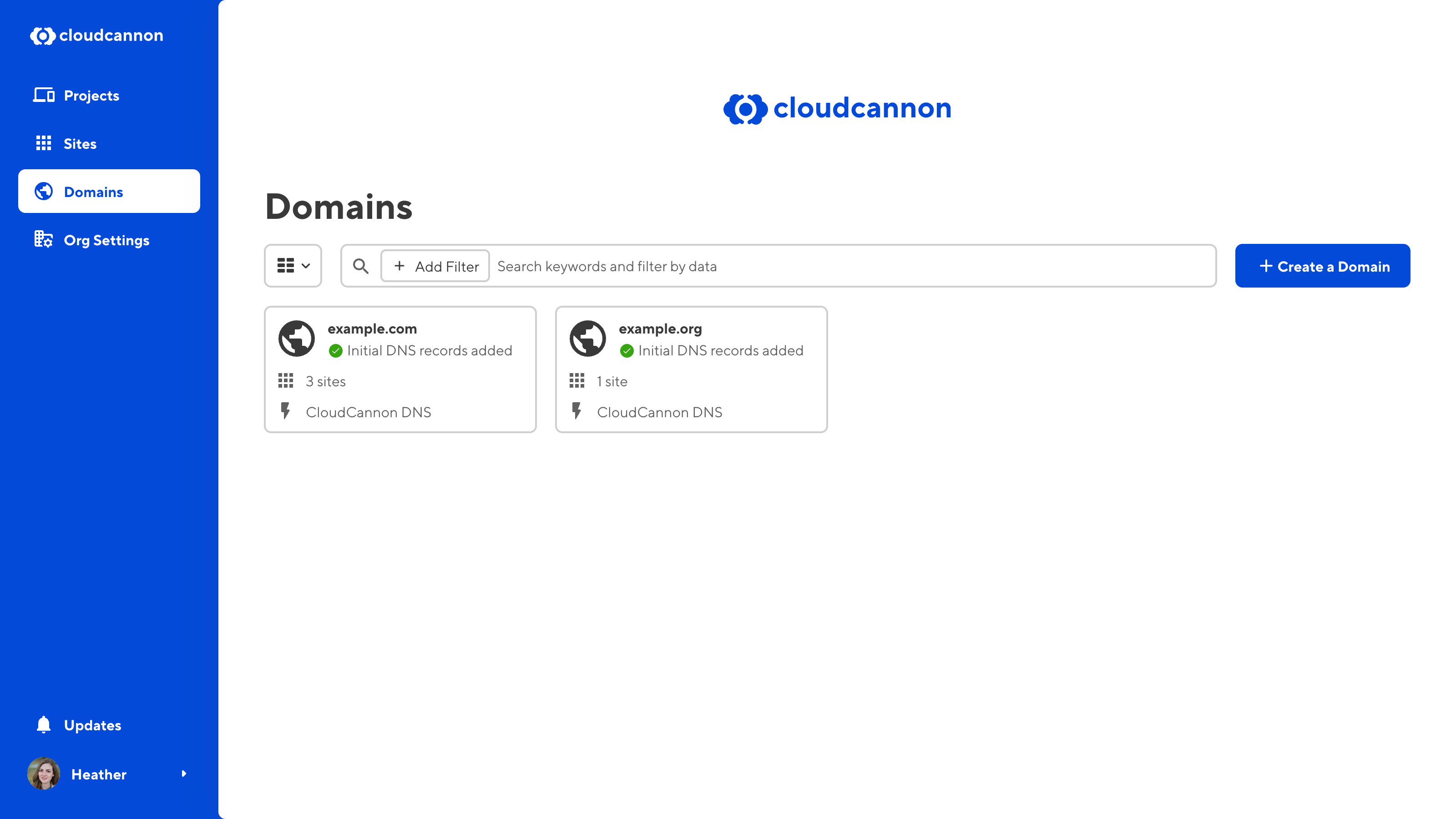
All domain-related settings that were previously spread across different areas are now consolidated in this section, making domain management much more straightforward.
To access these new features, simply switch your account to the Beta environment. Log in to CloudCannon and navigate to your Site Dashboard, then click the "⚡ Enter Beta" button above your avatar.
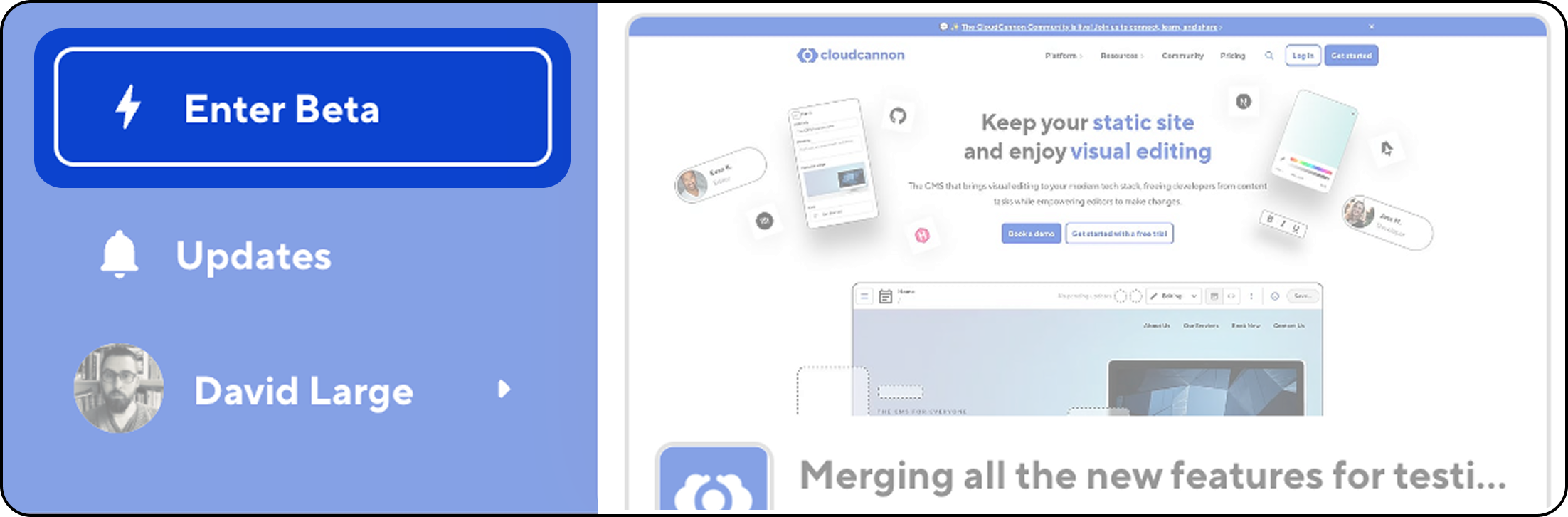
The beta environment will be enabled for all sites you open. You can return to the main CloudCannon environment anytime by selecting "Exit CloudCannon Beta" in the Account Menu.
此内容由惯性聚合(RSS阅读器)自动聚合整理,仅供阅读参考。 原文来自 — 版权归原作者所有。