


惯性聚合 高效追踪和阅读你感兴趣的博客、新闻、科技资讯
阅读原文 在惯性聚合中打开

推荐订阅源

Security Archives - TechRepublic
罗磊的独立博客
T
The Blog of Author Tim Ferriss
The GitHub Blog
The GitHub Blog
Apple Machine Learning Research
The Register - Security
J
Java Code Geeks
V2EX - 技术
V2EX - 技术
Vercel News
Vercel News
N
News and Events Feed by Topic
腾讯CDC
P
Proofpoint News Feed
N
News | PayPal Newsroom
www.infosecurity-magazine.com
爱范儿
爱范儿
O
OpenAI News
酷 壳 – CoolShell
酷 壳 – CoolShell
月光博客
月光博客
Martin Fowler
Martin Fowler
Engineering at Meta
Engineering at Meta
D
Docker
Y
Y Combinator Blog
博客园 - 聂微东
G
Google Developers Blog
S
Security @ Cisco Blogs
Simon Willison's Weblog
S
Schneier on Security
H
Hackread – Cybersecurity News, Data Breaches, AI and More
S
SegmentFault 最新的问题
云风的 BLOG
云风的 BLOG
阮一峰的网络日志
阮一峰的网络日志
C
CXSECURITY Database RSS Feed - CXSecurity.com
CTFtime.org: upcoming CTF events
C
CERT Recently Published Vulnerability Notes
I
Intezer
G
GRAHAM CLULEY
有赞技术团队
有赞技术团队
Attack and Defense Labs
V
Visual Studio Blog
博客园 - Franky
博客园 - 三生石上(FineUI控件)
W
WeLiveSecurity
钛媒体:引领未来商业与生活新知
钛媒体:引领未来商业与生活新知
让小产品的独立变现更简单 - ezindie.com
Hugging Face - Blog
Hugging Face - Blog
Scott Helme
Scott Helme
T
Troy Hunt's Blog
Hacker News - Newest:
Hacker News - Newest: "LLM"
L
LINUX DO - 最新话题
C
Cybersecurity and Infrastructure Security Agency CISA

CloudCannon Blog

Building with AI: Git-based vs headless vs traditional CMS CloudCannon + Astro: performance meets powerful content management Introducing the Astro Component Starter Introducing Jetstream — built on the Astro Component Starter Why we switched to the system font stack Redesigning CloudCannon’s docs with Diátaxis, Lume, and Pagefind Make content editing more visual: upgraded Editable Regions How Configuration Mode makes building editing interfaces easy Your hosting just got an upgrade (and a price cut) Custom testing domains for professional branding Keep your content consistent with input validation Managing multilingual content in CloudCannon Simplify team publishing with conflict resolution and domain tools Open Beta: Publishing Conflict Resolution Getting started with CloudCannon and Astro: Bookshop, components, and live editing Welcome to the CloudCannon Community! Omnichannel delivery is just marketing spin from API-based CMS companies Getting started with CloudCannon and Astro: Snippets and Collections Managing digital assets in CloudCannon: a guide to smart asset storage Understanding CloudCannon's branching workflows and Projects: a complete guide What is a static website? CloudCannon’s 2024 wrapped Getting started with CloudCannon and Astro: WYSIWYG blogging Jamstack vs. WordPress: reasons to make the change The top five static site generators for 2025 (and when to use them!) Free Jekyll themes for 2025: ten great community options Eleventy (11ty) vs. Hugo How to set up WYSIWYG editing with MkDocs Material The rise of static-first websites: why major brands are making the switch Watching your Core Web Vitals on Jamstack Understanding the difference between static, dynamic, and hybrid websites Looking for an alternative to Netlify CMS or Decap CMS? Designing components for your website editors: a CloudCannon case study Does my website look big in this? Six tips to lower your page weight Content is sacred — so own your revision history The eternal balancing act: load time vs. delay time Streamlined Headless Mode, Unified Configuration, and live data editing What is a headless CMS? Looking for a TinaCMS or Tina Cloud alternative? The ultimate guide to Hugo Sections Coming soon: Live config editing and data reloading Faster publishing workflows out now! Why information architecture matters for your website Website UX vs SEO: picking your battles Easily manage your multilingual Astro site in CloudCannon How you can optimize publishing workflows for your content team How you can optimize your CMS for SEO success How you can optimize your Content Editor for long-form articles Secure, swift, and stable: static sites for the financial sector Enhanced flexibility for teams with Custom Permissions Building static sites that scale The Inaugural 11ty International Symposium on Making Web Sites Real Good How to manage hundreds of connected websites with a Git-based headless CMS How we’re building CloudCannon for accessibility CloudCannon’s new editing improvements are here! Open Beta | New ways to collaborate on editing your websites Top 11 free Eleventy themes for 2024 Top 10 free Astro themes to use in 2024 Why choose a Git-based headless CMS over a monolithic DXP in 2024? Learning web development: a self-guided roadmap Partner Site of the Month: Blüthner Piano Centre, by Winteractive CloudCannon’s 2023 wrapup Let’s create a microblog with visual editing using Bookshop and Eleventy Update and visualize your branches with CloudCannon Projects What is a Git-based CMS and why you should use one CloudCannon secures SOC 2 certification The complete guide to growing your web development agency Automatically optimize your images with Eleventy Image and CloudCannon Share components and syndicate content with Site Mounting Partner Site of the Month: Cru Uncorked, by Ed Meehan New web component for responsive HTML tables Wrapping up HugoConf 2023 Partner Site of the Month: Van Dillen Antieke Bouwmaterialen, by Fulldev How to become a freelance web developer: a comprehensive guide Q3 2023: CloudCannon features and improvements 22 ways to deliver more value to your web development clients Partner Site of the Month: DC Gay Flag Football League, by Ed Cupaioli A new way to configure your CloudCannon sites CloudCannon — the official CMS partner of Eleventy Full CloudCannon support for Nuxt static sites Partner Site of the Month: Stadium Bike, by Insight Creative, Inc. HugoConf 2023, brought to you by CloudCannon DAM Support for Cloudflare R2 and DigitalOcean Spaces Eleventy (11ty) vs. Gatsby in 2023 – which SSG is best for you? How CloudCannon’s live editing works with Astro and Bookshop Partner Site of the Month: Fiducian, by Croissant & Baguette Eleventy (11ty) vs. Astro How to customize CloudCannon’s Client Sharing interface Let anyone, anywhere, edit your CloudCannon sites Top 23 free Astro themes for building out-of-this-world static sites in 2023 How Jampack optimizes our Eleventy website and improves performance Astro vs. Next.js CloudCannon.com is now built with Eleventy! Out-of-this-world support for all Astro users Introducing the CloudCannon Partner Program Full CloudCannon support for Gatsby Top 10 Free SvelteKit Themes for Building Lighting-Fast Static Sites in 2023 Enhanced CloudCannon support for Next.js users Upcoming CloudCannon Interface improvements (Open Beta) Creating sites, the Jamstack way
How you can optimize your Visual Editor for page building
2024-06-28 · via CloudCannon Blog

CloudCannon’s seamless visual editing allows you to update your site's content directly on the page. For users who appreciate seeing their content in its final context, as the public will see it, this is a great feature — there’s no switching between a WYSIWYG editor and the pre-published page.

Thinking about the words on the page is very important, of course — try finding a writer or a marketer who doesn’t agree with that! — but there’s something special about being able to actually see what the page feels like as you’re writing. It’s certainly possible to draft excellent copy in a blank text editor, but writing your copy in context — at the correct page width, next to your correctly styled heading, and with your accompanying images — can be an incredibly productive way to work.

To fully leverage CloudCannon’s flexibility, it’s important to ensure that you and your developer have thought through how you’ll work on your website. In this article, I’ll guide you through the steps I follow to optimize my visual editing experience with CloudCannon.

Choosing components for visual editing Direct link to this section

When it comes to actually making your new pages, you and your developer have a huge amount of choice. Developers who are setting their users up for success on CloudCannon will create the necessary components — the building blocks of the page — that enable non-technical editors to build their own pages.

It might help here to think about what a page component actually contains — we can boil that down to two main categories: your content (words, images), and your layout (stylesheets, spacing rules, etc.). While you’ll almost always want the content in your components to be different when you reuse them, the same isn’t necessarily true for your layouts. Let’s dig into why!

Fixed page-building components Direct link to this section

I tend to think of a ‘fixed’ page component as one that doesn’t allow for too much additional styling. A developer of a fixed component would typically offer a small range of styles and layouts (like colors or text alignment), leaving the editor with the primary freedom of changing the content within the component. The decision on how that content is presented has already been made.
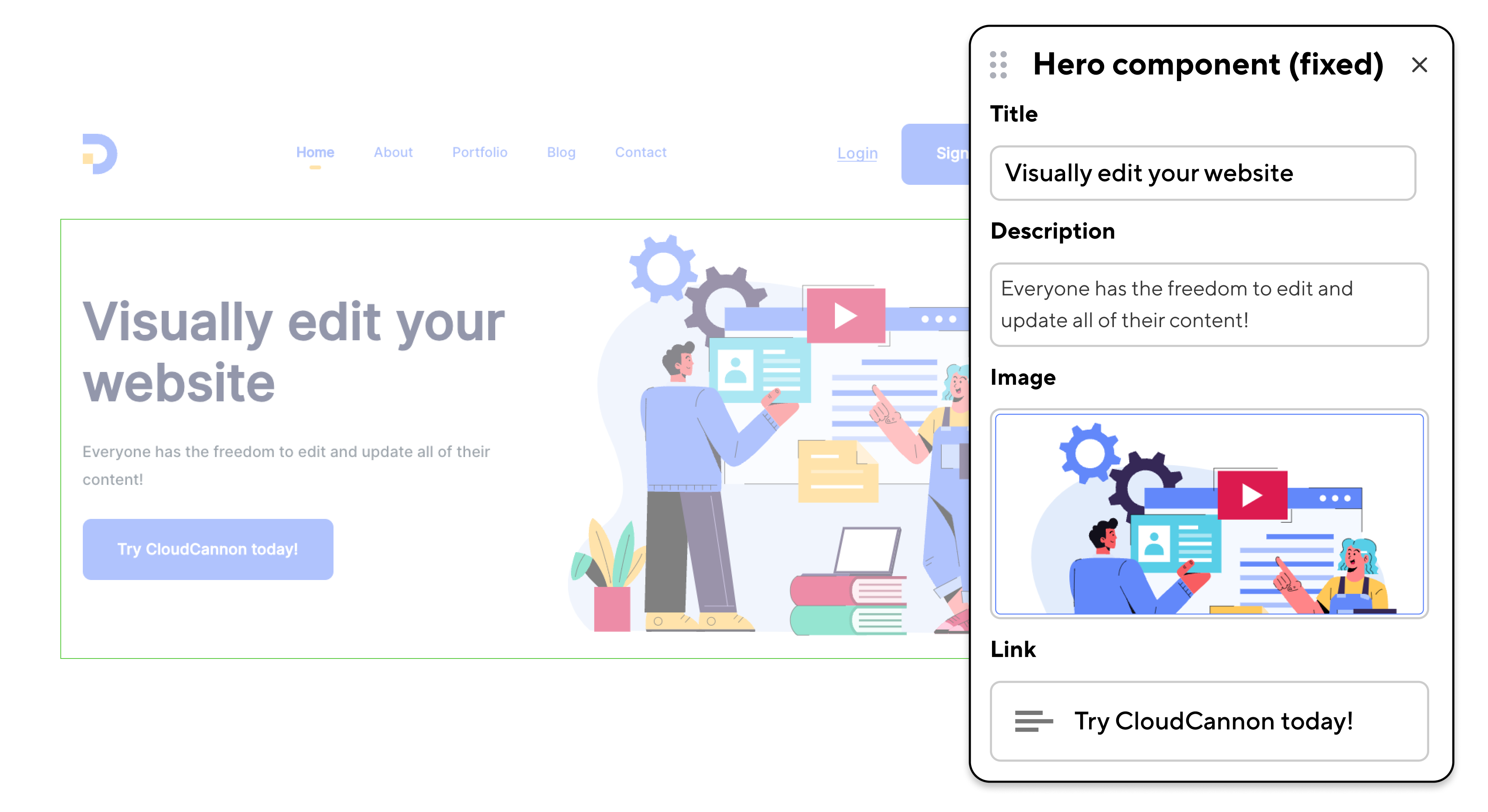
Screenshot of a 'fixed' (content only) page-building component

With a fixed component, for example, your developer might determine that color choices can only be made from a predetermined brand palette, or that a certain amount of negative space is present on the page. In certain situations — for example an organization with a very opinionated design language — the fixed approach would be safer, because in theory it would be almost impossible for a page editor to diverge from a brand’s guidelines.

When set up correctly, fixed components can help page editors build content that is as accessible as possible by default — again, this can be an excellent solution for organizations with strict accessibility targets.

In many cases fixed components can be a more productive way to work. Editors can usually publish content more efficiently because any difficult design decisions are already made for them: they can trust that the pages they're building will fit their brand.

Flexible page-building components Direct link to this section

Alternatively, developers can create more ‘flexible’ page components that allow for a lot more freedom on the part of the page editor. I’d call a page component ‘flexible’ if it doesn’t make any assumptions about its layout. By default it might include preset margins and padding rules, or a certain heading size, but editors would be able to jump into the settings and adjust anything they like. A flexible component might include different settings for both content and styles, as below.
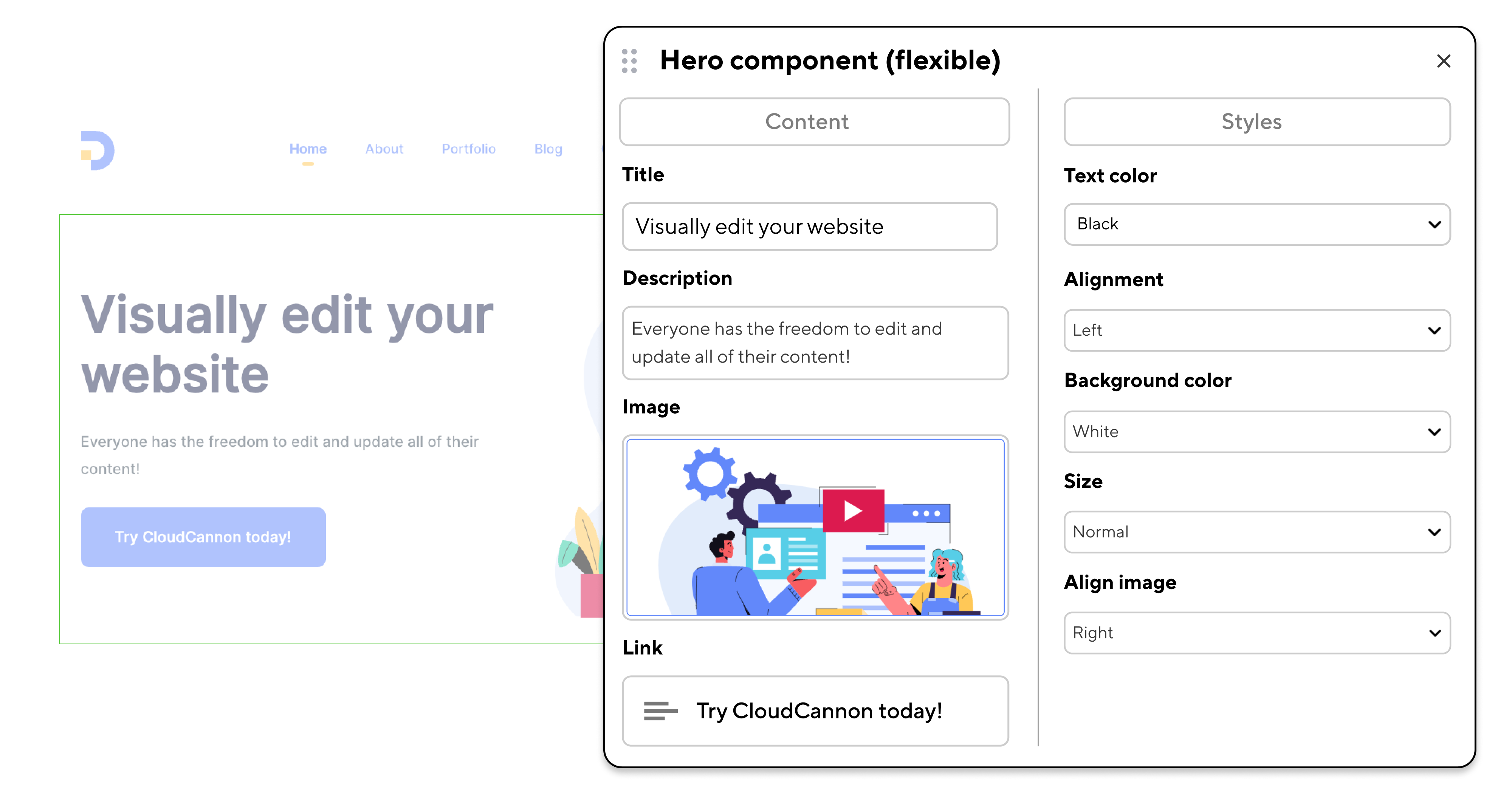
Screenshot of a 'flexible' (content and style) page-building component

Making your components flexible is an important development decision, and it’s worth considering just how much you want to control before a page is built, and how important your brand’s design language is. (It’s likely that over time, an editor with more options will slowly diverge from a designer’s starting point if not given the constraints that come with fixed components.)

While personally I appreciate having more choices as a content writer and editor, I am definitely not a designer, and I’m also lucky that I work with colleagues with much better color vision than me! Your team’s strengths may well be different; being faced with too many options to choose from can be difficult in its own right, and I can certainly see the appeal of reducing options for more efficient editing.

Creating your own components using containers Direct link to this section

One aspect of the page-building experience on CloudCannon.com that I really enjoy is using a ‘Container’ component to hold other, simpler components.
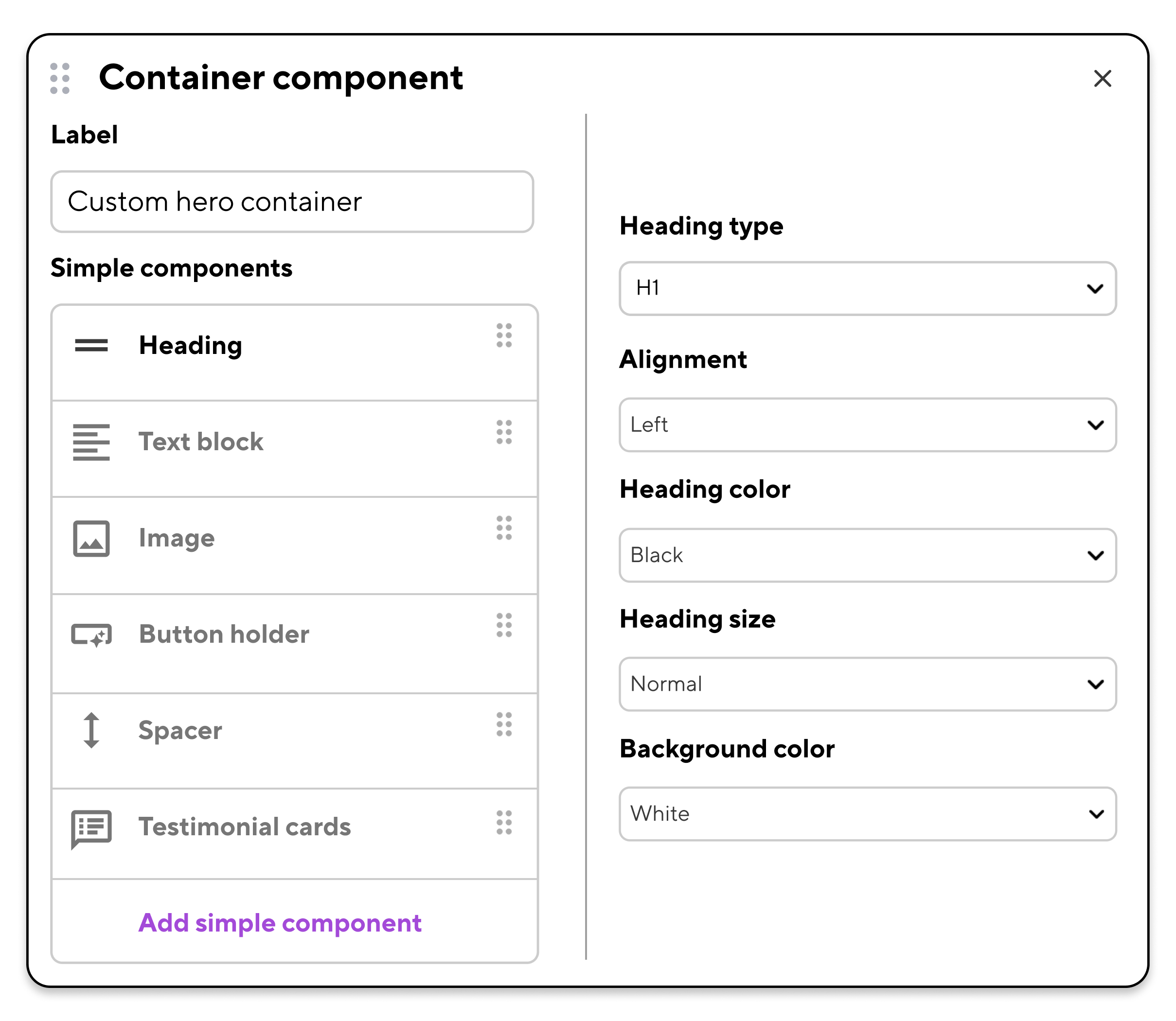
An example of a 'container' component used to create custom page-building elements

For example, rather than using the same pre-built component with heading, text, and image inputs every time, and risk all of our pages looking exactly the same, we can assemble our own components from their constituent parts, as we need them. We can even nest our container components within other containers, essentially recreating a 'card' component (though to be fair, we've built those too).

Making your components — and your content — responsive Direct link to this section

There are clearly a lot of options we can build into our page components. But there’s more: your components can be created to display different content and/or styles depending on the device type your audience uses.

Responsive styles are pretty standard on the web — and they should be, given the massive proportion of web users that browse on mobile devices and tablets. On CloudCannon we can take this a step further, and add responsive content to the mix.

Your page’s ‘breakpoint’ — the point at which your page displays differently for desktop, tablet, and mobile — can determine what it displays. How? Components can contain different styling rules for each breakpoint, and can even hide and display different content at different breakpoints.
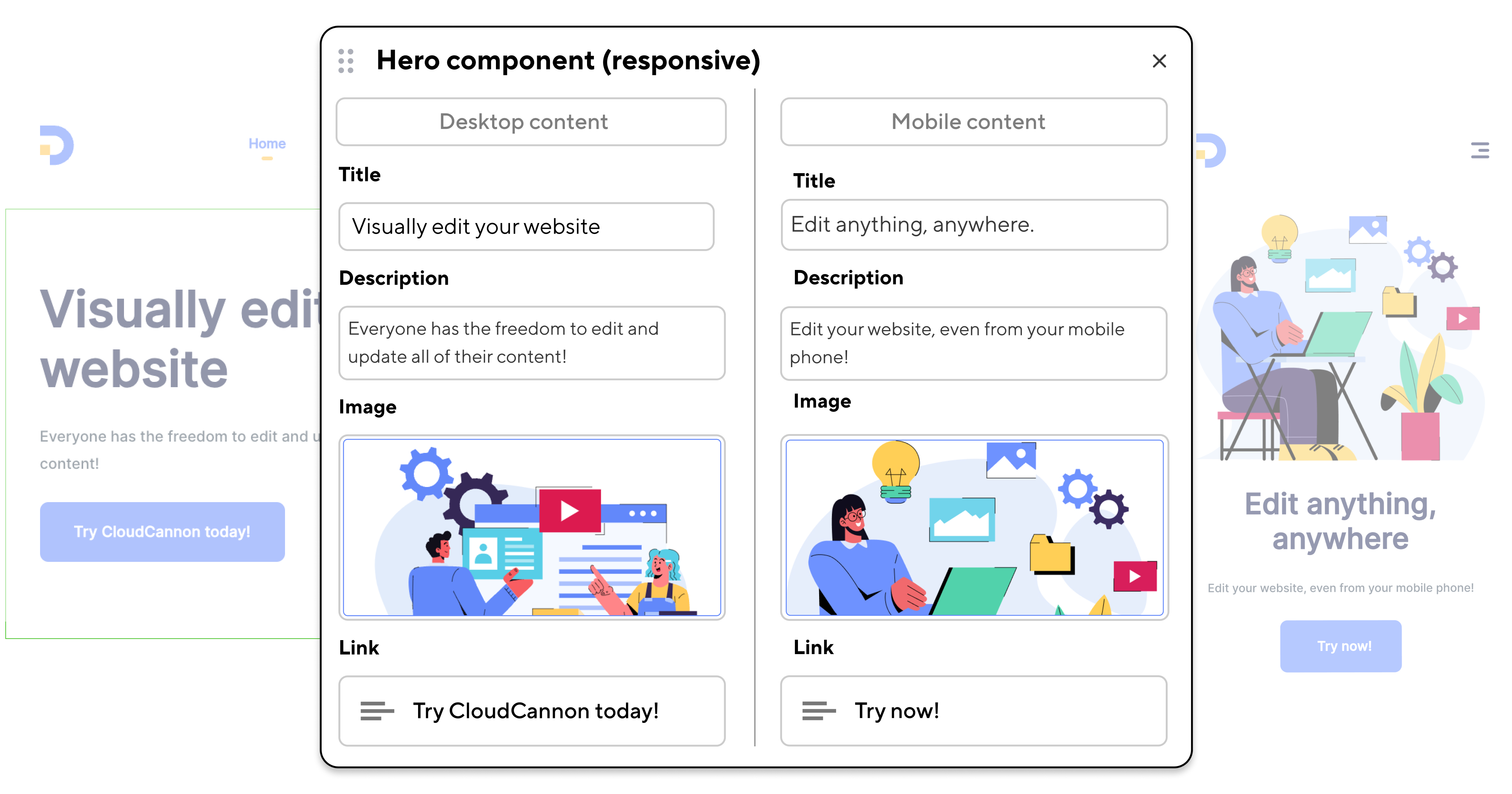
Example of a component with responsive content for different device types

A complicated diagram that looks great on desktop, for example, could be replaced with a simpler version for mobile users. Conversely, headlines that read well on mobile might feel too short on desktop.

A responsive component can include all possible content and style options for a given range of devices, but will only display the correct one. (This, incidentally, is another point in favor of using CloudCannon’s Visual Editor. You can instantly resize your editing window from desktop to tablet or mobile width, and immediately see the appropriate content displayed, and correctly styled for the screen width.)

Choosing where to use visual editing Direct link to this section

Landing pages are ideal targets for visual editing. These pages are among the first that a new visitor to my website might see. They’re probably more likely to feature short copy, images, or interactive components than long-form content, and they should help set the tone for a user’s experience. For these reasons it’s really important that I can build these pages as I view them, in the same context that my prospective audience will see them.

I like grouping my landing pages together as collections, which makes it easier for me and any future editors to find them. Collections on CloudCannon are represented visually as a folder in your sidebar; navigating to a collection shows a preview of each file within that collection.
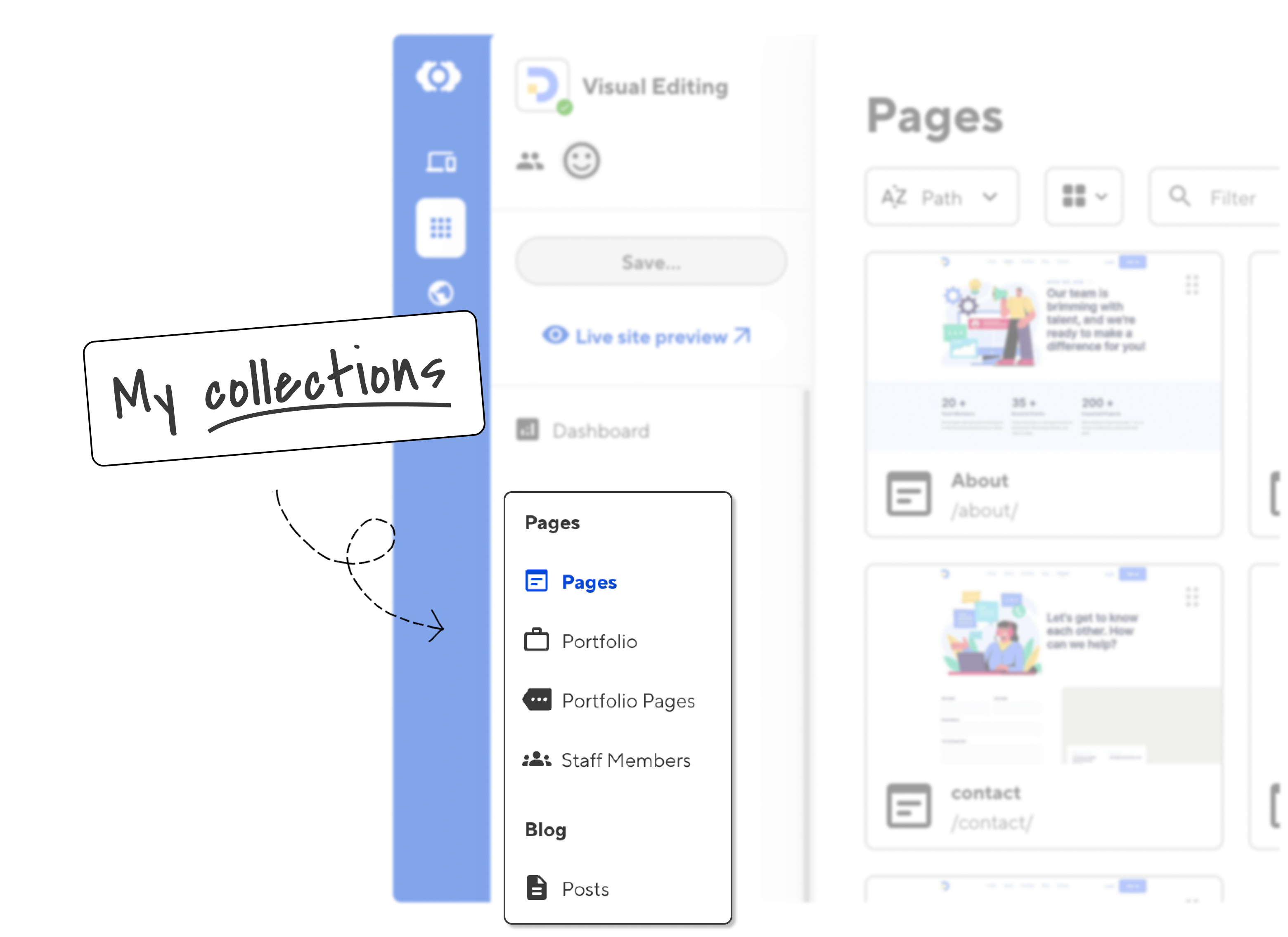
Screenshot showing collections (groups of pages with a common layout or function)

In the above image I've created four collections for my pages, and one for my blog posts. (I'll go into more detail about how I work with posts, and how I set up my Content Editor, in my next article!)

Give your content more context Direct link to this section

By thoughtfully setting up collections, choosing between fixed and flexible components, and leveraging responsive design and content, developers can help content editors efficiently build pages that look great on any device, in any context.

The ability to see your edits in real-time ensures that your pages can appeal to the widest possible audience. And while your specific setup may vary depending on your team’s needs and your brand guidelines, visual editing in CloudCannon offers a powerful and flexible way to create and manage engaging, accessible, and discoverable website content.