


We've just launched the Astro Component Starter, a modular design system that gives developers a solid foundation of accessible, performance-tuned components for building sites on CloudCannon. The natural next question was: what does a complete site look like when you build on that foundation?
Jetstream is the answer. It's a marketing and business template — our first complete template built on the Component Starter — and it's available now.
I've been working on Jetstream for the past few weeks, tuning it for the best editing experience within CloudCannon. In this post I want to walk through what the template includes, how it was made, and what it tells us about the Component Starter as a practical tool.
Jetstream is a marketing site with Collections set up for pages, blog posts, and team members. Between these three example Collections, Jetstream showcases each of CloudCannon's editing options — the Visual Editor, the Content Editor, and the Data Editor — working together in one site.
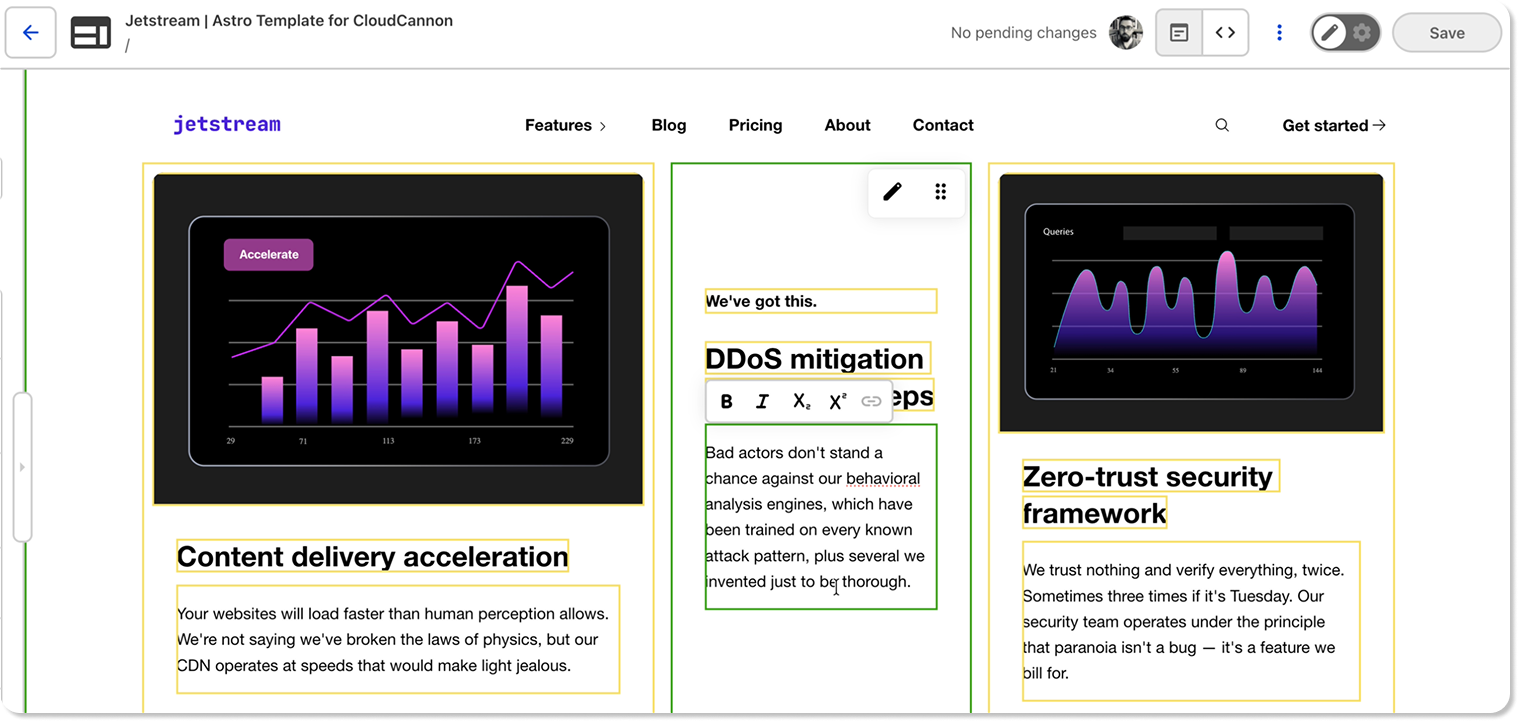
The Pages Collection uses component-based editing using CloudCannon’s Visual Editor. Editors choose from the template's components and arrange them to build layouts however they like, within the established brand. It's deliberately free-form — the components provide the guardrails, not the page structure.
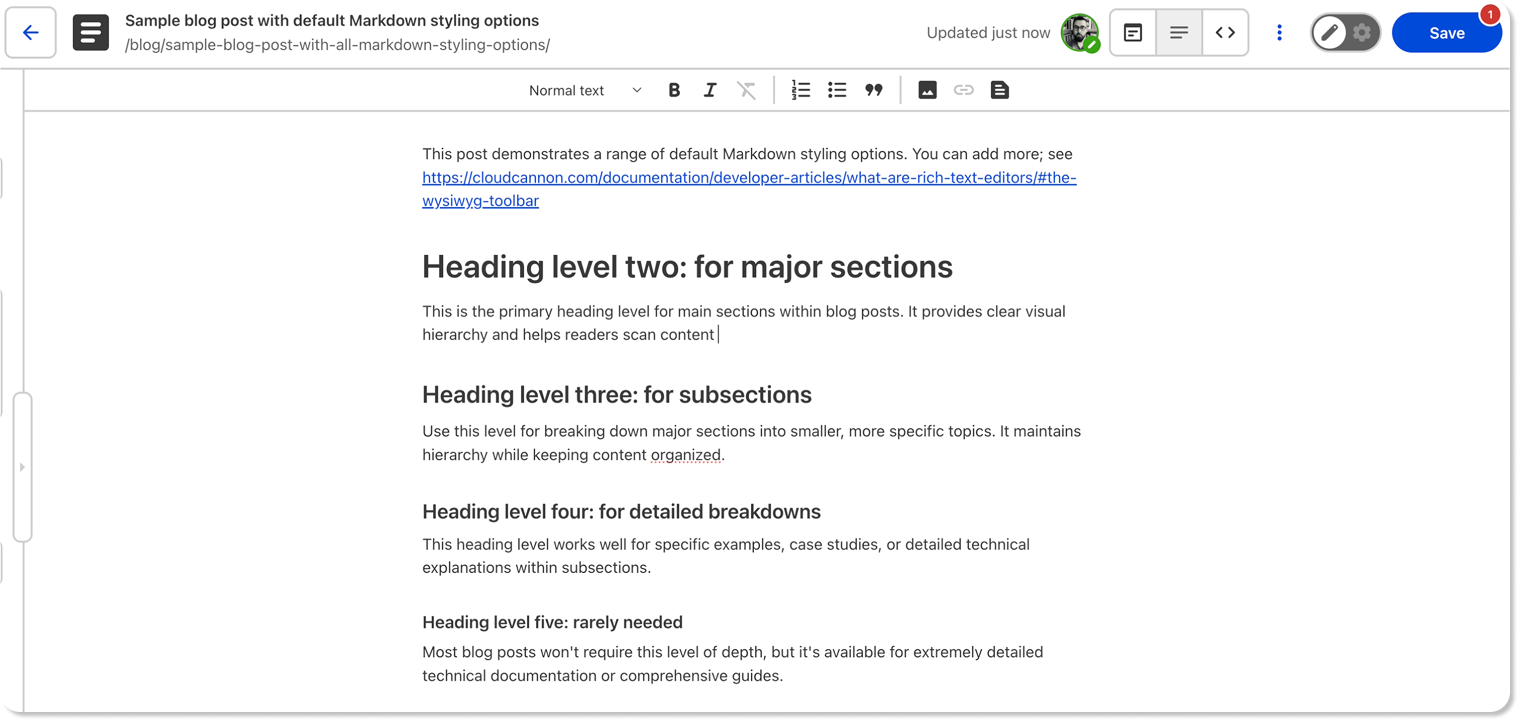
The Blog Collection uses Markdown editing in CloudCannon’s Content Editor by default, with an optional visual preview in the Visual Editor. Writers aren't limited to the Content Editor; they can see their posts rendered in context. I really like this approach, because sometimes a blog post that reads well in the Content Editor looks quite different at the width it'll actually be published at. Having the option to preview your post even before you save and build your site means you can catch those issues that much sooner.
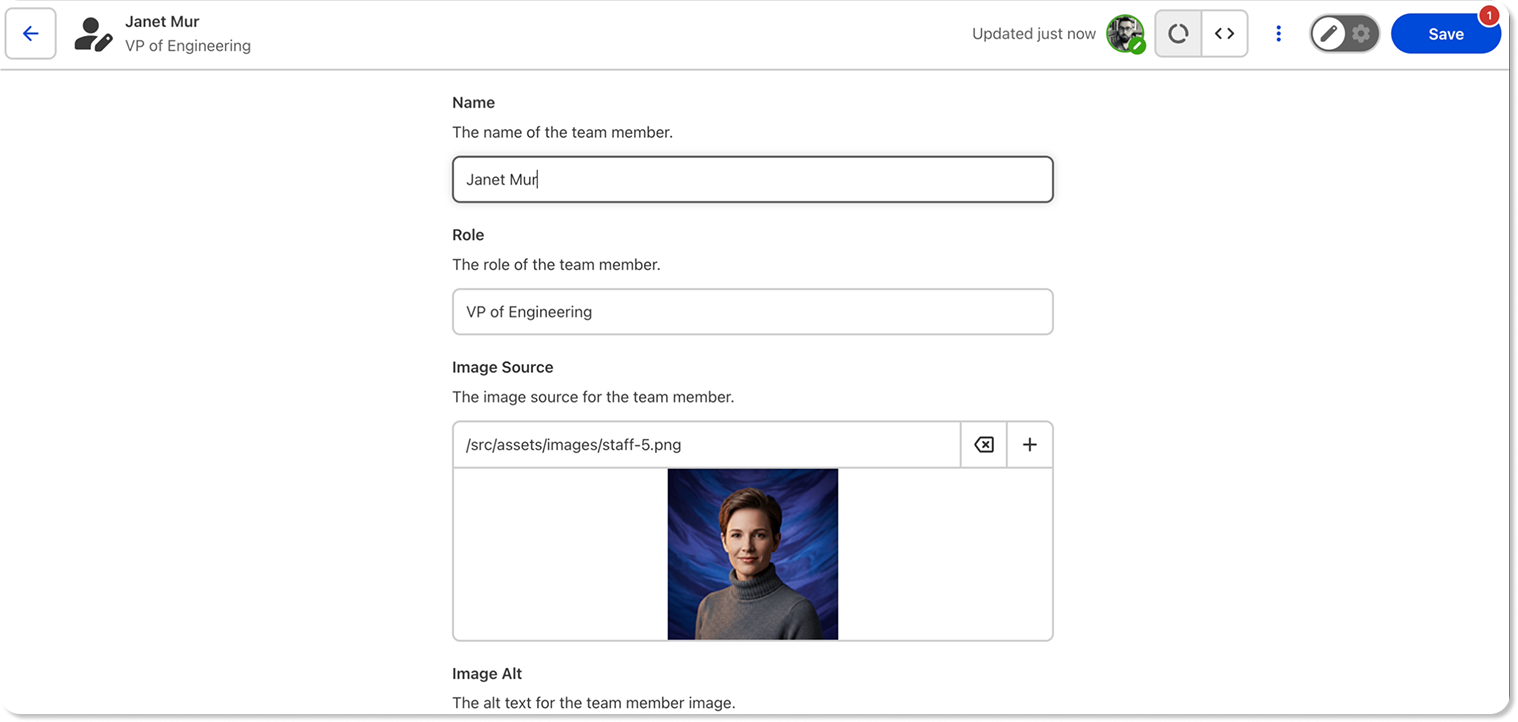
The Team Collection uses the Data Editor — simple fields for structured information like names, roles, and photos. What's particularly nice is how the Team Grid component can pulls data directly from this Collection. Using this component you’ll see your team members appear in the Visual Editor based on the ordering you've set — and you can customise which people appear rather than being locked to the full list.
Our designer Vic Roberts created Jetstream's design in Figma, working from the base Figma design system she'd already made for the Component Starter. She exported her design tokens for me, and from there it was a matter of applying styles from the Figma components to the built components.
Jetstream's palette is more extensive than the starter's defaults — we use around ten shades each of pink and purple — so I've added additional colour variables, which the system accommodated easily.
We’ll make Vic’s design system public in the coming weeks! Keep an eye on the CloudCannon Community for more details.
Jetstream's page sections are largely new, assembled from the Component Starter's building blocks. A few are adaptations of existing page sections, adjusted to fit the template's design or offer editors a clearer choice, but most are purpose-built.
The Component Starter doesn't ask you to follow its structure rigidly, and Jetstream is a good demonstration of that. The button component, for example, ships with four style variants in the starter. For Jetstream I added several more — including an animated button — because Vic’s design called for it. The system makes that kind of extension natural.
The CSS cascade layers architecture is a big part of why customization works so smoothly. Building blocks have their own style layer, wrappers sit above that, and page sections sit higher still. Later layers overwrite earlier ones, so when a page section needs to adjust something — changing a button's font size, setting contrasting text on a dark background — it just works without specificity conflicts. If you want a button to look different in one specific section, you style it at the page section layer and it takes precedence cleanly.
There are also container queries handling components that need to work at different widths. A CTA component might be full-width on a page but constrained within a blog post's content column, and the container query ensures it looks right in both contexts.
The Astro Component Starter handles the foundations of your development so you can focus on what's unique to your site. Building Jetstream was the first real test of that promise, and it held up incredibly well.
I’d estimate the Component Starter got me roughly 75% of the way, before I started building custom page sections. That’s a huge start. The exact figure for you might depend on how many bespoke sections your design calls for — if you need 40, it won't feel as close as if you need 10 — but the building blocks are all there. You don't need to spend time making foundational pieces like a button component, or a responsive image component. You just build sections using what already exists.
Because the Astro Component Starter comes with all of the CloudCannon configuration for each building block you need, when you compose them into page sections, you're not writing that config from scratch either.
One thing that I hope stands out about Jetstream is just how much thought has gone into the experience for non-technical editors. It's a developer showcase, but I’ve also tried to build it for editors using CloudCannon who might not even need to know what a component is.
That means anticipating questions. When you're building for people at every level of technical experience, you naturally design for the most introductory level so it doesn't get in anyone's way. Jetstream includes descriptions on Collections and Inputs — short explanations of what a Collection is for, why you'd choose a particular component, or how to extend something. It's probably a small detail, but it makes a real difference when someone encounters the template for the first time.
Everything in Jetstream uses Editable Regions in the Visual Editor. On component-based pages, editors click directly on elements to update them. In the blog, posts are source-editable in the visual editor through Astro's content prop, so even markdown content can be edited in its full rendered context. For a lot of people, that immediate feedback loop — change something, see the result, undo if it doesn't work — matters more than documentation.
Jetstream includes MDX-based snippets in the blog, which solves a question we've heard from customers before: how do you use the same components in blog posts that you use on visually edited pages?
The snippets use the same components as the component-based editing. There's no difference in the underlying HTML structure — each just has a different YAML file defining how props are passed through. Some use custom snippet templates for props that are harder to pass through directly, but the output is essentially identical.
This is great for brand consistency. A CTA on a marketing page and the same CTA embedded as a snippet in a blog post look the same to the end user. The brand stays coherent whether content is being built with components or written in markdown.
Jetstream is available now on GitHub and on our templates page; new users to CloudCannon will be given the option to use the template when they sign up. You can deploy it directly to CloudCannon, clone it locally, or browse the code to see how a complete site comes together on the Component Starter.
When new CloudCannon features come out, we want Jetstream to reflect them and show how they can be used, so we’ll be keeping the template as well maintained as we can. I’m really responsive to issues and feature requests — if there's a component you find yourself always needing and it's missing, we'd like to know about it. We want this to be a good base for people to build from.
Together, Jetstream and the Astro Component Starter are intended to show everything CloudCannon can do well with Astro, from first principles. If you want to understand the foundation underneath, take a look at our Component Starter announcement post. And if you build something on either of them, please share it with me — I'd love to see it.
此内容由惯性聚合(RSS阅读器)自动聚合整理,仅供阅读参考。 原文来自 — 版权归原作者所有。