








The editing improvements from our most recent open beta have now launched as the default experience for all CloudCannon users. If you’d like a little more time with our old editor, you’re still able to switch to 'Legacy' mode until Friday 29 March.
While our engineering team added a host of improvements leading up to (and throughout) the beta period, I think there are three major features that will improve everyone’s editing experience on CloudCannon — whether you’re working as part of a larger team, or making changes to your own site.
After you’ve made any content changes, you’ll see a message that CloudCannon is “Updating …” — behind the scenes, CloudCannon is recording all of your changes, so you no longer need to worry about losing your work if your browser refreshes or you switch between our editing interfaces.
Note that because this new process isn’t technically a commit to your repository, you’ll still have to click ‘Save’ in order to publish your changes to your staging or production site.
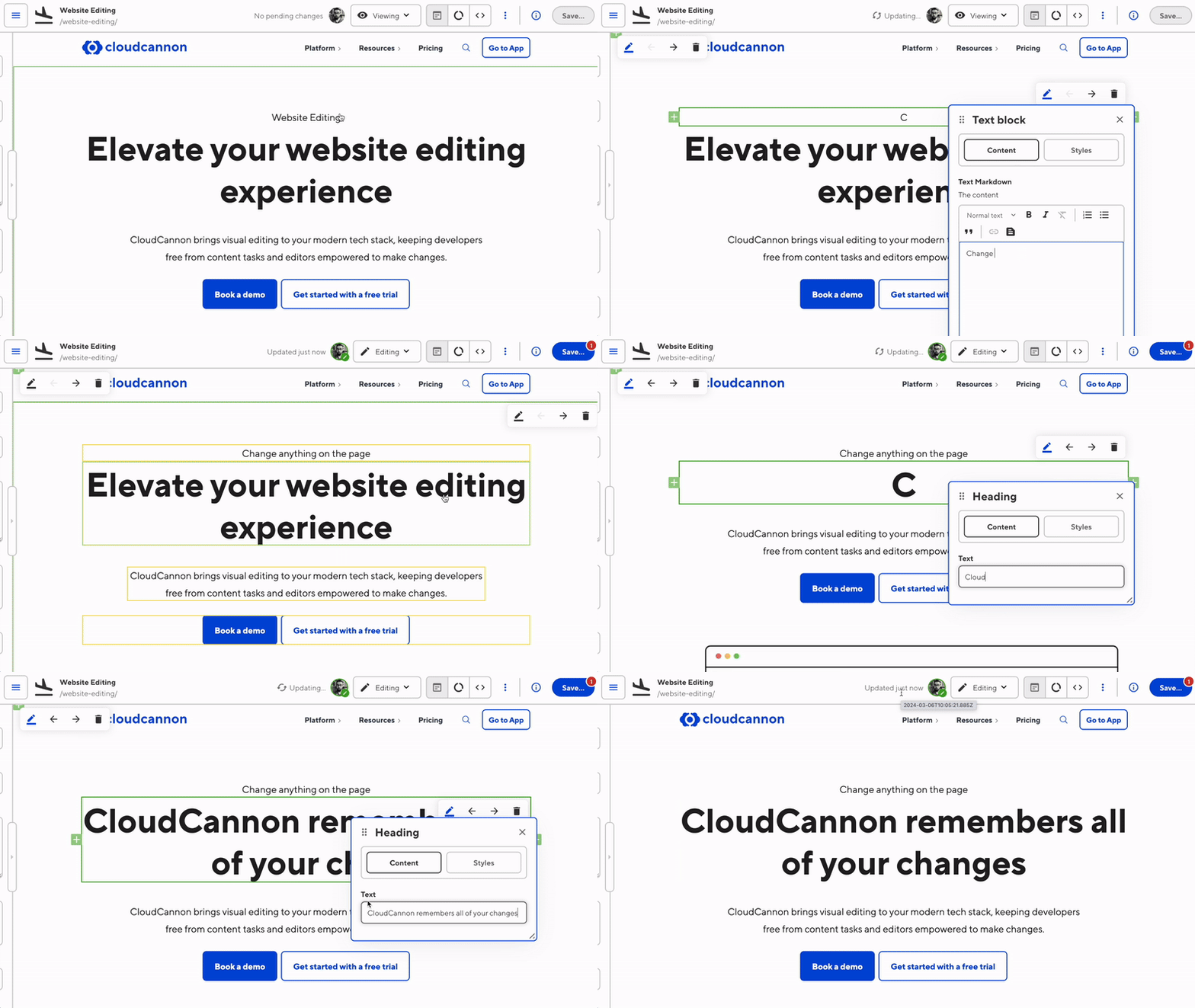
We’ve also added more freedom and functionality to how you save your changes — you can now select exactly which changes you want to save, even while you’re still working on other pages.
Editing in CloudCannon is now a collaborative experience: multiple users can join editing sessions, and create (and argue over) content together. We’ve introduced avatars to various places within the app, so you can see who is editing what, in real time, and join them:
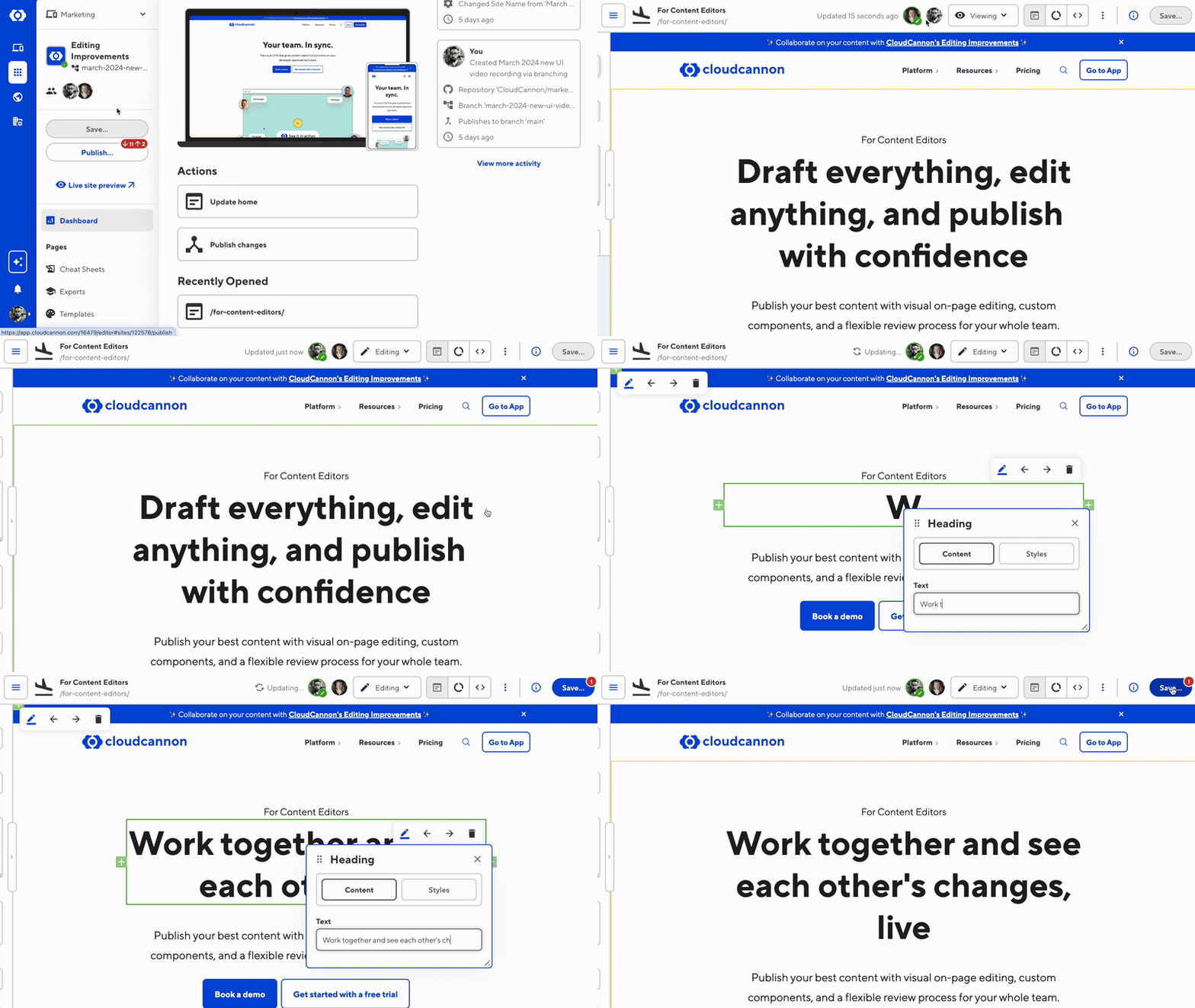
Try asking someone else on your team to open the same file you’re working on — they’ll be able to watch your edits appear live on a read-only window, or take the editing reins and start writing or building pages themselves.
Note that if you’re the only person working on a file, your status will switch to ‘Editing’ as soon as you start changing your content.
As a result of user feedback received both before and during the beta, we’ve made a range of UI improvements across the app.
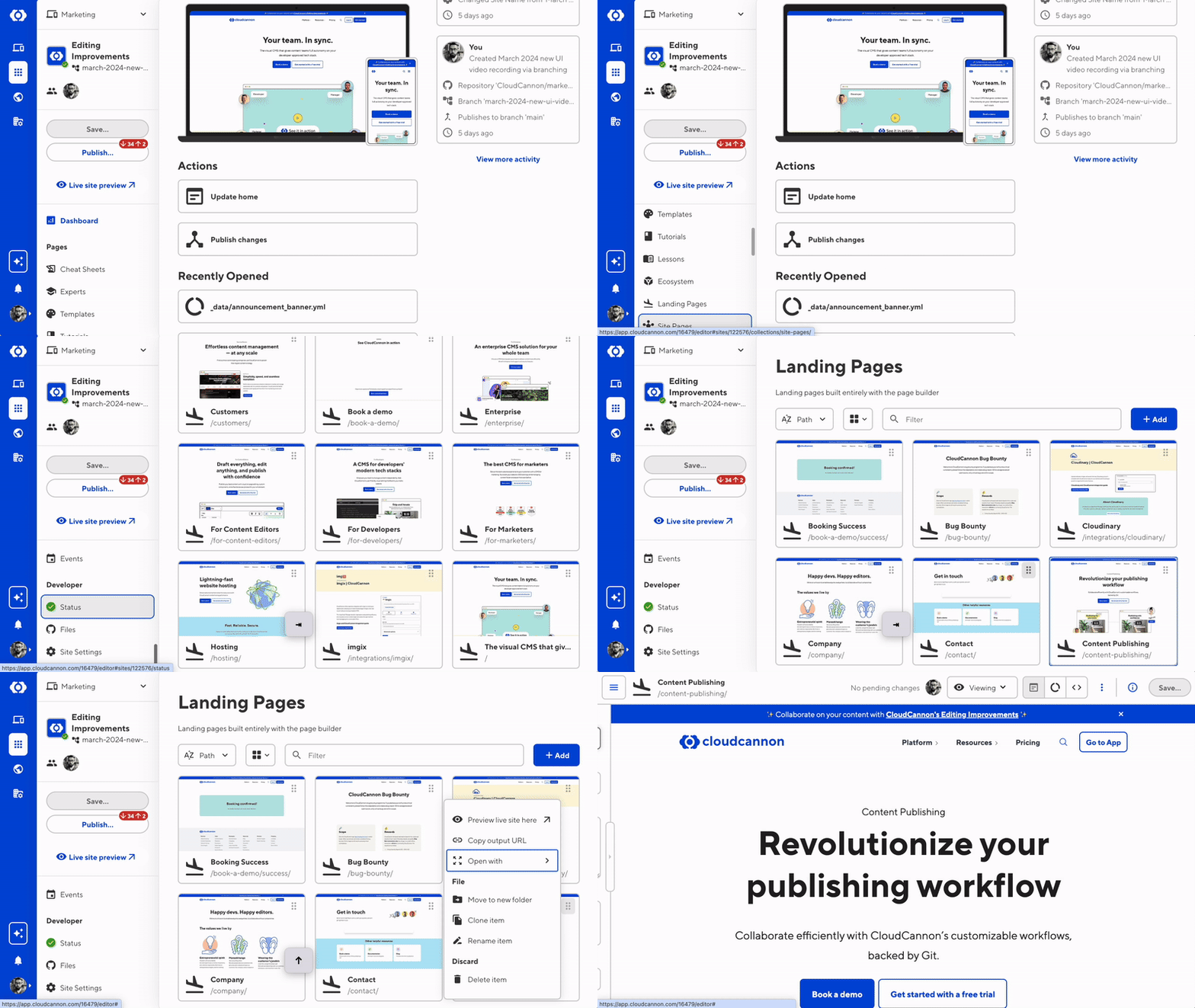
We’ve added the ability to more easily switch between the Visual, Content, Source, and Data Editors. It now takes a single click for users to switch to their desired Editor interface.

We’ve also created more consistent actions and styling for the file context menu. The menu now lets you match the actions you can take outside of the page (i.e. move, clone, rename, and delete an item).
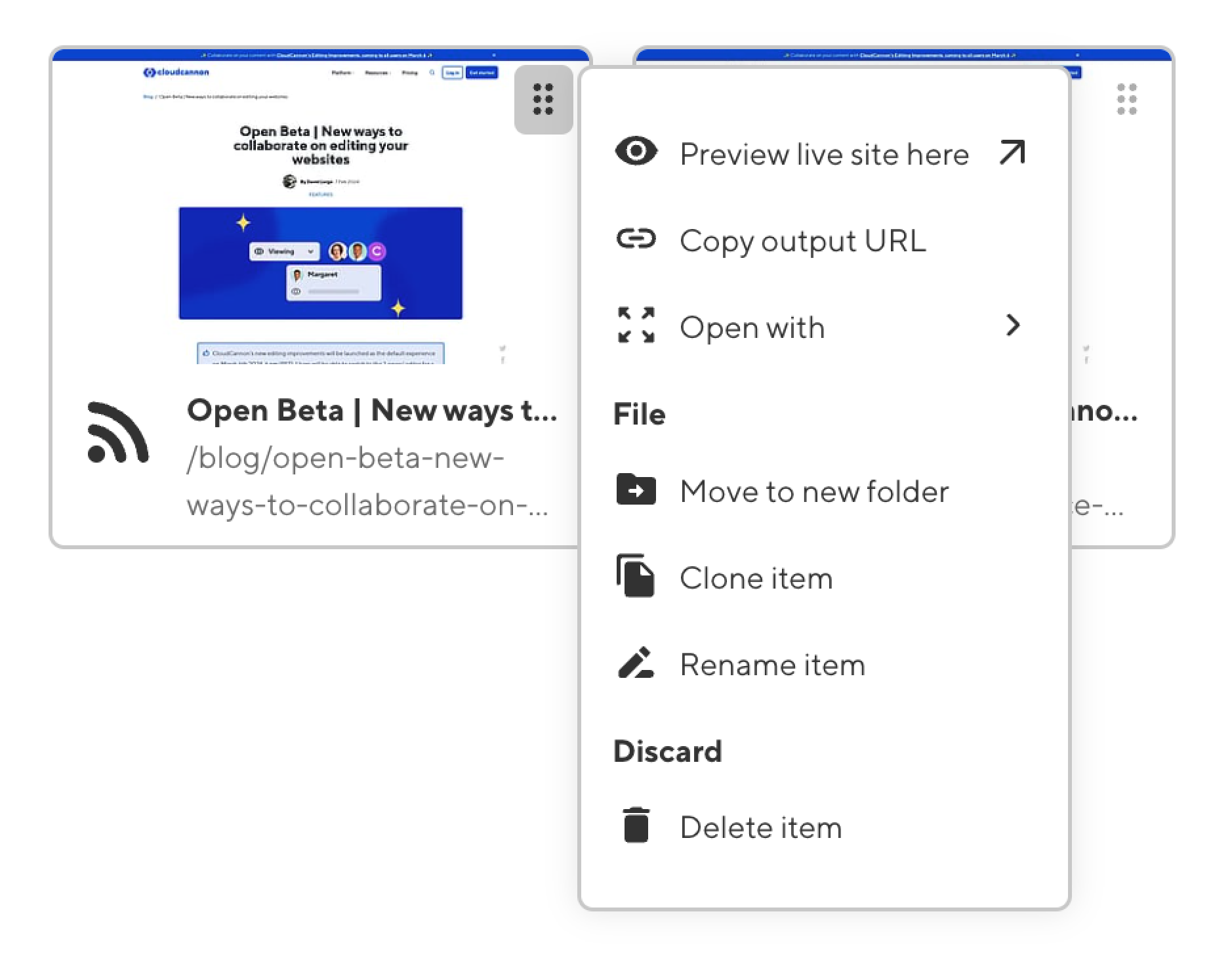
On that note, the actual process by which CloudCannon uploads, moves, renames, and deletes files is now consistent with Git workflows. Selecting Upload, Move, Rename, or Delete now marks that file or folder for the corresponding action; that action will only occur the next time you commit your changes by pressing the ‘Save’ button.
Along the way, we’ve improved app navigation using keyboard inputs, making it easier for users to navigate file context menus using the arrow, tab, and escape keys. We’ve also added more ARIA labels and live regions to help users of screen readers.
In a later post I’ll explain the thinking behind these and more of our accessibility improvements, as our engineering team continues making CloudCannon a more inclusive experience for individuals of all abilities. (If you're interested, check out some of our plans for a11y improvements in 2024.)
Not quite ready to experience the new editor? Not a problem! All users will have access to the Legacy editor until Friday 29 March.
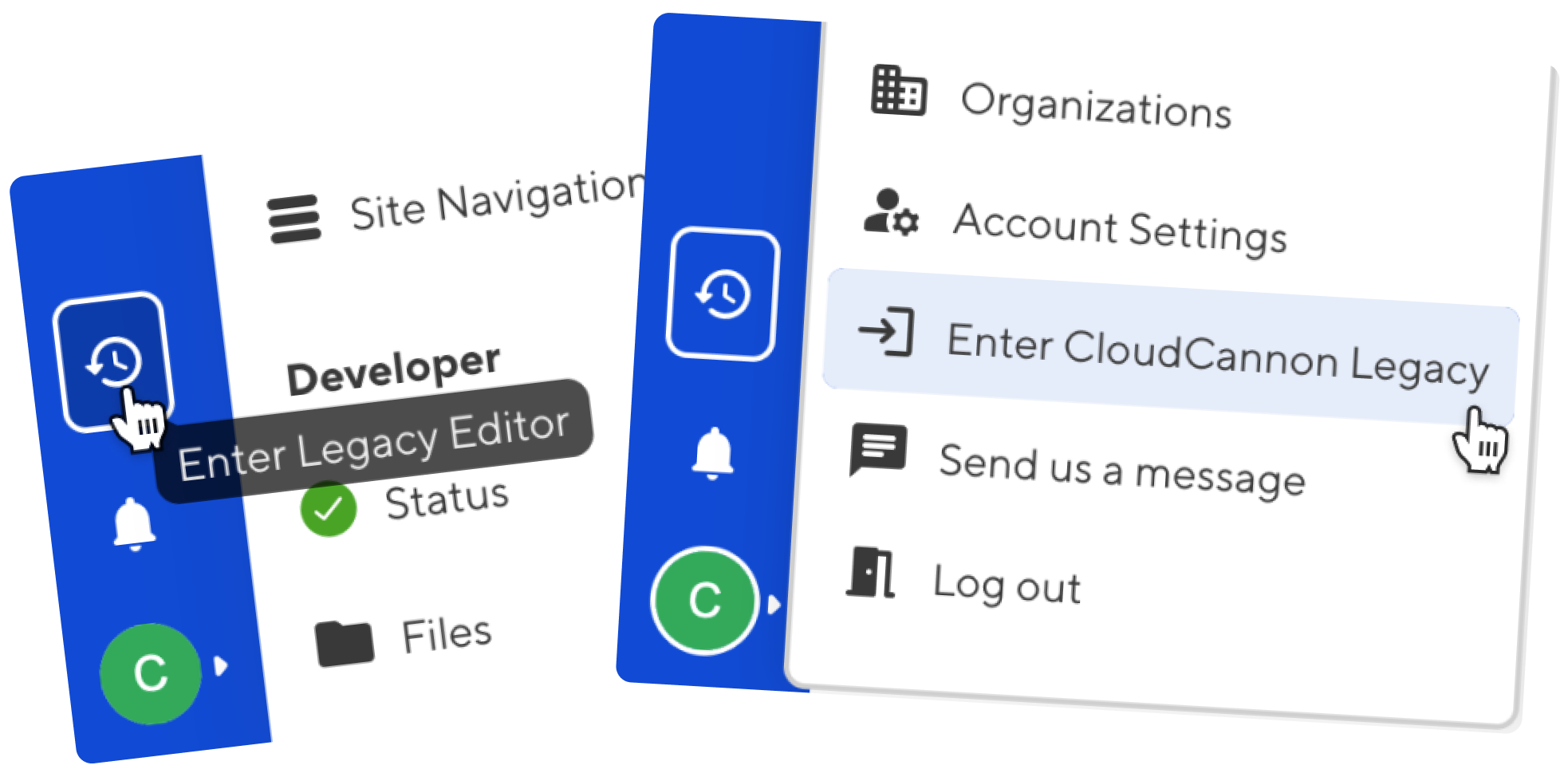
You can choose to enter the Legacy editor (or switch back from it) either by clicking on the Enter Legacy Editor icon in the bottom left of the app, or by clicking on your avatar and selecting Enter CloudCannon Legacy in the account menu, as above. It's worth noting that switching to the Legacy editor while a team member has unsaved changes will discard any changes without saving them. Further, client share users will not see the option to switch to and from the Legacy editor.
There’s a lot to dig into! All of the new changes are explained in full over at our Changelog — let us know what you think!
CloudCannon’s upgraded editor works with all supported static site generators, because you should be able to choose the frameworks you love, and get the same great content editing experience.
此内容由惯性聚合(RSS阅读器)自动聚合整理,仅供阅读参考。 原文来自 — 版权归原作者所有。