


惯性聚合 高效追踪和阅读你感兴趣的博客、新闻、科技资讯
阅读原文 在惯性聚合中打开

推荐订阅源

Google DeepMind News
N
Netflix TechBlog - Medium
The Register - Security
C
Cybersecurity and Infrastructure Security Agency CISA
H
Hackread – Cybersecurity News, Data Breaches, AI and More
The Hacker News
The Hacker News
P
Proofpoint News Feed
Project Zero
Project Zero
The GitHub Blog
The GitHub Blog
The Last Watchdog
The Last Watchdog
F
Fortinet All Blogs
S
Schneier on Security
Help Net Security
Help Net Security
Security Archives - TechRepublic
C
Check Point Blog
让小产品的独立变现更简单 - ezindie.com
P
Proofpoint News Feed
I
InfoQ
T
The Blog of Author Tim Ferriss
Cisco Talos Blog
Cisco Talos Blog
Stack Overflow Blog
Stack Overflow Blog
T
Troy Hunt's Blog
人人都是产品经理
人人都是产品经理
T
Threatpost
www.infosecurity-magazine.com
C
Cyber Attacks, Cyber Crime and Cyber Security
雷峰网
雷峰网
cs.AI updates on arXiv.org
Threat Intelligence Blog | Flashpoint
爱范儿
爱范儿
Forbes - Security
Forbes - Security
Vercel News
Vercel News
S
Security Affairs
美团技术团队
P
Privacy & Cybersecurity Law Blog
N
News and Events Feed by Topic
Cyberwarzone
Cyberwarzone
Recent Commits to openclaw:main
Jina AI
Jina AI
Spread Privacy
Spread Privacy
Attack and Defense Labs
IT之家
IT之家
U
Unit 42
Recorded Future
Recorded Future
W
WeLiveSecurity
PCI Perspectives
PCI Perspectives
P
Palo Alto Networks Blog
H
Hacker News: Front Page
S
Security @ Cisco Blogs
博客园 - 【当耐特】

柴郡猫

一款基于Pengu Loader的全服可用英雄联盟客户端增强插件–Sona | 柴郡猫 暂时停更几天 LOL英雄联盟2026全球先锋赛BLG夺冠庆典领皮肤 谷歌Piexl活动领12个月Gemini AI Pro会员 Windows10 WSL2 安装龙虾OpenClaw教程 QClaw邀请码申请 WordPress优化–开启 Nginx FastCGI 缓存教程 2026年支付宝马年集五福活动攻略 谷歌账号Gmail邮箱前缀可以更改了 检测安全风险事件领取 阿里云安全定制台历
WordPress优化–使用Query Monitor插件监测页面耗时
柴郡猫 · 2026-01-27 · via 柴郡猫

教程大全Query Monitor,wordpress,WordPress优化

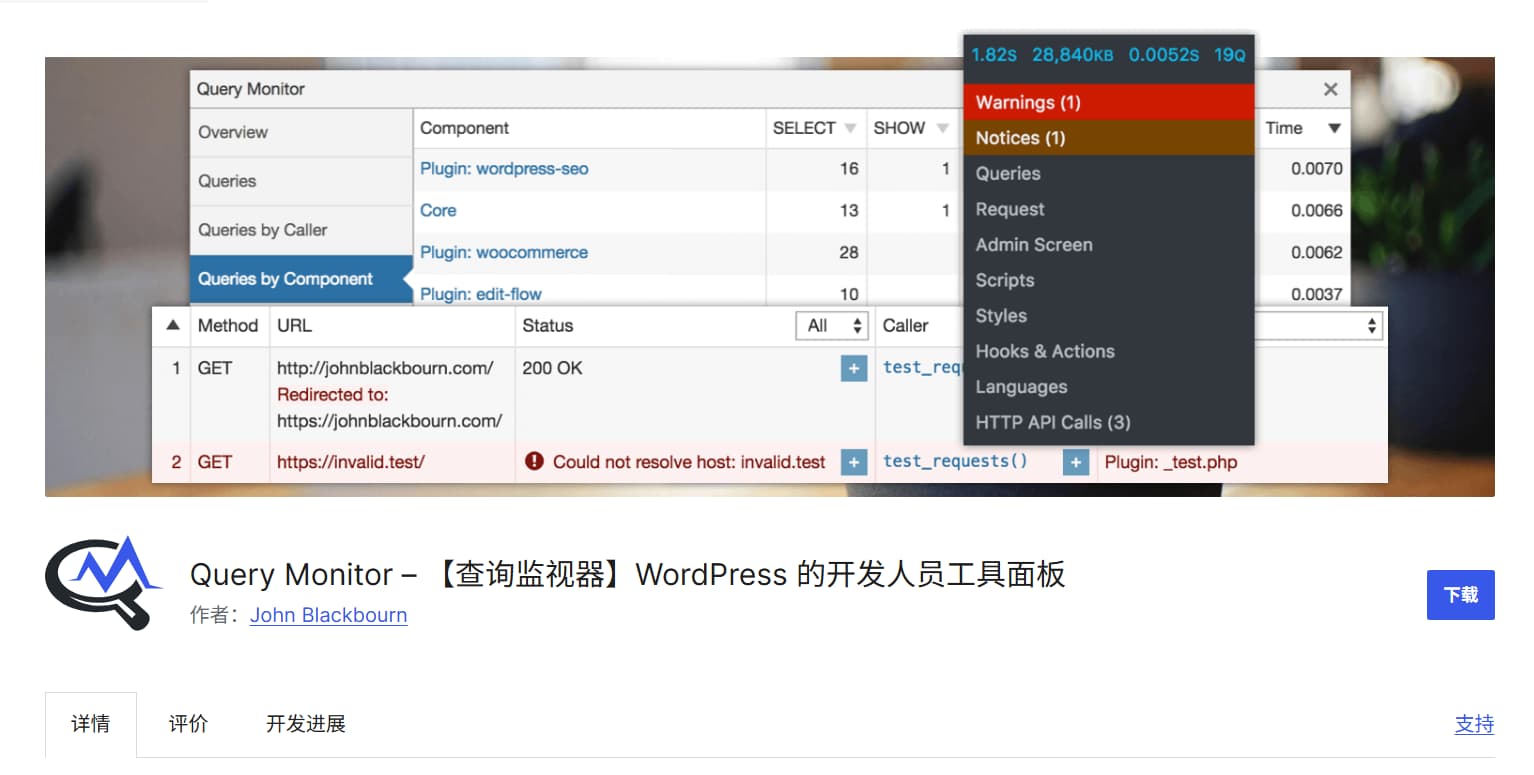
Query Monitor是一款WordPress的开发者工具面板,安装这个插件我们可以清楚的看到页面各个环节的耗时,以及数据库详细查询内容和查询来源等数据。可以辅助我们判断页面速度问题原因,并针对性的解决。
本文目录

  • 1. 相关链接
  • 2. 插件介绍
    • 2.1. 数据库耗时排查

相关链接

插件官网:https://querymonitor.com/

官方文档:https://querymonitor.com/wordpress-debugging/how-to-use/

插件安装:https://cn.wordpress.org/plugins/query-monitor/

插件是免费的,可以在WP后台插件市场直接搜索Query Monitor安装。

插件介绍

安装后我们在文章页或者其他比较慢的页面,直接在管理员登录状态下刷新页面就会加载Query Monitor监视信息。

在页面顶部会显示页面加载信息,点击它会弹出监视面板。
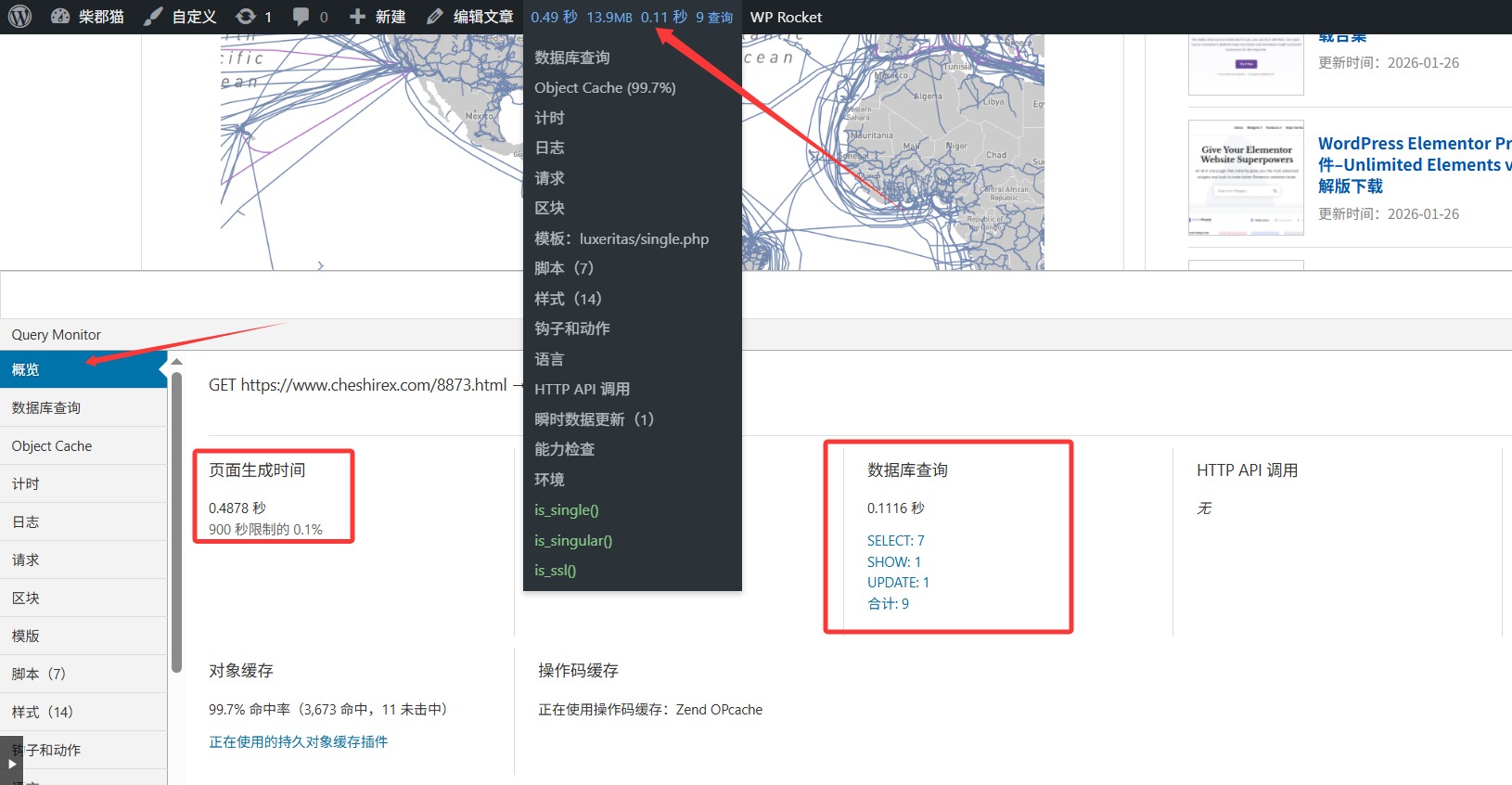
面板会显示页面加载时间,以及数据库查询耗时等信息。

数据库耗时排查

查看我们的数据库产生了多少查询和写入,一些插件在我们访问页面时也会产生大量的写入操作。比如kk Star Ratings评分插件。
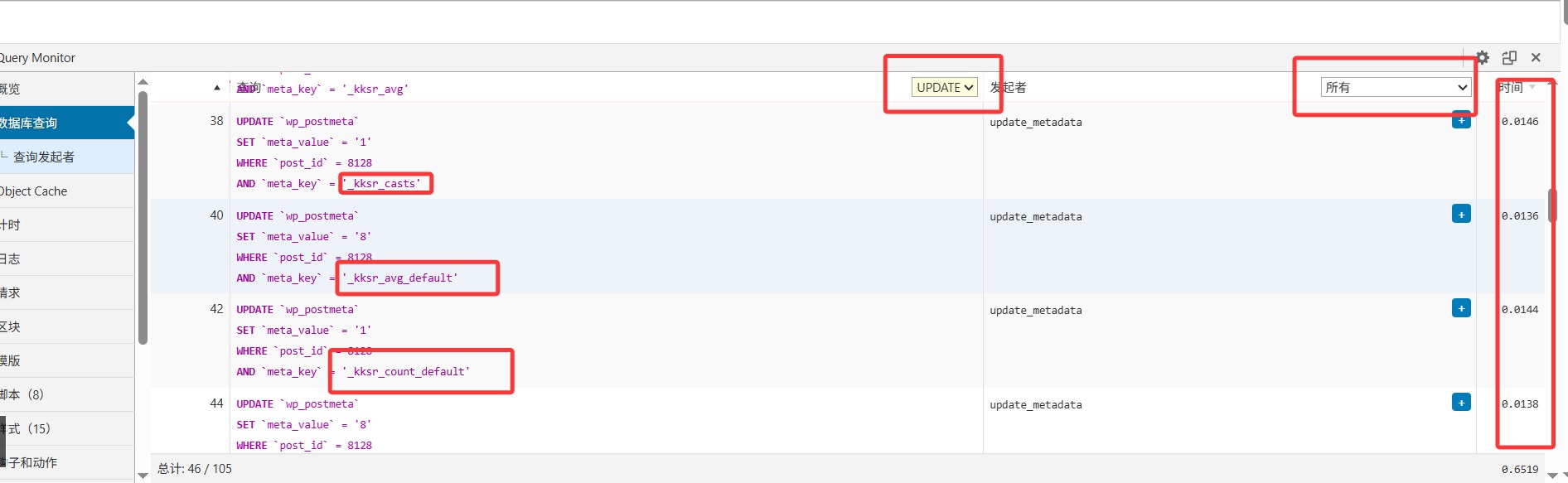
上图是kk Star Ratings插件的写入操作45次,造成了0.6519秒的页面延时。
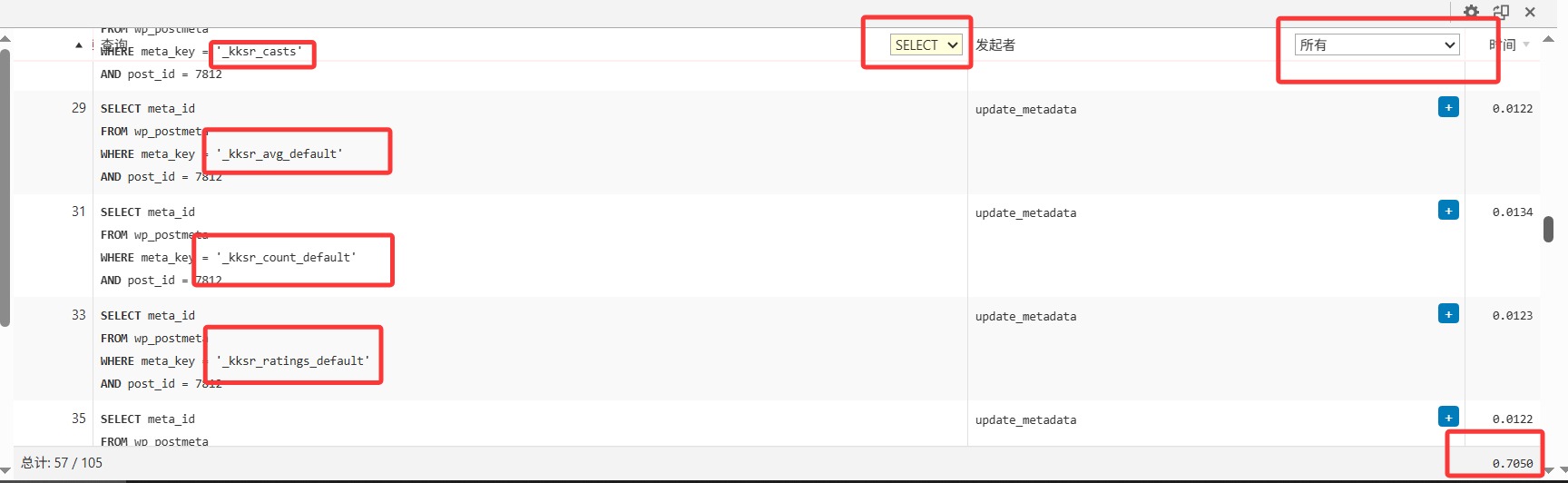
同时也有几十次的查询操作,产生了0.6左右的页面延时。

找到了速度慢的来源,我们先尝试停用对应的插件看看页面速度会不会提升。如果提升了就研究下怎么修改插件或者寻找替代品。

kk Star Ratings评分插件建议替换为Rate My Post,博主测试页面速度不会受到Rate My Post插件影响。

还有一些是主题造成的页面耗时,比如文章底部的相关文章。相关文章的展示会产生大量查询。

Query Monitor还有很多使用方法,这里不介绍了,可以到官方文档里看看。对于不明白的问题可以发给AI问问。