惯性聚合 高效追踪和阅读你感兴趣的博客、新闻、科技资讯
阅读原文 在惯性聚合中打开

推荐订阅源

T
The Blog of Author Tim Ferriss
S
Securelist
D
Docker
The Register - Security
GbyAI
GbyAI
Recorded Future
Recorded Future
Engineering at Meta
Engineering at Meta
Stack Overflow Blog
Stack Overflow Blog
云风的 BLOG
云风的 BLOG
P
Proofpoint News Feed
罗磊的独立博客
博客园 - 【当耐特】
F
Full Disclosure
WordPress大学
WordPress大学
腾讯CDC
小众软件
小众软件
大猫的无限游戏
大猫的无限游戏
D
DataBreaches.Net
SecWiki News
SecWiki News
L
Lohrmann on Cybersecurity
I
InfoQ
MyScale Blog
MyScale Blog
量子位
Cyberwarzone
Cyberwarzone
博客园 - 三生石上(FineUI控件)
The Hacker News
The Hacker News
F
Fortinet All Blogs
freeCodeCamp Programming Tutorials: Python, JavaScript, Git & More
Jina AI
Jina AI
博客园_首页
H
Help Net Security
K
Kaspersky official blog
酷 壳 – CoolShell
酷 壳 – CoolShell
Threat Intelligence Blog | Flashpoint
www.infosecurity-magazine.com
Webroot Blog
Webroot Blog
Blog — PlanetScale
Blog — PlanetScale
V
Vulnerabilities – Threatpost
Y
Y Combinator Blog
The Cloudflare Blog
P
Proofpoint News Feed
V
Visual Studio Blog
C
Cyber Attacks, Cyber Crime and Cyber Security
T
Tailwind CSS Blog
爱范儿
爱范儿
P
Privacy International News Feed
Security Archives - TechRepublic
The GitHub Blog
The GitHub Blog
C
Cybersecurity and Infrastructure Security Agency CISA
B
Blog RSS Feed

柴郡猫

一款基于Pengu Loader的全服可用英雄联盟客户端增强插件–Sona | 柴郡猫 暂时停更几天 LOL英雄联盟2026全球先锋赛BLG夺冠庆典领皮肤 谷歌Piexl活动领12个月Gemini AI Pro会员 QClaw邀请码申请 WordPress优化–开启 Nginx FastCGI 缓存教程 2026年支付宝马年集五福活动攻略 WordPress优化–使用Query Monitor插件监测页面耗时 谷歌账号Gmail邮箱前缀可以更改了 检测安全风险事件领取 阿里云安全定制台历
Windows10 WSL2 安装龙虾OpenClaw教程
柴郡猫 · 2026-03-12 · via 柴郡猫

教程大全OpenClaw,Windows10,WSL2,龙虾

在Windows10操作系统上,我们可以选择在Windows Docker 或者在 Windows WSL2 上安装Ubuntu来安装OpenClaw。

第二有有点绕对吧,绕就对了,我们就选第二个。如果你用第一个会发现更麻烦,Windows上的Docker更难用。

后续我会写其他操作系统的安装过程。

本文目录

  • 1. 安装WSL2
    • 1.1. 确认 WSL2 模式
  • 2. 安装安装 Node.js 22
  • 3. 安装OpenClaw

安装WSL2

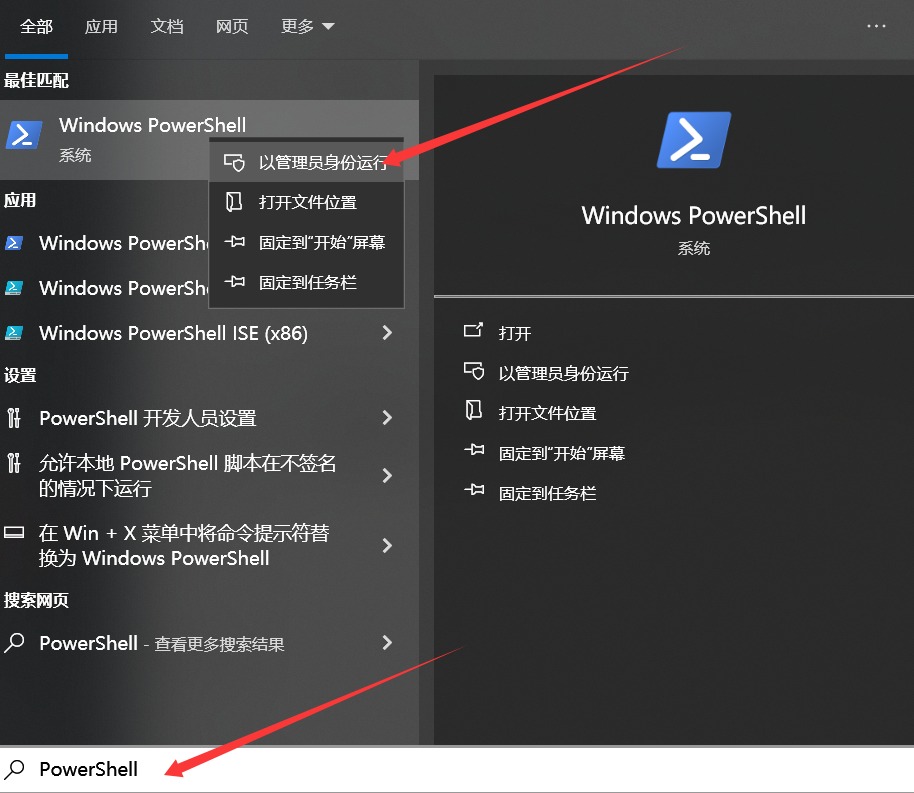
在搜索栏输入PowerShell,右键以管理员权限运行。
输入命令

wsl --install
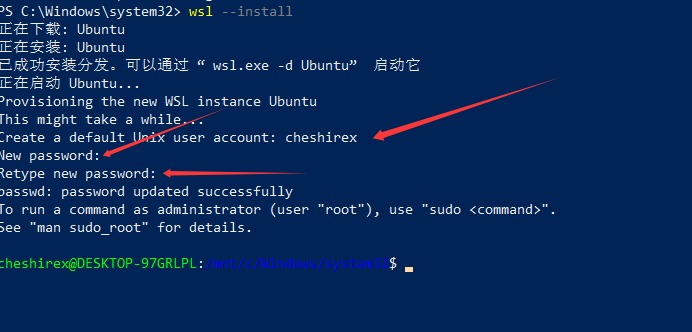
安装过程会让你输入Ubuntu的用户

重启电脑。

确认 WSL2 模式

wsl -l -v

确保VERSION为2
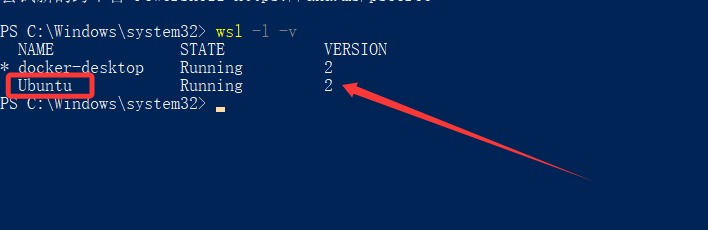
如果不是2就升级下版本。

wsl --set-version Ubuntu 2

安装安装 Node.js 22

开始菜单里找Ubuntu
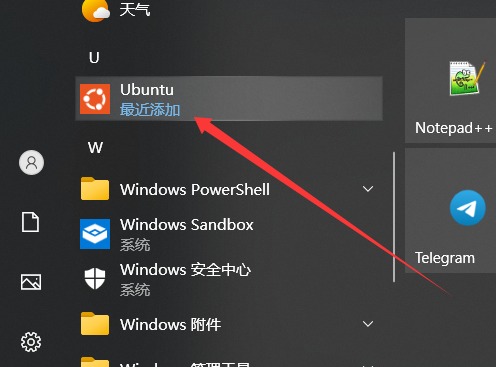
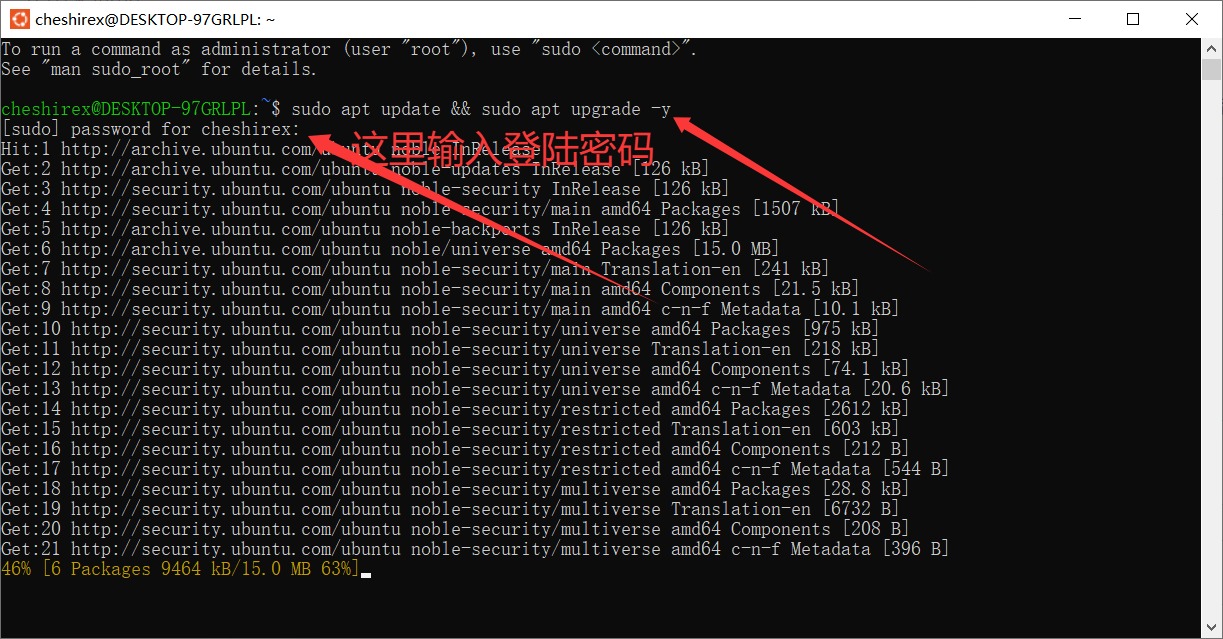
更新系统包

sudo apt update && sudo apt upgrade -y
通过 NodeSource 安装 Node.js 22

curl -fsSL https://deb.nodesource.com/setup_22.x | sudo -E bash -
sudo apt install -y nodejs
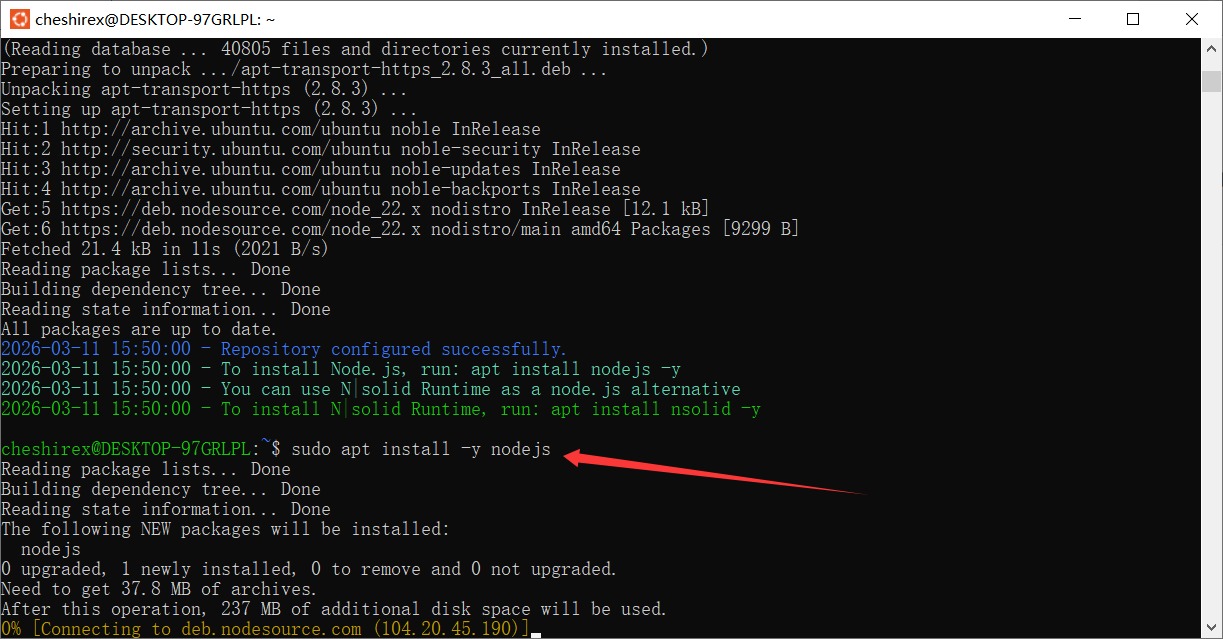
上面两个挨个执行。

验证安装结果

node –version
npm –version

确认能正确显示版本信息。

安装OpenClaw

克隆 OpenClaw 仓库

安装git

sudo apt install -y git

克隆仓库

git clone https://github.com/openclaw/openclaw.git

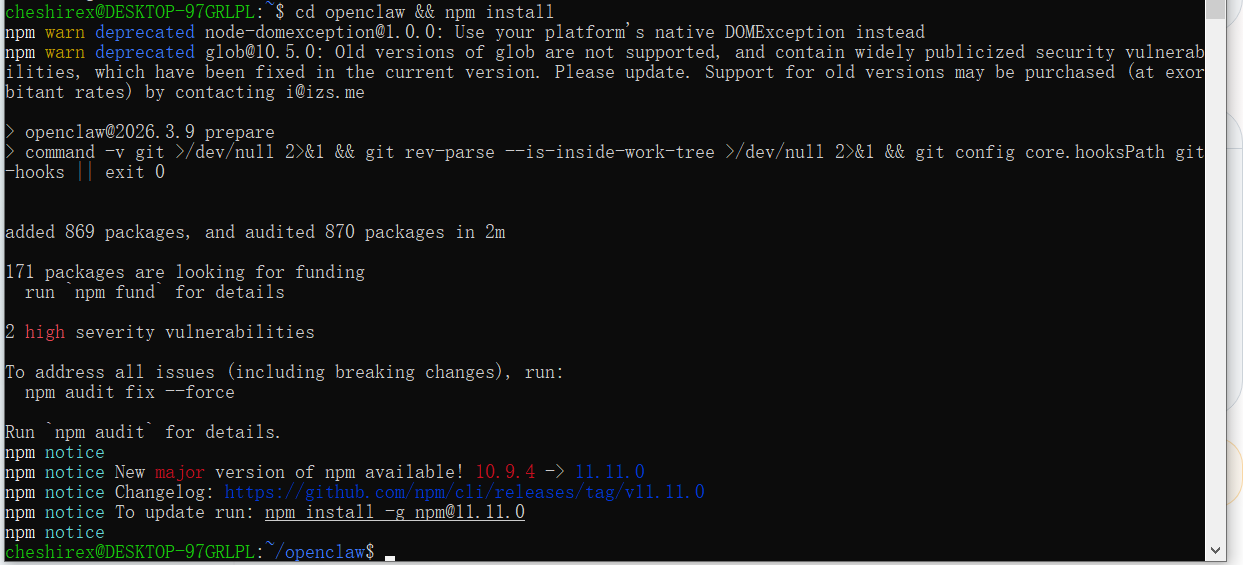
进入项目目录并且安装依赖

cd openclaw && npm install
复制编辑配置

cp .env.example .env
nano .env
# OpenClaw 环境变量配置
OPENAI_API_KEY=改成你的API KEY
# ANTHROPIC_API_KEY=sk-ant-your-key
# DEEPSEEK_API_KEY=your-deepseek-key

DEFAULT_MODEL=gpt-4o
ACCESS_CODE=改成你的访问密码
PORT=3210

安装包到全局

sudo npm install -g .

配置龙虾

openclaw configure

配置过程如果没修改端口号,登陆地址端口会变成默认的18789,而不是上面的3210.

开启网关

npm start -- gateway

启动龙虾

npm start

因为我们现在就在龙虾的程序目录,所以上面命令直接运行就启动了。

下次我们启动要先进入目录,然后运行启动命令。两个命令一起用就是

cd ~/openclaw && npm start

到这里我们的龙虾安装就完成了,目前还只是一个对话功能。后续需要给他安装手脚和嘴巴,请关注后续文章。