





https://www.zhihu.com/question/57888214/answer/154699381
{% note %}
 Hexo_separator_1
没有太理解你的具体意思,大概有两种理解吧
对于第一种理解
只需要
---
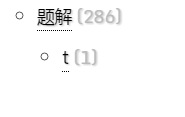
title: t
date: 2017-04-01 00:44:21
categories:
- 笔记
- 题解
- t
tags:
---
 Hexo_separator_1
如果是第二种,以 NexT 主题为例
Blog\themes\next\layout\_macro\post.swig
文件里有
{% if post.categories and post.categories.length and theme.post_meta.categories %}
    <span class="post-category" >
    {% if theme.post_meta.created_at or theme.post_meta.updated_at %}
        <span class="post-meta-divider">|</span>
    {% endif %}
        <span class="post-meta-item-icon">
            <i class="fa fa-folder-o"></i>
        </span>
        {% if theme.post_meta.item_text %}
            <span class="post-meta-item-text">{{ __('post.in') }}</span>
        {% endif %}
        {% for cat in post.categories %}
        <span itemprop="about" itemscope itemtype="http://schema.org/Thing">
            <a href="{{ url_for(cat.path) }}" itemprop="url" rel="index">
                <span itemprop="name">{{ cat.name }}</span>
            </a>
        </span>

        {% set cat_length = post.categories.length %}
            {% if cat_length > 1 and loop.index !== cat_length %}
                {{ __('symbol.comma') }}
            {% endif %}
        {% endfor %}
    </span>
{% endif %}
这一段就是相应的代码
可以看出来
<span class="post-meta-item-icon">
    <i class="fa fa-folder-o"></i>
</span>
这一部分是分类的小图标
<span itemprop="about" itemscope itemtype="http://schema.org/Thing">
    <a href="{{ url_for(cat.path) }}" itemprop="url" rel="index">
        <span itemprop="name">{{ cat.name }}</span>
    </a>
</span>
这一部分是生成链接
{% if cat_length > 1 and loop.index !== cat_length %}
    {{ __('symbol.comma') }}
{% endif %}
这一部分就是产生分隔符号(如果多余一个分类并且当前循环不是最后一个)
__('symbol.comma')
这个就是 "," 把它改成 ">" 即可(直接写成文本就行)
此内容由惯性聚合(RSS阅读器)自动聚合整理,仅供阅读参考。 原文来自 — 版权归原作者所有。