惯性聚合 高效追踪和阅读你感兴趣的博客、新闻、科技资讯
阅读原文 在惯性聚合中打开

推荐订阅源

Hugging Face - Blog
Hugging Face - Blog
宝玉的分享
宝玉的分享
G
Google Developers Blog
T
Tailwind CSS Blog
奇客Solidot–传递最新科技情报
奇客Solidot–传递最新科技情报
V
V2EX
V
Visual Studio Blog
博客园 - Franky
S
SegmentFault 最新的问题
Jina AI
Jina AI
爱范儿
爱范儿
The Cloudflare Blog
酷 壳 – CoolShell
酷 壳 – CoolShell
D
DataBreaches.Net
C
Check Point Blog
月光博客
月光博客
P
Proofpoint News Feed
T
The Blog of Author Tim Ferriss
罗磊的独立博客
H
Hackread – Cybersecurity News, Data Breaches, AI and More
MongoDB | Blog
MongoDB | Blog
The GitHub Blog
The GitHub Blog
Y
Y Combinator Blog
Martin Fowler
Martin Fowler

噜啦 - 爬虫

爬虫爬取图片 - 噜啦 爬虫爬取图片 - 噜啦 使用爬虫爬取新闻网站标题 - 噜啦 结合正则表达式爬取网页 - 噜啦 结合正则表达式爬取网页 - 噜啦
使用爬虫爬取新闻网站标题 - 噜啦
博主: 噜啦 · 2019-10-09 · via 噜啦 - 爬虫

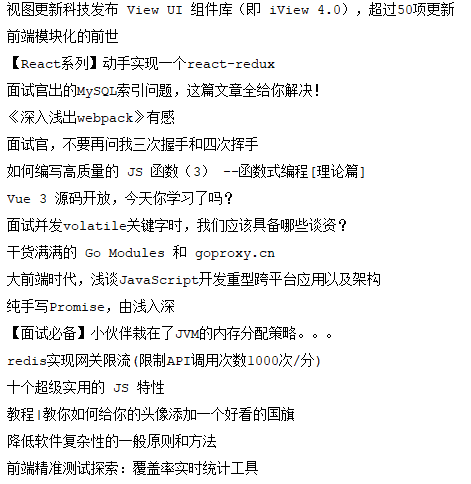
使用爬虫爬取新闻网站标题

  • 发布时间:
  • 1755 次浏览
  • 913字数
  • 分类: Python笔记本
  1. 首页
  2. 正文  

代码

from bs4 import BeautifulSoup
import requests

headers = {
    "Accept": "text/html,application/xhtml+xml,application/xml;q=0.9,image/webp,image/apng,*/*;q=0.8,application/signed-exchange;v=b3",
    "Accept-Language": "zh-CN,zh;q=0.9,en;q=0.8,en-US;q=0.7",
    "Host": "httpbin.org",
    "Upgrade-Insecure-Requests": "1",
    "User-Agent": "Mozilla/5.0 (Windows NT 10.0; Win64; x64) AppleWebKit/537.36 (KHTML, like Gecko) Chrome/77.0.3865.90 Safari/537.36"
}

def Title(url):
    response = requests.get(url, headers=headers)
    soup = BeautifulSoup(response.text, 'lxml')
    h4 = soup.find_all('h4', class_='news__item-title mt0')
    for title in h4:
        print(title.get_text())

运行
赞赏作者

如果觉得我的文章对你有用,请随意赞赏

使用爬虫爬取新闻网站标题

 •