









Project domain customization just got more flexible on Netlify — you can now set a custom domain for Deploy Previews and/or branch deploys, and we’ll automatically create context-based subdomains for you!
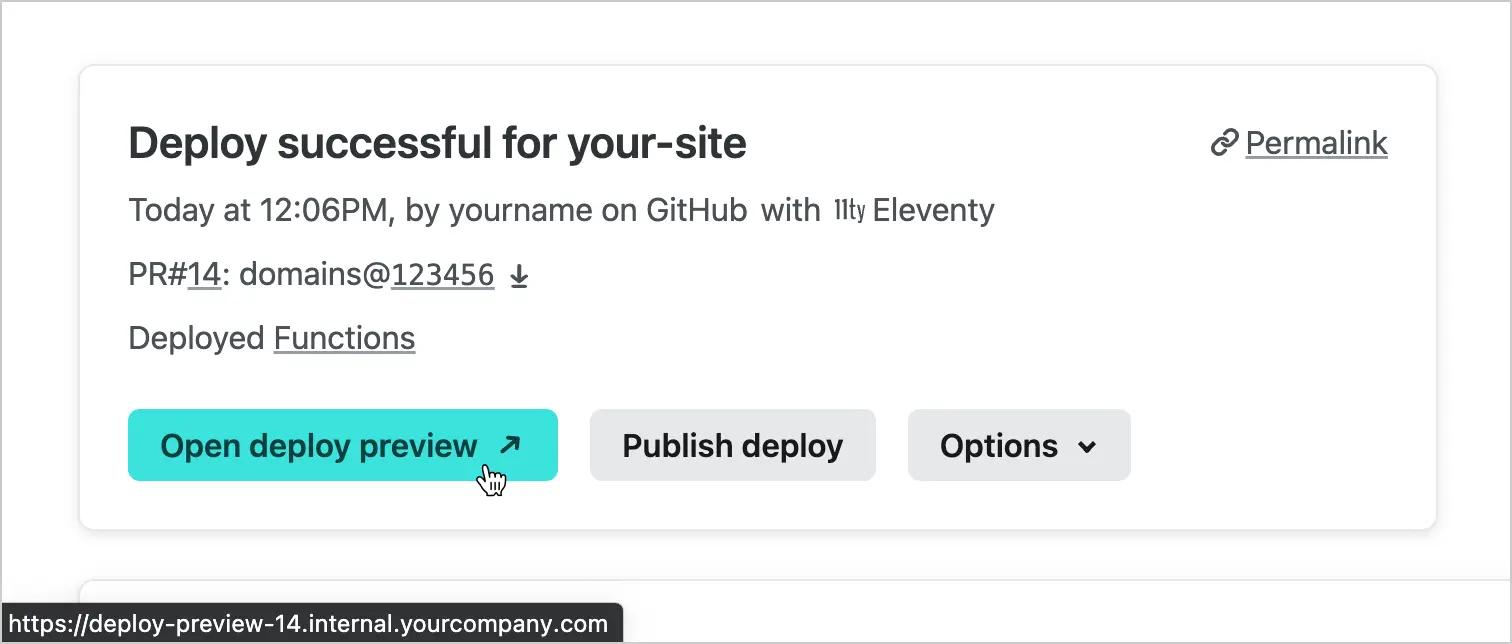
The Netlify UI now links to your customized Deploy Preview URLs
Teams on Pro plans and above can set up deploy subdomains under Site Settings > Domain Management > Automatic deploy subdomains. These settings are available to try as a Labs beta today, and will be generally available soon.
Why use custom domains for deploys?
By default, Netlify generates a Deploy Preview for each pull/merge request against your production branch and any deployed branches. Deploy Previews enable your cross-functional team to preview and collaborate on changes before they go live.
Third-party integration enablement
Some teams aren’t able to take full advantage of Deploy Previews because they have third-party integrations that can only run on allow-listed domains. By enabling Deploy Previews to use your custom domain, you’ll be able to safely include it in the allowed-domain list of any third party scripts and services where necessary. This makes third-party services available in your branches and previews, just as they would be in production.
Brand safety and security
Custom subdomains for your deploys also help to ensure better brand safety—Deploy Previews or deployed branches will now appear to come from “inside the house”, putting both stakeholders and external customers at ease. This also makes it easier for security and IT teams to build policies around company-controlled domains, helping to remove the friction between productivity and security.
How to set up custom domains for deploys
At Site Settings > Domain Management > Automatic deploy subdomains:
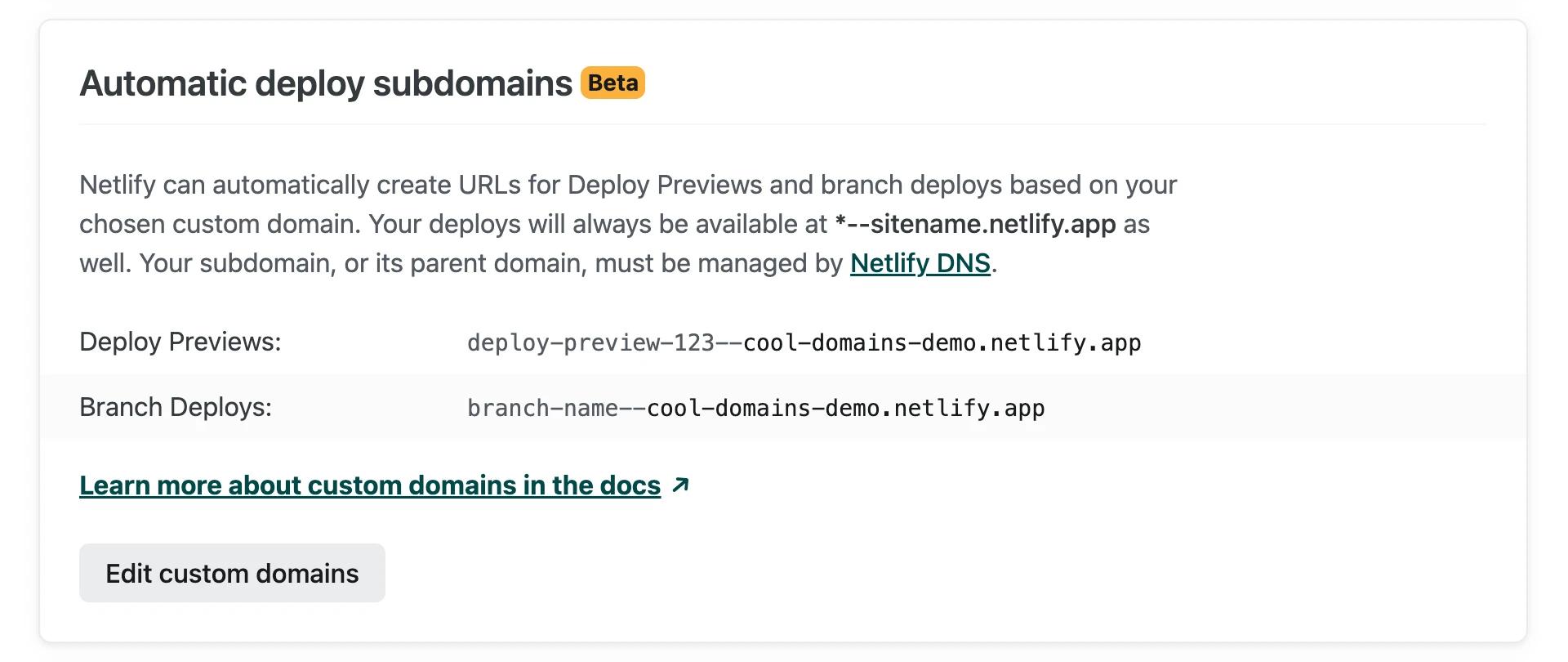
- Select “Edit custom domains”.
- Check “Add custom domain” next to each deploy context you want to customize.
- Select any domain from the “Domain” field. This list includes any (sub)domains you have delegated to Netlify DNS; you can add more at Team Overview > Domains.
- Add an optional prefix in the “Additional subdomain” field. You can have deploys available at *.internal.yourcompany.com instead of *.yourcompany.com. There is no need to set up any additional DNS records for this.
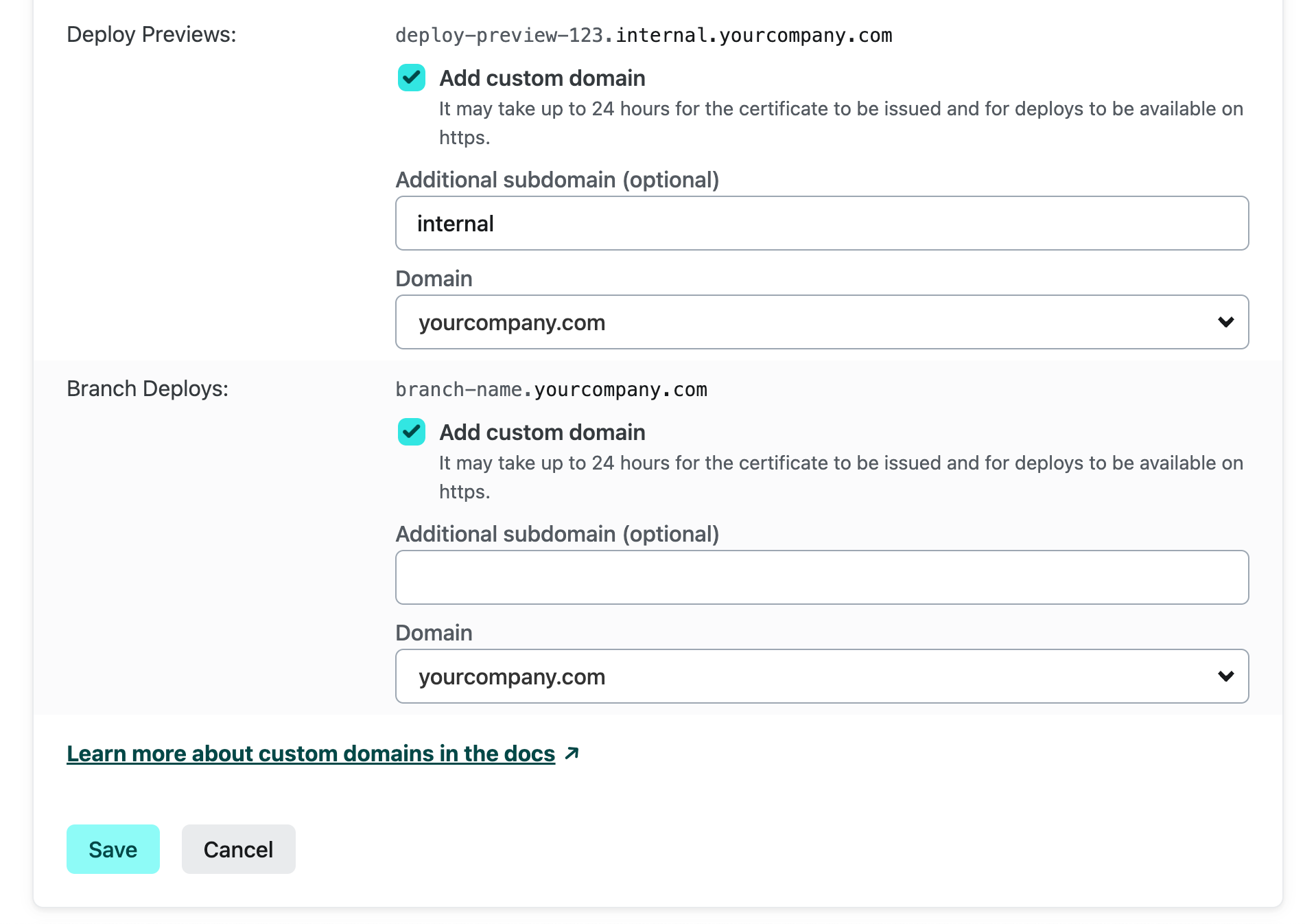 5. Press “Save”.
That’s it!
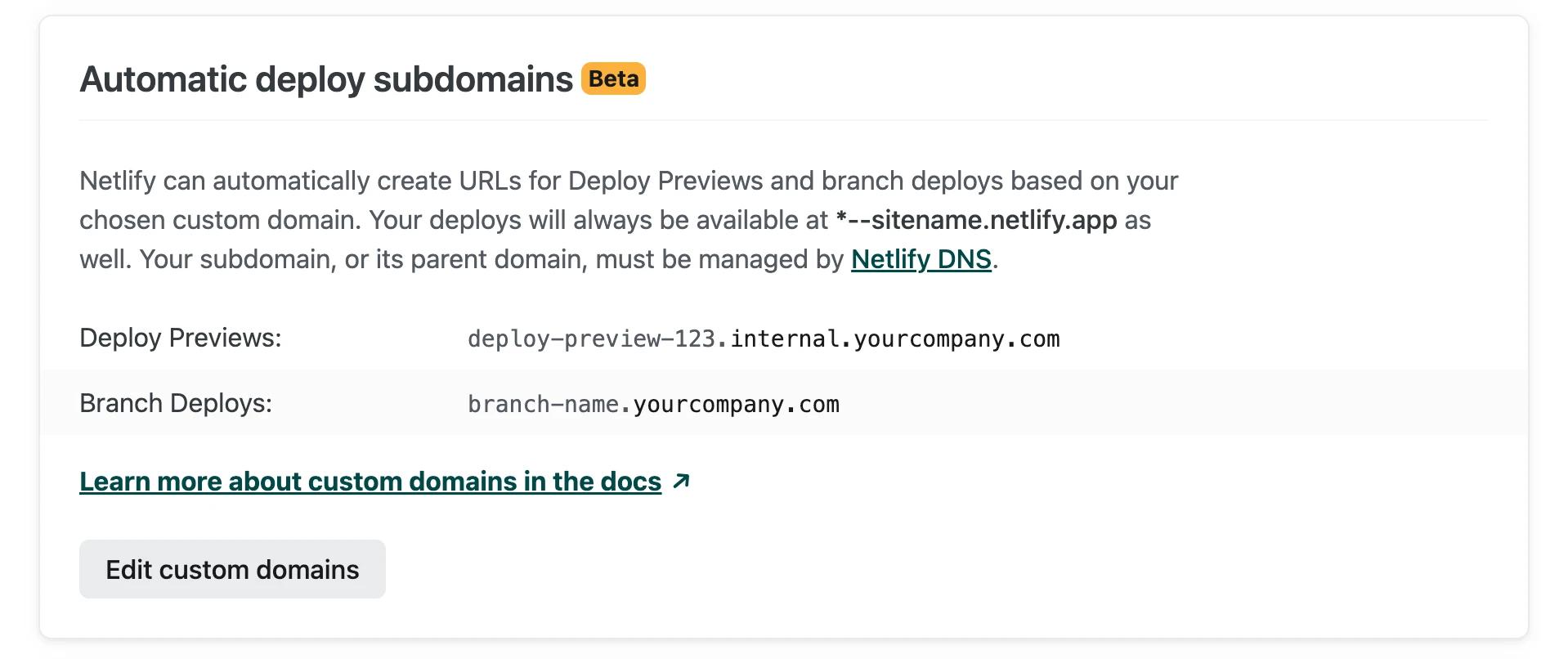
Netlify will automatically generate wildcard DNS records and SSL certificates for each Deploy Preview (deploy-preview–123.internal.yourcompany.com) and deployed branch (branch-name.internal.yourcompany.com). We will use these URLs on the Netlify UI, in the Netlify API, and in deploy notifications:
Netlify DNS is required for this feature, but your deploys’ custom subdomains do not need to match production. Can’t delegate an apex domain to Netlify DNS? Try a subdomain!
Differences to branch subdomains
The branch subdomains feature is still available to all teams under Site Settings > Domain Management. Unlike automatic deploy subdomains, this feature requires manually configuring each custom subdomain before it is applied to a deployed branch. The only domain available here is your site’s primary domain:
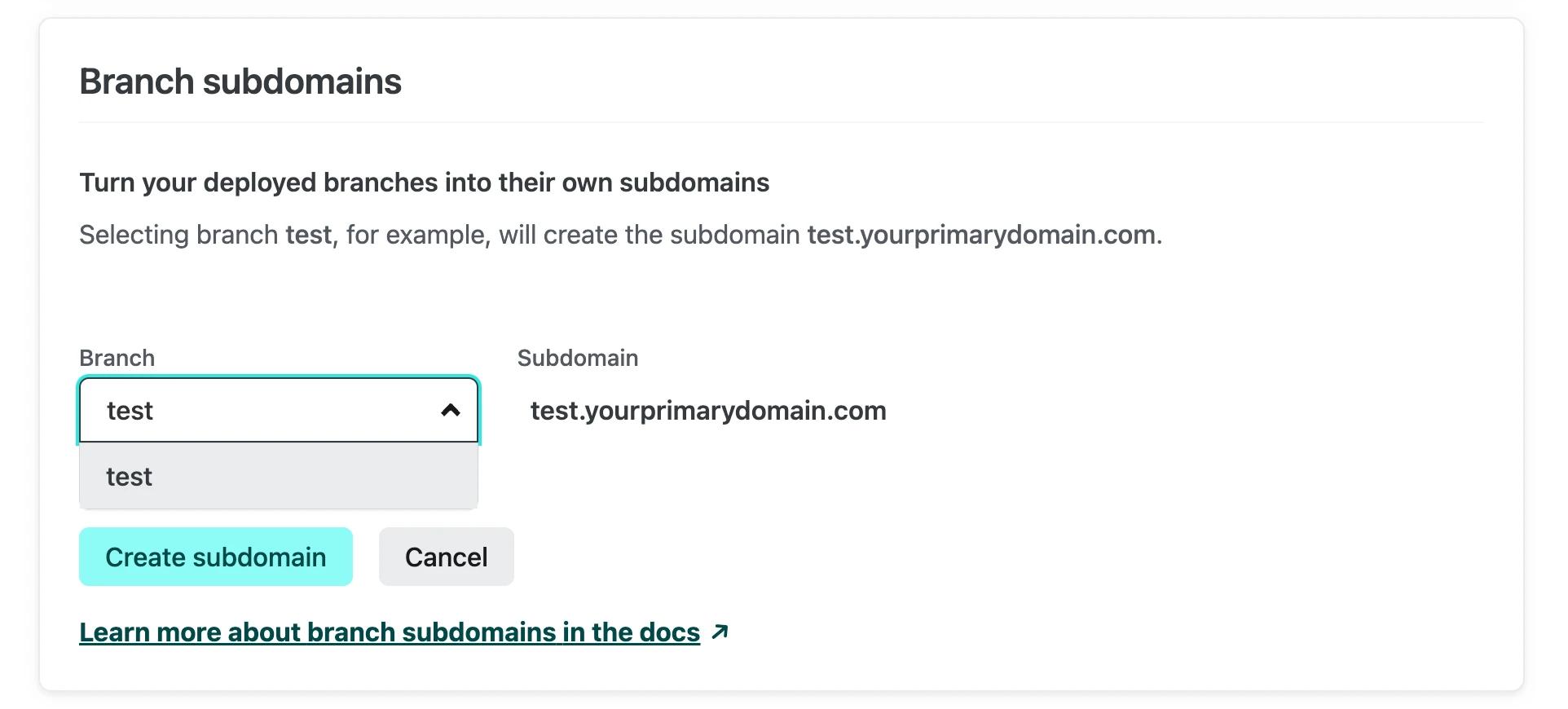
Developers may find they prefer this approach for some projects! The branch subdomains feature is useful if you want to tightly control new branch subdomains, instead of letting Netlify create these automatically.
Interactions with branch subdomains
If you enable automatic deploy subdomains for branch deploys on your site, the “Branch subdomains” feature will be disabled on that site:
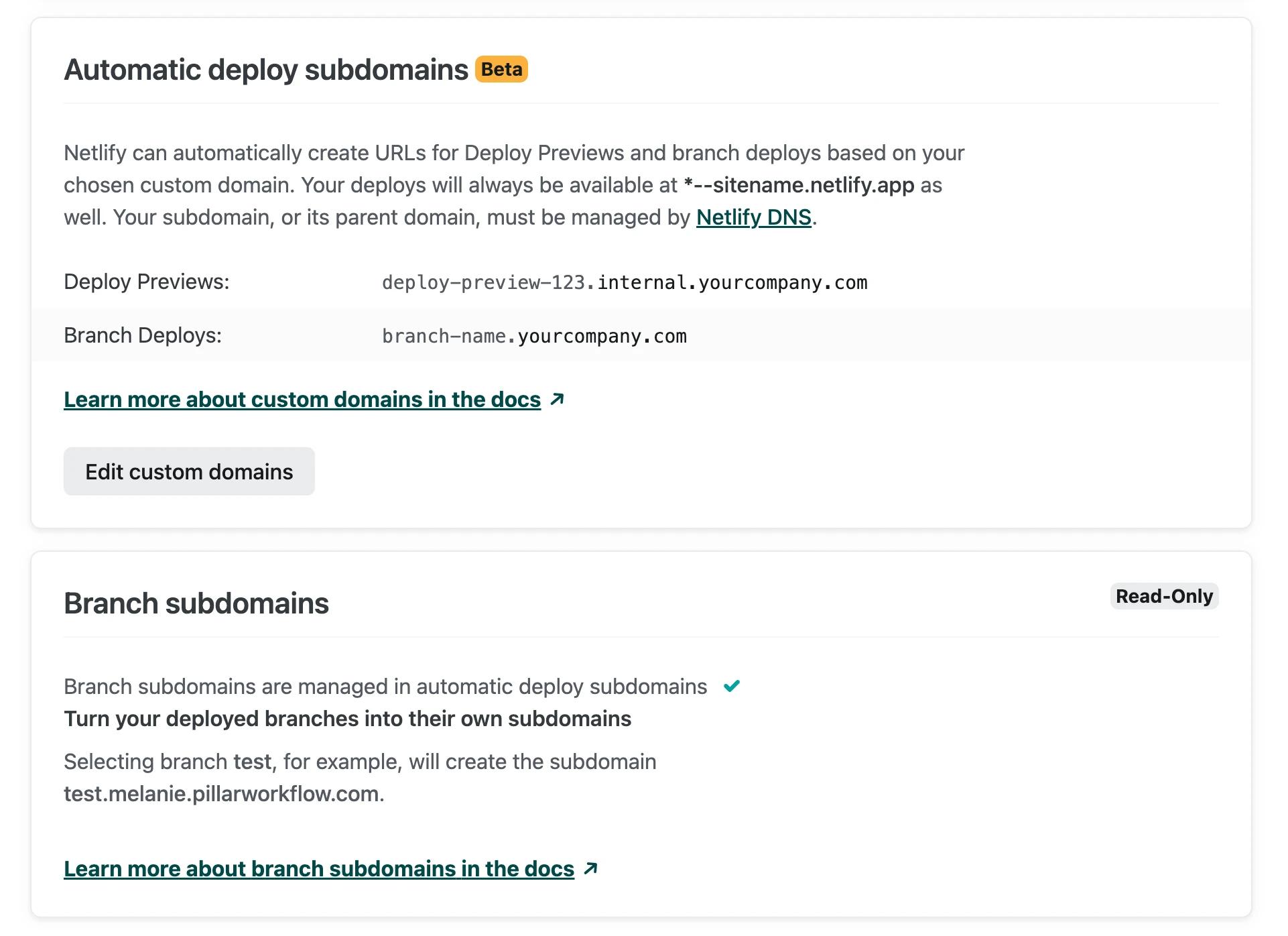
We will continue to serve any branch subdomains you previously configured, in addition to the new automatic subdomains.
Try it out today!
We hope that automatic deploy subdomains enable your team to better control your preview environments. You can check out the docs to learn more.
Please try it out today under Site Settings > Domain Management and let us know what you think on this short survey or on the forums!
Not already a Netlify customer? Sign up for a free Pro trial to get access to automatic deploy subdomains and more features.