


In composable web architecture, developers often find themselves supporting content teams with frustratingly inefficient workflows. Teams typically manage at least three open tabs—one for the content (CMS or GitHub), one for the preview, and one for the actual article post. This constant juggling wastes time and complicates an already complex system.
At Netlify, we’re solving this problem with a powerful new feature: visual editing in the Dev Server preview. This feature provides developers with better control over site architecture and full visibility into the logs—all while enabling content teams to make real-time updates directly in the preview environment. This bridges the gap between content creators and developers in a way that significantly reduces workflow friction.
Simplifying developer workflows in the Dev Server
One of the biggest headaches for developers working with content teams is setting up and maintaining live previews that offer real-time updates. You’re often tasked with either building and maintaining custom preview components, or worse, giving up control over the site’s architecture, build, and release pipelines.
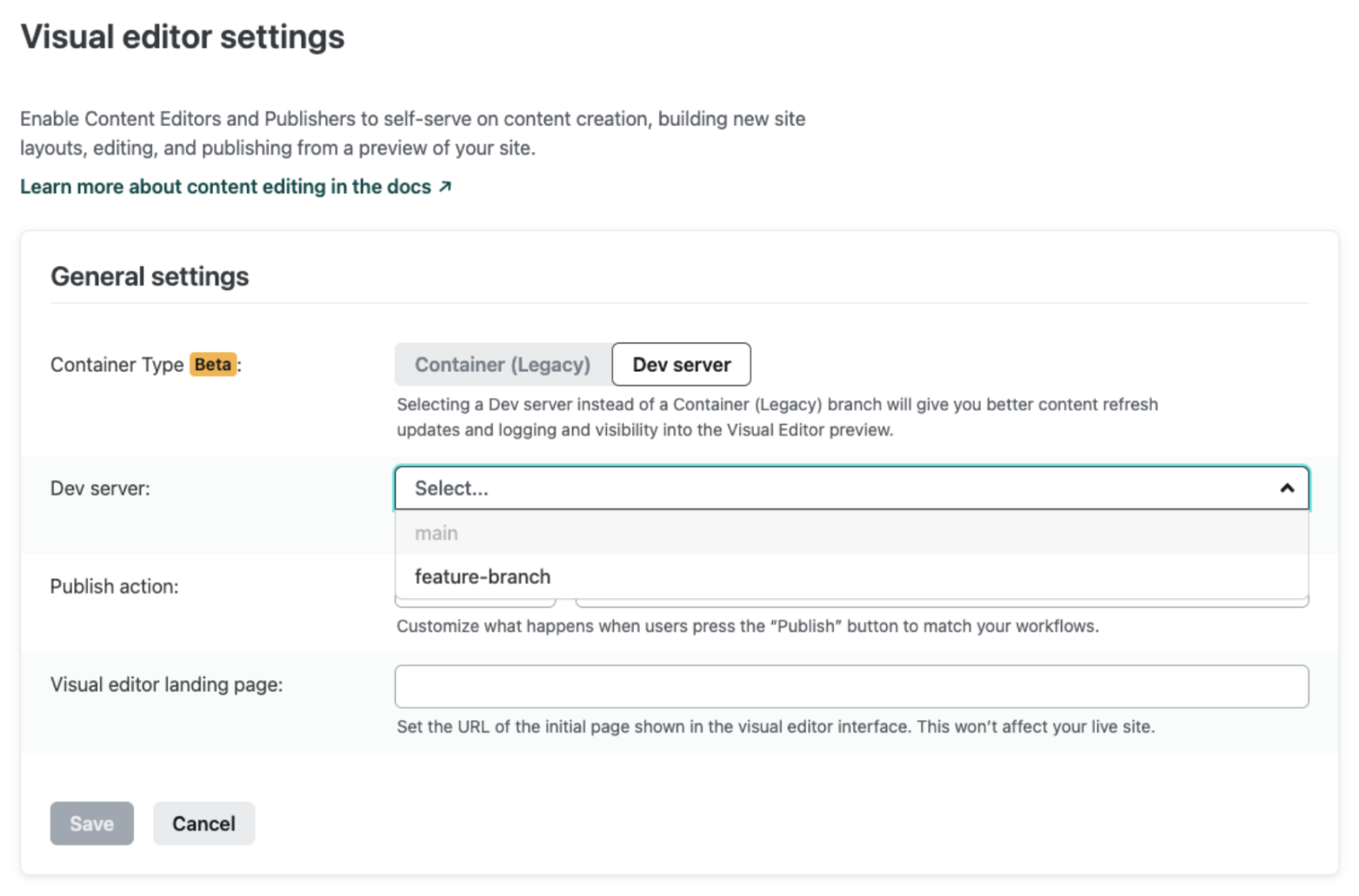
To address this need, a few months ago, we released a new primitive, the Dev server, a Netlify-provisioned container that runs Netlify dev for your site. By default, it uses the same settings as when running the CLI locally. Virtually any web framework nowadays has a development (or dev) mode in which all pages can be re-generated, including pages that are fully static in production builds.
Since its launch in August, nearly fifty of our largest customers have adopted Netlify’s Dev Server, providing their content teams with a reliable preview environment that allows them to review content changes quickly and work more efficiently.
Today, we’re taking things a step further by introducing the ability to visually edit directly within Dev Server previews. This is just the beginning, as our goal is to make this the default feature in Netlify’s Visual Editor, streamlining the developer experience when it comes to setting up collaboration between content creators and developers.
Key developer benefits
While there are many—here are the highlights.
1. Full visibility into logs and errors
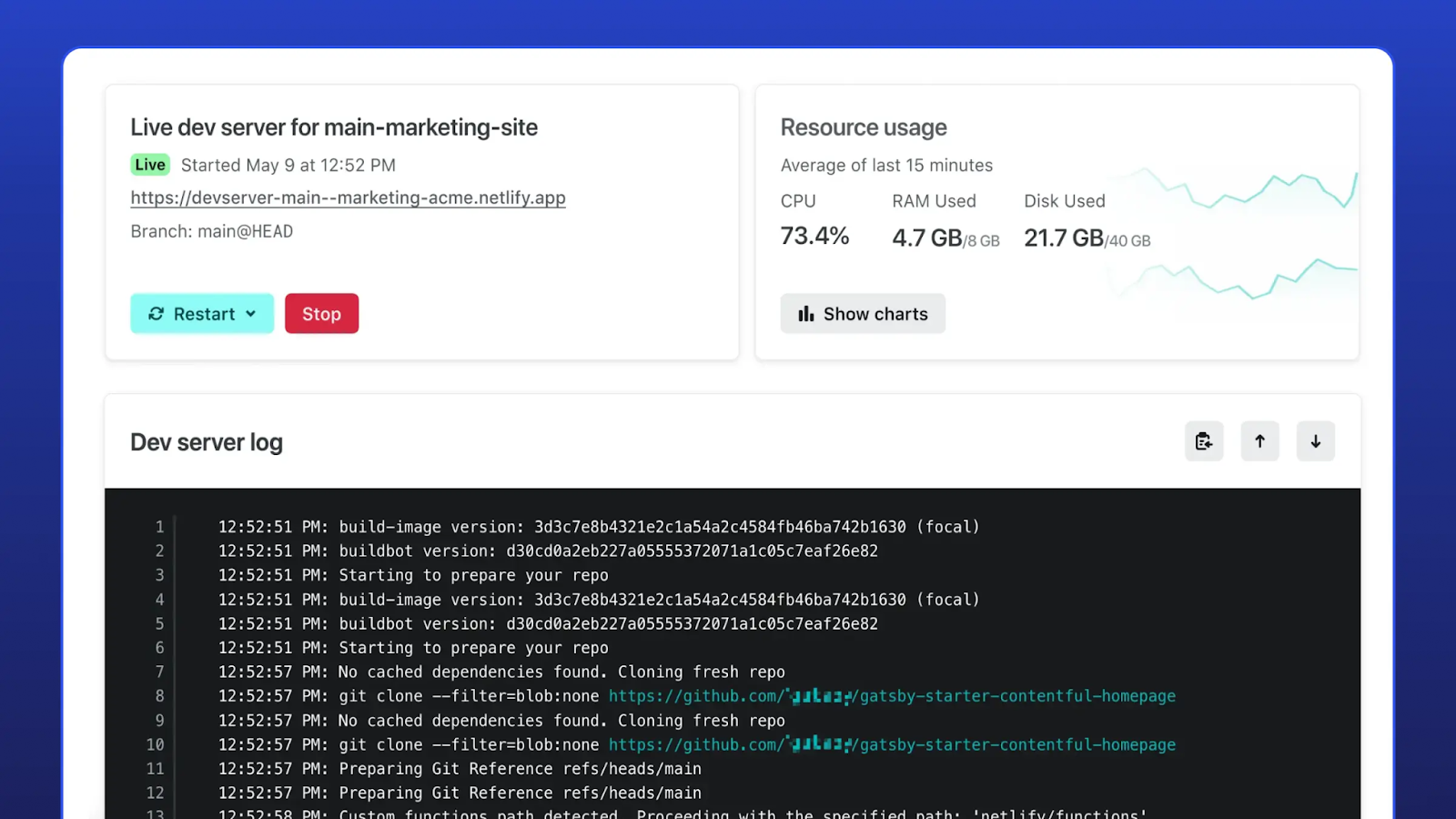
When something goes wrong, you need insight into what caused the issue—fast. The Dev Server preview gives you direct access to logs and error messages, making it easy to diagnose and fix issues quickly. This feature helps avoid bottlenecks that would otherwise block content teams and slow down development.
2. Seamless real-time previews
Maintaining live content previews is often a pain, requiring custom code or plugins that add complexity to the stack. The Dev Server handles all of this for you, offering a real-time preview that works with virtually any web framework’s development mode. The pages can regenerate on the fly, giving your content team the feedback they need without interfering with your development process.
3. Maintain control over architecture
With the Dev Server, you don’t have to compromise on site architecture or lose control over the CI/CD pipeline. It integrates seamlessly into your existing workflows, providing flexibility for content updates while preserving the integrity of your site’s infrastructure.
Get started with visual editing in the Dev Server Preview
This functionality is currently in Private Beta. Enabling this feature takes just a few steps in the Netlify app, and it seamlessly integrates into your existing setup. Once enabled, both developers and content teams will immediately start seeing the benefits of real-time previews with full editing capabilities.
Interested in trying it out? Join our Private Beta today and experience the next step in streamlined development workflows.