





In addition to Github, Gitlab, and Azure DevOps, Deploy Previews are now supported with repositories on Bitbucket!
Deploy Previews enable teams to preview a site with incoming changes, before they land in production. Any pull/merge requests against your production branch — or any other deployed branches — results in a Deploy Preview:
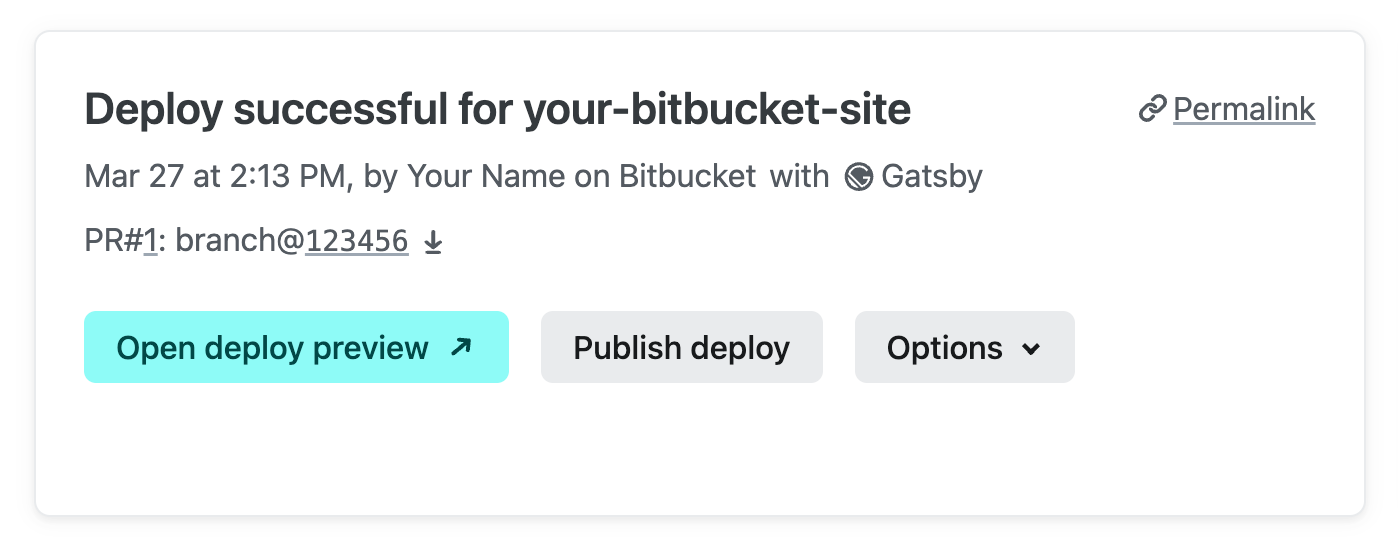
You can find a list of Deploy Previews in Your Site > Deploys in the Netlify UI.
You can also invite your team to collaborate on incoming changes in the Netlify Drawer:
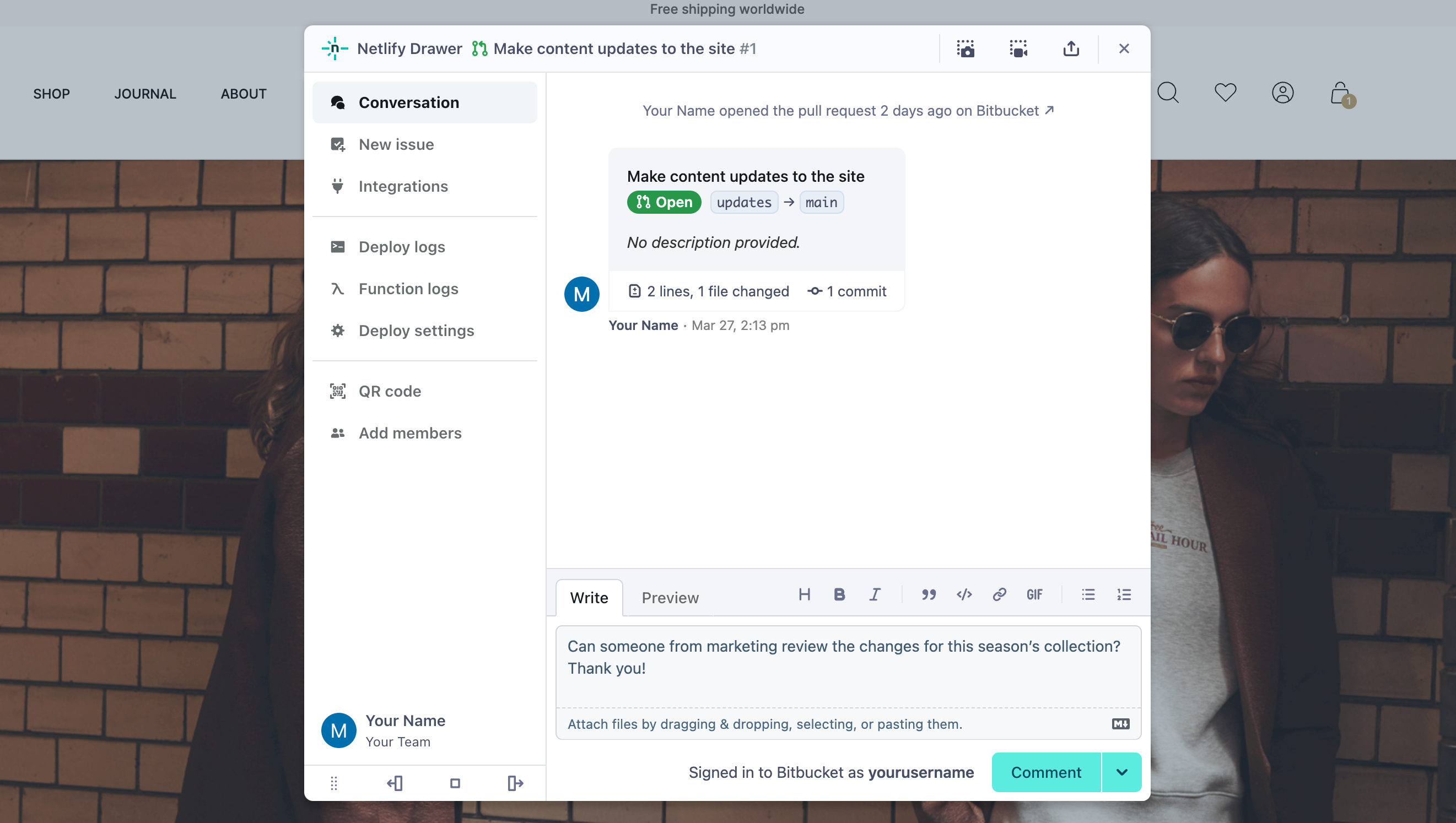
These collaboration tools are available inline on the Deploy Preview. They empower your team to discuss changes, take screenshots or screen recordings, and file issues in your project management tool of choice—such as Bitbucket or Jira.
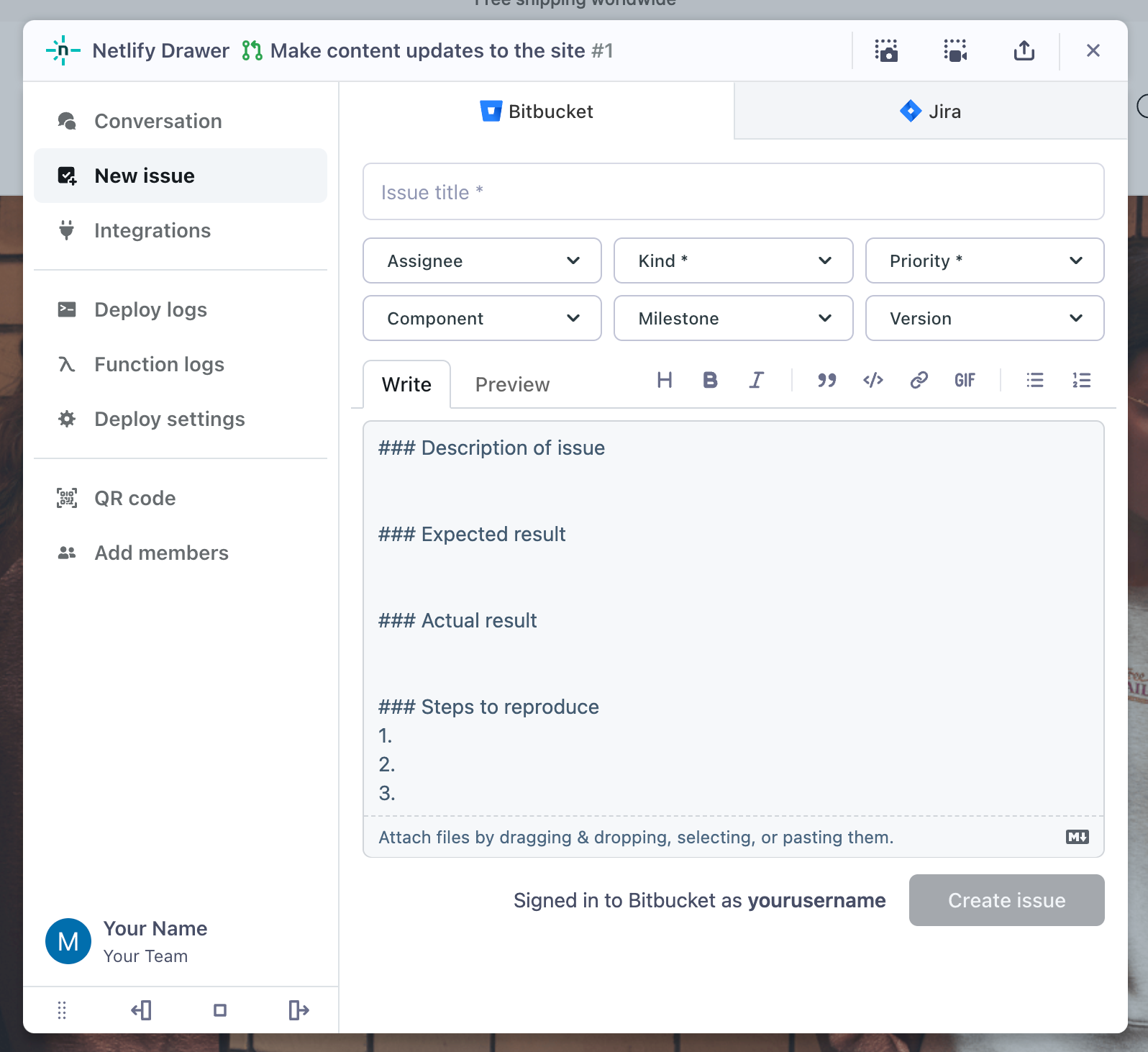
Discussions in the “Conversations” tab are automatically synced back to the relevant pull request on Bitbucket. Learn more about the Netlify Drawer
How to get Deploy Previews with Bitbucket repositories
Existing sites
For existing sites on Netlify, you need to re-link the site to your Bitbucket repository. Before you do, please note that any deploy keys and build hooks will be deleted when updating the repository. You will need to re-configure these.
To re-link the repository:
- Go to Site Settings > Build & deploy > Manage repository.
- Hit Manage repository > Link to a different repository
- Connect to Bitbucket and select the same repository.
Deploy Previews will now be available when you open new pull requests on this site!
New sites
Any new sites imported from an existing Bitbucket project will have Deploy Previews enabled by default.
Manage collaborative Deploy Preview settings
Deploy Previews are enabled by default, but you can update this setting at any time in Site Settings > Build & deploy > Branches and deploy contexts.
You can also find Netlify Drawer settings in Site Settings > Build & deploy > Collaboration tools. The Netlify Drawer is available for Deploy Previews, as well as branch deploys, should you want to collaborate on long-term preview environments.
Configure deploy notifications
You can keep track of what’s happening on Netlify by setting up deploy notifications.
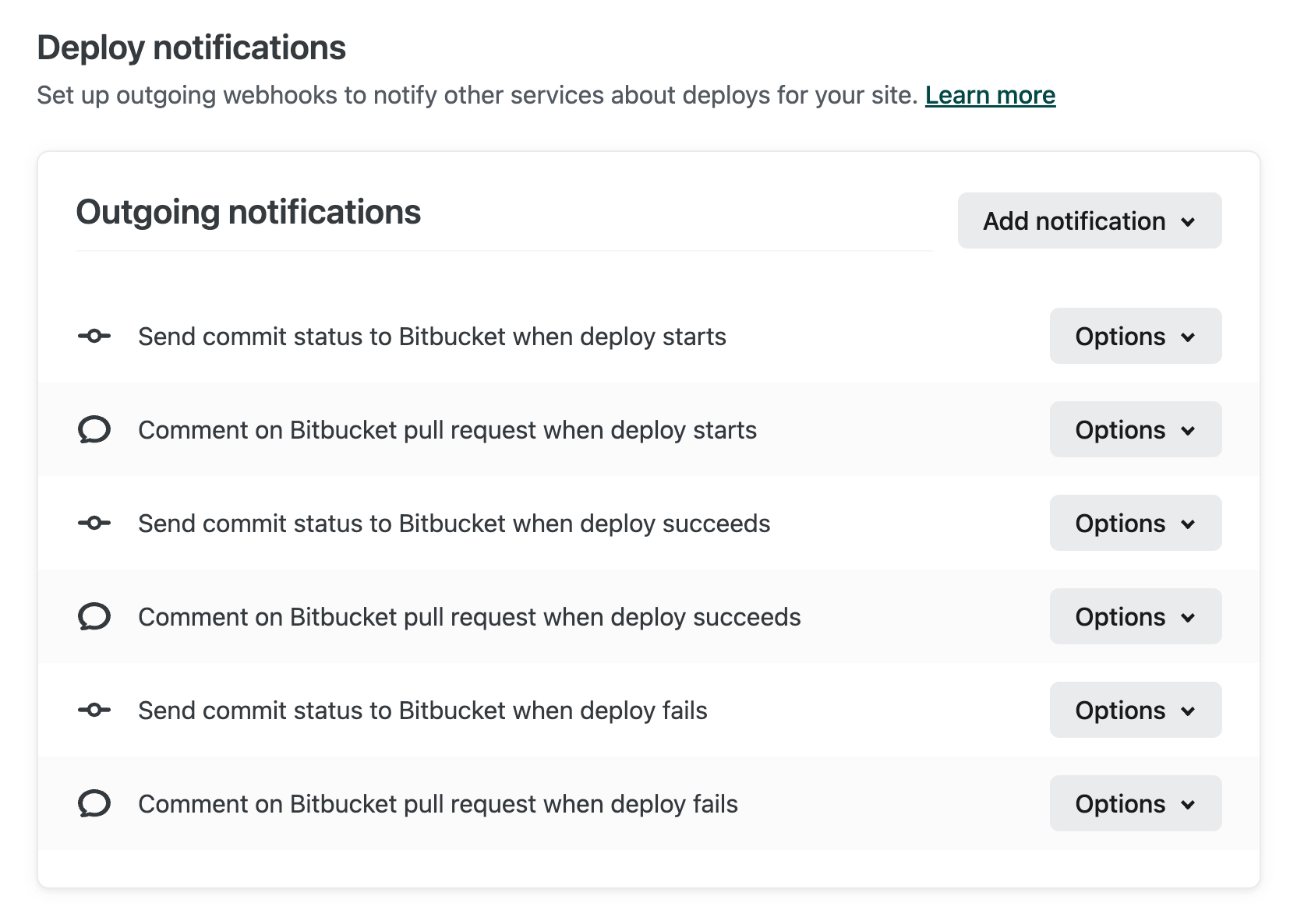
With new support for Bitbucket repositories, you can now configure:
- Bitbucket commit statuses: these notifications add the status of your commits to your Bitbucket project.
- Bitbucket pull request comments: this type of notification adds a comment to your Bitbucket pull requests indicating the status of the associated deploy and provides a link to the Deploy Preview when ready.
- Deploy notifications to Slack, email, or any other service that accepts web hooks.
Learn more about Bitbucket notifications
Try it out!
Go to Team Overview > Add new site > Import an existing project to start a new project from Bitbucket. Let us know what you think about the new support on the forums, we’d love to hear your thoughts!
Not yet using Netlify? Get started for free and import a project from Bitbucket in minutes.