







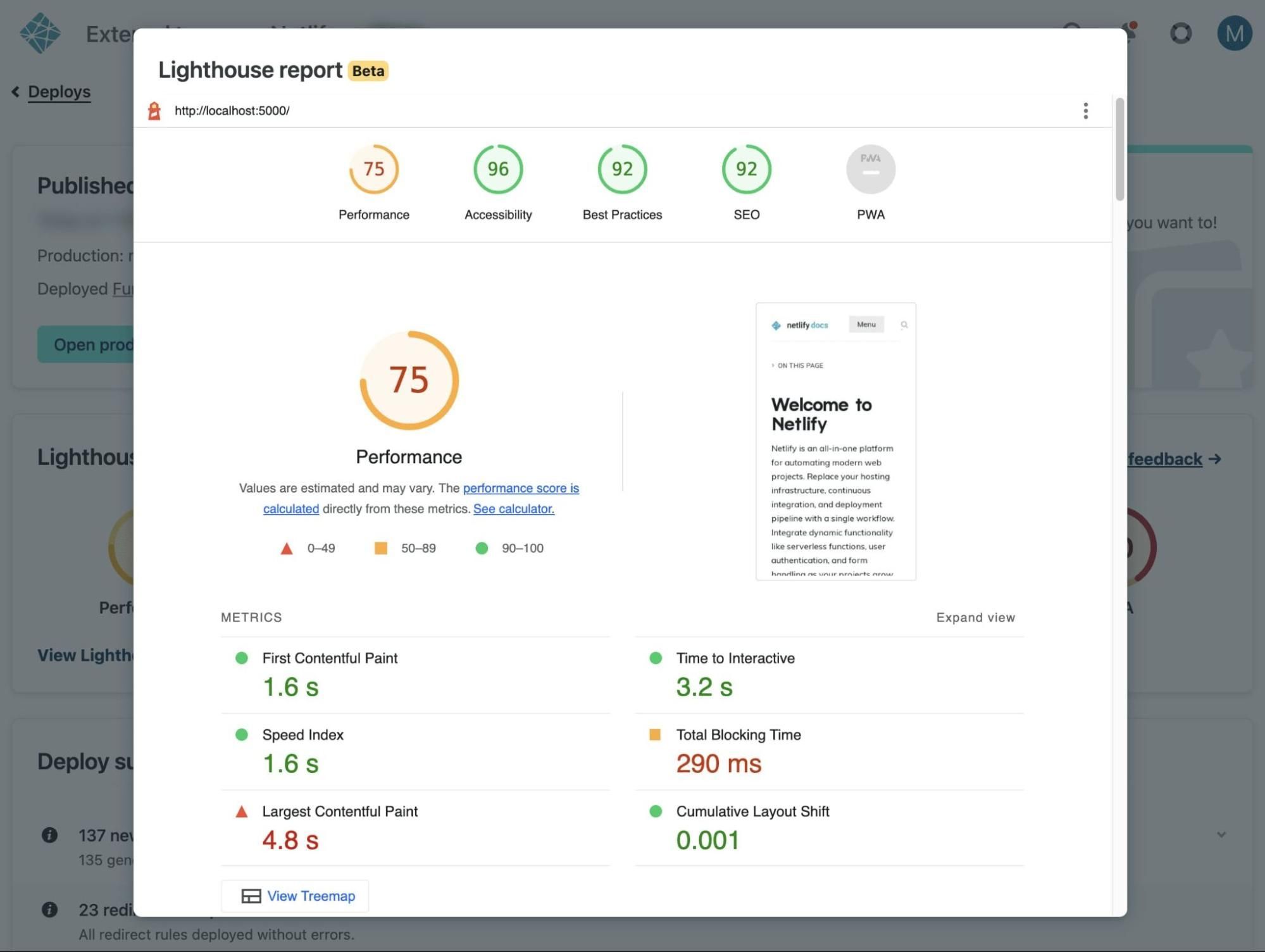
Today we’re excited to announce that you can now generate full Lighthouse reports for each site deploy! This build plugin update gives you everything you’d expect in a Lighthouse report, conveniently available from the Netlify UI.
This release is currently in public beta and available to try today.
Full Lighthouse reports with scores and web vitals
Prior to this release, you could visualize your Lighthouse scores for each deploy but there was no way to read a full report from the Netlify UI. With this release, Netlify now includes an embedded Lighthouse report with metrics in addition to the scores for Performance, Accessibility, Best Practices, SEO, and Progressive Web Apps (PWA).
Among the metrics available in the report, you’ll find some web vitals included: Largest Contentful Paint and Cumulative Layout Shift. These web vitals metrics are especially important for search engine results.
Use these reports to understand how your performance is improving — or degrading — with each deploy.
Configuring the Lighthouse plugin for device type and localization
The performance of your site or application may be different based on a user’s device type or location. By default, without any configurations to the .toml file, Netlify will run the Lighthouse test from a mobile device type with the locale “en”.
Now you have the option to configure different configurations for your Lighthouse test results within the Netlify .toml file.
For example, if you’d like to change the default device type from “mobile” to “desktop” you can write a line in the .toml file that looks like this:
[[plugins]]
package = "@netlify/plugin-lighthouse"
[plugins.inputs.settings]
preset = "desktop" # Optionally run Lighthouse using a desktop configuration
Or, if you’d like to change the Locale to one of the supported options you can write it like this:
[[plugins]]
package = "@netlify/plugin-lighthouse"
[plugins.inputs.settings]
locale = "es" # generates Lighthouse reports in Español
Fail your Netlify build based on Lighthouse score thresholds
Similar to other build plugins in our ecosystem, the Lighthouse plugin gives you the option to fail your build if your Lighthouse scores fall below defined thresholds. You can set these thresholds within the Netlify .toml file.
[[plugins]]
package = "@netlify/plugin-lighthouse"
[plugins.inputs.thresholds]
performance = 0.9
Visualizing Lighthouse scores per deploy
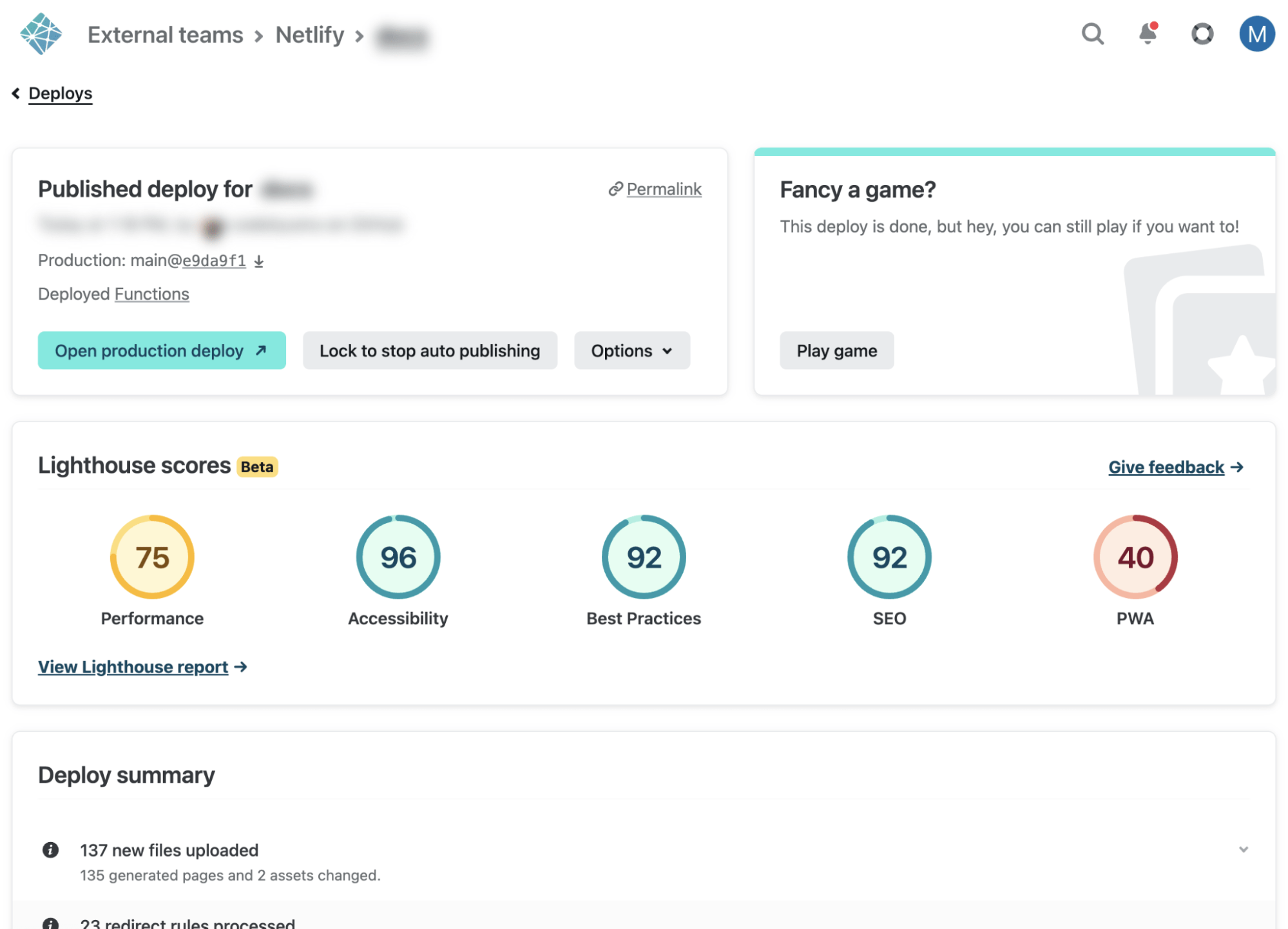
By default, Netlify will show your top-level Lighthouse scores on the deploy page.
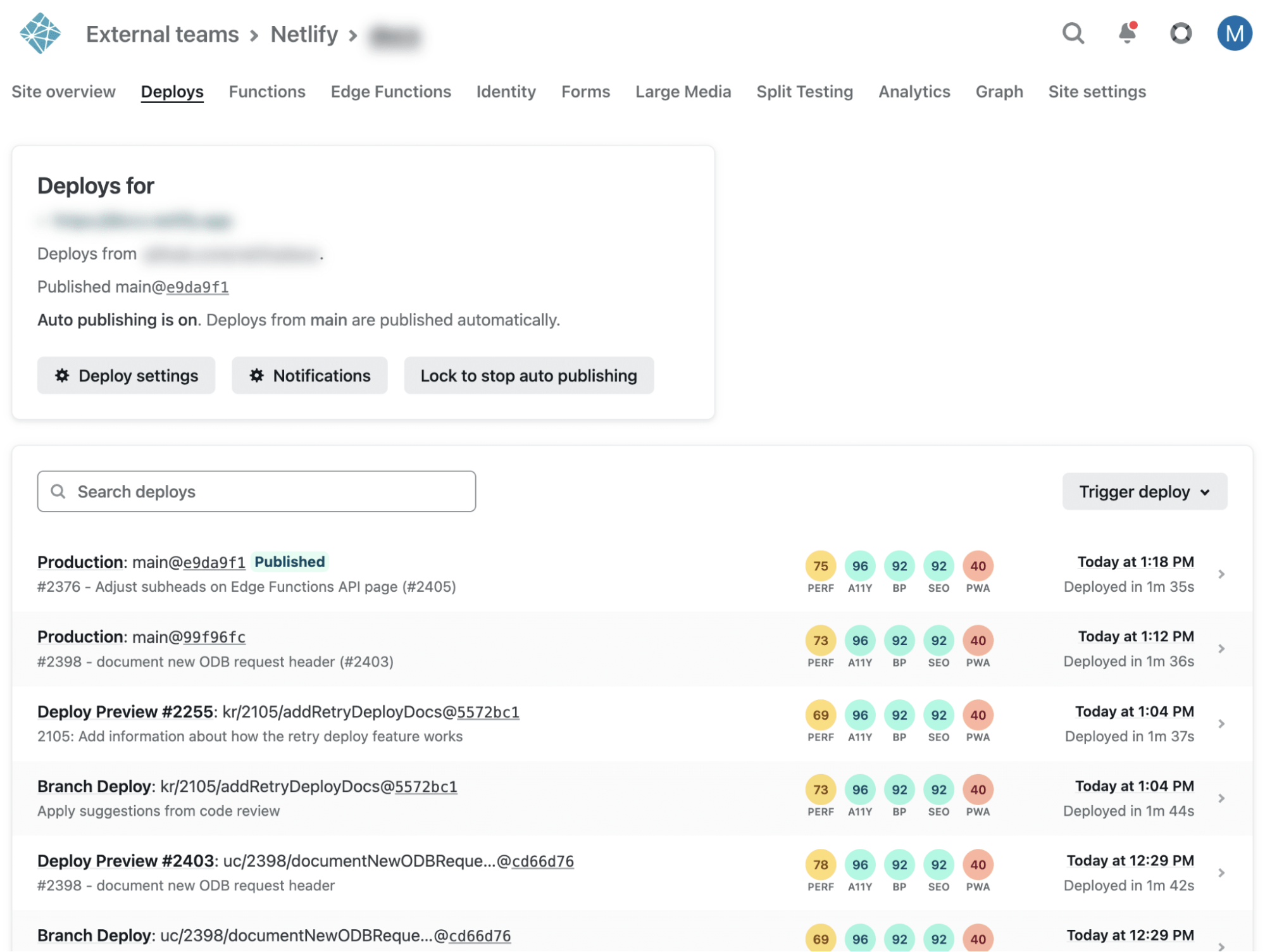
Further, if your team is on a Pro plan or above, you can see how the scores have changed over time on the deploy list.
Start measuring your site performance with Lighthouse reports
Go install the latest version of the Lighthouse plugin and try out these new features today! This latest release was driven by customer feedback from developers like you. Let us know what you think.