


惯性聚合 高效追踪和阅读你感兴趣的博客、新闻、科技资讯
阅读原文 在惯性聚合中打开

推荐订阅源

腾讯CDC
Schneier on Security
B
Blog RSS Feed
aimingoo的专栏
aimingoo的专栏
P
Proofpoint News Feed
A
About on SuperTechFans
Recorded Future
Recorded Future
Recent Announcements
Microsoft Security Blog
L
LangChain Blog
Hugging Face - Blog
Hugging Face - Blog
The GitHub Blog
The GitHub Blog
Google DeepMind News
T
Tailwind CSS Blog
Vercel News
Vercel News
H
Hackread – Cybersecurity News, Data Breaches, AI and More
MyScale Blog
MyScale Blog
V2EX - 技术
V2EX - 技术
N
Netflix TechBlog - Medium
F
Fortinet All Blogs
V
Visual Studio Blog
Martin Fowler
Martin Fowler
K
KPMG report finds enterprise disconnect between AI and its ROI | CIO
博客园 - Franky
freeCodeCamp Programming Tutorials: Python, JavaScript, Git & More
T
The Exploit Database - CXSecurity.com
F
Full Disclosure
Scott Helme
Scott Helme
H
Heimdal Security Blog
博客园 - 叶小钗
Google DeepMind News
Cyberwarzone
Cyberwarzone
Application and Cybersecurity Blog
V
Vulnerabilities – Threatpost
Blog — PlanetScale
Blog — PlanetScale
Security Latest
Security Latest
WordPress大学
WordPress大学
Cyber Security Advisories - MS-ISAC
T
Troy Hunt's Blog
S
SegmentFault 最新的问题
Forbes - Security
Forbes - Security
Jina AI
Jina AI
S
Securelist
小众软件
小众软件
Simon Willison's Weblog
J
Java Code Geeks
AWS News Blog
AWS News Blog
N
News and Events Feed by Topic
博客园 - 三生石上(FineUI控件)
量子位

子痕的博客

Windows端RSS阅读利器——Fluent Reader 更换主力截图工具到Pixpin 2025年我一直在用的软件 这个博客已经20年了 Edge浏览器升级了AI 让Windows 10在晃动窗口时不再最小化其它窗口 微信是听劝的 Spotify声破天APP一直显示正在登录 解决Photoshop 2022 This unlicensed Adobe app has been disabled 正版弹窗 100%成功 解决PS跳出弹窗提示软件未经授权将被禁用方法
Creative Cloud无法连接到Adobe服务器
acevs · 2025-09-23 · via 子痕的博客

最近有消息说Adobe Photoshop月底接入Google的AI——Nano Banana,又看到生成的图片很惊艳,恰巧又看到便宜的第三方订阅,还能用自己的Adobe账号,于是入手。

安装了Adobe Creative Cloud之后,无法连接到Adobe服务器,但是魔法可以加载,所以应该是防火墙的问题。
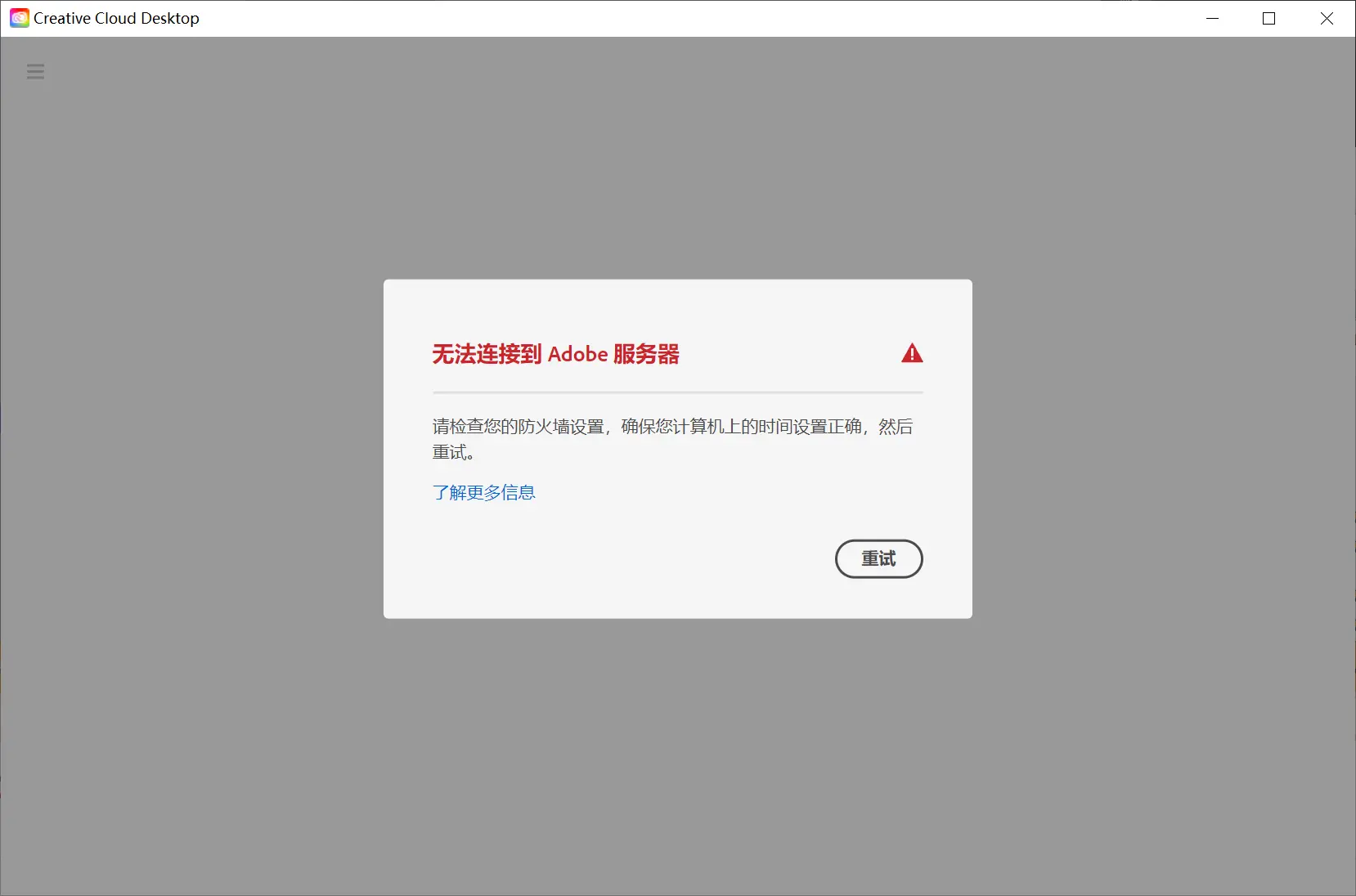
无法连接到Adobe服务器

无法连接到Adobe服务器

因为之前装过学习版,设置了一些规则禁掉弹窗,所以要把之前的设置还原。

1、修改Hosts

先修改Hosts,Windows路径 C:\Windows\System32\drivers\etc ,删掉有关Adobe的网址:
#127.0.0.1 adobe.io
#127.0.0.1 ic.adobe.io

2、防火墙设置

发现还是不行,于是回忆之前操作过的步骤,找到使用Windows防火墙策略屏蔽Adobe联网(原文)的操作。
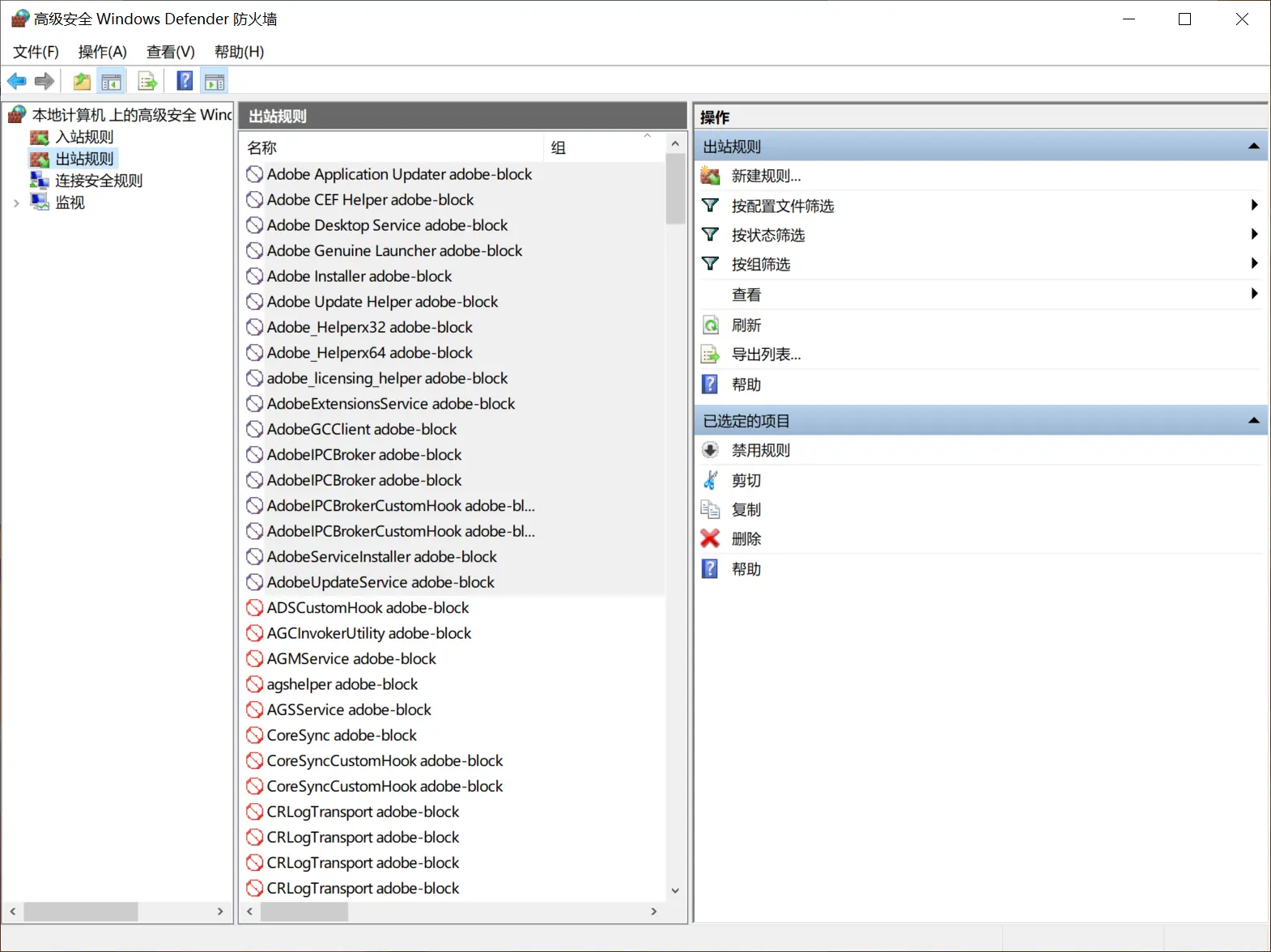
删除Windows防火墙有关Adobe的出站规则

删除Windows防火墙有关Adobe的出站规则

在防火墙里删除了所有有关Adobe的出站规则。

再次打开Adobe Creative Cloud可以完全加载了。